
TECLAST M40PRO Android Tablet
Manual Pengguna Tablet Android TECLAST M40 Pro
Model: M40PRO Android Tablet
1. Pengenalan
This manual provides comprehensive instructions for the setup, operation, and maintenance of your TECLAST M40 Pro Android Tablet. The TECLAST M40 Pro is a high-performance tablet featuring a 10-inch FHD display, Android 11 operating system, 6GB RAM, 128GB internal storage (expandable up to 512GB), an Octa-Core processor, dual cameras, dual-band Wi-Fi, Bluetooth, and GPS capabilities. It is designed for a wide range of uses, from study and entertainment to productivity.

Imej: Depan dan belakang view of the TECLAST M40 Pro tablet, highlighting its sleek design and the Android 11 interface on the screen.
2. Apa yang ada di dalam Kotak
Setelah membuka bungkusan, sila pastikan semua item berikut ada:
- TECLAST M40 Pro Android Tablet
- Kabel Pengecasan USB Jenis-C
- Penyesuai Kuasa (mungkin berbeza mengikut wilayah)
- 128GB Micro SD Card (as specified in product details)
- Manual Pengguna (dokumen ini)
- SIM Ejector Tool (if applicable for SIM card slot)
3. Produk Lebihview
Familiarize yourself with the physical components and ports of your TECLAST M40 Pro tablet.

Image: Detailed diagram of the TECLAST M40 Pro tablet, indicating the location of the headphone jack, Micro SD/SIM card slot, front camera, rear camera, power button, volume rocker, reset button, and Type-C port, along with speaker locations.
- Butang Kuasa: Press and hold to power on/off or restart. Short press to turn the screen on/off.
- Volume Rocker: Laraskan kelantangan audio.
- Pelabuhan Jenis-C: Used for charging the tablet and connecting to a computer for data transfer.
- Jack fon kepala: Sambungkan fon kepala 3.5mm.
- Micro SD/SIM Card Slot: Insert a Micro SD card for expandable storage (up to 512GB) or a SIM card for cellular data (if supported by your model).
- Kamera Depan: Kamera 5MP untuk panggilan video dan swafoto.
- Kamera Belakang: Kamera 8MP untuk gambar dan video.
- Penceramah: Quad speakers for enhanced audio experience.
- TETAP SEMULA: A small pinhole for factory reset in case of system unresponsiveness. Use a thin pin to press.
4. Persediaan
4.1 Pengecasan Awal
Before first use, it is recommended to fully charge your tablet. Connect the provided USB Type-C cable to the tablet's Type-C port and the other end to the power adapter. Plug the adapter into a wall outlet. The charging indicator on the screen will show the charging status. It is suggested to charge for at least 30 minutes before turning it on for the first time.
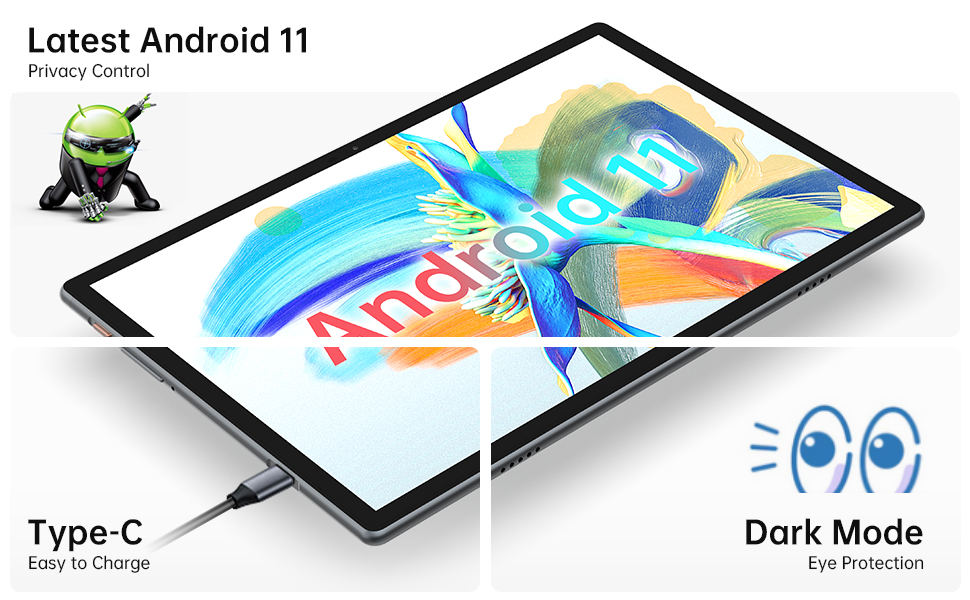
Image: Close-up of the tablet showing the Type-C charging port with a cable connected, illustrating the ease of charging.
4.2 Menghidupkan/Mematikan
- Untuk Menghidupkan: Press and hold the Power Button until the TECLAST logo appears on the screen.
- Untuk Mematikan: Press and hold the Power Button until a power menu appears. Select "Power off" from the options.
- Untuk Mulakan Semula: Daripada menu kuasa, pilih "Mulakan semula".
4.3 Wizard Persediaan Awal
The first time you power on the tablet, you will be guided through an initial setup wizard. Follow the on-screen prompts to:
- Pilih bahasa anda.
- Sambung ke rangkaian Wi-Fi.
- Log masuk dengan akaun Google anda atau buat yang baharu.
- Set up screen lock (PIN, pattern, password, or face recognition).
- Review dan menerima terma dan syarat.
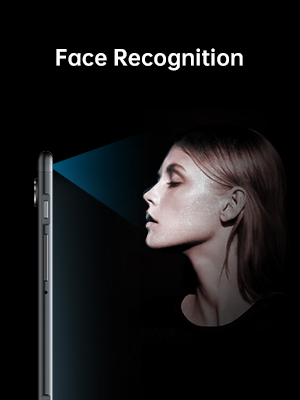
Image: Illustration of the tablet's face recognition feature in use, showing a user unlocking the device with their face.
5. Mengendalikan Tablet Anda
5.1 Ciri-ciri Android 11
Your TECLAST M40 Pro runs on Android 11, offering enhanced privacy controls, improved notification management, chat bubbles, and a system-wide dark mode for eye protection.
Image: The tablet screen prominently displaying the "Android 11" text, indicating the operating system version.
5.2 Ketersambungan
- Wi-Fi: Go to Settings > Network & internet > Wi-Fi. Turn on Wi-Fi and select your desired network. Enter the password if required. The tablet supports 2.4G and 5G dual-band Wi-Fi for stable and fast connections.
- Bluetooth: Go to Settings > Connected devices > Connection preferences > Bluetooth. Turn on Bluetooth and pair with compatible devices like headphones or keyboards. The tablet features efficient Bluetooth 5.0.
- GPS: The tablet includes GPS functionality for navigation and location-based services. Ensure location services are enabled in Settings > Location.

Image: A visual representation of the tablet's connectivity features, showing icons for Dual Band WiFi (2.4G+5G), Bluetooth 5.0, and Android 11, emphasizing its ability to stay connected.
5.3 Penyimpanan dan Prestasi
The M40 Pro comes with 6GB RAM and 128GB ROM, providing smooth operation and ample space for apps, media, and documents. Storage can be expanded up to 512GB using a Micro SD card.

Image: A graphic comparing the TECLAST M40 Pro's 6GB RAM and 128GB ROM (expandable to 512GB) with other tablets, illustrating its superior storage and performance for video, music, photos, and apps.
The 2.0GHz Octa-Core processor ensures high performance and low power consumption, preventing crashes and overheating during intensive use.

Image: The tablet displaying a racing game, with text overlays highlighting its Octa Core Processor and 2.0 GHz Frequency, indicating high performance and low power consumption.
5.4 Paparan dan Audio
The 10.1-inch FHD IPS display with 1920x1200 resolution provides a wide-angle viewing experience and exceptional color rendition. Coupled with quad speakers, it offers an immersive visual and audio experience.

Image: The tablet screen displaying vibrant colors, emphasizing its 1920x1200 FHD IPS resolution and 10.1-inch display size, along with dual camera specifications.
6. Penyelenggaraan
- Pembersihan: Gunakan kain lembut dan tidak berbulu untuk membersihkan skrin dan badan tablet. Untuk calitan degil, sedikit dampLap kain dengan air atau pembersih skrin. Elakkan menggunakan bahan kimia yang keras atau bahan yang melelas.
- Storan: Simpan tablet di tempat yang sejuk dan kering jauh dari cahaya matahari langsung dan suhu yang melampau.
- Penjagaan Bateri: To prolong battery life, avoid fully discharging the tablet frequently. Charge it regularly and avoid leaving it plugged in for extended periods after it's fully charged.
- Kemas Kini Perisian: Semak kemas kini sistem secara berkala dalam Tetapan > Sistem > Kemas kini sistem untuk memastikan prestasi dan keselamatan yang optimum.
7. Penyelesaian masalah
| Masalah | Penyelesaian yang Mungkin |
|---|---|
| Tablet tidak dihidupkan. | Ensure the tablet is sufficiently charged. Connect it to the charger for at least 30 minutes, then try powering on again. If unresponsive, press the RESET pinhole with a thin pin. |
| Isu sambungan Wi-Fi. | Periksa sama ada Wi-Fi diaktifkan dalam tetapan. Mulakan semula penghala Wi-Fi anda. Lupakan rangkaian dan sambung semula. Pastikan anda berada dalam julat isyarat Wi-Fi. |
| Prestasi perlahan atau aplikasi ranap. | Close unused apps. Clear cache for problematic apps (Settings > Apps > [App Name] > Storage & cache > Clear cache). Restart the tablet. Ensure sufficient free storage space. |
| Skrin tidak bertindak balas. | Restart the tablet by holding the power button. If unresponsive, use the RESET pinhole. |
| Bateri cepat habis. | Reduce screen brightness. Disable unused features like Bluetooth, GPS, or Wi-Fi when not in use. Close background apps. Check battery usage in Settings > Battery to identify power-hungry apps. |
8. Spesifikasi
| Ciri | Perincian |
|---|---|
| Jenama | TECLAST |
| Nama Model | Touch (M40PRO Android Tablet) |
| Sistem Operasi | Android 11 |
| Saiz Skrin | 10 Inci |
| Resolusi Skrin | 1920 x 1200 pixels (FHD IPS) |
| Pemproses | 2.0 GHz Octa Core |
| RAM | 6 GB |
| Storan Dalaman (ROM) | 128 GB |
| Storan Boleh Dikembangkan | Up to 512GB (Micro SD/TF Card) |
| belakang Webresolusi cam | 8 MP |
| Depan Webresolusi cam | 5 MP |
| Ketersambungan | 2.4G+5G WiFi, Bluetooth 5.0, GPS |
| Kapasiti Bateri | 7000mAh (Approx. 8 Hours Average Battery Life) |
| Port Pengecasan | Jenis-C |
| Berat Barang | 2.14 paun |
| Dimensi Produk | 9 x 6 x 1 inci |
9. Waranti dan Sokongan
9.1 Maklumat Waranti
TECLAST provides a Waranti 1 tahun for tablets, valid immediately after purchase. Please retain your proof of purchase for warranty claims.
9.2 Sokongan Pelanggan
For any questions, technical assistance, or warranty inquiries, please contact TECLAST customer service. We aim to provide professional service and answer any questions within 1 working day.
You can visit the official TECLAST store on Amazon for more information and support resources: TECLAST Amazon Store