
1. Pengenalan
This manual provides essential information for the proper use and care of your Rollei Actioncam 7S Plus. Please read it thoroughly before operating the device to ensure optimal performance and longevity. The Rollei Actioncam 7S Plus is a versatile 4K action camera designed for capturing high-quality video and photos in various environments, including underwater, thanks to its robust waterproof housing.

Figure 1.1: Rollei Actioncam 7S Plus. This image shows the front view of the camera, highlighting its compact design and lens.
2. Kandungan Pakej
Sahkan bahawa semua item yang disenaraikan di bawah disertakan dalam pakej anda. Jika ada item yang hilang atau rosak, sila hubungi sokongan pelanggan.
- Rollei Actioncam 7S Plus Camera
- Perumahan Bawah Air
- Alat Kawalan Jauh
- Replaceable Lithium-Ion Battery (850 mAh)
- Bingkai Pemasangan
- Tripod Thread Adapter
- Gunung Basikal
- Gunung Topi keledar
- Tali Velcro
- Pelekat
- Pengikat Kabel
- Kabel USB
- Kain Pembersih Lensa

Figure 2.1: Included accessories for the Rollei Actioncam 7S Plus. This image displays the camera along with various mounts, straps, cables, and the remote control.
3. Persediaan
3.1. Pemasangan dan Pengecasan Bateri
- Buka penutup petak bateri di bahagian bawah kamera.
- Insert the provided 850 mAh Lithium-Ion battery, ensuring the contacts align correctly.
- Tutup penutup petak bateri dengan selamat.
- Connect the camera to a USB power source using the supplied USB cable to charge the battery. The charging indicator light will illuminate.
- Pengecasan penuh biasanya mengambil masa kira-kira 2-3 jam.
3.2. Pemasangan Kad MicroSD
The camera requires a MicroSD card (Class 10 or U3 recommended) for storing recordings.
- Cari slot kad MicroSD di sisi kamera.
- Insert the MicroSD card with the gold contacts facing the front of the camera until it clicks into place.
- Untuk mengalih keluar, tolak kad perlahan-lahan sehingga ia keluar.
3.3. Menghidupkan/Mematikan
- To power on: Press and hold the Power/Mode button for a few seconds.
- To power off: Press and hold the Power/Mode button again until the camera shuts down.
3.4. Tetapan Awal
Upon first use, or after a factory reset, you may need to set the language, date, and time via the touchscreen menu.
4. Mengendalikan Kamera
4.1. Kamera Lebihview dan Kawalan

Rajah 4.1: Belakang view of the Rollei Actioncam 7S Plus in its waterproof housing, showing the 2-inch touchscreen display.
The Rollei Actioncam 7S Plus features a 2-inch touchscreen for intuitive navigation and settings adjustment. Physical buttons are typically for power/mode and shutter/OK functions.
4.2. Rakaman Video
The camera supports various video resolutions and frame rates:
- 4K pada 30 bingkai sesaat (fps)
- Full HD (1080p) at 120 fps for smooth slow-motion playback
- Other resolutions and frame rates available via settings.
Available video modes include: Normal, Time-Lapse, Idle, and Loop Recording.
4.3. Tangkapan Foto
Capture high-resolution still images up to 16 Megapixels (4608 x 3456 pixels).
Photo modes include: Single Shot, Burst, Delay, Time-Lapse, and Long Exposure.
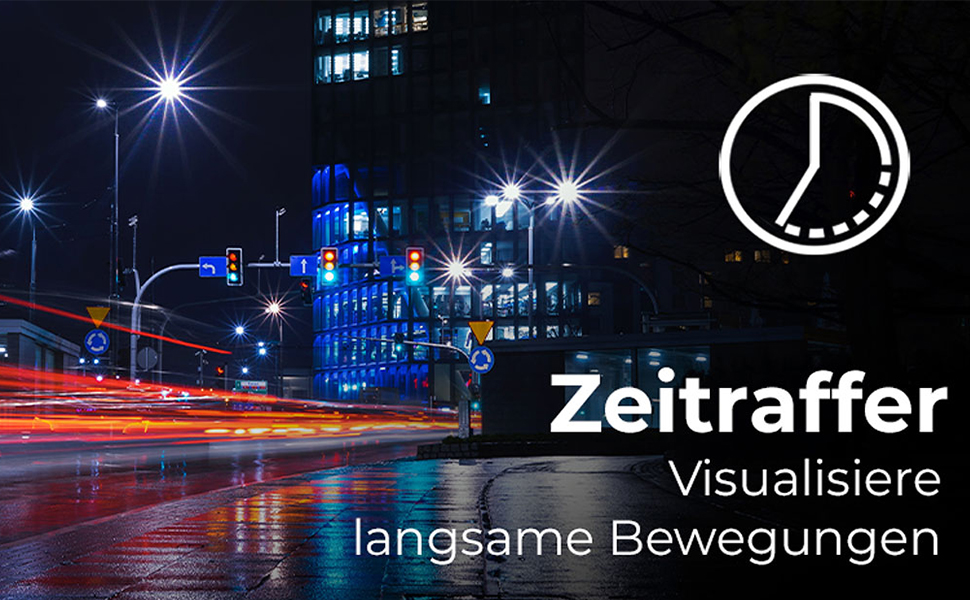
Figure 4.2: Illustration of the Time-Lapse feature. This image depicts a city night scene with light trails, demonstrating the camera's ability to capture time-lapse videos.

Figure 4.3: Illustration of the Slow Motion feature. This image shows colorful powder being thrown, emphasizing the camera's capability to capture detailed slow-motion footage.
4.4. Penstabilan Imej Elektronik (EIS)
The camera features electronic image stabilization to reduce blur and shake in your recordings, especially during active use.
4.5. Kesambungan Wi-Fi dan WebFungsi cam
Connect your Actioncam to a smartphone or tablet via Wi-Fi using the dedicated app for remote control and file transfer. The camera also supports a webcam function for live streaming or video calls when connected to a computer.
4.6. Underwater Use
The included waterproof housing allows the Actioncam 7S Plus to be used at depths of up to 30 meters (approximately 98 feet).

Figure 4.4: The camera in its waterproof housing being used underwater. This image shows a diver interacting with a shark, demonstrating the camera's waterproof capability up to 30m.
4.7. Alat Kawalan Jauh
Use the included remote control to start/stop recording or take photos from a distance, enhancing convenience during various activities.
5. Penyelenggaraan
5.1. Membersihkan Kamera dan Lensa
- Use the provided lens cleaning cloth to gently wipe the lens and display.
- For the camera body, use a soft, dry cloth. Do not use chemical cleaners.
- Ensure the waterproof housing is clean and free of debris before each underwater use to maintain its seal. Rinse with fresh water after saltwater exposure.
5.2. Penjagaan Bateri
- Simpan bateri di tempat yang sejuk dan kering.
- Elakkan daripada mencas bateri sepenuhnya untuk tempoh yang lama.
- If storing for a long time, charge the battery to about 50% every few months.
5.3. Penyimpanan
When not in use, store the camera and accessories in a protective case in a dry environment, away from direct sunlight and extreme temperatures.
6. Penyelesaian masalah
| Masalah | Kemungkinan Punca | Penyelesaian |
|---|---|---|
| Kamera tidak dihidupkan. | Bateri habis atau tidak dimasukkan dengan betul. | Cas bateri sepenuhnya. Pastikan bateri dimasukkan dengan polariti yang betul. |
| Tidak boleh merakam video/mengambil gambar. | MicroSD card is full, corrupted, or not inserted. | Insert a MicroSD card. Format the card (this will erase all data). Replace the card if corrupted. |
| Kualiti video/foto yang lemah. | Lens is dirty, insufficient lighting, incorrect settings. | Clean the lens. Ensure adequate lighting. Adjust resolution and exposure settings. |
| Isu sambungan Wi-Fi. | Incorrect Wi-Fi settings, app issues, distance from device. | Ensure Wi-Fi is enabled on camera and device. Reinstall the app. Reduce distance between camera and device. |
| Kamera membeku atau menjadi tidak bertindak balas. | Gangguan perisian. | Press and hold the Power button for 10 seconds to force a shutdown. Restart the camera. |
7. Spesifikasi
| Ciri | Perincian |
|---|---|
| Jenama | Rollei |
| Nama Model | Actioncam 7S Plus |
| Teknologi Sensor | CMOS |
| Resolusi Video | 4K (3840x2160) at 30fps, Full HD (1080p) at 120fps |
| Resolusi Foto | 16 MP (4608 x 3456) |
| Apertur Maks | F 2.8 |
| Jenis Kanta | Wide Angle (120 degrees) |
| Jenis Memori Denyar | Micro SD (Class 10, U3 recommended) |
| Format Video | MP4 |
| Format Audio | AAC |
| Saiz Skrin | 2 Inci (Skrin Sentuh) |
| Ketersambungan | USB, Wi-Fi (802.11b/g) |
| Ciri Khas | Touchscreen, Time-Lapse, Slow Motion, Remote Control, WebFungsi cam |
| Tahap Kalis Air | Waterproof with housing up to 30 meters |
| Penstabilan Imej | Elektronik (EIS) |
| Berat badan | 61 Gram |
| Hayat Bateri | Up to 75 Minutes (850 mAh Li-ion battery) |
| Dimensi (D x W x H) | 3.2 x 6 x 4.2 cm |
| Sistem Operasi | Proprietary operating system developed by Rollei |
8. Waranti & Sokongan
8.1. Maklumat Waranti
The Rollei Actioncam 7S Plus comes with a Waranti 24 bulan from the date of purchase. This warranty covers manufacturing defects and material faults. It does not cover damage caused by improper use, accidents, unauthorized repairs, or normal wear and tear.
8.2. Sokongan Pelanggan
For technical assistance, warranty claims, or further inquiries, please refer to the official Rollei webtapak atau hubungi bahagian perkhidmatan pelanggan mereka. Simpan bukti pembelian anda semasa menghubungi sokongan.
Official Rollei Webtapak: www.rollei.com