
Furbo Furbo3
Furbo 360° Dog Camera User Manual
Model: Furbo3
pengenalan
The Furbo 360° Dog Camera is an advanced pet monitoring system designed to keep you connected with your dog from anywhere. It features a full HD camera with a 360-degree rotating view, two-way audio communication, and a treat-tossing function. This manual provides essential information for setting up, operating, and maintaining your Furbo 360° Dog Camera.

The Furbo 360° Dog Camera, shown in white with a wooden top, alongside a smartphone displaying a live view of a dog and a treat mid-air, illustrating its core functionalities.
Maklumat Keselamatan
Please read all safety instructions before using the Furbo 360° Dog Camera to prevent injury or damage. Keep the device away from water and extreme temperatures. Ensure the power cord is not a tripping hazard and is out of reach of pets. Use only the provided USB cable. Power adapter is not included and must be purchased separately.
Apa yang ada dalam Kotak
- Furbo 360° Dog Camera
- USB C to USB A power cord (Power adapter not included)
Panduan Persediaan
- Plug in Furbo: Connect your Furbo using the included USB C to USB A power cord. Note that a USB power adapter is not included and must be supplied by the user.
- Download the Furbo App: Cari untuk and download the free Furbo app from your device's app store (iOS/Android).
- Create an Account & Connect to Wi-Fi: Open the Furbo app, create your account, and follow the in-app instructions to connect your Furbo to a 2.4GHz Wi-Fi network. 5GHz Wi-Fi is not supported.
- Mulakan Pemantauan: Once connected, you can begin using your Furbo camera. A 30-day free trial of Furbo Nanny is included, which can be upgraded anytime.
Furbo utilizes bank-level encryption and recommends 2-step verification for enhanced security of your device and data.
Arahan Operasi
Full HD Camera with 360° Rotating View
The Furbo 360° Dog Camera provides 1080p full HD live view with 4x digital zoom, offering comprehensive room coverage day and night. The 360-degree rotating view eliminates blind spots, allowing you to monitor your pet and home from any location via the Furbo app.

The Furbo app interface highlights the camera's capabilities: 1080p Full HD resolution, Color Night Vision for low-light conditions, and 4x digital zoom for detailed viewing.
Realtime 2-Way Audio & Color Night Vision
Engage with your pet using the two-way audio feature, allowing you to hear and speak to them. Adjust the volume within the app for clear communication. Enhanced night vision with infrared technology provides clear visibility in dark environments, ensuring you can check on your pet at any time.

This image demonstrates the two-way audio feature, allowing users to speak to their pets remotely, as shown by the speech bubble instructing the dog.
Fun Adjustable Treat Tossing
Dispense treats to your dog directly from the Furbo app. The adjustable treat-tossing feature allows you to customize the treat size to suit your dog's preferences. This can be used for positive reinforcement or as a distraction for separation anxiety behaviors.
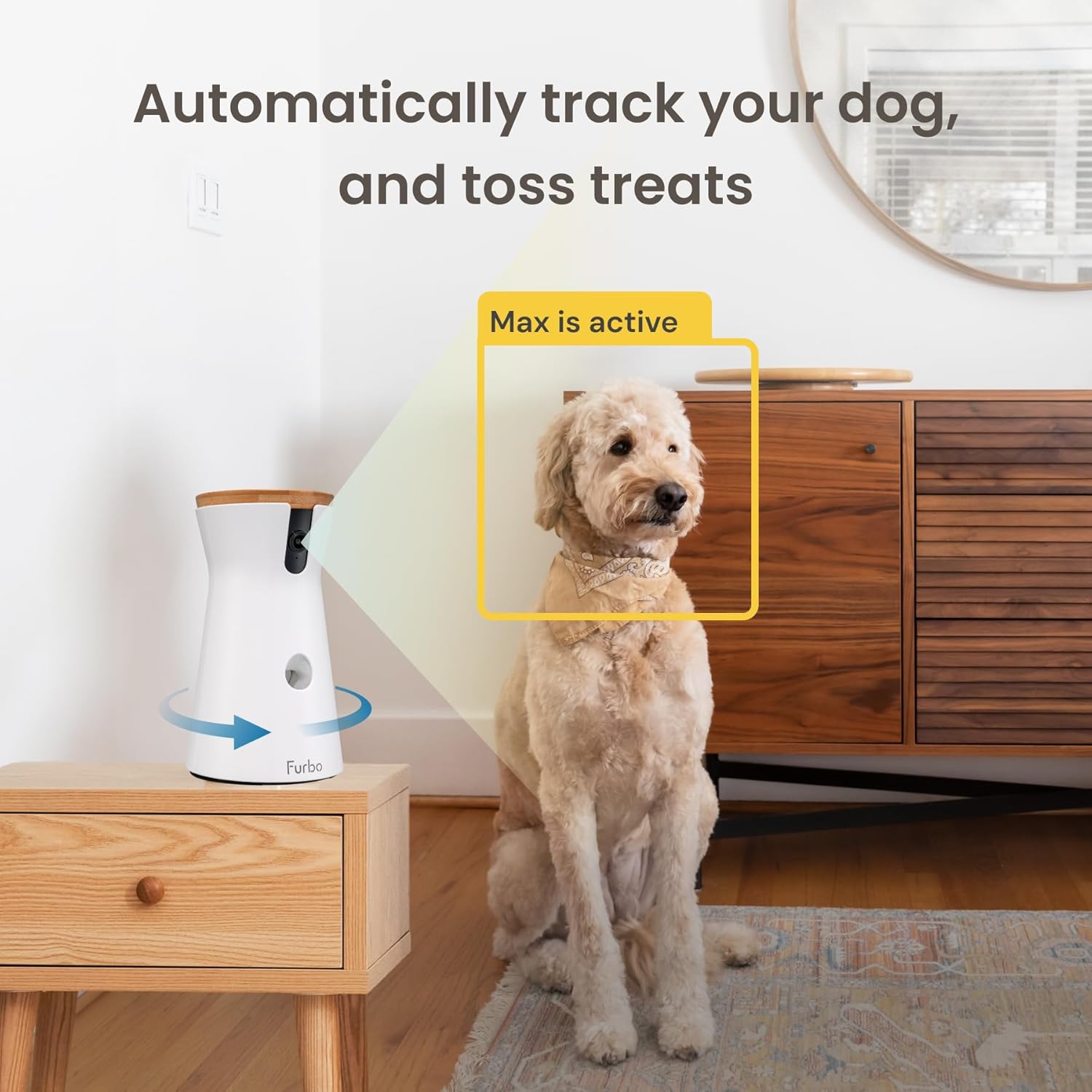
The image illustrates the automatic pet tracking and treat tossing capabilities, showing the camera focusing on the dog and dispensing a treat.
Real-Time Smart Alerts
Furbo's barking sensor detects when your dog is barking and sends push notifications to your smartphone, providing real-time insight into your pet's activity. With an optional Furbo Dog Nanny subscription, you can receive additional alerts such as Dog Activity Alert, Person Alert, and CO/Smoke Alarm Alert.
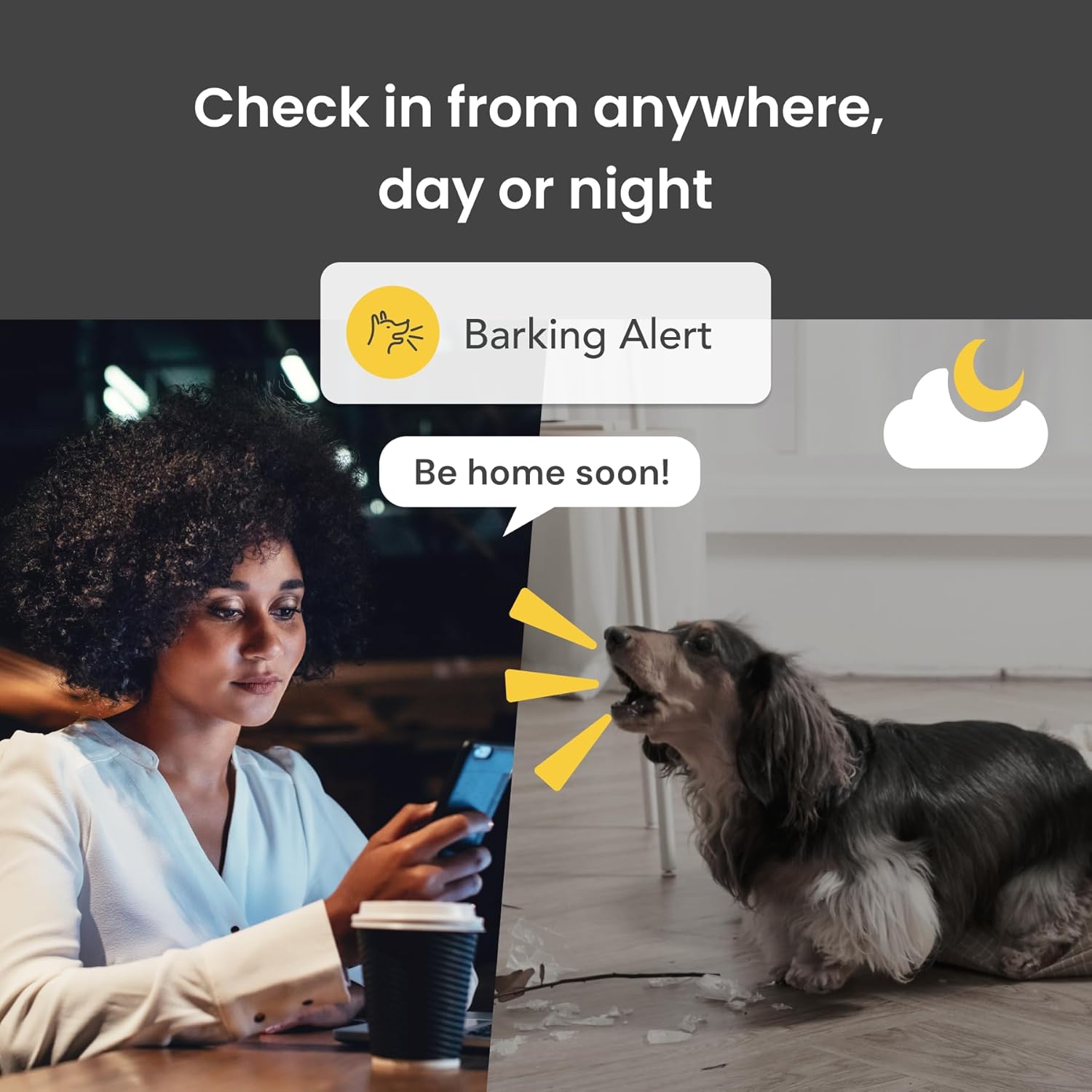
This image shows a user receiving a "Barking Alert" on their phone, demonstrating Furbo's ability to notify owners of their dog's vocalizations.
Penjejakan Anjing Auto
The Furbo camera can be set to automatically track your pet as they move around the room, ensuring they remain in view. This feature provides continuous monitoring without manual camera adjustments.

The image shows the Live View Auto-Play feature, where the Furbo app automatically displays the live stream when opened, keeping the pet in view.
Penyelenggaraan
To ensure optimal performance and longevity of your Furbo 360° Dog Camera, regular maintenance is recommended. Unplug the device before cleaning. Use a soft, dry cloth to wipe the exterior. Do not use abrasive cleaners or immerse the device in water. Periodically check the treat dispenser for any residue and clean as needed to prevent blockages.
Menyelesaikan masalah
If you encounter issues with your Furbo 360° Dog Camera, please refer to the following common solutions:
- Tiada Kuasa: Ensure the USB cable is securely connected to the Furbo and a working power adapter (not included). Try a different power outlet.
- Tidak Dapat Menyambung ke Wi-Fi: Verify your Wi-Fi network is 2.4GHz. Ensure your Wi-Fi password is correct. Try restarting your router and the Furbo device.
- Treats Not Dispensing: Check if the treat dispenser is filled with appropriate-sized treats. Ensure there are no blockages in the dispensing mechanism.
- Kualiti Video Lemah: Check your internet connection speed. Ensure the camera lens is clean and free from dust or smudges.
- Tiada Audio: Verify the microphone and speaker settings in the Furbo app. Ensure your phone's volume is up.
For further assistance, please visit the official Furbo support webtapak atau hubungi perkhidmatan pelanggan.
Spesifikasi
| Ciri | Perincian |
|---|---|
| Peranti Serasi | Smart phone – Android or iOS |
| Sumber Kuasa | Elektrik Bertali |
| Protokol Ketersambungan | Bluetooth |
| Jenis Pengawal | Android |
| Jenis Pemasangan | Lekapan Permukaan |
| Resolusi Tangkapan Video | 1080p, 720p |
| warna | putih |
| Bilangan Item | 1 |
| Komponen yang Disertakan | Dog Camera, USB C to USB A power cord (Power adapter not included) |
| Bilangan Saluran | 4 |
| Teknologi Komunikasi Tanpa Wayar | Bluetooth |
| Faktor Bentuk | Kubah |
| Resolusi Video Berkesan | 1080 Piksel |
| Viewsudut | 360 Darjah |
| Jenis Pemasangan | Dipasang Permukaan |
| bahan | plastik |
| Voltage | 240 Volt |
| Wattage | 10 watt |
| Dimensi item L x W x H | 5.24 x 4.92 x 9.17 inci |
| Bateri Diperlukan? | Tidak |
| Zum Optik | 4 x |
| Jenis Fokus | Auto Fokus |
| Bidang Dari View | 360 Darjah |
| Teknologi cahaya rendah | Warna Malam |
| Jenis Makluman | Audio dan Pergerakan |
| Jenis Bilik | Hallway, Living Room, Study Room possibility |
| Jenis Sumber Cahaya | Inframerah |
| Format Tangkapan Video | MPEG-4 |
| Kegunaan Khusus Untuk Produk | Amateur, Inside, Inside; Amateur |
| Kiraan Unit | 1.0 Kiraan |
| Penilaian Perlindungan Antarabangsa | IP65 |
| maksimum Webcam Resolusi Imej | 8 MP |
| Kaedah Kawalan | Apl |
| Dimensi Produk | 5.24 x 4.92 x 9.17 inci |
| Berat Barang | 1.89 paun |
| Nombor model item | Furbo3 |
| Pengeluar | Tomofun, LLC |
| Kegunaan Disyorkan Untuk Produk | Keselamatan Dalaman |
| Jenama | Furbo |
| Teknologi Ketersambungan | Tanpa wayar |
| Penggunaan Dalaman/Luar | Dalaman |
Waranti dan Sokongan
The Furbo 360° Dog Camera comes with a 1-year warranty. For detailed warranty information, technical support, or customer service inquiries, please visit the official Furbo website or refer to the user guide PDF provided with your purchase.
You can also find the User Guide (PDF) di sini.
Ask a question about this manual
Ask about setup, troubleshooting, compatibility, parts, safety, or missing instructions. Manuals+ will review the question and use this page’s manual context to help answer it.