
Bermula
Kandungan Pakej
Upon opening the MAXTOP Smart Watch T5 package, you should find the following items:
- MAXTOP Smart Watch T5 device
- Silicone watch strap (black)
- Kabel pengecas USB
- Manual Pengguna

Image: MAXTOP Smart Watch T5 package contents, showing the watch, a black silicone strap, a USB charging cable, and the user manual.
Mengecas Peranti
Before first use, fully charge your smart watch. Connect the magnetic charging cable to the charging points on the back of the watch and plug the USB end into a standard USB power adapter (not included) or a computer's USB port. The watch display will indicate charging status.
Nota:
- Pastikan kenalan pengecas bersih dan kering.
- Use a 5V/1A charger for optimal charging.
Menghidupkan/Mematikan
- Untuk Menghidupkan: Press and hold the side button for a few seconds until the MAXTOP logo appears.
- Untuk Mematikan: From the watch face, swipe down to access quick settings, or navigate to the "Settings" menu. Select the power icon and confirm to shut down the device.
Pemasangan dan Penggandingan Apl
To unlock the full functionality of your MAXTOP Smart Watch T5, you need to install the companion app on your smartphone.
- Muat turun Apl: Cari untuk the "MAXTOP" app (or specified companion app in the included manual) in the Apple App Store (for iOS) or Google Play Store (for Android).
- Buat Akaun: Buka aplikasi dan ikut arahan pada skrin untuk membuat akaun dan menyediakan pro andafile.
- Pasangkan Jam Tangan:
- Pastikan Bluetooth didayakan pada telefon pintar anda.
- Buka aplikasi dan navigasi ke bahagian pasangan peranti.
- Select "Add Device" or similar option. The app will search for nearby devices.
- Select "MAXTOP T5" from the list of found devices.
- Sahkan permintaan pasangan pada telefon dan jam tangan anda jika digesa.
Penting:
- Keep the watch close to your phone during the pairing process.
- Allow all requested permissions for the app to function correctly.
Ciri dan Operasi
Menavigasi Antara Muka
The MAXTOP Smart Watch T5 features a 1.54-inch full touch screen for easy navigation.
- Leret ke atas/bawah: Tatal melalui menu atau pemberitahuan.
- Leret Kiri/Kanan: Access different feature screens or quick views.
- Ketik: Pilih item atau sahkan tindakan.
- Butang Sisi: Tekan untuk kembali ke muka jam utama atau mengaktifkan skrin.

Image: The MAXTOP Smart Watch T5 display showcasing multiple functions including heart rate, blood pressure, music control, and various sports modes.
Penjejakan Aktiviti Harian
Your smart watch automatically tracks your daily activities, including steps, distance, and calories burned. You can view detailed summaries in the companion app.

Image: The MAXTOP Smart Watch T5 tracking daily activities such as steps, calories, and distance, alongside icons representing various sports modes like hiking, cycling, and running.
Mod Sukan
The watch supports 10 different sport modes to accurately track your workouts. To start a sport mode:
- Swipe on the watch face to find the "Sport" icon or menu.
- Tap to select your desired activity (e.g., Outdoor Run, Indoor Walk, Cycling).
- The watch will begin tracking your activity. Tap to pause or end the workout.

Image: The MAXTOP Smart Watch T5 interface showing 10 distinct sport modes, such as hiking, outdoor cycling, indoor running, and elliptical training.
Heart Rate and Blood Pressure Monitoring
The watch can monitor your heart rate (HR) and blood pressure (BP). For accurate readings:
- Wear the watch snugly on your wrist, about one finger's width from your wrist bone.
- Tetap diam semasa pengukuran.
- To measure: Navigate to the HR or BP icon on the watch and tap to start.

Image: The MAXTOP Smart Watch T5 displaying heart rate in beats per minute (BPM) and illustrating different sleep stages (awake, light, deep sleep).
Pemantauan Tidur
The watch automatically tracks your sleep patterns, including awake time, light sleep, and deep sleep. View your sleep quality report in the companion app.

Image: The MAXTOP Smart Watch T5's sleep monitoring feature, displaying sleep duration and a detailed sleep quality analysis within the companion application.
Pemberitahuan Mesej
Receive notifications from your smartphone directly on your watch. Ensure the watch is paired and app notifications are enabled in your phone's settings and the companion app.
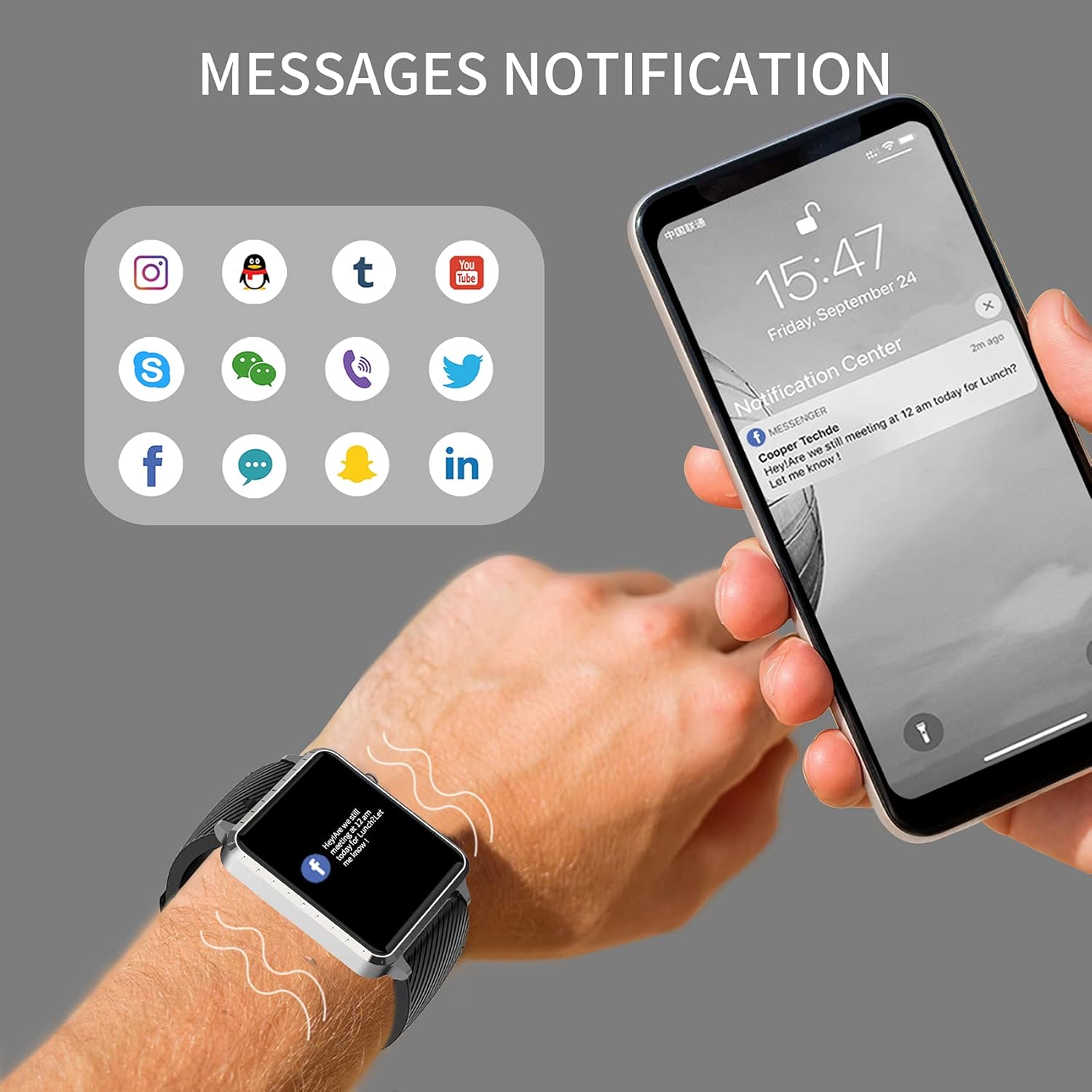
Image: The MAXTOP Smart Watch T5 showing incoming message notifications from popular social media and communication applications on its screen.
Kawalan Muzik
Control music playback on your smartphone directly from your watch. This feature allows you to play, pause, skip tracks, and adjust volume without taking out your phone.

Image: The MAXTOP Smart Watch T5 demonstrating various features including music control, message notifications, sedentary reminders, and the 'find phone' function.
Fungsi Lain
- Peringatan Sedentari: Set reminders in the app to encourage movement after periods of inactivity.
- Cari Telefon: Use this feature on your watch to make your paired phone ring, helping you locate it.
- Stopwatch & Countdown: Access these tools from the watch's menu for timing activities.
Penyelenggaraan dan Penjagaan
Tahan Air
The MAXTOP Smart Watch T5 is rated IP67 waterproof. This means it is resistant to splashes, rain, and brief immersion in water. It is suitable for daily use and can withstand hand washing or light rain.
Awas:
- Do not use the watch for swimming, diving, or showering with hot water.
- Elakkan daripada mendedahkan jam tangan kepada air atau wap bertekanan tinggi.
- Water resistance is not a permanent condition and may decrease over time with normal wear.
Pembersihan
Regularly clean your watch and strap to maintain hygiene and prevent skin irritation.
- Lap skrin dan badan jam tangan dengan kain lembut,amp, kain tidak berbulu.
- For the silicone strap, you can wash it with mild soap and water, then rinse thoroughly and dry completely before reattaching to your wrist.
- Elakkan menggunakan bahan kimia yang keras atau bahan yang melelas.
Penjagaan Bateri
Untuk memanjangkan hayat bateri:
- Cas jam tangan sepenuhnya sebelum penggunaan pertama.
- Elakkan suhu yang melampau.
- If not using the watch for an extended period, charge it to about 50% before storing.
Menyelesaikan masalah
Jam Tangan Tidak Dihidupkan
- Pastikan jam tangan dicas sepenuhnya. Sambungkannya ke pengecas selama sekurang-kurangnya 30 minit.
- Tekan dan tahan butang sisi selama 10-15 saat untuk memaksa mula semula.
Tidak Boleh Dipasangkan dengan Telefon
- Pastikan Bluetooth didayakan pada telefon anda dan jam tangan berada dalam julat.
- Mulakan semula telefon dan jam tangan anda.
- Ensure the companion app is installed and updated to the latest version.
- Forget the device from your phone's Bluetooth settings and try pairing again through the app.
- Periksa sama ada jam tangan telah dipasangkan dengan peranti lain.
Inaccurate Readings (HR/BP/Sleep)
- Ensure the watch is worn correctly: snug on the wrist, not too tight or too loose.
- Kekal diam semasa pengukuran.
- Note that smart watch readings are for reference only and should not be used for medical diagnosis.
Pemberitahuan Tidak Muncul
- Sahkan bahawa jam tangan berjaya dipasangkan dengan telefon anda.
- Check app notification settings on your phone and within the companion app.
- Pastikan aplikasi berjalan di latar belakang dan tidak ditutup oleh ciri penjimatan kuasa telefon anda.
Spesifikasi
| Ciri | Perincian |
|---|---|
| Jenama | MAXTOP |
| Model | T5 |
| Saiz Skrin | 1.54 Inci |
| Dimensi Produk | 1.46 x 1.57 x 0.28 inci |
| Berat Barang | 1.87 auns (53 Gram) |
| Sistem Operasi | Android, serasi dengan iOS |
| Komunikasi Tanpa Wayar | Bluetooth |
| Jenis Bateri | Polimer Litium (1 termasuk) |
| Hayat Bateri | Sehingga 10 hari |
| Tahap Ketahanan Air | Kalis air (IP67) |
| Tarikh Tersedia Pertama | 6 Julai 2022 |

Image: Detailed physical dimensions of the MAXTOP Smart Watch T5, including the watch face width, height, and the adjustable strap length.
Waranti dan Sokongan
For warranty information and customer support, please refer to the official MAXTOP website or contact their customer service directly. Details are typically provided in the packaging or on the manufacturer's webtapak.
Simpan resit pembelian anda sebagai bukti pembelian untuk sebarang tuntutan waranti.