
pengenalan
The havit GK58B is a USB plug-and-play gaming microphone designed for clear voice communication. It features omnidirectional sound pickup, a flexible gooseneck, a stable base, and unique RGB lighting effects. This manual provides instructions for setup, operation, maintenance, and troubleshooting to ensure optimal performance.
Ciri-ciri
- Pasang dan Main USB: Simple connection without driver installation.
- Pickup Omnidirectional: Captures sound from all directions for clear communication.
- Gooseneck yang fleksibel: Adjustable microphone position for optimal voice capture.
- Pangkalan Stabil: Ensures the microphone remains securely in place.
- Pencahayaan RGB: Integrated lighting for an enhanced aesthetic.
Kandungan Pakej
The havit GK58B package includes:
- 1 x havit GK58B USB Gaming Microphone
- 1 x Manual Pengguna (dokumen ini)

Imej: Depan view of the havit GK58B USB Gaming Microphone retail packaging.

Imej: Belakang view of the havit GK58B USB Gaming Microphone retail packaging, showing product specifications.
Persediaan
- Buka bungkusan Mikrofon: Carefully remove the havit GK58B microphone from its packaging.
- Letakkan Mikrofon: Place the microphone on a stable, flat surface. Adjust the flexible gooseneck to position the microphone head optimally for your voice, typically 15-30 cm (6-12 inches) from your mouth.
- Sambung ke Komputer: Plug the USB connector of the microphone cable into an available USB port on your computer.
- Pemasangan Pemandu: The microphone is plug-and-play and does not require additional driver installation. Your operating system should automatically detect and configure the device.
- Pilih sebagai Peranti Lalai:
- Windows: Pergi ke Tetapan Bunyi > Panel Kawalan Bunyi > Rakaman tab. Select "havit GK58B" or similar as your default recording device.
- macOS: Pergi ke Keutamaan Sistem > Bunyi > Input tab. Select "havit GK58B" or similar as your input device.
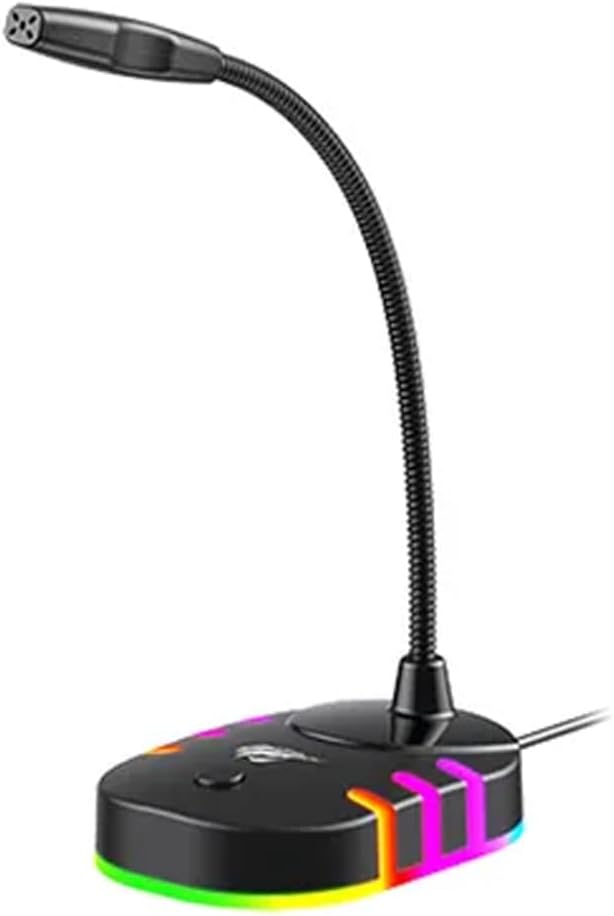
Imej: Bahagian hadapan view of the havit GK58B USB Gaming Microphone, showing the gooseneck and base with RGB lighting.
Arahan Operasi
- Pengaktifan Mikrofon: Once connected and selected as the default input device, the microphone is ready for use. The RGB lighting on the base will illuminate, indicating it is powered on.
- Melaraskan Kelantangan: Microphone input volume can be adjusted through your computer's sound settings or within the specific application you are using (e.g., game chat, communication software).
- Pickup Omnidirectional: The GK58B features an omnidirectional polar pattern, meaning it picks up sound equally from all directions. This is suitable for capturing ambient sound or multiple speakers around the microphone. For best voice clarity, speak directly towards the microphone head.
- Kawalan Pencahayaan RGB: The microphone base features RGB lighting. While specific controls are not detailed, typically these lights cycle automatically or can be toggled via a button on the base if present. Refer to the product's physical buttons for any lighting control options.
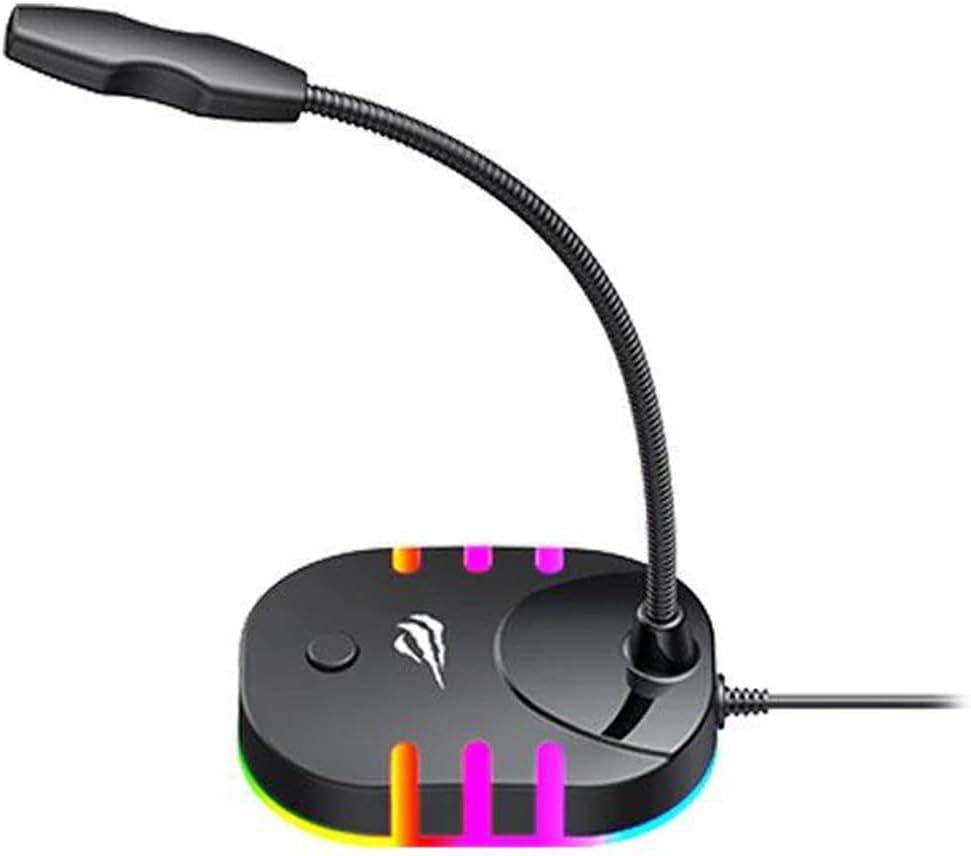
Image: Back-side view of the havit GK58B USB Gaming Microphone, showing the USB cable connection point and the base with RGB lighting.
Penyelenggaraan
- Pembersihan: Use a soft, dry cloth to wipe the microphone and its base. Avoid using liquid cleaners or abrasive materials, as these can damage the device.
- Storan: Apabila tidak digunakan, simpan mikrofon di persekitaran yang bersih dan kering, jauh daripada cahaya matahari langsung dan suhu yang melampau.
- Penjagaan Kabel: Do not bend or crimp the USB cable excessively. Always grasp the plug, not the cable, when disconnecting.
Menyelesaikan masalah
| Masalah | Kemungkinan Punca | Penyelesaian |
|---|---|---|
| Microphone not detected / No sound input |
|
|
| Kelantangan mikrofon rendah |
|
|
| Pencahayaan RGB tidak berfungsi |
|
|
Spesifikasi
| Nama Model | GK58B |
| Teknologi Ketersambungan | USB |
| Jenis Penyambung | USB Jenis-A |
| Corak Kutub | Omnidirectional |
| Sensitiviti | -36 ± 3dB |
| Impedans | 2.2kΩ |
| Respons Kekerapan | 30Hz – 16kHz |
| Panjang Kabel | 1.5m |
| Vol Operasitage | 5.0V |
| Arus Operasi | 90mA |
| Dimensi Mikrofon | φ6*5mm |
| Dimensi Produk | 7.5 x 13 x 11 cm |
| Berat Barang | 2 g |
| Peranti Serasi | Komputer riba, Komputer Peribadi |
| Ciri Khas | Stand, RGB Lighting |
Waranti dan Sokongan
For warranty information and technical support, please refer to the official havit webtapak atau hubungi peruncit tempatan anda. Simpan resit pembelian anda untuk tuntutan jaminan.
Pengeluar: Havit