
Peak Design M-CS-BK-1
Peak Design Wireless Charging Stand (Model M-CS-BK-1) Instruction Manual
pengenalan
This manual provides comprehensive instructions for the setup, operation, and maintenance of your Peak Design Wireless Charging Stand, Model M-CS-BK-1. This device is designed to provide convenient and efficient wireless charging for MagSafe-compatible phones and Peak Design Mobile cases, offering a customizable viewpengalaman dalam.

Image: The Peak Design Wireless Charging Stand, black, in its upright position, connected to a charging cable.
Apa yang ada dalam Kotak
Sahkan bahawa semua komponen terdapat dalam pembungkusan:
- 1x Peak Design Wireless Charging Stand
- 1x Kabel USB-C

Image: The package contents, showing the black wireless charging stand, a USB-C to USB-C cable, and three small cable routing clips.
Ciri-ciri
- Pengecasan Tanpa Wayar: Supports Qi1 charging with capacities of 15W, 10W, 7.5W, and 5W, automatically adjusting to the device's profile.
- Pemasangan magnetik: Features built-in magnetic technology for a secure and instant connection with MagSafe-enabled phones and Peak Design Mobile cases.
- Boleh laras Viewsudut: A silky-smooth friction hinge allows for infinite viewing angle adjustments, supporting both portrait and landscape modes.
- Pembinaan Tahan Lama: Crafted from solid machined and anodized aluminum with a grippy silicone base for stability.
- Reka Bentuk Mudah Alih: Lipatan rata untuk penyimpanan dan pengangkutan yang mudah.
Persediaan
- Buka Pembungkusan Komponen: Carefully remove the Wireless Charging Stand and USB-C cable from the packaging.
- Letakkan Pendirian: Place the stand on a stable, flat surface. The grippy silicone base will help prevent movement.
- Sambungkan Kuasa: Insert one end of the provided USB-C cable into the USB-C port located on the back of the charging stand. Connect the other end of the USB-C cable to a compatible USB-C power adapter (not included) and plug it into a wall outlet.
- Laraskan Sudut: Gently push or pull the top section of the stand to achieve your desired viewing angle. The friction hinge will hold it in place.
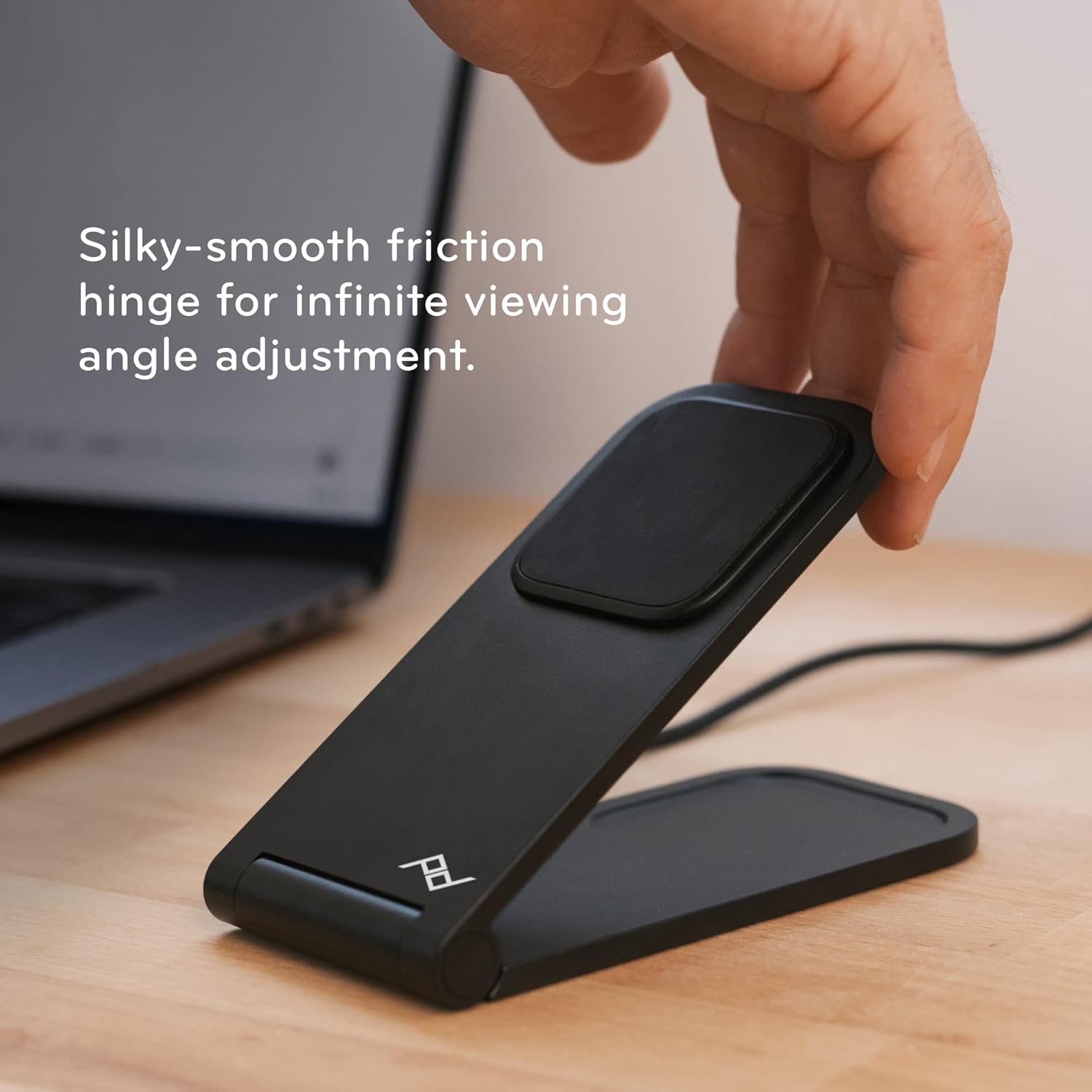
Image: A hand adjusting the angle of the charging stand, highlighting its flexible friction hinge.
Arahan Operasi
- Meletakkan Peranti Anda: Ensure your phone is MagSafe-compatible or housed in a Peak Design Mobile case. Align the back of your phone with the magnetic charging pad on the stand. The magnets will securely snap your phone into place.
- Pengesahan Pengecasan: Your phone should indicate that it is charging. The stand provides optimal charging alignment and heat dissipation for efficient power delivery.
- Adjusting Orientation: The stand supports both portrait and landscape orientations. Simply rotate your phone while it is magnetically attached to switch between modes.
- Folding Flat: For charging earbuds or other Qi-compatible devices, or for compact storage, the stand can be folded completely flat.

Image: A smartphone securely attached to the charging stand, demonstrating its magnetic hold and upright display.
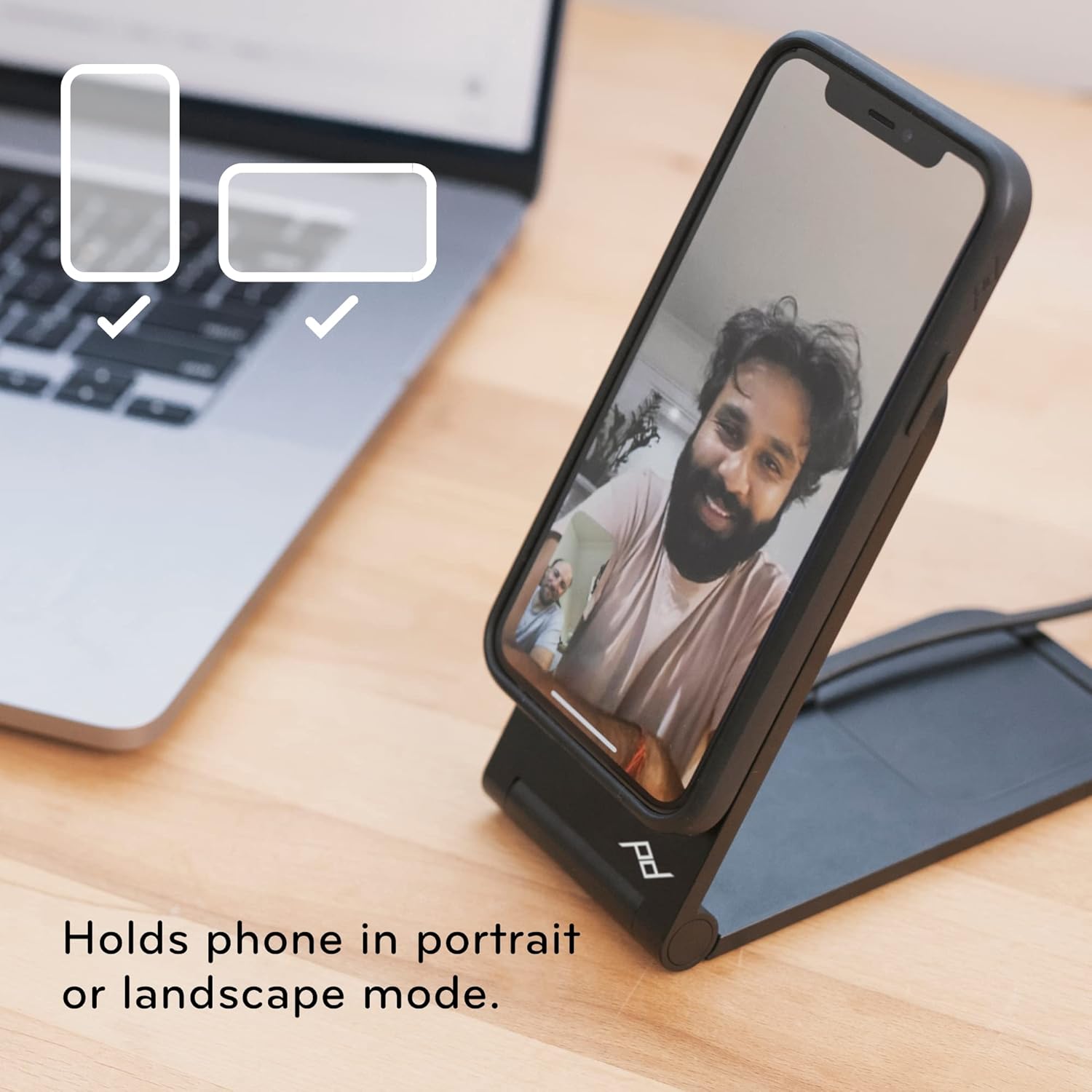
Image: The charging stand holding a smartphone, illustrating its versatility for both portrait and landscape viewing.
Penyelenggaraan
- Pembersihan: Gunakan kain lembut dan kering untuk mengelap penyangga. Elakkan pembersih atau pelarut yang kasar yang boleh merosakkan kemasan.
- Penjagaan Kabel: Ensure the USB-C cable is not kinked or bent sharply to prolong its lifespan.
- Storan: When not in use, the stand can be folded flat for compact storage.

Image: The charging stand folded into a flat, compact form, ideal for travel or discreet placement.
Menyelesaikan masalah
- Peranti Tidak Mengecas:
- Ensure the USB-C cable is securely connected to both the stand and a functioning power adapter.
- Verify that your phone is MagSafe-compatible or using a Peak Design Mobile case.
- Periksa sebarang halangan antara telefon dan pad pengecasan.
- Unstable Phone:
- Confirm the phone is properly aligned with the magnetic charging pad.
- Ensure the stand is placed on a flat, stable surface.
- Angle Adjustment Issues:
- The friction hinge is designed to be firm. Apply gentle, consistent pressure to adjust the angle.
Spesifikasi
| Dimensi Produk | 2.72 x 3.7 x 2.52 inci |
| Berat Barang | 9.7 auns |
| Nombor Model | M-CS-BK-1 |
| Jenama | Reka Bentuk Puncak |
| Jenis Penyambung | Wireless (USB-C for power input) |
| Peranti Serasi | Smartphones (MagSafe compatible), iPhone, Peak Design Mobile Cases |
| Ciri Khas | Boleh laras Viewing Angle, Fast Charging, Magnetic Attachment |
| warna | Hitam |
| Input Voltage | 12 Volt |
| Amppemadam | 1 Amps |
| Jumlah Port USB | 1 (USB-C for power input) |
Waranti dan Sokongan
Peak Design products are designed for durability and are backed by a lifetime guarantee. For detailed warranty information or technical support, please visit the official Peak Design webtapak atau hubungi perkhidmatan pelanggan mereka secara langsung.
Pengilang: Peak Design
Ask a question about this manual
Ask about setup, troubleshooting, compatibility, parts, safety, or missing instructions. Manuals+ will review the question and use this page’s manual context to help answer it.