
pengenalan
The Roborock E5 Mop is a self-charging robotic vacuum cleaner designed for efficient floor cleaning. It combines vacuuming and mopping functionalities, featuring strong suction, Wi-Fi connectivity, and control via a mobile application, remote control, or voice commands. This manual provides detailed instructions for setting up, operating, maintaining, and troubleshooting your Roborock E5 Mop.
Persediaan
1. Membongkar dan Semakan Komponen
Carefully remove all components from the packaging. Verify that all items listed in the product's packing list are present and undamaged. Keep the packaging for future storage or transport.
2. Penempatan Dok Pengecasan
Place the charging dock against a wall on a hard, level surface. Ensure there is at least 0.5 meters (1.6 feet) of clear space on both sides and 1.5 meters (4.9 feet) in front of the dock. Connect the power adapter to the dock and plug it into a power outlet. Ensure the cable is neatly arranged to prevent entanglement.

Image: The Roborock E5 Mop robot vacuum returning to its charging dock, illustrating the recommended clear space around the dock for optimal navigation.
3. Pengecasan Awal
Place the robot onto the charging dock. The robot will automatically align and begin charging. For first-time use, ensure the robot is fully charged before starting a cleaning cycle. The battery indicator light will show the charging status.
4. Connecting to the Mi Home App
- Muat turun aplikasi Mi Home daripada gedung aplikasi peranti anda.
- Buka aplikasi dan buat akaun atau log masuk.
- Tap '+' to add a new device and follow the in-app instructions to connect your Roborock E5 Mop to your home Wi-Fi network.
- Pastikan telefon anda disambungkan ke rangkaian Wi-Fi 2.4GHz semasa proses pemasangan.
5. Persediaan Alat Kawalan Jauh
The remote control is pre-paired with the robot. Simply insert the batteries (if not already installed) and it is ready for use. The remote can be attached to magnetic surfaces for convenient access.

Image: The Roborock E5 Mop robot vacuum alongside its dedicated remote control, showing the primary components.
Operasi
1. Starting and Pausing Cleaning
- Mulakan: Press the power button on the robot, the 'Clean' button on the remote, or initiate cleaning via the Mi Home app.
- Jeda: Press the power button on the robot or the 'Pause' button on the remote/app during a cleaning cycle.
- Return to Dock: Press the 'Dock' button on the remote or app to send the robot back to its charging station.
2. Mod Pembersihan
The Roborock E5 Mop offers various cleaning modes:
- Vakum & Mop: The robot vacuums and mops simultaneously. Attach the mop cloth and fill the water tank before selecting this mode.
- Vakum Sahaja: The robot performs dry vacuuming. Remove the mop module for this mode.
- Bersihkan Tempat: The robot cleans a small area intensively. Activate this mode via the remote or app.

Image: The Roborock E5 Mop robot vacuum cleaning a hard floor, demonstrating its simultaneous vacuuming and mopping capability with a visible water tank.
3. Navigasi dan Pemetaan
The E5 Mop utilizes OpticEye and dual gyroscopes for navigation, creating a Z-shape cleaning path for systematic coverage. It tracks its location to ensure thorough cleaning and avoid missed spots.

Image: The Roborock E5 Mop robot vacuum following a Z-shaped cleaning path on a hard floor, illustrating its methodical navigation system.
4. Kaedah Kawalan
The robot can be controlled using multiple methods:
- Mobile App (Mi Home): Provides comprehensive control including starting/stopping, scheduling, adjusting suction power, viewing cleaning routes, and setting No-Go Zones.
- Kawalan Jauh: Allows basic functions like starting/stopping, directional control, spot cleaning, and sending the robot back to the dock.
- Kawalan Suara: Compatible with Amazon Alexa and Google Assistant for hands-free operation. Link your Roborock account in the respective voice assistant app.
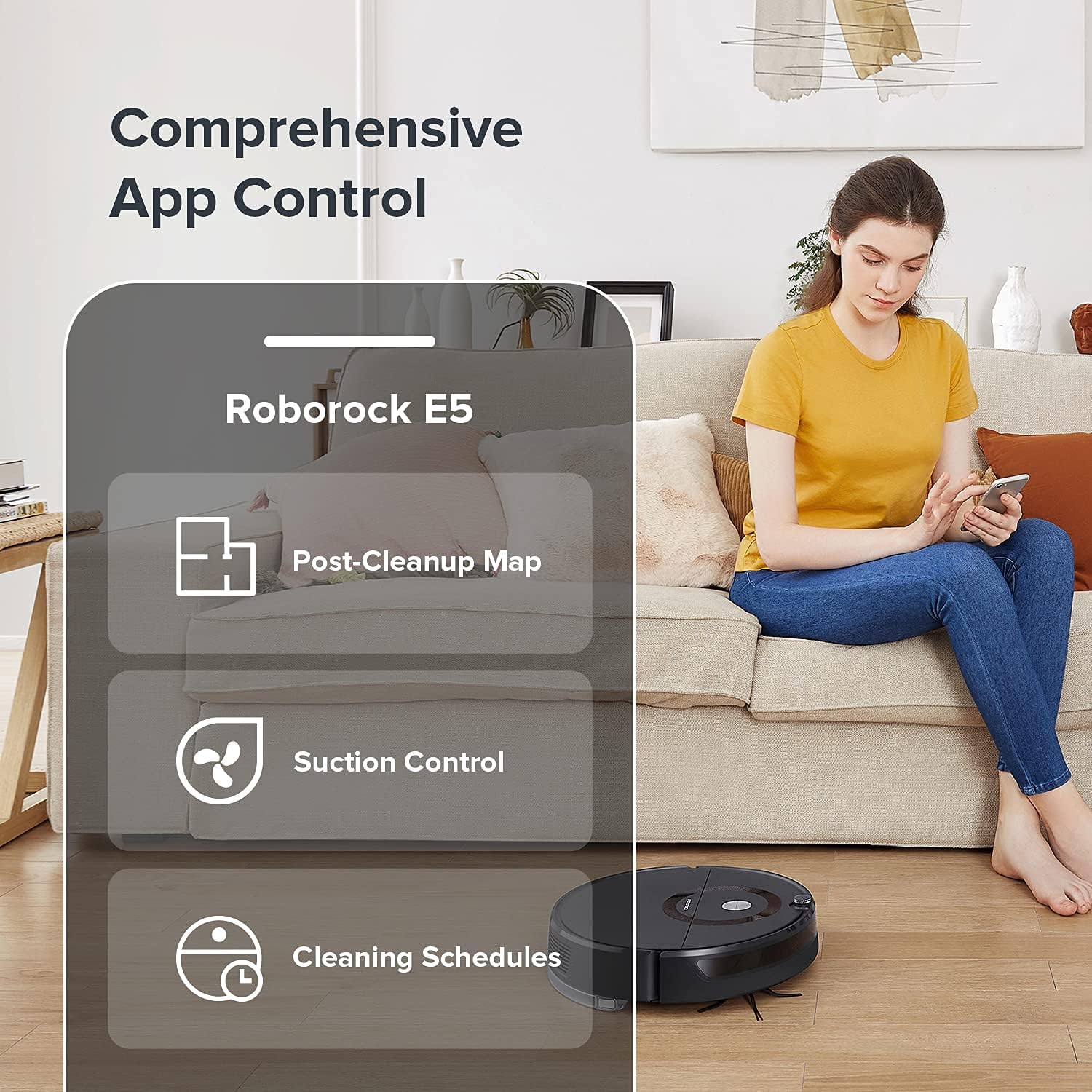
Image: A person interacting with the Mi Home app on a smartphone, displaying options for post-cleanup map, suction control, and cleaning schedules for the Roborock E5 Mop.

Image: A person using the Roborock E5 Mop remote control while the robot vacuum cleans the floor, demonstrating convenient manual operation.
Penyelenggaraan
Regular maintenance ensures optimal performance and extends the lifespan of your Roborock E5 Mop.
1. Emptying and Cleaning the Dustbin
Open the robot's top cover, remove the dustbin, and empty its contents into a trash receptacle. Rinse the dustbin with water if necessary and allow it to air dry completely before reinserting.
2. Membersihkan Berus Utama
Remove the main brush cover and then the main brush. Use the cleaning tool provided to remove hair and debris tangled around the brush. Reinstall the brush and cover securely.
3. Membersihkan Berus Sisi
Periodically check the side brush for tangled hair or debris. Remove any obstructions to ensure effective edge cleaning.
4. Washing the Filter
Remove the filter from the dustbin. Rinse it under running water until clean. Shake off excess water and allow it to air dry for at least 24 hours before reinserting. Do not use a dryer or direct sunlight.
5. Cleaning the Mop Cloth and Water Tank
After mopping, remove the mop cloth and wash it thoroughly. Allow it to air dry. Empty any remaining water from the water tank and rinse it. Ensure the tank is dry before storage.

Imej: Dari dekat view of the Roborock E5 Mop's water tank and mop pad assembly, highlighting the components used for wet cleaning.
6. Membersihkan Penderia dan Mengecas Kenalan
Use a soft, dry cloth to wipe the cliff sensors, wall sensors, and charging contacts on both the robot and the charging dock. This prevents dust buildup from affecting performance.

Image: An illustration showing the Roborock E5 Mop's cliff sensor detecting an edge, indicating its function to prevent falls.
7. Penyelenggaraan Roda
Inspect the drive wheels and omnidirectional wheel for any trapped hair or debris. Clean them as needed to ensure smooth movement.
Menyelesaikan masalah
If you encounter issues with your Roborock E5 Mop, refer to the following common problems and solutions:
| Masalah | Kemungkinan Punca | Penyelesaian |
|---|---|---|
| Robot tidak bermula atau bertindak balas. | Low battery; power button not pressed; robot stuck. | Charge the robot; press the power button; clear obstructions. |
| Prestasi pembersihan yang lemah. | Tong sampah penuh; penapis tersumbat; berus kusut masai. | Empty dustbin; clean/replace filter; clean main/side brushes. |
| Robot tidak dapat mencari dok pengecasan. | Dock obstructed; robot too far from dock; dirty charging contacts. | Ensure clear space around dock; manually place robot near dock; clean charging contacts. |
| Isu sambungan apl. | Incorrect Wi-Fi password; 5GHz Wi-Fi network; robot offline. | Verify Wi-Fi password; ensure 2.4GHz network; restart robot and router. |
| Robot kerap tersangkut. | Cables, rugs, or small objects on floor; dirty sensors. | Clear floor area; clean all sensors. |
Spesifikasi
- Jenama: Roborock
- Nama Model: E5 Mop
- Ciri Khas: 2500Pa Suction, Edge Cleaning, Logical Navigation, Smart Mapping, Washable Filter
- warna: Hitam
- Komponen yang Disertakan: Pad Mop
- Jenis Penapis: Boleh dibasuh
- Hayat Bateri: 200 minit
- Sumber Kuasa: Dikuasakan Bateri
- Bateri Termasuk: Ya (1 bateri Lithium Ion diperlukan)
- Kaedah Kawalan: Remote, App, Voice
- Peranti Serasi: Amazon Echo, Google Home, Telefon Pintar
- Faktor Bentuk: Robotik
- UPC: 656942345534
- Berat Barang: 12.13 paun
- Pengeluar: Roborock
- ASIN: B09F9ZX5HN
- Tarikh Mula-mula Tersedia: 2 September 2021
Maklumat Waranti
Specific warranty details for the Roborock E5 Mop are typically provided with the product packaging or available on the official Roborock website. Please refer to these sources for comprehensive warranty terms and conditions.
Sokongan Pelanggan
For further assistance, technical support, or inquiries regarding your Roborock E5 Mop, please visit the official Roborock support website or contact their customer service department. Contact information can usually be found on the product packaging or the official brand webtapak.