
pengenalan
This manual provides detailed instructions for the setup, operation, maintenance, and troubleshooting of your Macally UCSLIMKEYCA USB-C Compact Wired Keyboard. Please read this manual thoroughly before using the product to ensure optimal performance and longevity.

Imej: Atas ke bawah view of the Macally UCSLIMKEYCA USB-C Compact Wired Keyboard, highlighting its compact design and US layout.
Persediaan
The Macally UCSLIMKEYCA keyboard is designed for simple plug-and-play functionality. No additional drivers or software are required for installation.
Menyambung Papan Kekunci
- Locate an available USB-C port on your computer (MacBook, iPad, PC, iMac, etc.).
- Plug the USB-C connector of the keyboard's 5-foot cable into the USB-C port on your device.
- Papan kekunci akan dikenali secara automatik oleh sistem pengendalian anda dan sedia untuk digunakan.
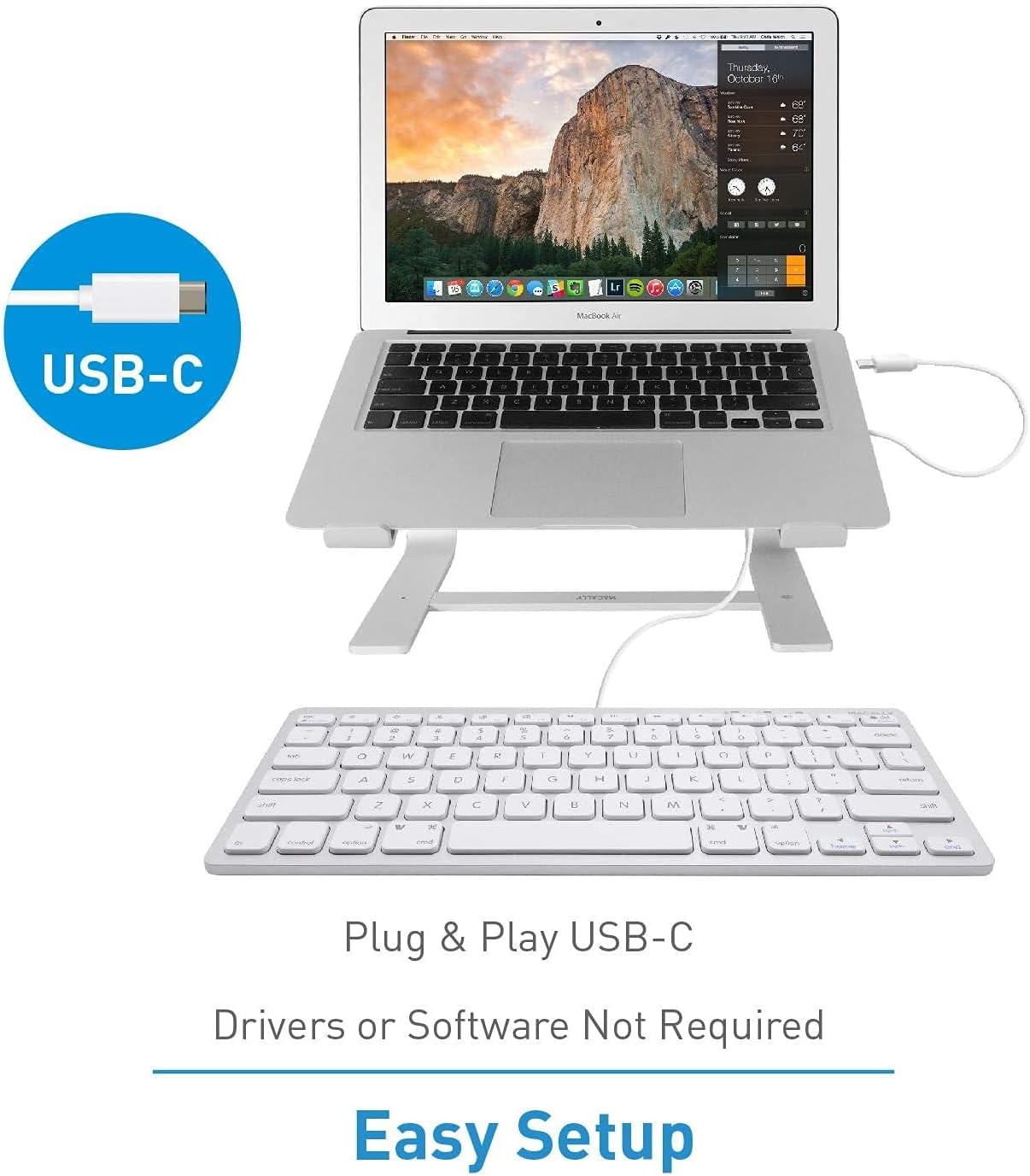
Image: A diagram illustrating the simple plug-and-play setup process using the USB-C connection, indicating no drivers or software are required.

Image: The Macally UCSLIMKEYCA keyboard connected to a laptop, demonstrating its use as an external input device.
Keserasian Sistem
- Mac OS X v10.6 atau lebih baru
- Windows 7/8/10 atau lebih baru

Image: Icons illustrating the broad operating system compatibility of the keyboard, including Mac, Windows, Android, iPadOS, and Chrome.
Arahan Operasi
Ciri-ciri Utama
- Susun Atur 78-Kekunci: A compact yet full-featured layout for efficient typing.
- Kekunci Suis Gunting: Provides a smooth, quiet, and responsive typing experience.
- 13 Shortcut Keys: Dedicated keys for enhanced productivity on both Mac and Windows systems.
- Penunjuk LED: Visual cues for Fn Lock, Caps Lock, and Power status.

Image: A diagram illustrating the difference between a regular key mechanism and a scissor-key switch, highlighting the quiet operation of the scissor-switch.
Kekunci Pintasan
The keyboard includes 13 convenient shortcut keys to streamline your workflow. These keys are compatible with both Apple and Windows PC functions.
- Mac Functions: Includes shortcuts for brightness control (dim/brighten), cut, copy, paste, iTunes controls (play/pause, previous track, next track), volume control (mute, volume up/down), and eject.
- Windows PC Functions: Multimedia shortcuts are also supported.

Image: A visual representation of the keyboard highlighting the 13 Apple shortcut keys and their corresponding functions, such as brightness, cut, copy, paste, media playback, and volume control.
Penunjuk LED
The keyboard features LED indicators located above the function keys to provide status information:
- Kunci Fn: Indicates when the Function (Fn) key is locked, allowing direct access to F1-F12 keys without pressing Fn.
- Caps Lock: Menunjukkan bila Caps Lock aktif.
- Kuasa: Indicates power status (for some models, may also indicate connection).

Imej: Dari dekat view of the keyboard's upper right section, showing the LED indicators for Fn Lock, Caps Lock, and Power.
Penyelenggaraan
To ensure the longevity and proper functioning of your keyboard, follow these maintenance guidelines:
- Pembersihan: Gunakan kain lembut dan tidak berbulu sedikit dampdisapu dengan air atau larutan pembersih lembut untuk mengelap permukaan papan kekunci. Elakkan bahan kimia yang keras atau bahan yang melelas.
- Penyingkiran habuk: Gunakan udara termampat untuk mengeluarkan habuk dan serpihan dari antara kekunci.
- Storan: Apabila tidak digunakan, simpan papan kekunci dalam persekitaran yang bersih dan kering dari suhu yang melampau dan cahaya matahari langsung.
- Elakkan Tumpahan: Jauhkan cecair dari papan kekunci untuk mengelakkan kerosakan pada komponen dalaman.
Menyelesaikan masalah
If you encounter issues with your Macally UCSLIMKEYCA keyboard, please refer to the following common solutions:
Papan Kekunci Tidak Membalas
- Semak Sambungan: Ensure the USB-C cable is securely plugged into both the keyboard and your computer's USB-C port.
- Try Another Port: Connect the keyboard to a different USB-C port on your computer to rule out a faulty port.
- Mulakan semula Komputer: Sometimes, a simple restart of your computer can resolve connectivity issues.
- Uji pada Peranti Lain: If possible, test the keyboard on another compatible computer to determine if the issue is with the keyboard or your original device.
Kekunci Tidak Berfungsi Dengan Betul
- Kekunci Bersih: Ensure there is no debris or foreign objects lodged under the affected keys. Refer to the Maintenance section for cleaning instructions.
- Isu Perisian: Check your operating system's keyboard settings to ensure no custom key mappings or accessibility features are interfering with normal operation.
Shortcut Keys Not Working
- Keserasian OS: Verify that your operating system version is supported for the specific shortcut functions.
- Fokus Aplikasi: Ensure the application you are using supports the multimedia or system control shortcuts.
Spesifikasi
| Jenama | Secara Macal |
| Nombor Model | UCSLIMKEYCA |
| Teknologi Ketersambungan | USB-C (Berwayar) |
| Peranti Serasi | PC (Mac, Windows, iPad, iMac, MacBook) |
| Penerangan Papan Kekunci | Multifunction, Compact |
| Penggunaan yang Disyorkan | Business, General Use |
| Ciri Khas | Silent Scissor-Switch Keys |
| warna | Perak |
| Dimensi Produk (L x W x H) | 33 cm x 14 cm x 2 cm (13 x 5.5 x 0.8 inches approx.) |
| bahan | plastik |
| Minimum Required OS Version | Mac OS X 10.6 Snow Leopard, Windows 7 |
| Bilangan Kunci | 78 |
| Susun atur papan kekunci | QWERTY (US Layout) |
| Jenis Suis | Tactile (Scissor-Switch) |
| Orientasi Tangan | Ambidextrous |
| Berat Barang | 0.34 Kilogram |
| Komponen yang Disertakan | Kabel USB |
| Negara Asal | China |

Image: A diagram illustrating the physical dimensions of the Macally UCSLIMKEYCA keyboard, showing its length, width, and height.
Maklumat Waranti
The Macally UCSLIMKEYCA USB-C Compact Wired Keyboard comes with a Waranti terhad 2 tahun from the date of purchase. This warranty covers defects in materials and workmanship under normal use. It does not cover damage caused by accidents, misuse, unauthorized modifications, or external causes such as liquid damage or power surges.
Untuk tuntutan jaminan, sila simpan bukti pembelian anda dan hubungi sokongan pelanggan.
Sokongan Pelanggan
If you require further assistance or have questions not covered in this manual, please contact Macally customer support through the following channels:
- Webtapak: Visit the official Macally webtapak untuk Soalan Lazim, sumber sokongan dan borang hubungan.
- e-mel: Rujuk kepada pembungkusan produk anda atau pegawai rasmi webtapak untuk alamat e-mel sokongan pelanggan.
- telefon: Check the official Macally webtapak untuk nombor telefon perkhidmatan pelanggan serantau.
Please have your product model number (UCSLIMKEYCA) and proof of purchase ready when contacting support.