
pengenalan
Thank you for choosing Senso Orbits Wireless Earbuds. These earbuds are designed to provide a high-quality audio experience with features like Environmental Noise Cancellation (ENC), deep bass, and a compact charging case. This manual will guide you through the setup, operation, and maintenance of your new earbuds.
Apa yang ada dalam Kotak
- Senso Orbits Wireless Earbuds
- Compact USB-C Charging Case
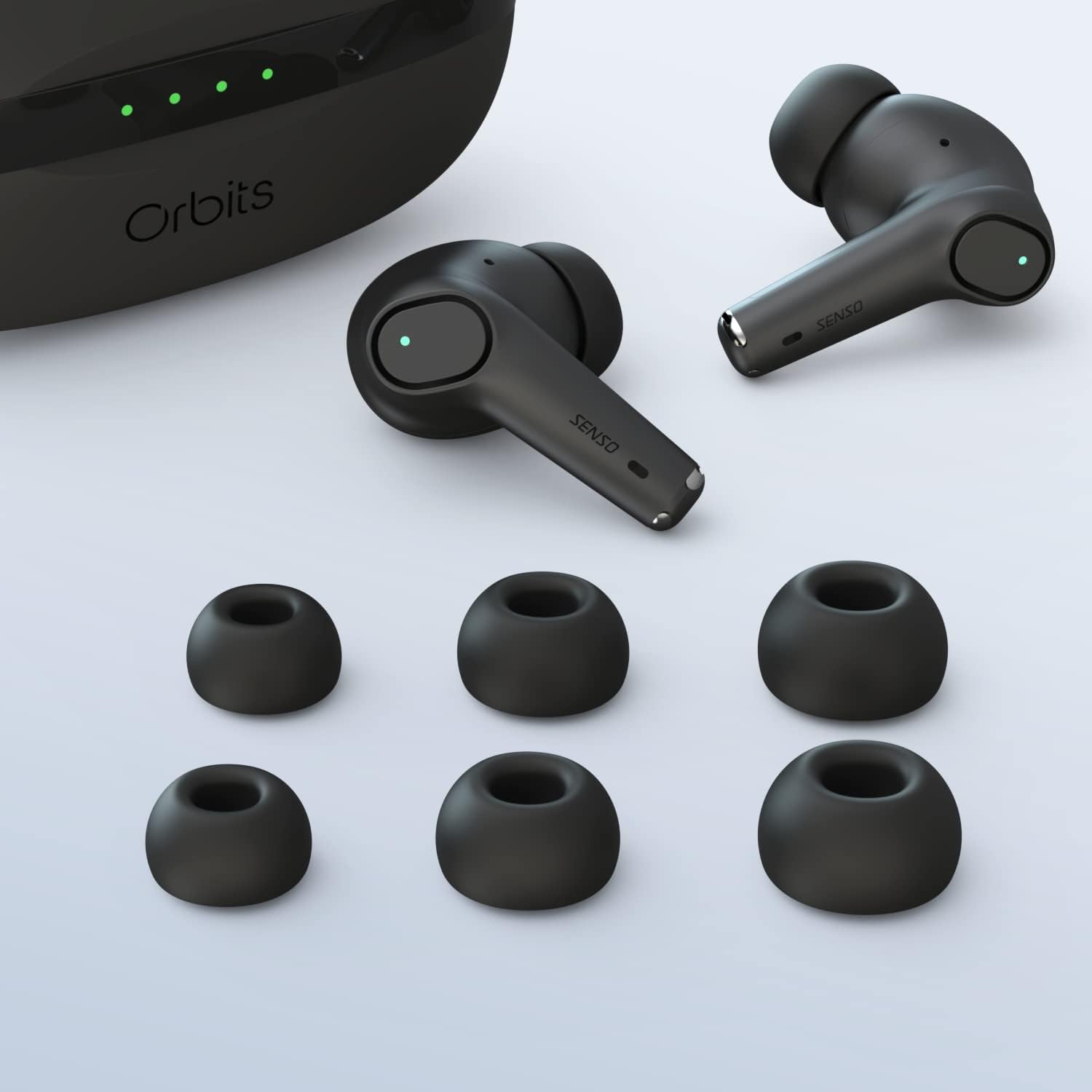
- Pelbagai Saiz Petua Telinga
- Kabel Pengecas USB-C
- Manual Arahan
Persediaan
Pengecasan Awal
Before first use, fully charge the earbuds and the charging case. Connect the USB-C cable to the charging port on the case and to a power source. The LED indicators on the case will show the charging status.
Berpasangan dengan Peranti Anda
The Senso Orbits earbuds feature a responsive one-step instant connection. Simply open the charging case, and the earbuds will automatically enter pairing mode. Then, follow these steps:
- Buka bekas pengecas.
- Pada peranti anda (telefon pintar, tablet, dll.), pergi ke tetapan Bluetooth.
- Select "Orbits" or "Orbits ENC70" from the list of available devices.
- Sebaik sahaja disambungkan, anda akan mendengar gesaan audio dan fon telinga sedia untuk digunakan.

Arahan Operasi
Kawalan Sentuh
The Senso Orbits earbuds are equipped with multi-function touch controls. Simply tap on the earbuds to access various functions:
- Jilid +/-: Double tap the Left (L) earbud to decrease volume, or the Right (R) earbud to increase volume.
- Main/Jeda: Single tap either L or R earbud.
- Lagu Sebelumnya/Seterusnya: Triple tap the L earbud for the previous track, or the R earbud for the next track.
- Answer/Reject Phone Call: Press and hold either L or R earbud for 2 seconds to answer or reject a call.
- Activate Voice Assistant (SIRI): Tekan dan tahan sama ada fon telinga L atau R selama 2 saat.

Mengecas Fon telinga dan Sarung
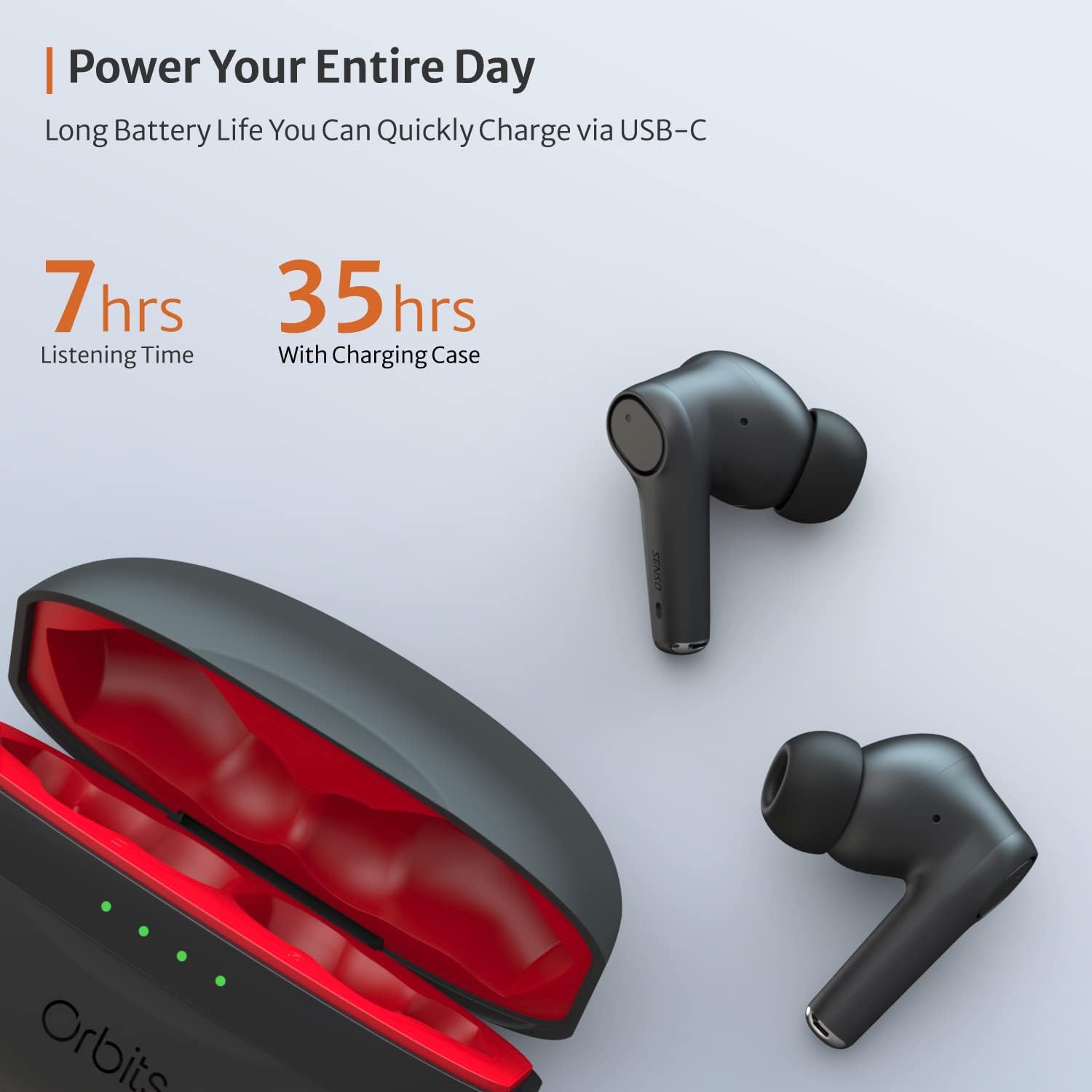
The charging case provides extended battery life for your earbuds. The earbuds will charge automatically when placed inside the case and the lid is closed. The case itself can be charged via a USB-C cable. The LED indicators on the case show the remaining battery level.
Pembatalan Bunyi Alam Sekitar (ENC) untuk Panggilan
The Senso Orbits earbuds feature a QUAD-microphone array with ENC technology to effectively suppress environmental noise and enhance voice clarity during calls. This reduces ambient noise by up to 35dB, ensuring clear communication.
Penyelenggaraan
Pembersihan
Regularly clean your earbuds and charging case to ensure optimal performance and hygiene. Use a soft, dry, lint-free cloth. For ear tips, you may gently wipe them with a damp kain dan sabun lembut, pastikan ia kering sepenuhnya sebelum dilekatkan semula.
Tahan Air
The Senso Orbits earbuds are IPX rated, providing protection against light rain, accidental splashes, and sweat. They are suitable for sports and exercise. However, they are not designed for submersion in water. Avoid exposing them to excessive moisture or harsh chemicals.

Penyimpanan
Apabila tidak digunakan, simpan fon telinga dalam bekas pengecasnya untuk melindunginya dan memastikan ia dicas. Simpan bekas di tempat yang sejuk dan kering jauh dari cahaya matahari langsung dan suhu yang melampau.
Menyelesaikan masalah
- Fon telinga tidak berpasangan: Ensure both earbuds are in the charging case, then open the lid. Check your device's Bluetooth settings to ensure it's discoverable and select "Orbits". If issues persist, try resetting the earbuds (refer to specific reset instructions if provided in a separate quick start guide).
- Tiada bunyi dari satu fon telinga: Place both earbuds back in the charging case, close the lid, and then reopen it. Re-pair with your device.
- Isu pengecasan: Ensure the USB-C cable is securely connected to both the case and the power source. Check if the charging port is clean and free of debris.
- Kualiti panggilan yang lemah: Ensure the earbuds are properly seated in your ears. Check for any obstructions around the microphones.
Spesifikasi
| Ciri | Perincian |
|---|---|
| Nama Model | Orbit |
| Teknologi Ketersambungan | Bluetooth 5.0, Tanpa Wayar |
| Teknologi Komunikasi Tanpa Wayar | Bluetooth |
| Komponen yang Disertakan | Kes Pengecasan |
| bahan | Plastik, Silikon |
| Kegunaan Khusus Untuk Produk | Sukan dan Senaman |
| Masa Mengecas | 2 Jam |
| Tahap Ketahanan Air | Waterproof (IPX rated) |
| Kaedah Kawalan | Sentuh |
| Versi Bluetooth | 5.0 |
| Ciri Kawalan Bunyi | Active Noise Control (ENC) |
| Ciri Khas | Lightweight, Microphone Included, Noise Cancellation, Water-resistant, Wireless |
| Berat Barang | 5 auns |
| Hayat Bateri (Earbud) | Sehingga 7-8 jam |
| Jumlah Masa Main (dengan Sarung Pengecasan) | Sehingga 35 jam |
Waranti dan Sokongan
Waranti Lanjutan
Senso offers an option to extend the warranty to two years for free. To convert to a Two Year Warranty, please visit www.sensoshop.com/warranty. This must be claimed within 7 days of receiving the product.
Sokongan Pelanggan
For any further assistance, technical support, or inquiries, please refer to the contact information provided with your product packaging or visit the official Senso webtapak.