
pengenalan
The FreedConn T-COMVB Bluetooth Helmet Headset is designed to provide wireless communication for motorcyclists. This system allows for hands-free phone calls, music listening, FM radio, GPS voice prompts, and intercom communication between riders. It features Bluetooth 5.0 technology, noise cancellation, and a waterproof design for various riding conditions.
Apa yang ada dalam Kotak
Sahkan bahawa semua komponen terdapat dalam pakej anda:
- FreedConn T-COMVB Bluetooth Headset Unit (x2 for 2-pack)
- Pembesar Suara Stereo
- Boom Microphone (for open-face/modular helmets)
- Soft-Wire Microphone (for full-face helmets)
- Helmet Mount Bracket (clip-on and adhesive options)
- Kabel Pengecas USB
- Manual Pengguna
- Pad Velcro untuk Pembesar Suara dan Mikrofon
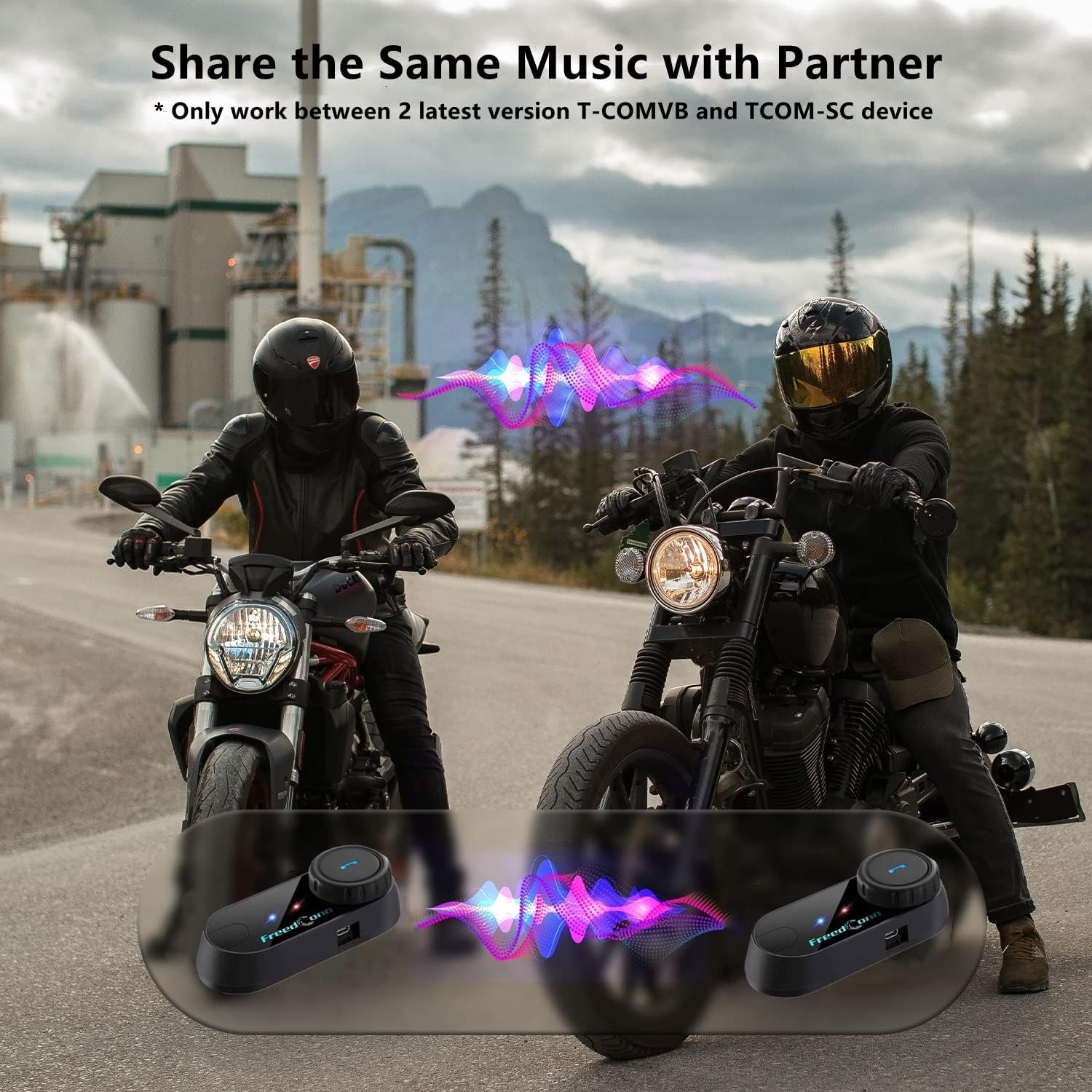
Image: Package contents for the FreedConn T-COMVB Bluetooth Helmet Headset 2-pack, showing all included accessories.
Persediaan
1. Mengecas Peranti
Before first use, fully charge the T-COMVB unit. Connect the USB charging cable to the headset's charging port and a USB power source. The indicator light will show charging status.
- Masa Pengecasan: Lebih kurang 3-4 jam.
- Hayat Bateri: Up to 7-8 hours of intercom, 10 hours of phone calls/music, 300 hours standby.

Image: Visual representation of the 400mAh battery capacity and estimated usage times for intercom, phone calls, and standby.
2. Microphone Selection
Pilih mikrofon yang sesuai untuk jenis topi keledar anda:
- Mikrofon Boom: Recommended for open-face, half, and modular flip-up helmets.
- Soft-Wire Microphone: Recommended for full-face and off-road helmets.
Connect the chosen microphone and speakers to the corresponding ports on the headset unit.
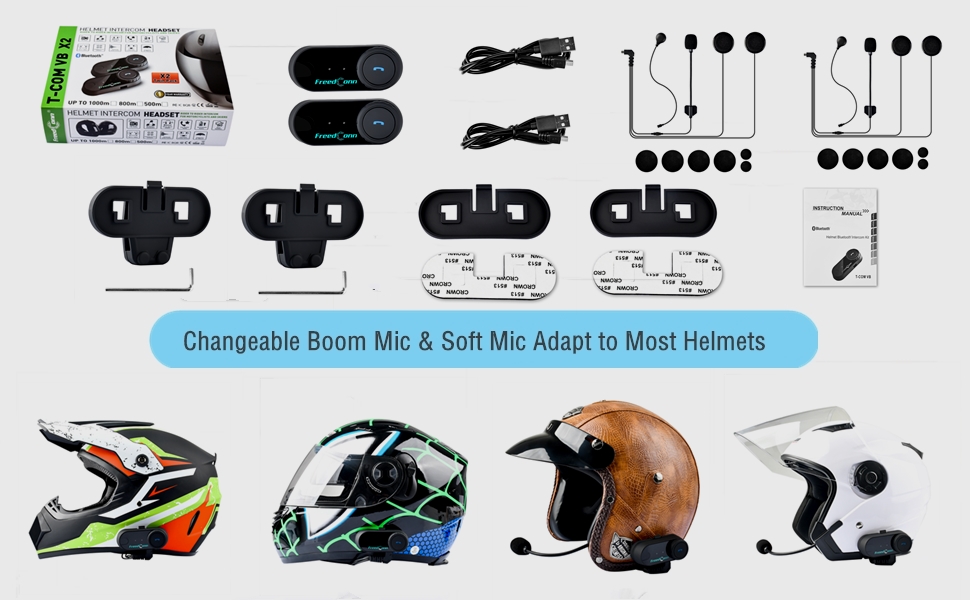
Image: Illustration demonstrating the compatibility of boom and soft-wire microphones with various helmet styles.
3. Pemasangan Topi Keledar
Mount the T-COMVB unit to the side of your helmet using either the clip-on bracket or the adhesive bracket. Ensure the unit is securely attached and the speakers are positioned correctly inside the helmet for optimal audio.

Image: A FreedConn T-COMVB unit securely installed on the exterior of a motorcycle helmet.
Arahan Operasi
1. Hidupkan/Mati Kuasa
- Hidupkan kuasa: Tekan dan tahan butang Kuasa sehingga lampu penunjuk berkelip.
- Matikan: Tekan dan tahan butang Kuasa sehingga lampu penunjuk padam.
2. Penggandingan Bluetooth (dengan Telefon/GPS)
To connect your T-COMVB to a Bluetooth-enabled device (phone, GPS):
- Ensure the T-COMVB is off.
- Press and hold the Power button for approximately 5-7 seconds until the indicator light flashes red and blue alternately, indicating pairing mode.
- On your phone or GPS, enable Bluetooth and search for available devices.
- Select "FreedConn T-COMVB" from the list. If prompted, enter "0000" as the PIN.
- Once paired, the indicator light will flash blue slowly.

Image: The T-COMVB headset demonstrating its Bluetooth 5.0 and universal connectivity with different devices and helmet types.
3. Intercom Communication (Rider to Rider)
The T-COMVB supports intercom communication with other T-COMVB or TCOM-SC units.
- Ensure both units are powered on and not connected to other Bluetooth devices.
- On one unit, press and hold the Intercom button until the indicator light flashes red and blue alternately.
- On the second unit, press the Intercom button once.
- The units will automatically search and pair. Once connected, the indicator lights will flash blue slowly.
- To initiate intercom, press the Intercom button once. To end, press it again.
4. Main Semula dan Perkongsian Muzik
Once paired with your phone, you can play music. Music sharing is supported between two latest version T-COMVB and TCOM-SC devices.
- Main/Jeda: Tekan butang Pelbagai fungsi sekali.
- Lagu Seterusnya: Rotate the Multi-function button clockwise.
- Trek Sebelumnya: Rotate the Multi-function button counter-clockwise.
- Perkongsian Muzik: While music is playing, press and hold the Intercom button on both units to initiate music sharing.

Image: Two riders sharing music through their FreedConn T-COMVB headsets, highlighting the music sharing feature.
5. Radio FM
To activate the built-in FM radio:
- Hidupkan FM: Press the FM button once.
- Imbas Saluran: Rotate the Multi-function button to scan for stations.
- Matikan FM: Press the FM button again.
6. Panggilan Telefon
When paired with your phone, the T-COMVB allows for hands-free calls.
- Jawab Panggilan: Tekan butang Pelbagai fungsi sekali.
- Tamatkan Panggilan: Tekan butang Berbilang fungsi sekali semasa panggilan.
- Tolak Panggilan: Tekan dan tahan butang Berbilang fungsi selama 2 saat.
- Dail Semula Nombor Terakhir: Tekan dua kali butang Berbilang fungsi.
- Voice Assistant (Siri/Google Voice): Press the Voice Assistant button to activate your phone's voice assistant.

Image: Icons representing voice assistant activation (Siri, Google Voice) for hands-free calling functionality.
Penyelenggaraan
- Pembersihan: Gunakan yang lembut, damp cloth to clean the unit. Do not use harsh chemicals or solvents.
- Tahan Air: The unit is waterproof, but avoid submerging it in water. Ensure all ports are securely closed when exposed to rain.
- Penjagaan Bateri: If the device is not used for an extended period, charge it at least once a month to preserve battery life.

Image: The FreedConn T-COMVB headset on a helmet, illustrating its waterproof feature in rainy conditions.
Menyelesaikan masalah
- Tiada Kuasa: Ensure the unit is fully charged. Connect to a power source and check the charging indicator.
- Tidak Dapat Menggandingkan Bluetooth: Ensure the unit is in pairing mode (red and blue flashing light). Make sure other Bluetooth devices are disconnected. Try restarting both the headset and your phone/GPS.
- Tiada Bunyi dari Pembesar Suara: Check that the speakers are securely plugged into the headset unit. Ensure volume is not set to minimum.
- Interkom Tidak Bersambung: Ensure both units are T-COMVB or TCOM-SC models and are in intercom pairing mode. Keep units within range (up to 800 meters).
- Kualiti/Kebisingan Audio yang Buruk: Ensure the microphone is positioned correctly, close to your mouth. The T-COMVB features advanced noise cancellation technology.

Image: A visual representation of the advanced noise cancellation technology, demonstrating its effect on sound quality.
Spesifikasi
| Model | T-COMVB |
| Versi Bluetooth | 5.0 + EDR |
| Julat Interkom | Up to 800 meters (2-3 riders) |
| Kapasiti Bateri | 400mAh |
| Masa Mengecas | 3-4 jam |
| Masa Interkom | 7-8 jam |
| Phone Call/Music Time | 10 jam |
| Masa Tunggu Sedia | 300 jam |
| Tahan Air | Kalis air |
| Kaedah Kawalan | Voice, Manual Buttons |
| Ciri Khas | Microphone Included, Noise Cancellation, FM Radio |
| bahan | Polimer |
| Berat Barang | Approximately 1.15 pounds (for 2 units) |
Waranti dan Sokongan
For warranty information, technical support, or service inquiries, please refer to the contact details provided with your purchase or visit the official FreedConn webtapak. Simpan bukti pembelian anda untuk tuntutan waranti.