
EYETOO AM30
EYETOO Baby Monitor User Manual
Model: AM30
1. Pengenalan
Terima kasih kerana membeliasing the EYETOO Baby Monitor. This 3.5-inch HD screen video baby monitor provides a secure and private way to monitor your baby, featuring 2.4GHz wireless transmission, two-way talk, infrared night vision, VOX mode, temperature monitoring, and lullabies. Please read this manual carefully before use to ensure proper operation and safety.

Image: The EYETOO Baby Monitor system, showing the camera unit and the parent monitor unit.
2. Produk Lebihview
2.1 Kandungan Pakej
Pastikan semua item ada dalam pakej:
- Unit Induk (Monitor)
- Unit Bayi (Kamera)
- Penyesuai Kuasa untuk Unit Induk
- Penyesuai Kuasa untuk Unit Bayi
- Manual Arahan
- Mounting Screws and Wall Plugs (if applicable)

Image: Contents of the product package, including the monitor, camera, power adapters, and manual.
2.2 Ciri-ciri Utama
- Skrin HD 3.5 inci: Clear video display.
- 2.4GHz Wireless Transmission: Secure and private connection up to 1000ft (barrier-free).
- Perbincangan Dua Hala: Berkomunikasi dengan bayi anda dari jauh.
- Penglihatan Malam Inframerah: Jelas view in low light conditions without disturbing the baby.
- Mod VOX: Automatic screen activation upon detecting baby's sounds.
- Pemantau Suhu: Displays room temperature for baby's comfort.
- Hayat Bateri yang Panjang: Up to 15 hours of continuous operation on a full charge (parent unit).
- Lullabies: Built-in melodies to soothe your baby.
- Feeding Clock: Reminders for feeding schedules.
- Sokongan Berbilang Kamera: Connect up to 4 cameras (additional cameras sold separately).
3. Panduan Persediaan
3.1 Mengecas Unit Induk
- Connect the smaller end of one power adapter to the charging port on the Parent Unit.
- Palamkan hujung satu lagi penyesuai kuasa ke dalam salur keluar dinding.
- Charge the unit fully before first use (approximately 8 hours). The battery indicator will show charging status.
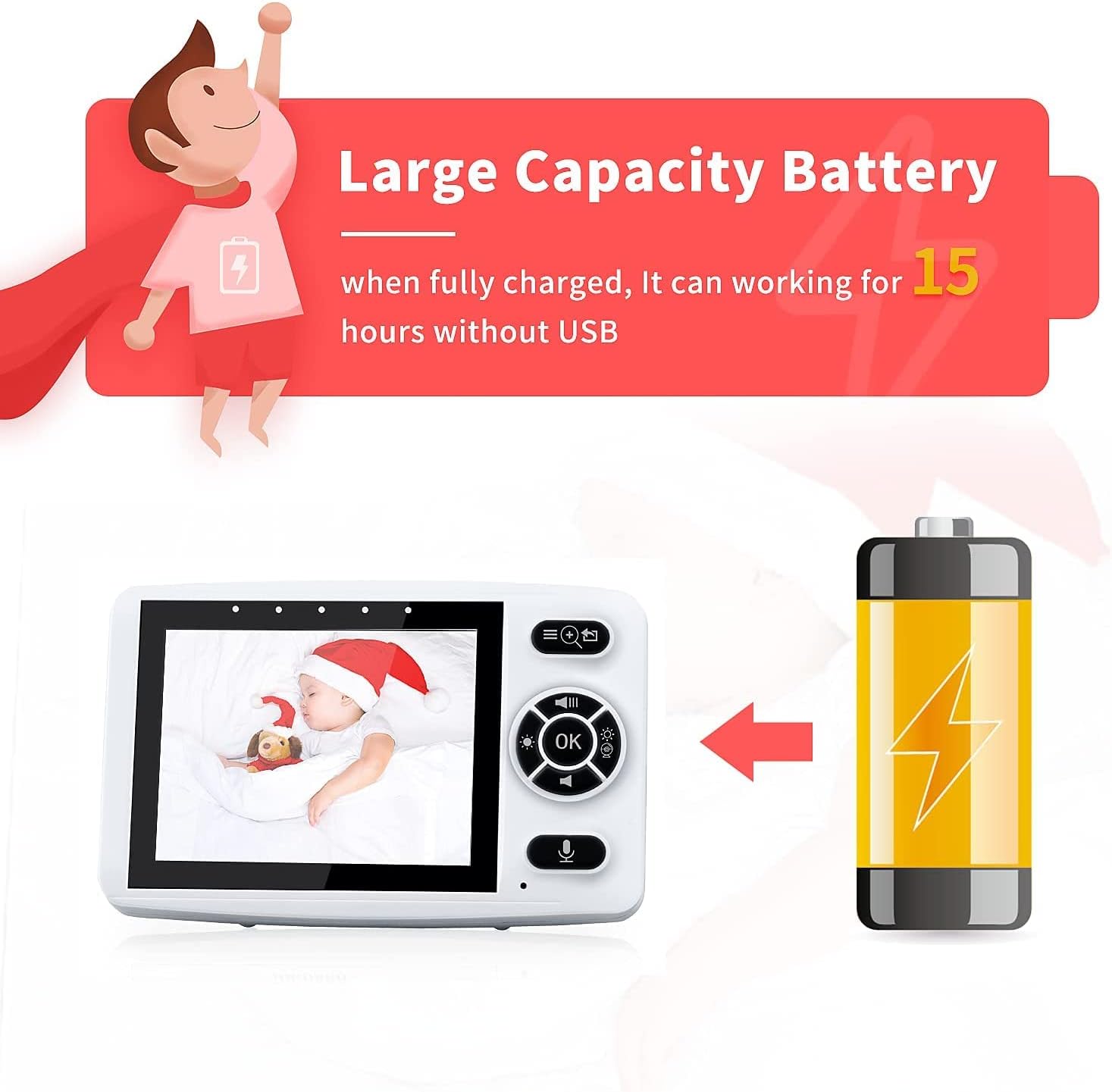
Image: The parent unit connected to its power adapter, illustrating its long battery life.
3.2 Kedudukan Unit Bayi (Kamera)
- Place the Baby Unit in a location that provides a clear view of your baby, such as on a dresser or shelf.
- Ensure the camera is at least 3 feet (1 meter) away from the baby to prevent entanglement with the power cord.
- Connect the smaller end of the second power adapter to the Baby Unit and plug the other end into a wall outlet.
- The Baby Unit must remain plugged in during operation.
- For optimal night vision, ensure no direct light sources are pointing at the camera lens.
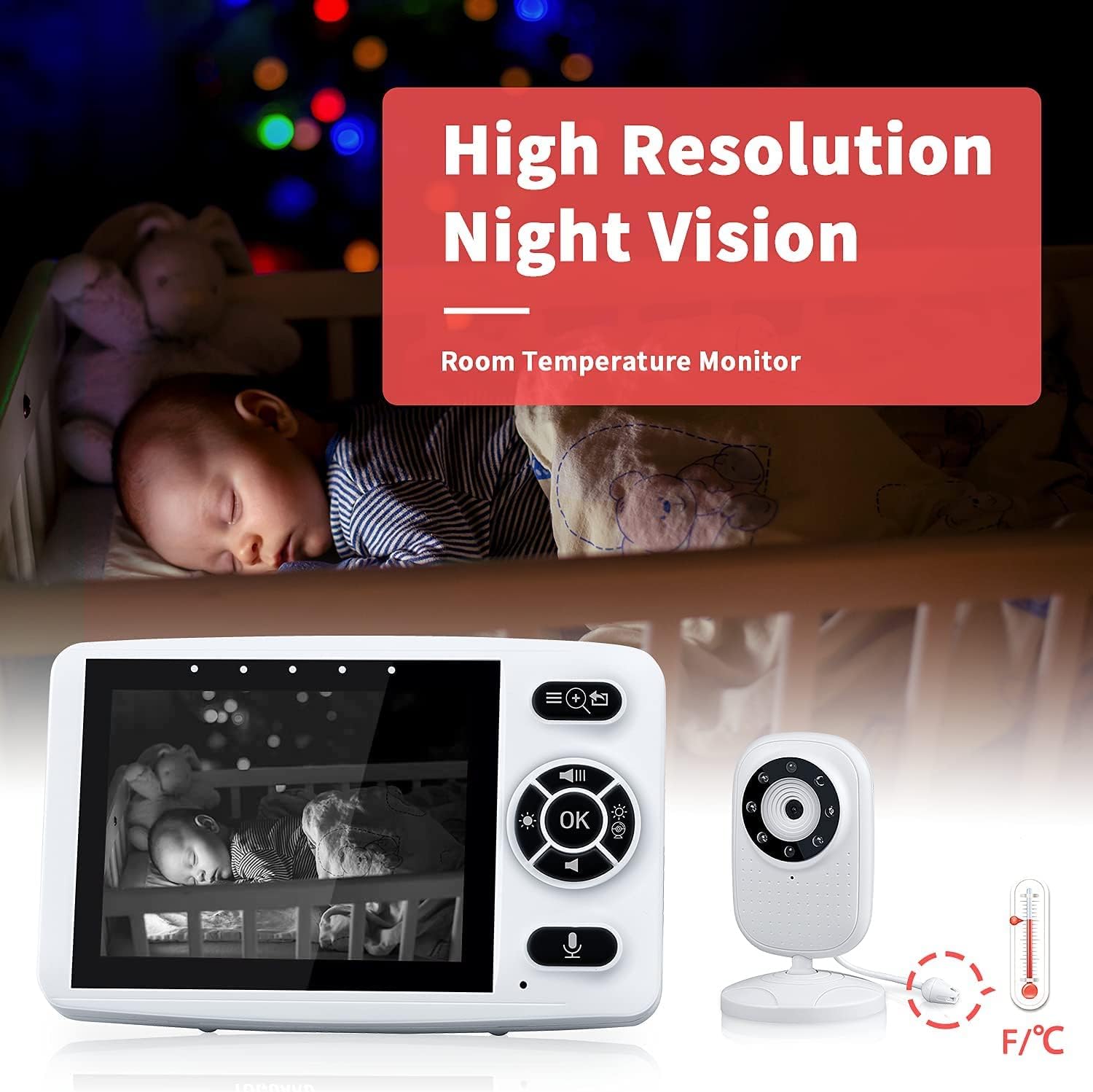
Image: The baby unit camera demonstrating its high-resolution night vision and integrated room temperature monitor.
3.3 Pairing (If Necessary)
The units are pre-paired at the factory. If you need to re-pair or add additional cameras (up to 4), follow these steps:
- Turn on both the Parent Unit and the Baby Unit.
- On the Parent Unit, navigate to the "Camera" or "Pairing" menu.
- Select an available camera slot (e.g., Camera 1, Camera 2).
- Press and hold the pairing button on the back of the Baby Unit until the Parent Unit indicates successful pairing.

Image: A diagram illustrating how one parent monitor can connect to and switch between up to four baby camera units in different rooms.
4. Arahan Operasi
4.1 Operasi Asas
- Hidupkan/Mati Kuasa: Press and hold the Power button on both units.
- Kawalan Kelantangan: Use the volume buttons on the Parent Unit to adjust audio level.
- Kawalan Kecerahan: Adjust screen brightness via the menu settings.
- Zum: Use the zoom function on the Parent Unit to get a closer view bayi anda.
4.2 Ceramah Dua Hala
To speak to your baby, press and hold the Talk button on the Parent Unit. Release the button to hear your baby.

Image: A visual representation of the two-way audio talk feature, showing a baby and a parent communicating through the monitor.
4.3 VOX (Voice Operated Exchange) Mode
In VOX mode, the Parent Unit screen will automatically turn off to save power and reduce light disturbance. It will activate and display video when the baby unit detects sound above a certain threshold (e.g., baby crying).
- To enable/disable VOX mode, navigate to the VOX settings in the Parent Unit menu.
- Adjust the VOX sensitivity level to suit your environment.
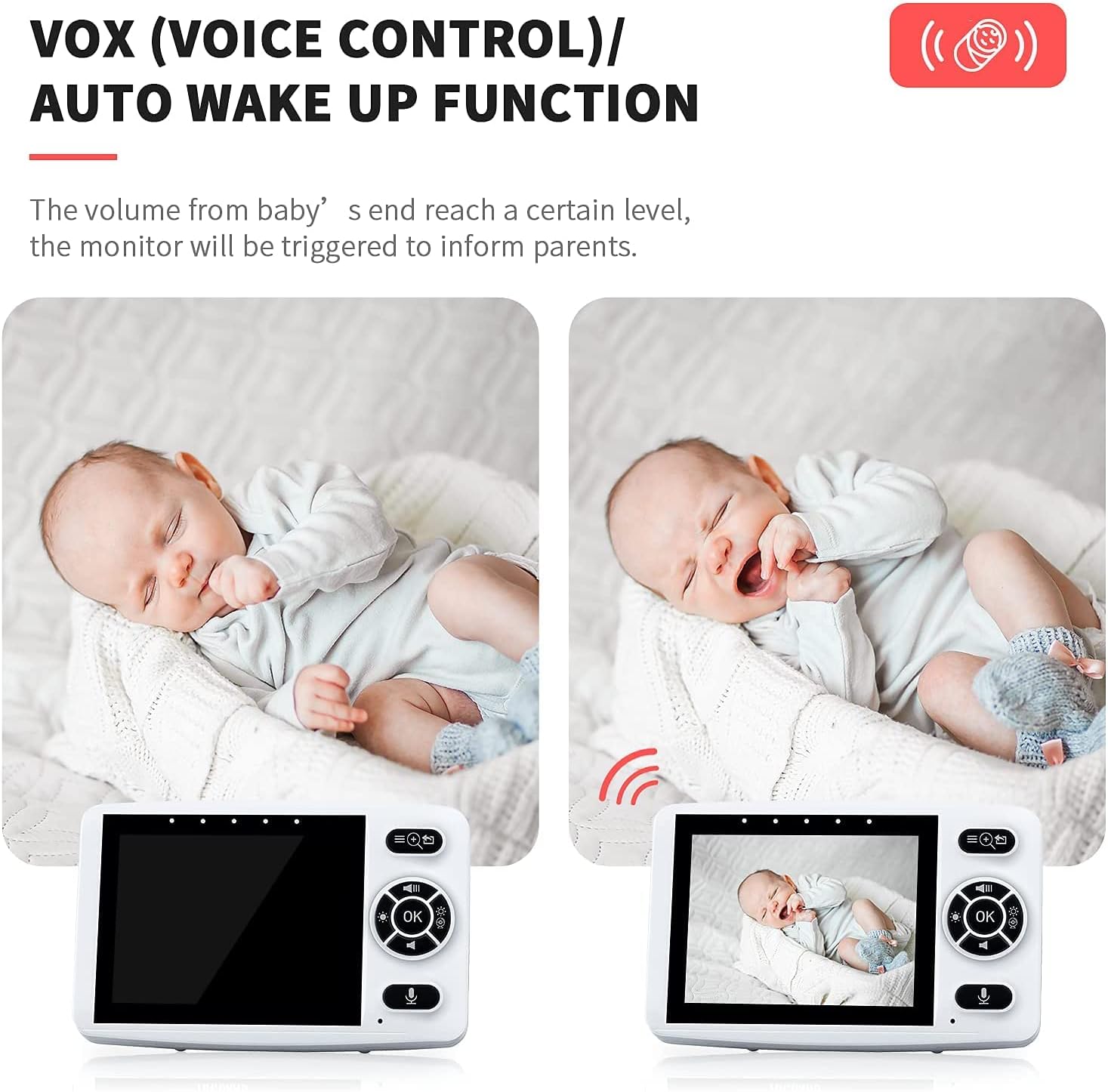
Image: A comparison showing the monitor screen in sleep mode and then automatically waking up when the baby makes a sound, demonstrating the VOX function.
4.4 Lagu pengantar tidur
The Baby Unit has built-in lullabies to help soothe your baby. You can play them remotely from the Parent Unit.
- Akses menu Lullaby pada Unit Induk.
- Select a lullaby to play or stop playback.

Image: A baby sleeping peacefully with musical notes, illustrating the lullaby feature.
4.5 Feeding Clock
Set reminders for your baby's feeding schedule.
- Go to the Feeding Clock settings in the Parent Unit menu.
- Choose reminder intervals (e.g., 2H, 4H, 6H) or turn off the feature.

Image: A parent feeding a baby, accompanied by a clock icon, signifying the feeding reminder function.
5. Penyelenggaraan dan Penjagaan
- Clean the units with a dry, soft cloth. Do not use abrasive cleaners or solvents.
- Keep the units away from water and moisture.
- Avoid dropping the units or exposing them to extreme temperatures.
- Ensure the camera lens is clean for optimal image quality.
6. Penyelesaian masalah
| Masalah | Kemungkinan Punca | Penyelesaian |
|---|---|---|
| Tiada gambar/bunyi pada Unit Induk. | Units are not powered on or not paired. Out of range. | Ensure both units are powered on and charged. Re-pair units if necessary. Move Parent Unit closer to Baby Unit. |
| Picture is blurry or dark. | Camera lens is dirty. Insufficient light for night vision. | Clean the camera lens. Ensure no direct light interferes with night vision. |
| Static or interference. | Other 2.4GHz devices nearby. Out of range. | Move the monitor away from other wireless devices (Wi-Fi routers, microwaves). Move Parent Unit closer to Baby Unit. |
| VOX mode not activating. | VOX sensitivity set too low. | Increase VOX sensitivity in the Parent Unit settings. |
| Hayat bateri pendek. | Bateri tidak dicas sepenuhnya. Kemerosotan bateri dari semasa ke semasa. | Ensure Parent Unit is fully charged. Consider replacing battery if significantly degraded (contact support). |
7. Spesifikasi
| Ciri | Perincian |
|---|---|
| Saiz Skrin | 3.5 inci |
| Teknologi Tanpa Wayar | 2.4GHz FHSS |
| Julat Tanpa Wayar | Up to 1000 feet (barrier-free) |
| Penglihatan Malam | LED inframerah |
| Battery Life (Parent Unit) | Up to 15 hours (VOX mode) |
| Input Kuasa | 5V DC |
| Resolusi Tangkapan Video | 720p |
| Bilangan Saluran | 2 |
| Suhu Operasi | 0°C - 40°C (32°F - 104°F) |
8. Waranti dan Sokongan
The EYETOO Baby Monitor comes with a 24-month warranty from the date of purchase. This warranty covers manufacturing defects and malfunctions under normal use. It does not cover damage caused by misuse, accidents, unauthorized repairs, or normal wear and tear.
For technical support, warranty claims, or any questions regarding your product, please contact EYETOO customer service through the retailer's platform or the contact information provided with your purchase. Please have your purchase receipt and product model number ready when contacting support.