
pengenalan
Welcome to the user manual for your new Casio CDP-S110WE Electronic Piano. This instrument is designed to provide a high-quality piano experience with its 88 weighted keys and slim, portable design. It is an ideal choice for beginners and experienced players alike, offering a range of sounds and versatile connectivity options. This manual will guide you through the setup, operation, maintenance, and troubleshooting of your digital piano.
Persediaan
Follow these steps to set up your Casio CDP-S110WE Electronic Piano:
- Membongkar: Carefully remove the piano and all accessories from the packaging. Ensure all components are present: the CDP-S110WE unit, AC adapter, music stand, and sustain pedal.
- penempatan: Place the piano on a stable, flat surface or a compatible keyboard stand. Ensure there is adequate space around the instrument for ventilation and comfortable playing.
- Sambungan Kuasa: Connect the supplied AC adapter to the DC 12V jack on the rear of the piano. Plug the other end of the adapter into a standard electrical outlet. Alternatively, the piano can be powered by 6 AA-size alkaline batteries (not included) for portable use.
- Sustain Pedal Connection: Connect the included sustain pedal to the PEDAL jack on the rear of the piano.
- Music Stand Attachment: Insert the music stand into the slots provided on the top panel of the piano.

Image: The Casio CDP-S110WE Electronic Piano, showcasing its full 88-key layout and slim design.
Arahan Operasi
Familiarize yourself with the basic operations of your digital piano:
- Hidupkan/Mati Kuasa: Tekan ke KUASA button located on the left side of the top panel to turn the piano on or off.
- Pelarasan Kelantangan: Gunakan JILID knob to adjust the overall sound output level. Turn clockwise to increase volume and counter-clockwise to decrease.
- Pemilihan Bunyi: The CDP-S110WE features 10 built-in tones. To select a tone, hold down the FUNGSI button and press the corresponding key on the keyboard as indicated in the manual's tone list.
- Metronom: To activate the metronome, hold down the FUNGSI butang dan tekan butang METROME key. You can adjust the tempo by holding FUNGSI and using the tempo keys.
- Connectivity (USB to Host): The USB Type B port on the rear panel allows you to connect the piano to a computer for MIDI data transfer. This enables use with music software.
- Audio Dalam: The AUDIO IN jack allows you to connect an external audio player (e.g., smartphone, MP3 player) to play along with your favorite music through the piano's speakers. Use a 3.5mm stereo mini-plug cable.
- Fon kepala: Connect standard stereo headphones to the PHONES/OUTPUT jack for private practice. This will mute the internal speakers.
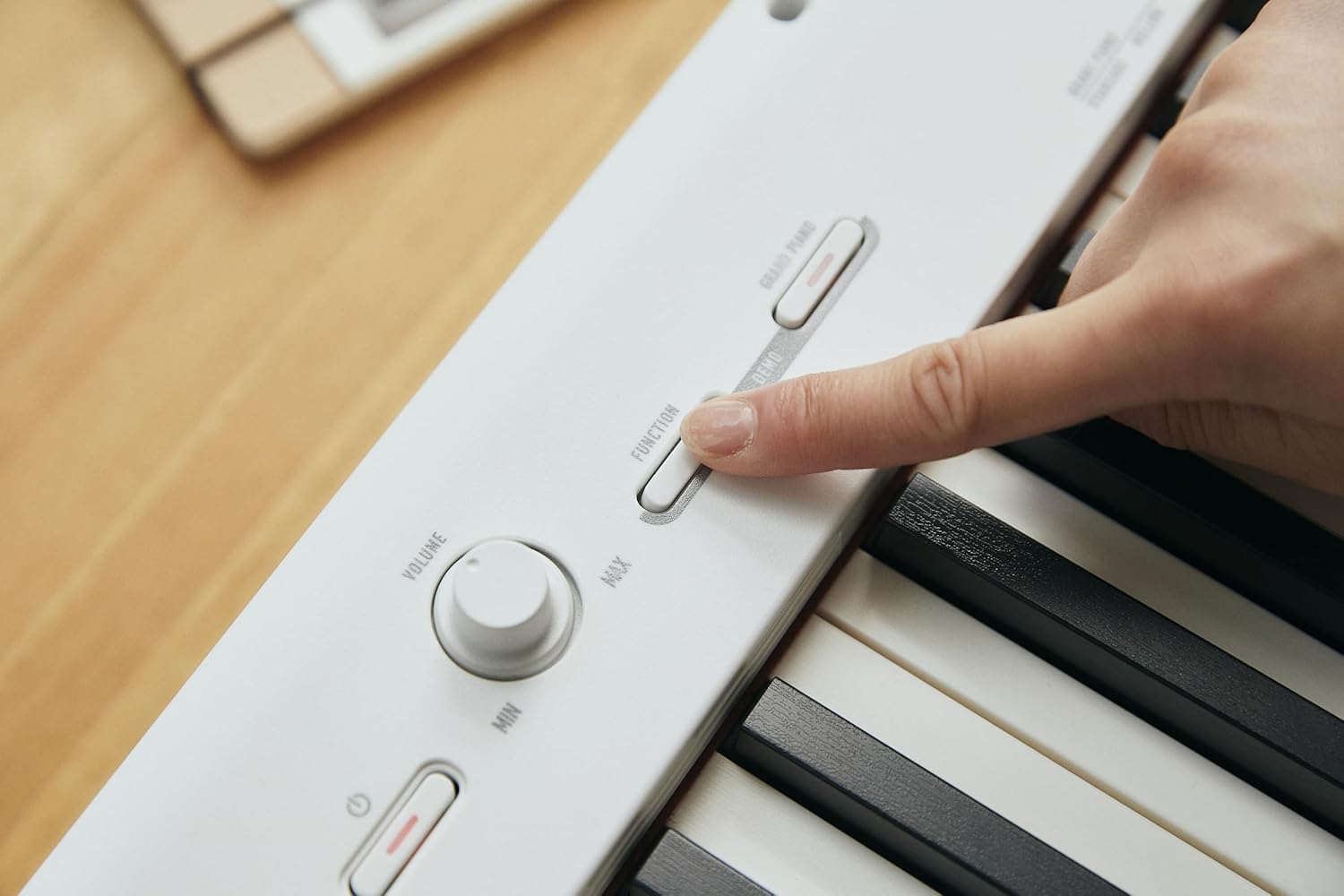
Imej: Dari dekat view of the control panel on the Casio CDP-S110WE, showing the volume knob and function buttons.

Image: The rear panel of the Casio CDP-S110WE, highlighting the various input/output ports including USB and audio connections.
Penyelenggaraan
Proper care will ensure the longevity and optimal performance of your digital piano:
- Pembersihan: Gunakan kain lembut dan kering untuk mengelap permukaan piano. Untuk kotoran degil, lap sedikitampen the cloth with water and a mild, neutral detergent, then wipe dry immediately. Avoid using abrasive cleaners, solvents, or polishes, as they can damage the finish.
- Pembersihan Kunci: Gently wipe the keys with a soft, slightly damp kain. Jangan gunakan kelembapan berlebihan.
- Storan: When not in use for extended periods, store the piano in a cool, dry place away from direct sunlight, extreme temperatures, and high humidity. If using batteries, remove them to prevent leakage.
- Pengendalian: Avoid placing heavy objects on the piano or subjecting it to strong impacts. Do not block the speaker grilles.
Menyelesaikan masalah
If you encounter issues with your piano, refer to the following common problems and solutions:
- Tiada Bunyi:
- Pastikan penyesuai kuasa disambungkan dengan kukuh dan piano dihidupkan.
- Check the VOLUME knob and ensure it is not set to minimum.
- If headphones are connected, disconnect them to hear sound from the speakers.
- Bunyi Herot:
- Reduce the VOLUME level.
- If an external device is connected to AUDIO IN, check its volume level.
- Kunci Tidak Menjawab:
- Pastikan piano dihidupkan.
- If only certain keys are not responding, contact customer support.
- Connectivity Issues (USB/Audio In):
- Pastikan kabel disambungkan dengan selamat.
- For USB connection, verify that the necessary drivers are installed on your computer (if required by your operating system).
- Check the volume settings on the connected external device.
Spesifikasi
| Ciri | Spesifikasi |
|---|---|
| Nama Model | CDP S110WE |
| Nombor Model Item | CDP-S110WEC5 |
| Bilangan Kunci | 88 Kunci Berwajaran |
| Dimensi (L x W x H) | 1322 x 232 x 99 millimeters (57.48 x 8.27 x 12.2 inches) |
| Berat Barang | 10.5 Kilogram (23.1 paun) |
| warna | putih |
| Ketersambungan | MIDI USB, Auxiliary (Audio In) |
| Jack Fon Kepala | Bicu 3.5mm |
| Sumber Kuasa | AC Adapter (included), Battery Powered (6 AA-size alkaline batteries) |
| Pengeluar | CASIO |
Waranti dan Sokongan
Your Casio CDP-S110WE Electronic Piano comes with a manufacturer's warranty. Please refer to the warranty card included with your product for specific terms and conditions, including warranty period and coverage details.
For technical support, service, or additional information, please visit the official Casio website or contact Casio customer service. You can find more information and resources at the Kedai Casio di Amazon or the main Casio support portal.