
pengenalan
This manual provides detailed instructions for the setup, operation, and maintenance of your Microdigit MD310WK Wireless Keyboard and Mouse Combo. Please read this manual thoroughly before using the product to ensure proper functionality and longevity.
Kandungan Pakej
- 1 x Microdigit MD310WK Wireless Keyboard
- 1 x Microdigit Wireless Optical Mouse
- 1 x USB Receiver (typically stored inside the mouse battery compartment)
- Batteries (1x AA for mouse, keyboard batteries not specified but typically 2x AAA)
- Manual Pengguna (dokumen ini)
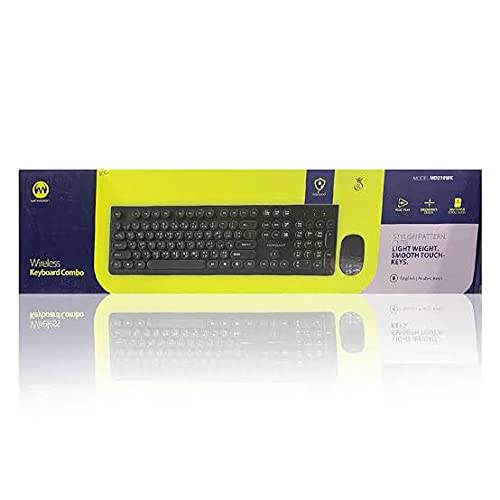
Imej: The Microdigit MD310WK Wireless Keyboard and Mouse Combo packaging, showing both devices.
Persediaan
1. Memasang Bateri
Untuk Tetikus:
- Cari penutup petak bateri di bahagian bawah tetikus.
- Luncurkan atau angkat penutup untuk membuka petak.
- Masukkan satu (1) bateri AA, pastikan kekutuban (+/-) sepadan dengan gambar rajah di dalam petak.
- Gantikan penutup petak bateri.
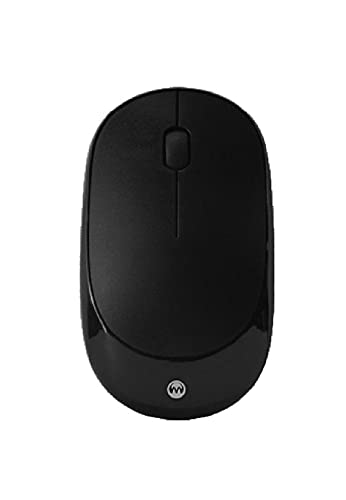
Imej: Atas view of the Microdigit Wireless Optical Mouse.
Untuk Papan Kekunci:
- Cari penutup petak bateri di bahagian bawah papan kekunci.
- Luncurkan atau angkat penutup untuk membuka petak.
- Insert the required batteries (typically two AAA batteries), ensuring the polarity (+/-) matches the diagram inside the compartment.
- Gantikan penutup petak bateri.
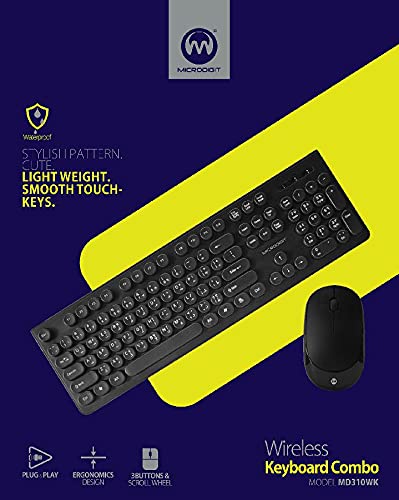
Imej: Atas view of the Microdigit MD310WK Wireless Keyboard, showing both English and Arabic key legends.
2. Menyambungkan Penerima USB
- Locate the USB receiver. It is often stored in a small slot within the mouse's battery compartment for safekeeping during transport.
- Pasangkan penerima USB ke port USB yang tersedia pada komputer anda (PC atau Laptop).
- Your operating system should automatically detect and install the necessary drivers. This is a "Plug and Play" installation.
- Turn on the mouse using the power switch (if available, usually on the underside). The keyboard typically activates automatically once batteries are inserted and the receiver is connected.

Imej: The Microdigit MD310WK Wireless Keyboard and Mouse, showcasinreka bentuk langsing mereka.
Arahan Operasi
Penggunaan Papan Kekunci
- The keyboard features both English and Arabic key legends, supporting multi-language input.
- Keys are designed for a smooth and quiet touch.
- The keyboard is designed to withstand over 50 million keystrokes, ensuring durability.
- Standard modifier keys and function keys (F1-F12) are present for typical computer operations.
Penggunaan Tetikus
- The mouse is a high-speed wireless optical mouse operating on 2.4G wireless technology.
- It features 3 buttons (left click, right click, scroll wheel click) and a scroll wheel for navigation.
- The DPI (Dots Per Inch) is 1200, providing responsive cursor control.
- The mouse is designed for right-hand orientation.
Keserasian
This wireless combo is compatible with the following operating systems:
- Windows XP
- Windows Vista
- Windows 7
- Windows 8
- Windows 10
- Mac OS
Penyelenggaraan
Pembersihan
- To clean the keyboard and mouse, use a soft, dry, lint-free cloth.
- Untuk kotoran degil, sedikit dampLap kain dengan air atau larutan pembersih yang lembut dan tidak kasar. Elakkan kelembapan berlebihan.
- Do not immerse the devices in water or spray cleaning solutions directly onto them.
- Ensure the devices are powered off before cleaning.
Penggantian Bateri
- When the keyboard or mouse performance degrades (e.g., delayed response, erratic cursor movement), it may be time to replace the batteries.
- Ikuti langkah pemasangan bateri yang digariskan dalam bahagian "Persediaan".
- Buang bateri terpakai secara bertanggungjawab mengikut peraturan tempatan.
Menyelesaikan masalah
Tiada Respons daripada Papan Kekunci atau Tetikus
- Semak Bateri: Ensure fresh batteries are correctly installed in both the keyboard and mouse, observing polarity.
- Suis kuasa: Make sure the mouse's power switch (if present) is in the "ON" position.
- Penerima USB: Sahkan bahawa penerima USB dipasang dengan selamat ke port USB yang berfungsi pada komputer anda. Cuba port USB yang lain.
- Kedekatan: Ensure the keyboard and mouse are within the effective range of the USB receiver (typically up to 10 meters, but closer is better for troubleshooting).
- Gangguan: Alihkan peranti daripada peranti wayarles lain atau objek logam besar yang mungkin menyebabkan gangguan.
- Mulakan semula Komputer: Sometimes a simple computer restart can resolve connectivity issues.
Erratic Cursor Movement or Delayed Input
- Bateri Rendah: Replace batteries in the affected device.
- permukaan: For the mouse, ensure you are using it on a suitable, non-reflective surface.
- Gangguan: As mentioned above, check for potential wireless interference.
Spesifikasi
Umum
- Teknologi Ketersambungan: Wayarles (2.4G)
- Pemasangan: Pasang dan Main
- Peranti Serasi: PC, Laptop
- Sistem Operasi: Windows XP, Vista, 7, 8, 10, Mac OS
- Sumber Kuasa: Dikuasakan Bateri
papan kekunci
- model: MD310WK
- Susun atur Papan Kekunci: QWERTY (English/Arabic)
- Key Durability: Over 50 Million Keystrokes
- Ciri Khas: Slim, Light Weight, Smooth Touch Keys, Multi-language support
tetikus
- Jenis: High-Speed Wireless Optical Mouse
- DPI: 1200
- Butang: 3D (3 buttons + scroll wheel)
- Berat: 47g
- Dimensi: 105 x 60 x 28 MM (Length x Width x Height)
- Bateri: 1 x AA
- Pengesanan Pergerakan: Optik
- Orientasi tangan: Betul
Waranti dan Sokongan
For warranty information or technical support, please refer to the product packaging or contact your retailer. Specific warranty terms and support contact details may vary by region and purchase location.
You may also visit the official Microdigit website for further assistance or updated information.