
pengenalan
The J-Tech Digital 4K HDMI Capture Card (JTECH-4KCP) is designed to capture HDMI video signals up to 4K@60Hz and output them to your computer at 1080p 60Hz. This device features an HDMI loop output for real-time monitoring of the source signal, external microphone and headphone support for integrated audio, and a USB Type-C interface for high-speed data transfer to your computer. It is compatible with popular streaming and capture software such as OBS, YouTube Live, and Twitch, making it an ideal solution for capturing presentations, training seminars, and gaming content.
Kandungan Pakej
Sahkan bahawa semua item terdapat dalam pakej:
- 1 x J-Tech Digital 4K HDMI Capture Card (JTECH-4KCP)
- 1 x Manual Pengguna
- 1 x USB 3.0 Data Cable (USB Type-C to USB Type-A)

Produk Selesaiview
Dimensi
The JTECH-4KCP capture card has compact dimensions for portability and ease of integration into your setup.
- Panjang: 4.25 inci (10.8 cm)
- Lebar: 2 inci (5.1 cm)
- Tinggi: 0.6 inci (1.5 cm)
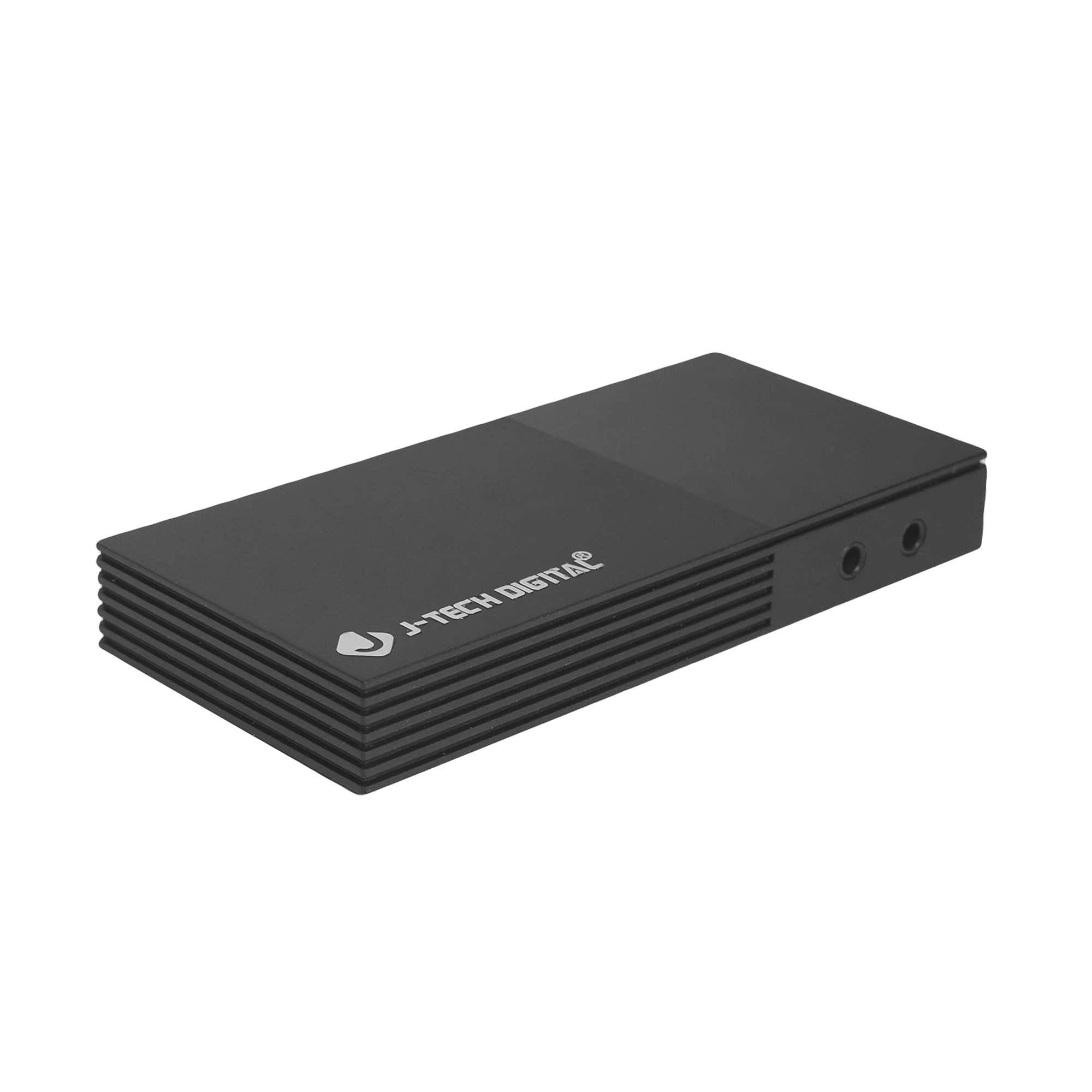
Pelabuhan dan Antara Muka
The device features several ports for connectivity:
- Microphone In Port: Untuk menyambungkan mikrofon luaran.
- Headphones Out Port: For connecting headphones to monitor audio.
- USB-C (PC Port): For connecting the capture card to your computer. This port is USB 3.0 compliant.
- HDMI Dalam: For connecting your HDMI source device (e.g., game console, camera).
- Keluar HDMI: For connecting to a display monitor for real-time video passthrough.

Arahan Persediaan
- Sambungkan Sumber HDMI: Connect an HDMI cable from your source device (e.g., game console, Blu-ray player, camera) to the HDMI Dalam port on the JTECH-4KCP capture card.
- Connect Display (Optional): If you wish to monitor your source signal in real-time without latency, connect a second HDMI cable from the HDMI Keluar port on the capture card to your display monitor.
- Sambung ke Komputer: Use the provided USB 3.0 Type-C cable to connect the USB-C (PC Port) pada kad tangkapan ke port USB 3.0 yang tersedia pada komputer anda. Peranti ini pasang dan main dan biasanya tidak memerlukan pemasangan pemacu.
- Sambungkan Peranti Audio (Pilihan): For external audio input, connect a microphone to the Microphone In Port. For audio monitoring, connect headphones to the Headphones Out Port.
- Pelancaran Perisian: Open your preferred video capture or streaming software (e.g., OBS Studio, YouTube Live, Twitch Studio) on your computer.
- Konfigurasikan Perisian: In your software, add the capture card as a video source. It should appear as a 'USB Video Device' or 'HDMI Capture'. Configure video resolution (1080p 60Hz recommended for capture) and audio settings as needed.

Arahan Operasi
Once the capture card is set up and recognized by your computer and software, you can begin capturing or streaming.
- Tangkapan Video: The JTECH-4KCP captures HDMI input signals up to 4K@60Hz and processes them for recording or streaming at 1080p 60Hz on your computer. Ensure your software settings match these capture capabilities for optimal performance.
- Output Gelung HDMI: The HDMI Out port provides a near-zero latency passthrough of your source signal to a connected display. This is particularly useful for gaming, allowing you to play on your main monitor without experiencing input lag while simultaneously capturing the footage pada komputer anda.
- Penyepaduan Audio Luaran: Utilize the Microphone In and Headphones Out ports to integrate external audio. This allows you to add commentary or external audio sources directly into your captured or streamed content, and monitor all audio in real-time. Adjust audio levels within your capture software.
- Keserasian Perisian: The capture card is compatible with a wide range of software, including OBS Studio, YouTube Live, Twitch Studio, and Facebook Live. Refer to your software's documentation for specific configuration details.

Penyelenggaraan
To ensure the longevity and optimal performance of your JTECH-4KCP capture card, follow these maintenance guidelines:
- Pembersihan: Gunakan kain lembut dan kering untuk membersihkan bahagian luar peranti. Elakkan menggunakan pembersih cecair atau pelarut, kerana ia boleh merosakkan kemasan atau komponen dalaman.
- Storan: Simpan kad tangkapan di tempat yang sejuk dan kering, jauh daripada cahaya matahari langsung dan suhu yang melampau.
- Pengendalian: Kendalikan peranti dengan berhati-hati. Elakkan daripada menjatuhkannya atau terkena impak yang kuat.
- Pengudaraan: Ensure the device has adequate ventilation to prevent overheating, especially during extended use. Do not block the ventilation slots.
Menyelesaikan masalah
If you encounter issues with your JTECH-4KCP capture card, refer to the following common troubleshooting steps:
| Masalah | Kemungkinan Punca | Penyelesaian |
|---|---|---|
| No video signal on computer/software | Incorrect cable connection, incompatible resolution/refresh rate, software not configured. |
|
| No audio captured or monitored | Incorrect audio connections, software audio settings. |
|
| High latency or stuttering during capture/streaming | Computer performance issues, USB port issues, software settings. |
|
| Cannot capture certain content (e.g., movies) | HDCP (High-bandwidth Digital Content Protection) enabled. | The capture card respects HDCP. Content protected by HDCP cannot be captured or recorded. This is a standard digital rights management feature. |
Spesifikasi
| Ciri | Perincian |
|---|---|
| Jenama | J-Tech Digital |
| Nama Model | JTECH-4KCP |
| Antara Muka Perkakasan | USB Type-C (USB 3.0 compliant) |
| Resolusi Tangkapan Video | 1080p @ 60Hz |
| Resolusi Input HDMI | Sehingga 4K @ 60Hz |
| Keserasian Sistem Pengendalian | Windows 10 (64-bit), macOS 10.14+ (64-bit) |
| Penggunaan yang Disyorkan | Video Recording, Image Capture, Live Streaming |
| Ciri Khas | 4K Near-Zero Latency HDMI Loop Output, External Audio Support (Mic In, Headphone Out), Popular Streaming Platform Compatibility |
| Peranti Serasi | Gaming Consoles (Xbox, PS4, PS5, Nintendo Switch), Cameras, Personal Computers, Blu-ray Players |
| Keperluan Sistem Minimum | Processor: Intel Core i5 or AMD equivalent (or better), RAM: 4GB, Disk Space: 2GB available |
| AV Output Format | MPEG-4 (software dependent) |
| Pengeluar | J-Tech Digital Inc. |
| UPC | 810058920409 |
Waranti dan Sokongan
All J-Tech Digital products are backed by a commitment to quality and customer satisfaction.
- Waranti Pengilang: The JTECH-4KCP includes a One-Year Manufacturer Replacement Warranty. This warranty covers defects in materials and workmanship under normal use.
- Sokongan Teknikal: J-Tech Digital provides free lifetime technical support from our customer support team. Support is available from 9 AM – 6 PM CST, Monday through Friday.
- Maklumat Hubungan: For warranty claims or technical assistance, please refer to the contact information available on the J-Tech Digital seller page on Amazon or visit the official J-Tech Digital webtapak.