
pengenalan
The G-MARK EW100 UHF 2-Channel Wireless Microphone System provides clear and stable audio transmission for various applications, including home karaoke, church events, weddings, parties, and public speaking. This system includes two cordless handheld microphones and a dual-channel receiver, designed for ease of use and reliable performance.
Apa yang ada dalam Kotak
Carefully unpack your G-MARK EW100 system and ensure all components are present:
- 2 x Mikrofon Genggam
- 1 x UHF Receiver
- 2 x Antena
- Kabel Audio 1 x 6.35mm
- 2 x Cincin Anti-gelincir
- 1 x Manual Pengguna (dokumen ini)
- 1 x Penyesuai Kuasa

Figure 1: Package Contents. This image displays all items included in the G-MARK EW100 system: two handheld microphones, the UHF receiver, two antennas, a 6.35mm audio cable, two anti-slip rings, a user manual, and a power adapter.
Ciri-ciri Produk
- True Vocal Sound Quality: Dynamic microphones with professional cardioid proprietary capsules deliver balanced and natural sound, picking up diverse vocal tones without being overly bright or muddy.
- Strong Anti-noise: UHF receiver frequency coverage of 520 MHz to 560 MHz with 32 fixed frequencies, limiting feedback and interference for ultra-signal stability and distortion elimination. Supports one-key frequency adjustment.
- Stable Wireless Performance: Dual-channel 2-microphone design with a large dynamic signal range, offering 100 ft to 160 ft wireless coverage, up to 200 ft in wide open spaces, while maintaining excellent audio signal quality.
- Pasang & Main: The receiver features XLR and 1/4” output interfaces (XLR cable not included), allowing connection to most professional audio mixers, amplifiers, or speakers with mic jacks, and most karaoke machines.
- Keserasian Luas: The receiver automatically pairs with the microphones upon connection. Ideal for home karaoke, parties, church services, meetings, weddings, speeches, classes, opening ceremonies, DJ sets, and live performances.
Arahan Persediaan
1. Sambungan Penerima
- Connect the provided power adapter to the DC 9V-12V input on the back of the UHF receiver and plug it into a power outlet.
- Attach the two antennas to the ANT-A and ANT-B ports on the rear of the receiver. Position them vertically for optimal signal reception.
- Connect the receiver to your audio system (mixer, amplifier, or powered speaker) using either the 6.35mm audio cable (MIX OUT) or XLR cables (BALANCED OUT A/B, not included).

Figure 2: Receiver Connections. This image shows the rear panel of the receiver with labeled ports for power (DC9V-12V), antennas (ANT-A, ANT-B), balanced XLR outputs (BALANCED OUT A, BALANCED OUT B), and a 6.35mm mixed output (MIX OUT).
2. Pemasangan Bateri Mikrofon
- Buka skru bahagian bawah setiap mikrofon pegang tangan untuk mendedahkan petak bateri.
- Insert two AA batteries into each microphone, ensuring correct polarity (+/-).
- Skrukan bahagian bawah kembali ke mikrofon dengan kukuh.
3. Kuasa Hidup dan Berpasangan
- Press the power button on the receiver. The display should light up.
- Turn on each handheld microphone by pressing its power button. The microphone's display will show its frequency and battery status.
- The receiver and microphones are designed for automatic pairing. If pairing does not occur automatically, refer to the "Operating Instructions" section for manual frequency adjustment.
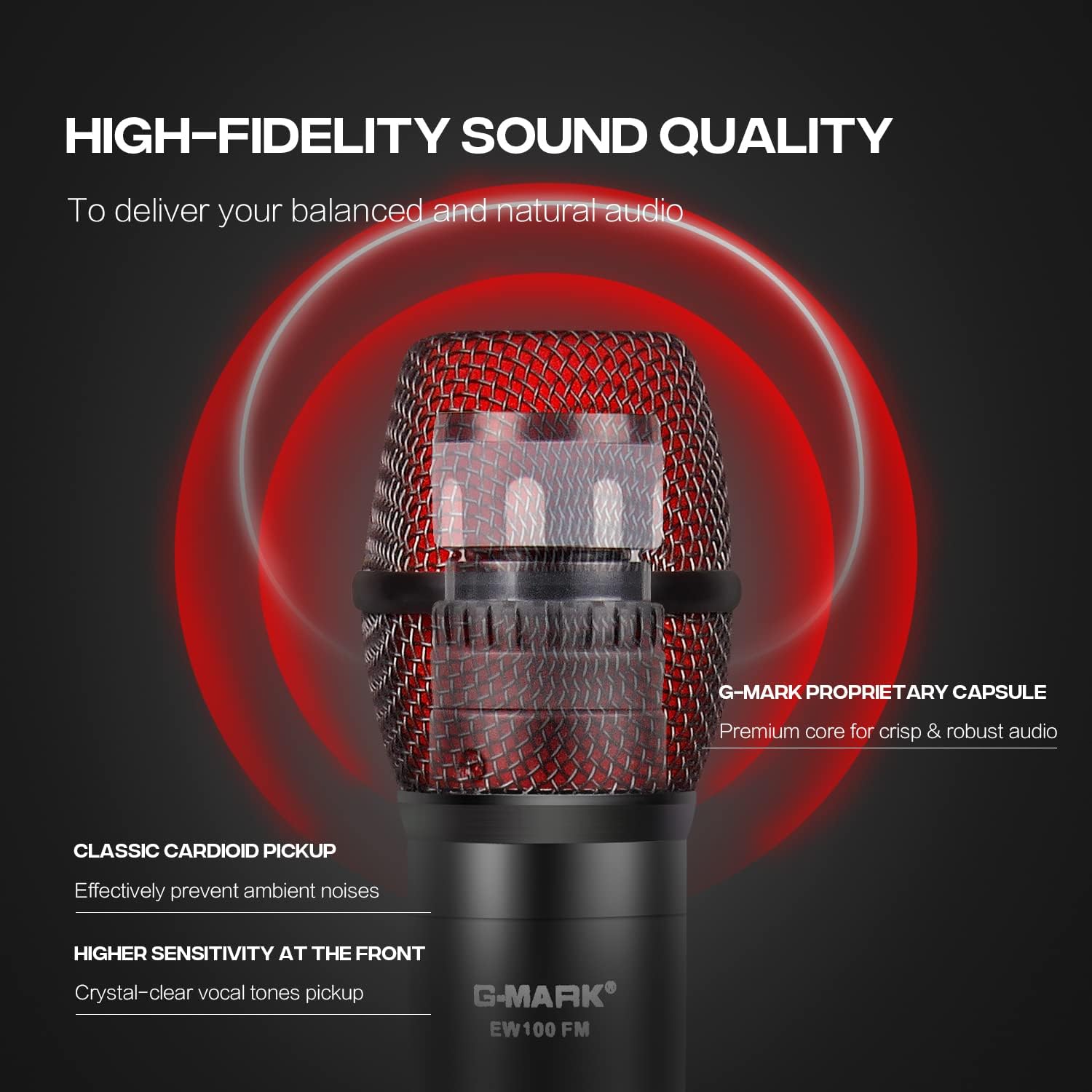
Rajah 3: Sistem Selesaiview. This image shows the complete G-MARK EW100 system, including the receiver with antennas and two handheld microphones, ready for use.
Arahan Operasi
Kawalan Penerima
- Butang Kuasa: Located on the front panel, used to turn the receiver on or off.
- Volume Control Knobs: Two separate knobs for adjusting the output volume of each microphone channel (A and B).
- Butang Pelarasan Frekuensi: Buttons (usually labeled UP/DOWN or CH+/CH-) next to each channel's display allow you to change the operating frequency if interference occurs or for manual pairing.
- Skrin Paparan: Shows the current operating frequency, signal strength (RF), and audio signal level (AF) for each channel.

Figure 4: Receiver Front Panel. This image highlights the receiver's front panel, showing the power button, volume control knobs, frequency adjustment buttons, and the digital display for each microphone channel.
Kawalan Mikrofon
- Butang Kuasa: Press and hold to turn the microphone on or off. A short press may mute/unmute the microphone.
- Skrin Paparan: Shows battery level, current frequency, and channel.
- Frequency Adjustment (One-Key FM): Some models feature a button for quick frequency adjustment or pairing. Consult the microphone's specific markings.

Figure 5: Microphone Display. This image shows a close-up of the microphone's LCD screen, indicating battery status and frequency information.

Figure 6: Microphone One-Key FM. This image shows the microphone's button for quick frequency adjustment or pairing.
Keserasian
The G-MARK EW100 system is compatible with audio mixers, amplifiers with microphone input, and most karaoke machines. It is tidak serasi with laptops, iPads, or phones directly.

Figure 7: Device Compatibility. This image illustrates the types of devices the G-MARK EW100 is compatible with (audio mixer, amplifier with mic input, karaoke machines) and incompatible with (laptop, iPad, phone).
Penyelenggaraan
- Pembersihan: Use a soft, dry cloth to clean the receiver and microphones. Avoid using liquid cleaners or solvents.
- Storan: Simpan sistem di tempat yang sejuk dan kering jauh dari cahaya matahari langsung dan suhu yang melampau apabila tidak digunakan.
- Penggantian Bateri: Replace microphone batteries when the low battery indicator appears on the microphone's display. Always use fresh AA batteries. Remove batteries if the microphones will not be used for an extended period to prevent leakage.
- Antena: Handle antennas carefully. Ensure they are securely attached but do not overtighten.
Menyelesaikan masalah
| Masalah | Kemungkinan Punca | Penyelesaian |
|---|---|---|
| Tiada bunyi dari mikrofon. |
|
|
| Gangguan atau hingar statik. |
|
|
| Julat tanpa wayar yang pendek. |
|
|
Spesifikasi
| Ciri | Spesifikasi |
|---|---|
| Jenama | G-MARK |
| Nombor Model | EW100 |
| Penggunaan yang Disyorkan | Karaoke |
| Teknologi Ketersambungan | Bicu 6.35 mm, XLR |
| Ciri Khas | Frequency Control, Volume Control |
| Peranti Serasi | Mixer Audio, Karaoke System, PA system etc |
| warna | Hitam dan Merah |
| Corak Kutub | Satu arah |
| Kepekaan Audio | 105 Desibel |
| Impedans | 600 ohm |
| Faktor Bentuk Mikrofon | Sistem Mikrofon |
| Sumber Kuasa | Dikuasakan oleh Bateri (Mikrofon) |
| Number of Batteries (Microphone) | 2 bateri AA diperlukan setiap mikrofon |
| Nisbah Isyarat-ke-Bunyi | 120 dB |
| Bilangan Saluran | 2 |
| Julat Kekerapan | 520-560MHz |
| Bahan Kepungan | Logam, PVC |
| Dimensi Item | 15.75 x 12.99 x 2.76 inci |
Maklumat Waranti
The G-MARK EW100 UHF 2-Channel Wireless Microphone System comes with a 3-month warranty. Please retain your proof of purchase for any warranty claims. For further details or to initiate a warranty claim, please contact G-MARK customer support.
Sokongan Pelanggan
For technical assistance, troubleshooting, or general inquiries regarding your G-MARK EW100 system, please refer to the official G-MARK webtapak atau hubungi bahagian perkhidmatan pelanggan mereka. Maklumat hubungan biasanya boleh didapati pada pembungkusan produk atau kehadiran rasmi dalam talian jenama.