
1. Pengenalan
Thank you for choosing the Pelonis 40-Inch Silent Tower Fan. This manual provides essential information for the safe and efficient operation of your new fan. Please read it thoroughly before use and retain it for future reference.

Image 1: Pelonis 40-Inch Silent Tower Fan, Model PE-FZ10-18TRB-DE.
2. Arahan Keselamatan Penting
Apabila menggunakan peralatan elektrik, langkah berjaga-jaga asas hendaklah sentiasa diikuti untuk mengurangkan risiko kebakaran, kejutan elektrik dan kecederaan kepada orang, termasuk yang berikut:
- Baca semua arahan sebelum menggunakan kipas ini.
- Always unplug the fan from the power outlet before cleaning or when not in use.
- Do not operate any fan with a damaged cord or plug. If the fan malfunctions or has been dropped or damaged in any manner, return it to an authorized service facility for examination, electrical or mechanical adjustment, or repair.
- Jangan gunakan kipas di luar rumah.
- Jangan gunakan tali di bawah permaidani. Jangan tutup tali dengan permaidani lempar, pelari, atau penutup yang serupa. Susun kord jauh dari kawasan lalu lintas dan di mana ia tidak akan tersandung.
- Jangan masukkan atau biarkan objek asing memasuki sebarang bukaan pengudaraan atau ekzos kerana ini boleh menyebabkan kejutan elektrik atau kebakaran, atau merosakkan kipas.
- Untuk mengelakkan kebakaran yang mungkin berlaku, jangan sekat saluran masuk atau ekzos udara dalam apa jua cara. Jangan gunakan pada permukaan lembut, seperti katil, di mana bukaan mungkin tersumbat.
- Kipas ini tidak dimaksudkan untuk digunakan dalam keadaan basah atau damp lokasi. Jangan sekali-kali mencari kipas di tempat ia boleh jatuh ke dalam tab mandi atau bekas air lain.
- Always place the fan on a stable, flat, level surface during operation to prevent it from tipping over.
- Pengawasan rapi diperlukan apabila sebarang perkakas digunakan oleh atau berhampiran kanak-kanak.
3. Kandungan Pakej
Sila semak kandungan bungkusan semasa dibuka. Jika ada item yang hilang atau rosak, hubungi sokongan pelanggan.
- Pelonis Tower Fan Unit
- Fan Base (2 parts)
- Alat Kawalan Jauh
- Manual Pengguna
4. Persediaan dan Pemasangan
Ikuti langkah-langkah ini untuk memasang kipas menara anda:
- Keluarkan semua komponen dari pembungkusan dengan berhati-hati.
- Assemble the two parts of the fan base by aligning them and snapping them together.
- Place the tower fan unit onto the assembled base, ensuring the alignment pins fit into the corresponding holes.
- Secure the fan unit to the base by screwing the large plastic nut (located underneath the fan unit) clockwise until tight.
- Route the power cord through the designated channel in the base to ensure stability.
- Letakkan kipas di atas permukaan yang kukuh dan rata.

Image 2: Technical diagram illustrating tool-free assembly and design features like the fine grille and rear handle.
5. Arahan Operasi
Your Pelonis tower fan can be operated using the control panel on top of the unit or the included remote control.
Panel Kawalan & Alat Kawalan Jauh

Image 3: Remote control and LED control panel for convenient operation.
The remote control requires 2x AAA batteries (not included). Ensure clear line of sight to the fan's sensor for optimal remote functionality.
Fungsi:
- Hidupkan/Mati Kuasa: Tekan butang kuasa untuk menghidupkan atau mematikan kipas.
- Tetapan Kelajuan: Cycle through 4 fan speeds (Low, Medium, High, Max) to adjust airflow intensity.
- Mod: Select from various modes for different comfort needs:
- Mod Biasa: Memberikan aliran udara yang konsisten pada kelajuan yang dipilih.
- Mod Alam Semula Jadi: Mensimulasikan angin semula jadi dengan mengubah kelajuan kipas.
- Mod tidur: Operates at an ultra-quiet 36 dB, gradually decreasing fan speed for undisturbed rest.
- Mod ECO: Automatically adjusts fan speed to maintain a constant low indoor temperature, optimizing energy consumption.
- Pengayun: Activate the 90° wide-angle oscillation feature to distribute air across a larger area.
- Pemasa: Set the fan to automatically turn off after a specified period, from 1 to 15 hours, in 1-hour increments.
Video 1: Demonstration of tower fan oscillation and remote control operation.

Image 4: The fan provides 90° wide oscillation for comprehensive room cooling.

Image 5: Automatic adjustment of settings for different scenarios, including Sleep, Nature, and Normal modes.

Image 6: Ultra-quiet operation in Sleep Mode, producing only 36 dB for a peaceful breeze.
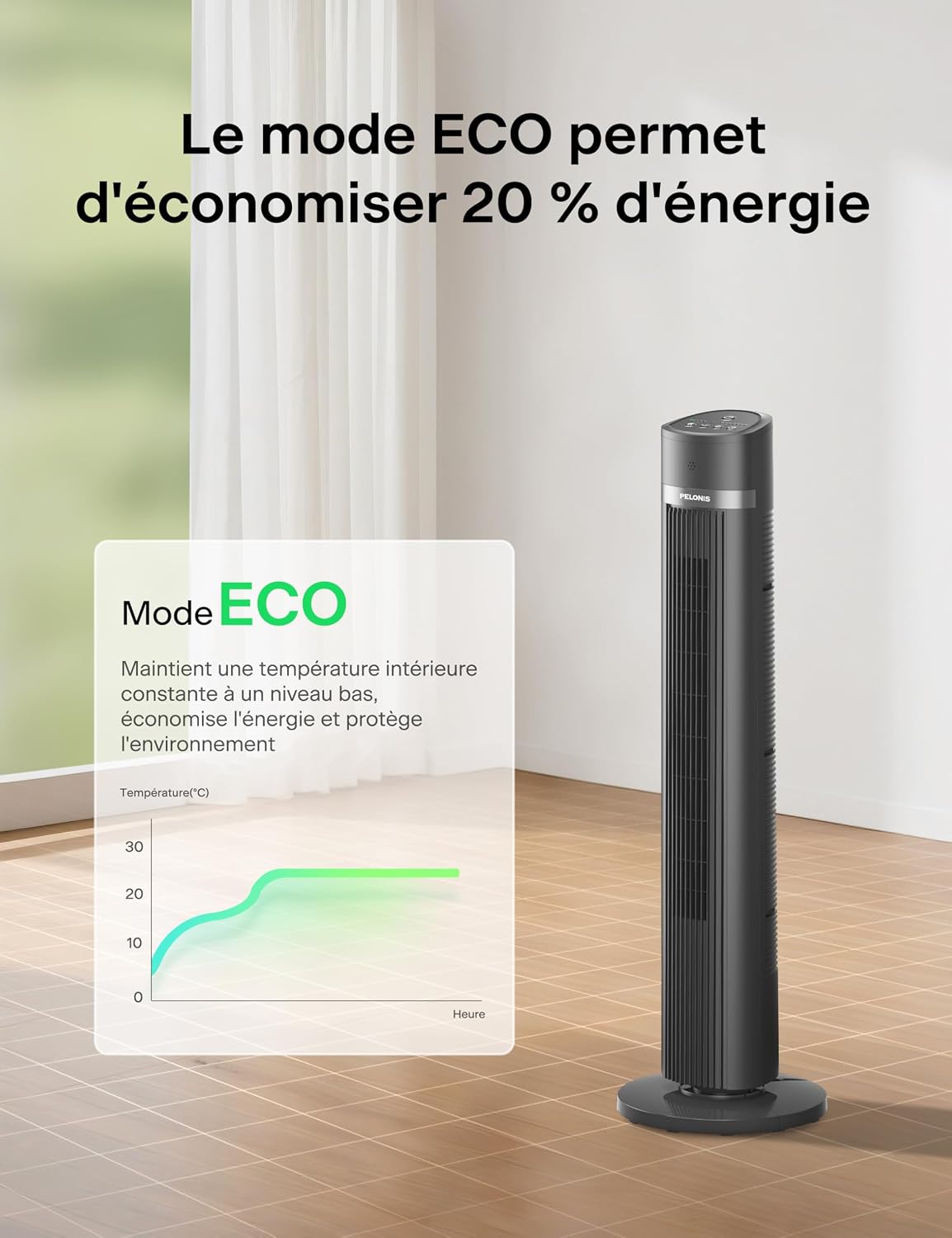
Image 7: ECO Mode helps save up to 20% energy by maintaining a constant low indoor temperature.
6. Penyelenggaraan dan Pembersihan
Pembersihan berkala akan membantu mengekalkan prestasi kipas anda dan memanjangkan jangka hayatnya.
- Sentiasa cabut plag kipas sebelum membersihkan.
- Gunakan yang lembut, damp kain untuk mengelap permukaan luar kipas. Jangan gunakan pembersih atau pelarut yang melelas.
- To clean the air inlet and outlet grilles, use a vacuum cleaner with a brush attachment or a soft brush to remove dust and debris.
- Pastikan semua bahagian kering sepenuhnya sebelum memasang semula kipas.
- Simpan kipas di tempat yang sejuk dan kering apabila tidak digunakan, sebaik-baiknya di dalam pembungkusan asalnya.
7. Penyelesaian masalah
If you encounter any issues with your fan, refer to the following common problems and solutions:
| Masalah | Kemungkinan Punca | Penyelesaian |
|---|---|---|
| Kipas tidak dihidupkan. | Tiada bekalan kuasa. Bateri kawalan jauh sudah mati. | Pastikan kipas dipasang pada soket yang berfungsi. Replace remote control batteries (2x AAA). |
| Aliran udara yang lemah. | Kelajuan kipas terlalu rendah. Saluran masuk/alur keluar udara disekat. | Tingkatkan tetapan kelajuan kipas. Clean any dust or obstructions from the grilles. |
| Kipas tidak berayun. | Fungsi ayunan tidak diaktifkan. Fan is on an uneven surface. | Tekan butang ayunan pada panel kawalan atau alat kawalan jauh. Letakkan kipas pada permukaan yang rata dan stabil. |
| Alat kawalan jauh tidak berfungsi. | Bateri mati atau tidak dimasukkan dengan betul. Halangan antara alat kawalan jauh dan sensor kipas. | Gantikan bateri dan pastikan polariti yang betul. Ensure a clear line of sight to the fan's sensor. |
8. Spesifikasi
Detailed technical specifications for your Pelonis Tower Fan:
| Ciri | Spesifikasi |
|---|---|
| Jenama | PELONIS |
| Nombor Model | PE-FZ10-18TRB-DE |
| taip | Tower Fan (Floor Fan) |
| warna | Hitam |
| Dimensi (D x W x H) | 30P x 30l x 101.3H cm (approx. 40 inches height) |
| Sumber Kuasa | Kabel Elektrik |
| kuasa | 1500 Watt (Nota: Air initage is typically associated with heaters. Please refer to the product label for exact power consumption.) |
| Bilangan Kelajuan | 4 |
| Tahap Kebisingan | 36 dB (Sleep Mode), up to 65 dB (Max Speed) |
| Oscillation | Sudut Lebar 90° |
| Pemasa | Sehingga 15 jam (kenaikan 1 jam) |
| Jenis Kawalan | Remote Control, On-unit LED Panel |
| bahan | Akrilonitril Butadiena Stirena |
| Penggunaan yang Disyorkan | Indoor (Home and Office) |
| Ciri Khas | Oscillating, Remote Control, LED Display, ECO Mode, Child-safe narrow grilles, Anti-fall stop |
9. Waranti dan Sokongan Pelanggan
For warranty information or customer support, please refer to the warranty card included with your product or contact Pelonis customer service directly. Keep your purchase receipt as proof of purchase.
For further assistance, please visit the official Pelonis website or contact their support team through the details provided in your product packaging.