
1. Pengenalan
This manual provides essential information for the safe and efficient operation of your AstroAI 20V MAX Li-ion Battery Charger. This charger is designed to provide quick and reliable power to compatible AstroAI 20V MAX Li-ion battery packs, ensuring optimal performance for your tools.
Sila baca manual ini dengan teliti sebelum digunakan dan simpan untuk rujukan masa hadapan.
2. Maklumat Keselamatan Penting
WARNING: To reduce the risk of injury, please read the user manual carefully before use.
- Diperakui ETL: This charger is ETL certified, ensuring high quality, safety, and reliability.
- Perlindungan Terbina dalam: The charger features multiple safety mechanisms including Overheat Protection, Overcharge Protection, and Short-Circuit Protection to safeguard both the charger and the battery.
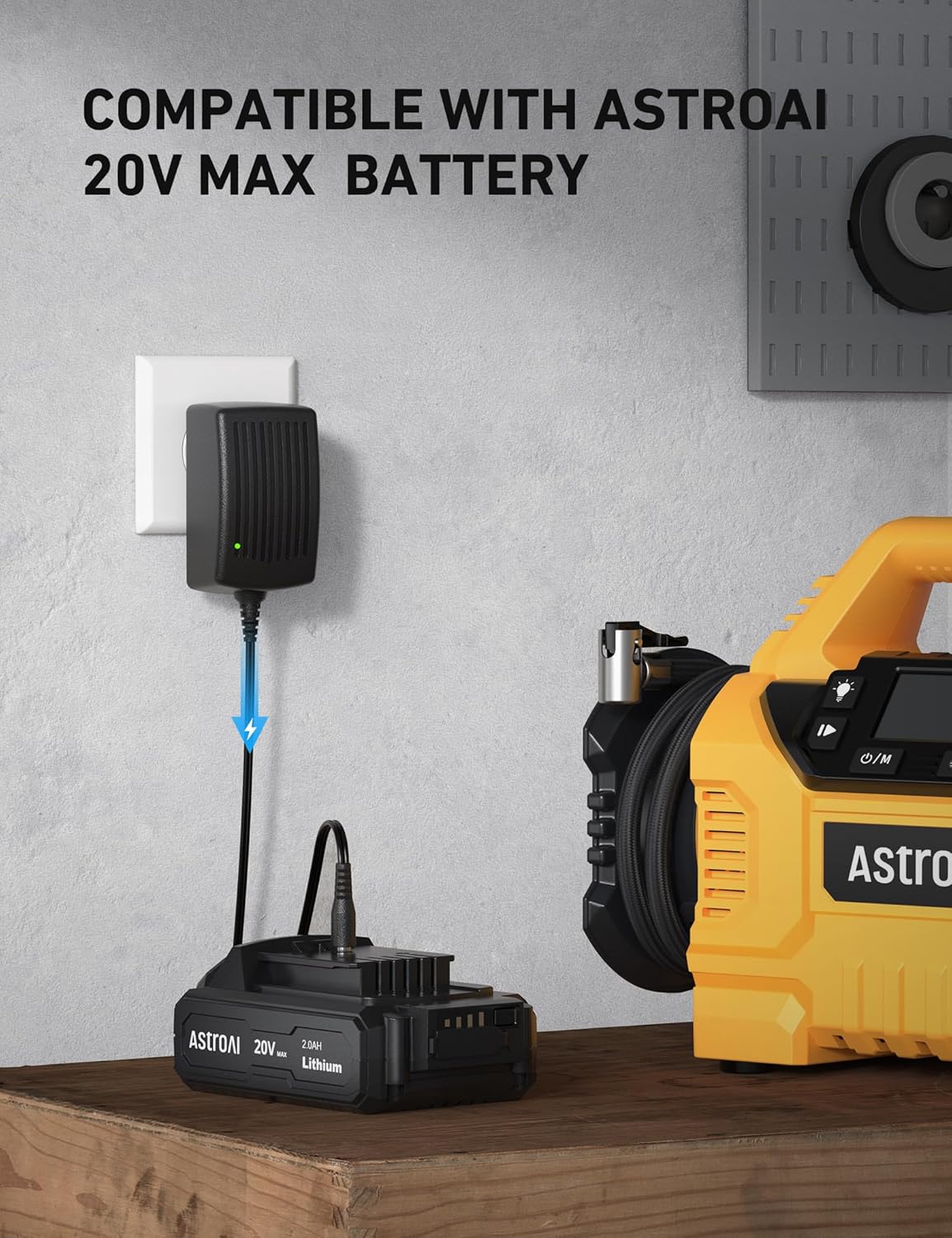
- Keserasian: This charger is compatible with AstroAI 20V MAX battery packs, AstroAI handheld battery-powered air compressors, and AstroAI multifunctional air pumps. It is bukan available for model LS40791(C1).
- Jangan dedahkan pengecas kepada keadaan hujan atau basah.
- Jangan kendalikan pengecas jika ia terkena hentakan yang tajam, terjatuh atau rosak.
- Always unplug the charger from the power outlet before attempting any cleaning or maintenance.

3. Kandungan Pakej
Selepas membongkar, sila pastikan semua item yang disenaraikan di bawah ada dan dalam keadaan baik:
- AstroAI 20V MAX Li-ion Battery Charger
- Manual Pengguna
- Kad Terima Kasih

4. Ciri-ciri Produk
- High Power + Fast Charging: Delivers 1.7A power and 21V voltage, allowing a full charge of the battery pack in approximately one hour.
- Penunjuk LED: Integrated LED indicators clearly display the current charging status of the battery.
- Reka bentuk tahan lasak: Features a US standard plug, oxidation-resistance connector, flexible PVC cable line, and an anti-bend cable tail for enhanced durability and longevity.

5. Persediaan
- Sambung ke Kuasa: Plug the AstroAI 20V MAX Battery Charger into a standard wall outlet. The LED indicator on the charger will illuminate to show it is receiving power.
- Sambungkan Bateri: Insert the compatible AstroAI 20V MAX Li-ion battery pack into the charging port of the charger. Ensure a secure connection.
6. Arahan Operasi
Once the battery is connected to the charger and the charger is plugged into a power source, the charging process will begin automatically. The LED indicators on the battery pack will show the charging status:
- mengecas: The LED indicators will typically flash or light up sequentially to indicate that the battery is charging.
- Dicas Penuh: All LED indicators will remain solid when the battery is fully charged.
A full charge for a depleted battery pack takes approximately one hour.

7. Penyelenggaraan
- Pembersihan: Keep the charger and battery contacts clean and free of debris. Use a dry cloth to wipe down the surfaces.
- Storan: Store the charger and battery in a cool, dry place away from direct sunlight and extreme temperatures.
- Storan Jangka Panjang: If the battery will not be used for an extended period, remove it from the charger and store it with a partial charge. Recharge the battery every 3 months to maintain its lifespan.
8. Penyelesaian masalah
| Masalah | Kemungkinan Punca | Penyelesaian |
|---|---|---|
| Charger LED indicators not lighting up. | No power to the charger or faulty connection. | Ensure the charger is securely plugged into a working power outlet. Check the power outlet with another device. |
| Bateri tidak dicas. | Battery not properly seated, battery is too hot/cold, or battery is faulty. | Ensure the battery is fully inserted into the charger. Allow the battery to reach room temperature before charging. If the issue persists, the battery may need replacement. |
| Charger stops charging prematurely. | Overheat protection activated or overcharge protection. | Allow the charger and battery to cool down. Ensure proper ventilation around the charger. The charger is designed to stop charging once the battery is full to prevent overcharging. |
| Unusual smell or smoke from charger. | Internal fault or short-circuit. | Immediately unplug the charger from the power outlet and disconnect the battery. Do not use the charger again. Contact AstroAI customer support. |
9. Spesifikasi
- Keluaran Voltage: 20 Volt
- Output Kuasa: 1.7A
- Masa Pengecasan: Approximately 1 hour for a full charge
- Dimensi Pakej: 4.69 x 3.27 x 2.4 inci
- Berat Barang: 5.9 auns (0.17 Kilogram)
- warna: Hitam
- Pensijilan: Diperakui ETL
10. Waranti dan Sokongan
AstroAI is committed to providing high-quality products and excellent customer service. If you have any questions, concerns, or require assistance with your AstroAI 20V MAX Li-ion Battery Charger, please do not hesitate to contact our customer support team.
For support, please visit the AstroAI webtapak atau rujuk maklumat hubungan yang diberikan dalam pembungkusan produk anda.