
pengenalan
Thank you for choosing the Cellularline CORE True Wireless Bluetooth Earphones. These earphones are designed to provide a seamless audio experience with advanced features such as a charging case with an LED display, touch controls, and automatic pairing. This manual will guide you through the setup, operation, and maintenance of your new earphones.
Apa yang ada dalam Kotak
- Cellularline CORE True Wireless Bluetooth Earphones (Left and Right)
- Sarung Pengecasan dengan Paparan LED
- Kabel Pengecas USB-C
- Manual Pengguna
Produk Selesaiview
The Cellularline CORE earphones feature a compact design and a charging case with an integrated LED display to show the remaining battery percentage. They offer up to 16 hours of total play time with the charging case.

Image: Cellularline CORE True Wireless Bluetooth Earphones and Charging Case. The earphones are white and sit in an open white charging case.

Image: A close-up of the Cellularline CORE charging case with an LED display showing '100', indicating full battery. The earphones are inside the case.
The LED display on the charging case provides real-time battery status, ensuring you are always aware of the remaining charge.
Persediaan
1. Mengecas Fon Telinga dan Sarung
- Place both earphones into the charging case. Ensure they are correctly seated in their respective slots.
- Connect the provided USB-C cable to the charging port on the case and plug the other end into a USB power adapter (not included) or a computer's USB port.
- The LED display on the charging case will show the current battery percentage during charging. A full charge typically takes approximately 4 hours for the case and earphones.
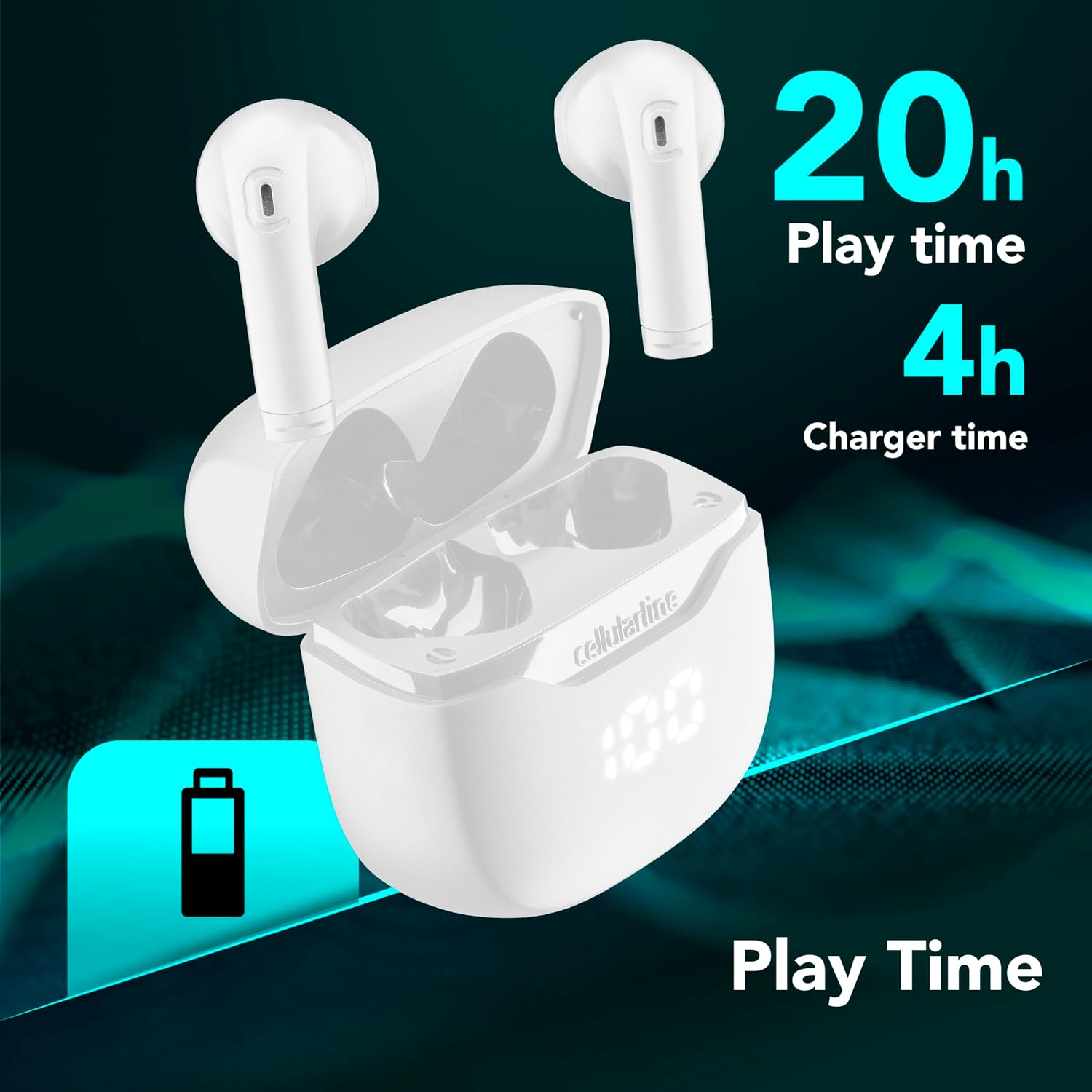
Image: The Cellularline CORE earphones and charging case, highlighting 20 hours of total play time and 4 hours of charging time for the case.
2. Initial Pairing (Autopairing)
- Pastikan fon telinga dicas.
- Buka bekas pengecas. Fon telinga akan dihidupkan secara automatik dan memasuki mod berpasangan.
- Pada telefon pintar atau peranti berdaya Bluetooth anda, pergi ke tetapan Bluetooth.
- Cari untuk available devices and select "Cellularline CORE" from the list.
- Sebaik sahaja disambungkan, anda akan mendengar pengesahan yang boleh didengar dan fon telinga sedia untuk digunakan.

Image: Cellularline CORE earphones and charging case next to a smartphone displaying a music application, with a Bluetooth icon indicating successful pairing.
The Autopairing function ensures that once paired, the earphones will automatically connect to your last paired device when removed from the case.
Arahan Operasi
Kawalan Sentuh
The Cellularline CORE earphones feature intuitive touch controls on each earbud for managing calls, music, and voice assistant functions.
| Fungsi | Tindakan |
|---|---|
| Main/Jeda Muzik | Ketik sekali pada salah satu fon telinga |
| Trek Seterusnya | Ketik dua kali pada fon telinga kanan |
| Trek Sebelumnya | Ketik dua kali pada fon telinga kiri |
| Jawab/Tamatkan Panggilan | Ketik sekali pada salah satu fon telinga |
| Tolak Panggilan | Tekan dan tahan salah satu fon telinga selama 2 saat |
| Aktifkan Pembantu Suara | Ketik tiga kali pada salah satu fon telinga |
| Kelantangan Naik | Press and hold the right earbud |
| Kelantangan Kurang | Press and hold the left earbud |
Double Master Function
The Double Master function allows you to use either the left or right earbud independently for calls. Simply remove one earbud from the case, and it will automatically connect. You can answer calls by tapping the active earbud.
Penyelenggaraan
Pembersihan
- Bersihkan fon telinga dan bekas pengecas secara berkala menggunakan kain lembut, kering dan tidak berbulu.
- Jangan gunakan pembersih, pelarut atau semburan aerosol yang kasar.
- Ensure charging contacts on both the earphones and the case are clean and free of debris to maintain proper charging.
Penyimpanan
- Apabila tidak digunakan, simpan fon telinga di dalam bekas pengecas untuk melindunginya dan memastikan ia sentiasa dicas.
- Simpan peranti di tempat yang sejuk dan kering, jauh dari suhu yang melampau dan cahaya matahari langsung.

Image: A hand placing the compact Cellularline CORE charging case into the pocket of a pair of jeans, demonstrating its portable size.
Menyelesaikan masalah
| Masalah | Penyelesaian yang Mungkin |
|---|---|
| Fon telinga tidak dihidupkan. | Ensure the earphones and charging case are fully charged. Place earphones in the case and close it, then open it again. |
| Fon telinga tidak boleh dipasangkan dengan peranti. | Make sure Bluetooth is enabled on your device. Forget the device in your Bluetooth settings and try pairing again. Ensure earphones are in pairing mode (LED indicator blinking). |
| Hanya satu fon telinga yang berfungsi. | Place both earphones back into the charging case, close the lid, wait a few seconds, then open it again. This should re-sync them. If the issue persists, try resetting the earphones (refer to manufacturer's webtapak untuk arahan penetapan semula tertentu jika tiada dalam manual). |
| Kelantangan rendah atau kualiti bunyi yang lemah. | Adjust the volume on both your device and the earphones. Ensure the earphones are clean and properly seated in your ears. Check for any obstructions in the earbud speakers. |
| Charging case LED display is not working. | Ensure the charging cable is securely connected and the power source is active. If the issue persists, contact customer support. |
Spesifikasi
- Nama Model: BTCORETWSW
- Jenama: talian selular
- warna: putih
- Peletakan Telinga: Dalam telinga
- Faktor Bentuk: Dalam telinga
- Teknologi Ketersambungan: Tanpa wayar
- Teknologi Tanpa Wayar: Bluetooth
- Versi Bluetooth: 5.0
- Impedans: 16 Ohm
- Kawalan Bunyi: Pengasingan Bunyi
- Respons Kekerapan: 20 Hz - 20,000 Hz
- Sensitiviti: 100 dB
- Jenis Kawalan: Sentuh
- Jenis Pemandu: Pemandu Dinamik
- Bahan: plastik
- Purata Hayat Bateri: 16 Jam (dengan kes pengecasan)
- Tahap Rintangan Air: Waterproof (Note: Refer to product packaging for specific IP rating if available)
- ciri-ciri: True Wireless Technology, Automatic Pairing, Touch Controls, LED Display
- Peranti Serasi: Peranti berdaya Bluetooth
- Negara Asal: China
Maklumat Waranti
The Cellularline CORE True Wireless Bluetooth Earphones come with a Waranti pengilang selama 2 tahun dari tarikh pembelian. Waranti ini meliputi kecacatan bahan dan mutu kerja di bawah penggunaan biasa. Ia tidak meliputi kerosakan yang disebabkan oleh salah guna, kemalangan, pengubahsuaian tanpa kebenaran atau haus dan lusuh biasa.
Please retain your proof of purchase for warranty claims. For detailed warranty terms and conditions, please visit the official Cellularline webtapak atau hubungi sokongan pelanggan.
Sokongan
For further assistance, technical support, or warranty inquiries, please contact Cellularline customer service through their official webtapak:
Webtapak: www.cellularline.com
You may also find FAQs and additional support resources on their webtapak.