
EuroFone S2 Black
EuroFone S2 Motorcycle Bluetooth Headset User Manual
Model: S2 Black
1. Pengenalan
The EuroFone S2 Motorcycle Bluetooth Headset is designed to provide seamless communication and entertainment for motorcycle riders. Featuring Bluetooth 5.1 technology, it offers stable connections, clear audio, and a range of functions including rider-to-rider intercom, hands-free calling, music playback, and FM radio. Its robust IP67 waterproof and dustproof design ensures reliable performance in various weather conditions.
2. Ciri-ciri Utama
- 2-Rider Full Duplex Intercom: Communicate with a riding partner up to 800 meters away.
- IP67 Kalis Air & Habuk: Designed to withstand rain, dust, snow, and low temperatures.
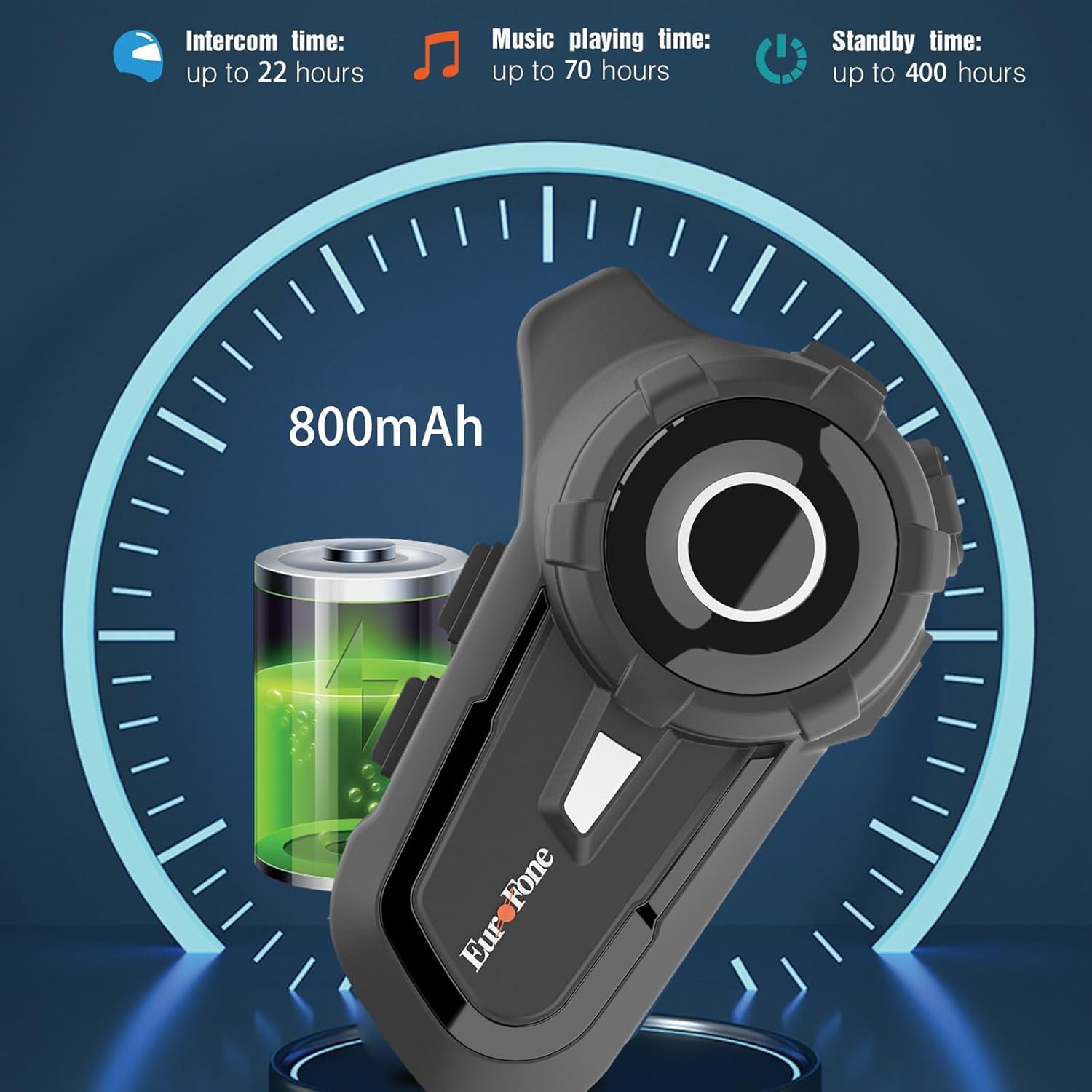
- Hayat Bateri yang Panjang: 800 mAh battery provides up to 20 hours of working time and 18 months standby.
- Auto Answer & Voice Control: Automatically answers calls in 10 seconds and supports voice assistant/Siri.
- Noise Reduction & Hi-Fi Stereo Sound: CVC advanced noise cancellation for clear audio and high-fidelity sound quality.
- Bluetooth 5.1: Memastikan sambungan tanpa wayar yang stabil dan cekap.
- Radio FM: Built-in FM radio for entertainment on the go.
- Kedudukan GPS: Can connect to GPS devices for navigation.
3. Kandungan Pakej
Sahkan bahawa semua item terdapat dalam pakej anda:
- EuroFone S2 Bluetooth Headset Unit
- Hard Microphone (Boom Mic)
- Soft Microphone (Wired Mic)
- Set Pembesar suara
- Kabel Pengecasan USB Jenis-C
- Pemasangan Clamp
- Pad Velcro untuk Pembesar Suara
- Manual Pengguna

4. Persediaan dan Pemasangan
4.1 Mengecas Peranti
Before first use, fully charge the EuroFone S2 headset. Connect the provided USB Type-C cable to the charging port on the unit and to a USB power source. The indicator light will show charging status. A full charge takes approximately 2.5 hours.

4.2 Installing into Helmet
Follow these steps to install the headset into your motorcycle helmet:
- Sediakan Topi Keledar: Carefully remove the internal padding of your helmet to access the ear pockets and inner shell.
- Attach Speakers: Use the provided velcro pads to attach the speakers inside the helmet's ear pockets. Ensure they are positioned directly over your ears for optimal sound quality. Route the speaker wires neatly under the lining.
- Pasang Mikrofon: Choose either the hard boom microphone (for open-face/modular helmets) or the soft wired microphone (for full-face helmets). Attach the microphone to the helmet lining near your mouth using the adhesive base. Route the microphone cable along with the speaker wires.
- Pasang Unit Utama: Secure the main headset unit to the side of the helmet using the mounting clamp. Tighten the screws to ensure a firm attachment.
- Sambungkan Kabel: Plug the speaker and microphone cables into the corresponding ports on the main headset unit. Ensure connections are secure.
- Pasang semula topi keledar: Carefully reinsert the helmet's internal padding, ensuring all wires are tucked away and do not interfere with comfort or safety.

5. Arahan Operasi
5.1 Kawalan Ke Atasview
The EuroFone S2 features intuitive controls for easy operation:
| Kawalan | Fungsi |
|---|---|
| Kunci Hidup/Mati | Hidupkan/Mati Kuasa |
| Kunci pelbagai fungsi | Play/Pause music, Answer/End calls, Activate voice assistant |
| Knob (Jog Dial) | Rotate clockwise for Volume Up, Counter-clockwise for Volume Down. Short press rotate for Next/Previous track. |
| Kunci FM | Activate/Deactivate FM Radio |
| Talkback Key (Intercom Button) | Initiate/End intercom communication |
| Charging Port & K-wire Interface | For charging and connecting external devices. |
| bicu telefon | For wired audio connection (if applicable). |

5.2 Penggandingan Bluetooth (Telefon)
To pair your EuroFone S2 headset with your mobile phone:
- Pastikan alat dengar dimatikan.
- Tekan dan tahan serentak Butang Interkom dan Butang pelbagai fungsi for approximately 5 seconds until you hear a "di di" voice prompt indicating factory settings restoration. Release the buttons.
- Turn on the power button until you hear a voice prompt. The indicator light will flash blue and red, indicating pairing mode.
- Pada telefon bimbit anda, pergi ke tetapan Bluetooth dan cari peranti yang tersedia.
- Select "S2" from the list of Bluetooth devices.
- Once paired, the headset will confirm with a voice prompt, and the indicator light will show a steady blue light or slow flashes.
5.3 Intercom Pairing (Two Units)
To pair two EuroFone S2 units for intercom communication:
- Ensure both headsets are powered off.
- On the first headset, turn on the power button and press and hold the Butang Interkom for approximately 5 seconds until the indicator flashes with a quick blue light. You will hear a "pairing mode" voice prompt.
- On the second headset, turn on the power button and press and hold the Butang Interkom for approximately 5 seconds until the indicator flashes with a quick blue light. You will also hear a "pairing mode" voice prompt.
- Wait for a few seconds. The two headsets will automatically pair with each other. The indicator lights will change to a steady blue or slow flashes once connected.
5.4 Reconnecting Intercom
If the intercom connection is lost or you wish to re-establish it:
- Short click the Butang pelbagai fungsi on either headset to hear the prompt "end intercom".
- Klik dua kali pada Butang Interkom on any one of the headsets.
- Kemudian klik pada Butang pelbagai fungsi. You will hear the "start intercom" voice prompt again, indicating the connection is re-established.
5.5 Main balik Muzik
After pairing with your phone, you can control music playback:
- Main/Jeda: Klik pada Butang pelbagai fungsi untuk memainkan atau menjeda muzik.
- Kawalan Kelantangan: Putar Dail Jog clockwise to increase volume, counter-clockwise to decrease volume.
- Trek Seterusnya / Sebelumnya: Short press and rotate the Dail Jog counter-clockwise to play the next song. Short press and rotate clockwise to play the previous song.
5.6 Panggilan Telefon
Manage phone calls hands-free:
- Jawab Panggilan: The headset will automatically answer incoming calls after 10 seconds. You can also click the Butang pelbagai fungsi to answer immediately.
- Tamatkan Panggilan: Klik pada Butang pelbagai fungsi to end an ongoing call.
- Tolak Panggilan: Tekan dan tahan butang Butang pelbagai fungsi selama 2 saat untuk menolak panggilan masuk.
- Pembantu Suara/Siri: Tekan ke Butang pelbagai fungsi twice to activate your phone's voice assistant (Siri, Google Assistant, etc.).
5.7 Radio FM
Untuk menggunakan radio FM terbina dalam:
- Hidupkan/Matikan FM: Klik pada Kunci FM to activate or deactivate the FM radio.
- Stesen Imbasan: While FM is on, press and hold the Kunci FM to automatically scan and save available stations.
- Tukar Stesen: Putar Dail Jog to switch between saved FM stations.
6. Penyelenggaraan dan Penjagaan
- Pembersihan: Lap unit alat dengar dengan kain lembut,amp kain. Jangan gunakan bahan kimia yang keras atau pembersih yang kasar.
- Pendedahan Air: While IP67 waterproof, avoid prolonged submersion. Ensure charging port cover is securely closed when not charging.
- Storan: Simpan alat dengar di tempat yang sejuk dan kering jauh dari cahaya matahari langsung dan suhu yang melampau.
- Penjagaan Bateri: Untuk jangka hayat bateri yang optimum, cas peranti secara berkala, walaupun tidak kerap digunakan. Elakkan daripada mencas bateri sepenuhnya untuk tempoh yang lama.
7. Penyelesaian masalah
| Masalah | Kemungkinan Punca | Penyelesaian |
|---|---|---|
| Peranti tidak dapat dihidupkan. | Bateri lemah. | Cas peranti sepenuhnya. |
| Tidak boleh digandingkan dengan telefon. | Headset not in pairing mode; phone Bluetooth off; previously paired device interfering. | Ensure headset is in pairing mode (flashing blue/red). Turn phone Bluetooth off/on. Forget previous pairings on phone. Perform factory reset on headset. |
| Interkom tidak bersambung. | Headsets not in intercom pairing mode; out of range. | Ensure both headsets are in intercom pairing mode. Move closer to each other. Re-initiate intercom connection as per section 5.4. |
| Tiada bunyi atau kelantangan rendah. | Volume too low; speakers not positioned correctly; loose connections. | Increase volume using the Jog Dial. Adjust speaker position in helmet. Check all cable connections. |
| Poor sound quality/noise. | Microphone not positioned correctly; excessive wind noise; interference. | Adjust microphone position. Ensure microphone foam cover is in place. Reduce speed if wind noise is excessive. |
8. Spesifikasi
| Ciri | Perincian |
|---|---|
| Nama Model | S2 Black |
| Versi Bluetooth | 5.1 |
| Julat Interkom | Up to 800 meters (2-riders) |
| Kapasiti Bateri | 800 mAh |
| Masa Mengecas | 2.5 Jam |
| Working Time (Intercom) | Sehingga 22 jam |
| Working Time (Music) | Sehingga 70 jam |
| Masa Tunggu Sedia | Sehingga 18 bulan |
| Tahap Ketahanan Air | IP67 Waterproof & Dustfree |
| Kawalan Bunyi | Pembatalan Bunyi Aktif (CVC) |
| Dimensi | 3.35 x 2.17 x 0.98 inci |
| Berat Barang | 12.7 auns |
| Pengeluar | Shenzhen Goldstar Electronics Co., Ltd |
9. Waranti dan Sokongan
For warranty information and technical support, please refer to the official EuroFone webtapak atau hubungi perkhidmatan pelanggan mereka secara langsung. Simpan resit pembelian anda sebagai bukti pembelian untuk sebarang tuntutan waranti.
Anda boleh melawat EuroFone Store on Amazon untuk mendapatkan lebih banyak maklumat produk dan sumber sokongan.
Ask a question about this manual
Ask about setup, troubleshooting, compatibility, parts, safety, or missing instructions. Manuals+ will review the question and use this page’s manual context to help answer it.