
NewRixing NR-4021
NewRixing NR-4021 Portable Bluetooth Speaker User Manual
Model: NR-4021
1. Pengenalan
Thank you for choosing the NewRixing NR-4021 Portable Bluetooth Speaker. This manual provides essential information for setting up, operating, and maintaining your speaker. Please read it carefully before use to ensure optimal performance and longevity of the device.
The NR-4021 speaker features Bluetooth 5.0+EDR for stable wireless connectivity, TWS (True Wireless Stereo) pairing for enhanced sound, FM radio, and multiple playback options including USB, TF card, and AUX input. It is designed for portability and offers up to 8 hours of battery life.
2. Maklumat Keselamatan
- Jangan dedahkan pembesar suara kepada suhu yang melampau, cahaya matahari langsung atau nyalaan api terbuka.
- Elakkan daripada menjatuhkan atau menundukkan pembesar suara kepada impak yang kuat.
- While the speaker is IPX4 water-resistant (splash-proof), do not immerse it in water.
- Jauhkan pembesar suara daripada kanak-kanak dan haiwan peliharaan.
- Gunakan hanya kabel pengecasan yang disediakan atau setara yang diperakui.
- Jangan cuba membuka, membaiki atau mengubah suai pembesar suara. Ini akan membatalkan jaminan.
- Bersihkan pembesar suara dengan kain lembut dan kering. Jangan gunakan pembersih atau pelarut yang melelas.
3. Kandungan Pakej
Sila semak pakej untuk item berikut:
- 1 x NewRixing NR-4021 Portable Bluetooth Speaker
- 1 x Audio Cable (AUX)
- 1 x Kabel Pengecasan (Micro USB)

Image: Contents of the NewRixing NR-4021 speaker package, showing the speaker, a USB charging cable, and an AUX audio cable.
4. Produk Lebihview
4.1. Komponen Pembesar Suara

Imej: Bersudut hadapan view of the NewRixing NR-4021 Portable Bluetooth Speaker, showcasing its design and handle.
4.2. Butang Kawalan
The control buttons are located on the top panel of the speaker:
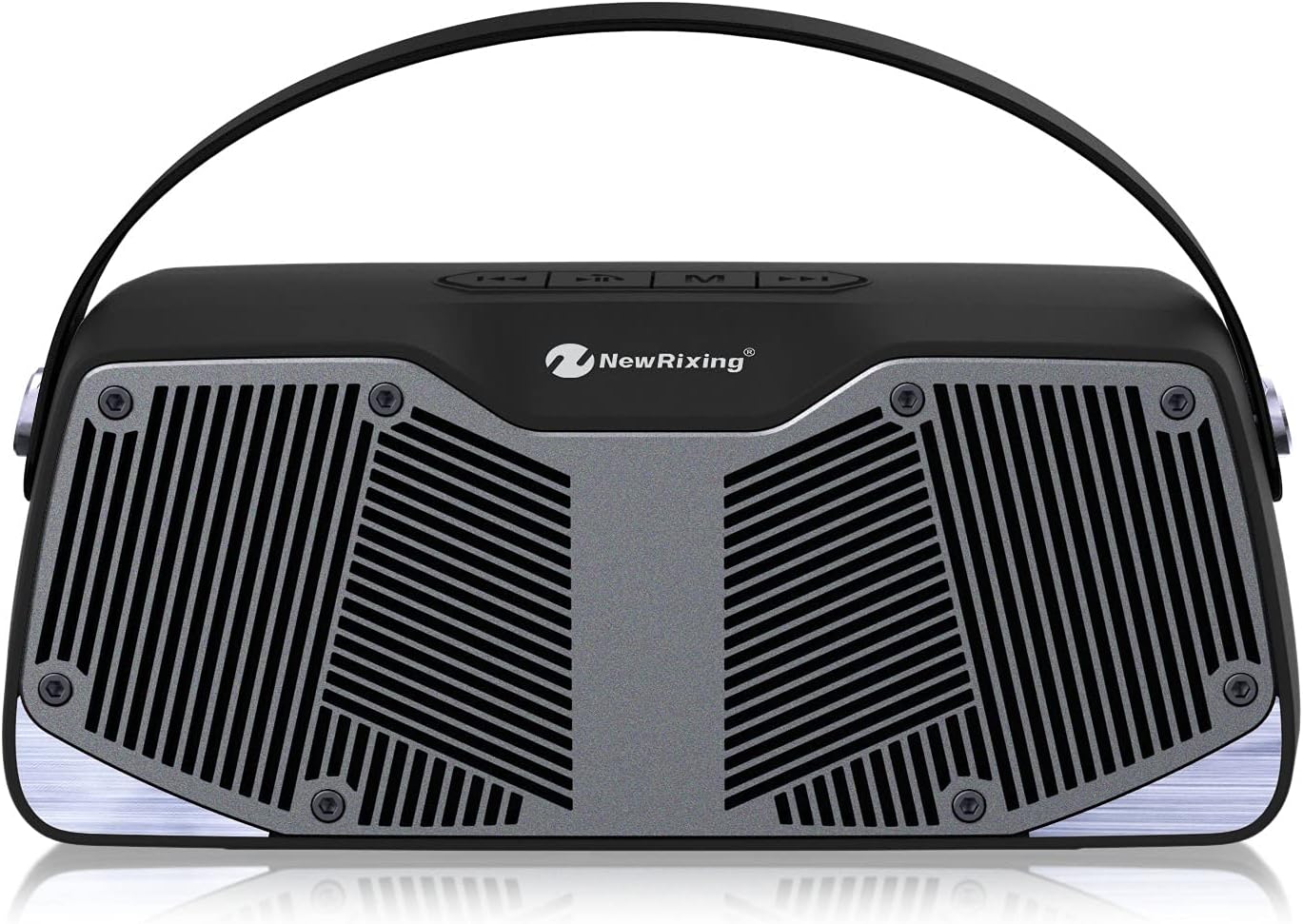
Imej: Atas view of the NewRixing NR-4021 speaker, highlighting the control panel with buttons for power, mode, play/pause, and volume/track control.
- Butang Kuasa: Press and hold to turn the speaker ON/OFF. Short press to play/pause music.
- 'M' (Mode) Button: Short press to switch between Bluetooth, FM Radio, USB, TF Card, and AUX modes. Press and hold for TWS pairing.
- '-' (Volume Down / Previous Track) Button: Tekan sebentar untuk trek sebelumnya. Tekan dan tahan untuk mengurangkan kelantangan.
- '+' (Volume Up / Next Track) Button: Tekan sebentar untuk trek seterusnya. Tekan dan tahan untuk meningkatkan kelantangan.
4.3. Ports and Inputs
The input ports are located on the back panel of the speaker:

Imej: Belakang view of the NewRixing NR-4021 speaker, displaying the USB port, TF card slot, AUX input, and Micro USB charging port.
- Port USB: For USB flash drive music playback.
- Slot Kad TF: For TF (Micro SD) card music playback.
- Input AUX: Untuk menyambungkan peranti audio luaran melalui kabel audio 3.5mm.
- Port Pengecasan USB Mikro: Untuk mengecas bateri dalaman pembesar suara.
5. Persediaan
5.1. Mengisi Speaker
- Connect the Micro USB end of the charging cable to the speaker's Micro USB charging port.
- Connect the USB-A end of the charging cable to a USB power adapter (DC 5V 1A, not included) or a computer's USB port.
- Lampu penunjuk pengecasan akan menyala semasa pengecasan dan padam apabila dicas sepenuhnya.
- Pengecasan penuh mengambil masa kira-kira 3 jam.
5.2. Menghidupkan/Mematikan
- Untuk Menghidupkan: Press and hold the Power button for a few seconds until you hear an audible prompt.
- Untuk Mematikan: Press and hold the Power button again for a few seconds until you hear an audible prompt.
5.3. Berpasangan Bluetooth
- Ensure the speaker is powered on and in Bluetooth mode (indicated by an audible prompt or flashing LED). If not, short press the 'M' button to switch to Bluetooth mode.
- Dayakan Bluetooth pada telefon pintar, tablet anda atau peranti lain yang didayakan Bluetooth.
- Cari untuk available Bluetooth devices and select "NR-4021" from the list.
- Setelah dipasangkan, anda akan mendengar bunyi pengesahan, dan penunjuk LED akan berhenti berkelip.
- Pembesar suara akan menyambung semula secara automatik ke peranti gandingan terakhir apabila dihidupkan, jika Bluetooth peranti aktif dan dalam julat.
5.4. Penggandingan TWS (Stereo Tanpa Wayar Sejati)
To connect two NR-4021 speakers for a stereo sound experience:
- Ensure both NR-4021 speakers are powered on and in Bluetooth mode, but not yet connected to any device.
- On one of the speakers (this will be the primary speaker), press and hold the 'M' button for a few seconds. You will hear a pairing sound.
- Kedua-dua pembesar suara akan bersambung secara automatik antara satu sama lain. Setelah disambungkan, anda akan mendengar bunyi pengesahan.
- Now, enable Bluetooth on your device and search for "NR-4021". Connect to it as described in section 5.3.
- Kedua-dua pembesar suara kini akan memainkan audio dalam stereo.
6. Arahan Operasi
6.1. Main balik Muzik
- Mod Bluetooth: After successful pairing, open your music player on your device and start playback.
- Mod Kad USB/TF: Insert a USB flash drive or TF card (with MP3 files) into the corresponding port. The speaker will automatically switch to the correct mode and begin playback. If not, press the 'M' button to select the mode.
- Mod AUX: Connect one end of the 3.5mm audio cable to the speaker's AUX input and the other end to the audio output of your external device. Press the 'M' button to switch to AUX mode.
6.2. Radio FM
- Press the 'M' button to switch to FM Radio mode.
- To auto-scan and save available stations, press and hold the Power button (Play/Pause button) for a few seconds. The speaker will scan and store stations automatically.
- Use the '-' and '+' buttons to navigate between saved FM stations.
6.3. Panggilan Bebas Tangan
Apabila disambungkan melalui Bluetooth ke telefon pintar:
- Jawab Panggilan: Short press the Power button (Play/Pause button) to answer an incoming call.
- Tamatkan Panggilan: Short press the Power button (Play/Pause button) again to end a call.
- Tolak Panggilan: Press and hold the Power button (Play/Pause button) to reject an incoming call.
6.4. Kawalan Kelantangan dan Trek
- Kelantangan: Tekan dan tahan butang '+'.
- Perlahankan suara: Tekan dan tahan butang '-'.
- Lagu Seterusnya: Tekan sebentar butang '+'.
- Trek Sebelumnya: Tekan sebentar butang '-'.
7. Penyelenggaraan
7.1. Pembersihan
- Lap pembesar suara dengan kain lembut, kering dan tidak berbulu.
- Jangan gunakan pembersih cecair, aerosol atau pelarut.
7.2. Penjagaan Bateri
- To preserve battery life, fully charge the speaker before first use.
- If the speaker will not be used for an extended period, charge it at least once every three months.
- Elakkan menyahcas sepenuhnya bateri dengan kerap.
7.3. Penyimpanan
- Store the speaker in a cool, dry place, away from direct sunlight and extreme temperatures.
- Keep it away from dust and moisture.
8. Penyelesaian masalah
| Masalah | Kemungkinan Punca | Penyelesaian |
|---|---|---|
| Speaker tidak dihidupkan | Bateri lemah; Butang kuasa tidak dipegang cukup lama | Charge the speaker; Press and hold the Power button for 3-5 seconds. |
| Tiada bunyi | Kelantangan terlalu rendah; Mod salah; Peranti tidak disambungkan | Increase speaker and device volume; Press 'M' to select correct mode; Ensure device is paired/connected. |
| Tidak boleh berpasangan melalui Bluetooth | Speaker not in pairing mode; Device Bluetooth off; Too far from speaker | Ensure speaker is in Bluetooth mode; Turn on device Bluetooth; Move device closer (within 10 meters). |
| Penerimaan radio FM yang lemah | Weak signal; Interference | Pindahkan pembesar suara ke kawasan yang mempunyai penerimaan yang lebih baik; Imbas semula stesen. |
| Gandingan TWS gagal | Speakers already connected to a device; 'M' button not held long enough | Disconnect speakers from any devices; Ensure both speakers are NR-4021 model; Press and hold 'M' button on one speaker until paired. |
9. Spesifikasi

Image: Dimensions of the NewRixing NR-4021 speaker, showing its length (21.3 cm), height (9.2 cm), and depth (8.4 cm).
| Ciri | Perincian |
|---|---|
| Model | NR-4021 |
| Kuasa Keluaran | 10W (2*5W) |
| Versi Tanpa Wayar | V5.0 + EDR |
| Jarak Kerja | Sehingga 100 kaki (lebih kurang 30 meter) |
| Masa Mengecas | 3 jam |
| Masa Bermain | 8 jam |
| Julat Frekuensi FM | 87-108MHZ |
| Pengecasan USB Mikro | DC 5V 1A |
| Jenis Bateri | 1 bateri Lithium Ion (termasuk) |
| Dimensi (L x W x H) | 21.59 x 10.9 x 9.09 cm (lebih kurang 8.5 x 4.3 x 3.6 inci) |
| Berat badan | 730 g (lebih kurang 1.6 lbs) |
| Tahan Air | IPX4 (kalis percikan) |
| Ketersambungan | Bluetooth, USB, Kad TF, AUX |
10. Waranti dan Sokongan
This product comes with a standard manufacturer's warranty. For specific warranty terms and conditions, please refer to the documentation provided with your purchase or contact the retailer. For technical support or further assistance, please visit the official NewRixing webtapak atau hubungi bahagian perkhidmatan pelanggan mereka.