
Westclox 71051
Westclox 71051 Sunrise Alarm Clock User Manual
Model: 71051
1. Pengenalan
The Westclox 71051 Sunrise Alarm Clock is designed to enhance your sleep and wake-up experience. This clock features a simulated natural sunrise to gently wake you, a restful sunset simulator to help you fall asleep, and a dimmable nightlight. It is easy to set and operate, providing a refreshing start to your day.

Figure 1: Westclox 71051 Sunrise Alarm Clock
2. Ciri-ciri Utama
- Simulasi Matahari Terbit: Bercahaya secara beransur-ansur untuk mensimulasikan matahari terbit semula jadi, menggalakkan kebangkitan yang lembut.
- Simulasi Matahari terbenam: Gradually dims to simulate a natural sunset, aiding in relaxation and sleep.
- Dimmable Nightlight: Provides a soft glow for nighttime use, adjustable for comfort.
- Ascending Audible Alarm: Gently increases in volume after the light alarm, ensuring you wake up.
- Large 0.6" Red Digital LED Display: Clear and easy to read time display, day or night.
- Electric Operated with Battery Backup: Ensures time and alarm settings are maintained during power outages (requires 2 AAA batteries, not included).
- Kawalan Mudah Digunakan: Simple buttons for setting time, alarm, and other functions.
- Fungsi Tunda: Allows for extra minutes of sleep.
3. Persediaan
3.1 Sambungan Kuasa
Connect the alarm clock to a standard electrical outlet using the provided power cord. The clock is primarily electric operated.
3.2 Pemasangan Sandaran Bateri
Untuk operasi tanpa gangguan semasa kuasa terputustages, install 2 AAA batteries (not included) into the battery compartment located on the underside of the unit. This will preserve your time and alarm settings.

Figure 2: Battery Backup Feature
4. Arahan Operasi

Figure 3: Rear Controls Overview
4.1 Menetapkan Masa
- Tekan dan tahan butang MASA button located on the back of the clock.
- Sambil pegang MASA, tekan butang JAM butang untuk menyesuaikan jam.
- Sambil pegang MASA, tekan butang MINIT butang untuk menyesuaikan minit.
- Lepaskan MASA button once the desired time is set.
4.2 Menetapkan Penggera
- Tekan dan tahan butang PENGGERA button located on the back of the clock.
- Sambil pegang PENGGERA, tekan butang JAM butang untuk menyesuaikan jam penggera.
- Sambil pegang PENGGERA, tekan butang MINIT butang untuk menyesuaikan minit penggera.
- Lepaskan PENGGERA button once the desired alarm time is set.
4.3 Mengaktifkan/Menyahaktifkan Penggera
Tekan ke ALARM ON / OFF button to toggle the alarm function. An indicator light on the display will show if the alarm is active.
4.4 Simulasi Matahari Terbit
The sunrise simulation feature will gradually brighten the light before your set alarm time, mimicking a natural sunrise. This helps to gently prepare your body for waking.

Figure 4: Sunrise Light Feature
4.5 Sunset Simulation / Nightlight
To activate the sunset simulation or use the dimmable nightlight:
- Tekan dan tahan butang MATAHARI TERJANGKAU butang.
- Sambil pegang MATAHARI TERJANGKAU, tekan butang MINIT or JAM buttons to set the duration of the sunset simulation.
- The light will gradually dim over the set period, helping you relax and fall asleep.
- To use as a static nightlight, simply press the MATAHARI TERJANGKAU button briefly to turn the light on/off. The brightness can be adjusted by holding the button.
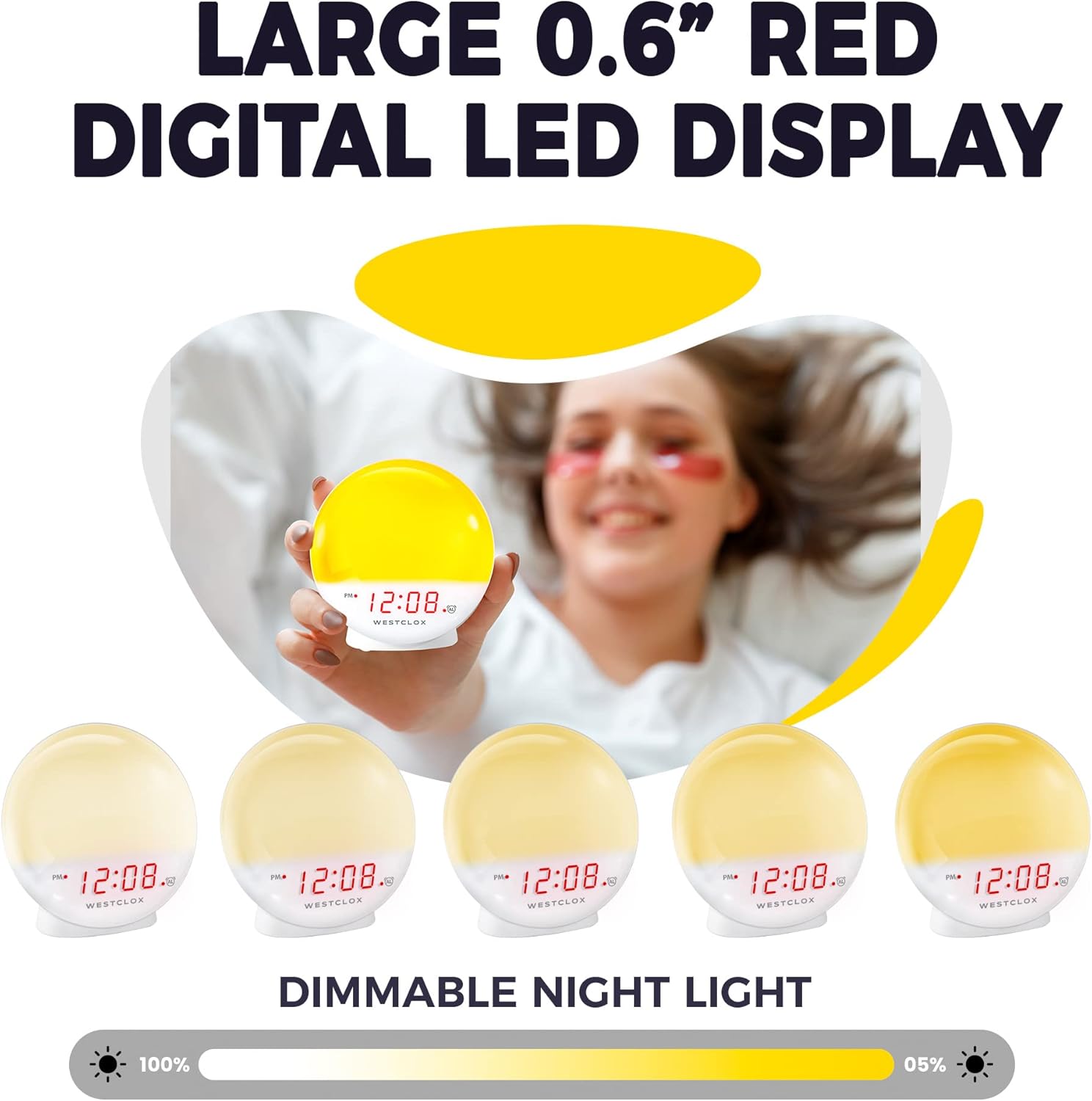
Figure 5: Dimmable Night Light
4.6 Fungsi Tunda
Apabila penggera berbunyi, tekan besar MENGEJUTKAN button (typically located on top) to temporarily silence the alarm and get a few extra minutes of sleep. The alarm will sound again after the snooze period.

Figure 6: Snooze Button
4.7 Dimmer Paparan
The digital LED time display can be adjusted to be dim or bright according to your preference. Refer to the product's specific controls for dimmer adjustment, usually a dedicated button or a combination of buttons.
5. Penyelenggaraan
- Pembersihan: Lap jam dengan kain lembut dan kering. Jangan gunakan pembersih atau pelarut yang kasar.
- Penggantian Bateri: Replace AAA batteries in the backup compartment annually or when the display shows signs of dimming during power outages.
- Storan: Jika menyimpan jam untuk tempoh yang lama, tanggalkan bateri sandaran untuk mengelakkan kebocoran.
6. Penyelesaian masalah
- Clock Not Working/Display Blinking: Ensure the power cord is securely plugged into a working electrical outlet. If using battery backup, check if batteries are correctly installed and not depleted.
- Penggera Tidak Berbunyi: Verify that the alarm is activated using the ALARM ON/OFF button. Check the alarm time setting.
- Light Not Bright Enough: The sunrise simulation gradually increases brightness. If the nightlight is too dim, adjust the dimmer setting. Note that the light intensity is designed for a gentle wake-up, not as a primary room light source.
- Bunyi Berdengung: If you experience an unusual humming sound, try plugging the clock into a different outlet. If the issue persists, contact customer support.
7. Spesifikasi
| Ciri | Perincian |
|---|---|
| Jenama | Westclox |
| Nombor Model | 71051 |
| warna | merah |
| Jenis Paparan | digital |
| Ciri Khas | Small, Sound Machine |
| Dimensi Produk | 5"W x 5.1"H |
| Sumber Kuasa | Battery Powered, Electrical |
| Jenis Bilik | Bilik tidur |
| bentuk | Bulat |
| Penggunaan Dalaman/Luar | Dalaman |
| Bahan Bingkai | plastik |
| Adakah Bateri Termasuk | Tidak |
| Jenis Pemasangan | Atas meja |
| Jam Penggera | ya |
| Jenis Waranti | Terhad |
| Mod Operasi | Elektrik |
| Borang Jam | matahari terbit |
| Teknologi Ketersambungan | USB |
| Berat Barang | 10.2 auns |
| Pengeluar | Nyl Holdings llc |
| Tarikh Mula-mula Tersedia | 21 Mei 2021 |
8. Demonstrasi Video
Video 1: Tamat rasmiview of the Westclox 71051 Sunrise Alarm Clock, demonstrating its features and functionality.
9. Waranti dan Sokongan
This Westclox 71051 Sunrise Alarm Clock comes with a Limited Warranty. For specific details regarding warranty coverage, terms, and conditions, please refer to the documentation included with your product or contact Westclox customer support directly.
For technical assistance, troubleshooting not covered in this manual, or warranty claims, please reach out to the manufacturer, Nyl Holdings llc, or visit the official Westclox webtapak untuk maklumat hubungan sokongan.
Ask a question about this manual
Ask about setup, troubleshooting, compatibility, parts, safety, or missing instructions. Manuals+ will review the question and use this page’s manual context to help answer it.