
ThruNite Catapult Mini Black CW
ThruNite Catapult Mini LED Flashlight Instruction Manual
Model: Catapult Mini Black CW
Produk Selesaiview
The ThruNite Catapult Mini is a compact yet powerful LED flashlight designed for long-distance illumination. It features a rechargeable battery, multiple brightness levels, and a durable, waterproof aluminum alloy body, making it suitable for various outdoor and emergency applications.

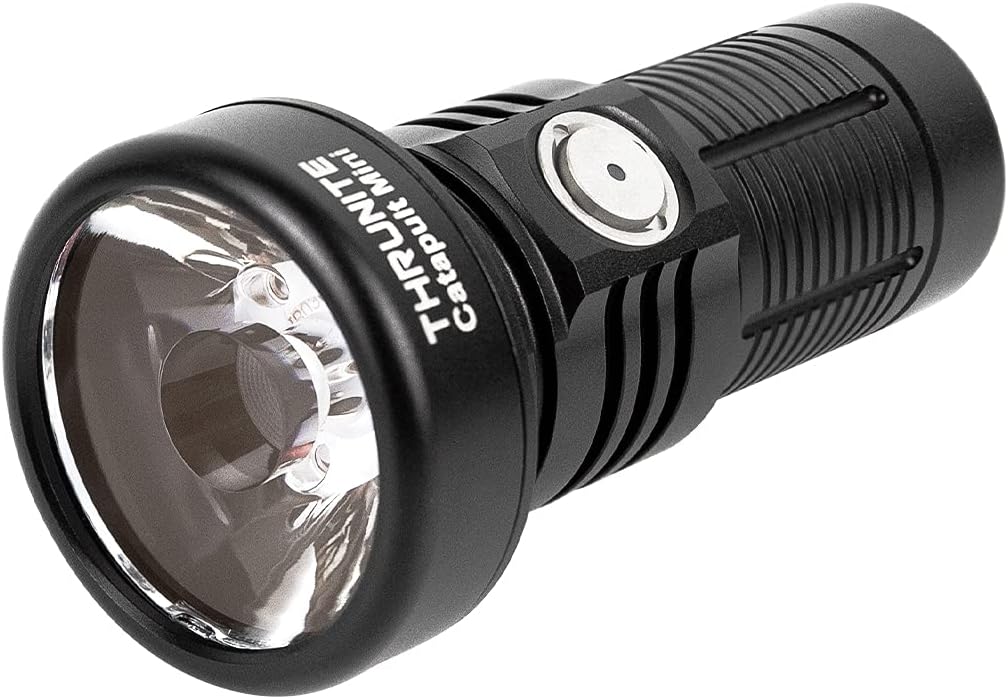
Image: The ThruNite Catapult Mini flashlight, showcasing its compact design and main body.
Apa yang ada dalam Kotak
- Catapult Mini flashlight *1
- Battery *1 (pre-installed)
- USB-C Charging Cord *1
- Lanyard *1
- Spare O-ring *1

Image: All components included in the ThruNite Catapult Mini package: flashlight, lanyard, USB-C charging cable, and spare O-rings.
Komponen Produk

Imej: Meletup view diagram of the flashlight, showing its internal components including the rechargeable battery, switch, aluminum alloy body, OSRAM LED, PMMA TIR lens, and waterproof O-ring.
- Bateri boleh dicas semula: Provides power for extended runtime.
- Tukar: Multi-function side switch for operation and mode selection.
- Badan Aloi Aluminium: Pembinaan yang tahan lama dan ringan.
- OSRAM LED: High-performance light source.
- PMMA TIR Lens: Designed for optimal light throw and beam intensity.
- Waterproof O-ring: Ensures IPX8 water resistance.
- Port Pengecasan USB-C: Integrated port for convenient recharging.
- Penunjuk Bateri: Memaparkan paras bateri semasa.
Persediaan
- Caj Permulaan: Before first use, fully charge the flashlight. Ensure the light head and tail cap are screwed down tightly before charging.

Image: Diagram showing arrows indicating to screw down the light head and tail cap tightly for proper operation and charging.
- mengecas: Connect the included USB-C charging cord to the flashlight's USB-C port and a power source. The battery indicator will show charging status.
Imej: Jarak dekat views of the USB-C charging port and the battery indicator light on the flashlight's side switch.
Arahan Operasi
The ThruNite Catapult Mini features a single side switch for all operations.

Image: A hand holding the ThruNite Catapult Mini, demonstrating its ergonomic design and easy access to the side switch.
Operasi asas:
- HIDUP/MATIKAN: Single click the side switch to turn the light ON/OFF.
- Tukar Mod: When the light is ON, press and hold the side switch to cycle through Low, Medium, and High modes. Release the switch to select the desired mode.
- Firefly Mode: When the light is OFF, press and hold the side switch for 1 second to activate Firefly mode (0.5 lumens).
- Mod Turbo: Double click the side switch from any mode (except lock-out) to activate Turbo mode (680 lumens).
- Mod Strob: Triple click the side switch from any mode to activate Strobe mode. Single click to return to the previous mode.
- Lock-out/Unlock: When the light is OFF, press and hold the side switch for 3 seconds to enter lock-out mode. The light will flash once to indicate lock-out. To unlock, press and hold the side switch for 3 seconds. The light will turn on in Firefly mode.
Penunjuk Bateri:
The indicator light on the side switch provides real-time battery status:
- Biru: Paras bateri > 21%
- ungu: Tahap bateri 11-20%
- merah: Tahap bateri < 10%
Video: A night shot comparison demonstrating the long-throw capabilities of the ThruNite Catapult Mini flashlight against other models, highlighting its focused beam at a distance of 230 feet.
Penyelenggaraan
- Regularly clean the threads and O-rings with a clean cloth.
- Lubricate the O-rings periodically with silicone grease to maintain water resistance.
- Jika lampu suluh tidak digunakan untuk tempoh yang lama, tanggalkan bateri untuk mengelakkan kebocoran.
- Keep the lens clean to ensure optimal light output.

Image: The ThruNite Catapult Mini flashlight being exposed to water, illustrating its IPX8 waterproof rating.
Menyelesaikan masalah
Isu dan Penyelesaian Biasa:
- Lampu tidak menyala:
- Check if the battery is inserted correctly with the positive (+) end facing the head of the flashlight.
- Ensure the light head and tail cap are screwed on tightly.
- The flashlight might be in lock-out mode. Press and hold the side switch for 3 seconds to unlock.
- The battery might be depleted. Recharge the battery.
- Light flickers or modes change unexpectedly:
- Clean the contact points of the battery and the flashlight with an alcohol swab.
- Ensure the O-rings are properly lubricated and not damaged.
- Tighten the light head and tail cap.
- Isu pengecasan:
- Verify the USB-C cable is securely connected to both the flashlight and the power source.
- Cuba kabel USB-C atau penyesuai kuasa yang lain.
- Ensure the light head and tail cap are screwed down tightly.
Spesifikasi
| Ciri | Perincian |
|---|---|
| Jenama | ThruNite |
| Model | Catapult Mini Black CW |
| Ciri Khas | Mudah alih, Boleh dicas semula |
| Sumber Kuasa | Dikuasakan Bateri |
| Jenis Sumber Cahaya | LED |
| bahan | aluminium |
| Dimensi Produk | 3.18"D x 1.3"W x 1.3"H |
| Jarak Laluan Cahaya | 598 Meter |
| Kecerahan | 680 Lumen (Maks) |
| Jenis Bateri | 1 bateri Lithium Ion (termasuk) |
| Berat Barang | 3.09 auns |
| Tahap Ketahanan Air | Kalis Air (IPX8) |
| Rintangan Kesan | 1.5 meter |
Performance Table (General Mode):
| Mod | Keluaran | Masa berjalan | Jarak | Intensiti |
|---|---|---|---|---|
| Turbo | 680 lumen | 70 minit | 598 meter (maksimum) | 89600 cd (maks.) |
| tinggi | 235 lumen | 80 minit | ||
| Sederhana | 96 lumen | 4 jam | ||
| rendah | 21 lumen | 12 jam | ||
| Kelip-kelip | 0.5 lumen | 106 jam | ||
| Strob | 680 lumen | 30 minit |
Waranti & Sokongan
ThruNite products are designed for durability and performance. For warranty information, product support, or service inquiries, please visit the official ThruNite webtapak atau hubungi perkhidmatan pelanggan mereka secara langsung. Simpan resit pembelian anda sebagai bukti pembelian.
Untuk maklumat lanjut, lawati ThruNite Store on Amazon.
Ask a question about this manual
Ask about setup, troubleshooting, compatibility, parts, safety, or missing instructions. Manuals+ will review the question and use this page’s manual context to help answer it.