
1. Pengenalan
This manual provides detailed instructions for the installation, operation, and maintenance of your Cestovet Android 10 Car Radio. Please read this manual thoroughly before using the product to ensure proper functionality and safety. This unit is specifically designed for Honda CRV models manufactured between 2012 and 2016.

Image 1.1: Cestovet Android 10 Car Radio Main Unit
Video 1.1: Produk Tamatview for Honda CRV 2012-2016 Car Radio. This video provides a general visual overview of the car radio's features and compatibility.
2. Maklumat Keselamatan
- Sentiasa kendalikan peranti dengan penuh tanggungjawab dan mengikut undang-undang lalu lintas tempatan.
- Do not attempt to install or repair the unit if you are not qualified. Refer to a professional installer.
- Elakkan pendedahan berpanjangan kepada cahaya matahari langsung atau suhu yang melampau.
- Pastikan skrin bersih dan bebas daripada halangan.
3. Kandungan Pakej
Sahkan bahawa semua item yang disenaraikan di bawah disertakan dalam pakej anda. Jika ada item yang hilang atau rosak, sila hubungi sokongan pelanggan.

Image 3.1: Package Contents. This image displays the main unit, various cables, and installation tools included with the product.
- Unit Kepala Utama (paparan 10 inci)
- Abah-abah Kabel Kuasa
- Kabel USB (x2)
- Antena GPS
- RCA kabel
- CanBus Decoder
- Mikrofon Luaran
- Pemutar skru
- Plastic Removal Tool (Crowbar)
- Manual Pengguna (dokumen ini)
4. Persediaan dan Pemasangan
Pemasangan profesional disyorkan. Pastikan bateri kenderaan dicabut daripada kuasa sebelum memulakan pemasangan.
4.1 Pemeriksaan Pra-Pemasangan
- Confirm vehicle compatibility (Honda CRV 2012-2016).
- Inspect all components for damage.
- Biasakan diri anda dengan proses penyingkiran papan pemuka kenderaan anda.
4.2 Sambungan Pendawaian
Connect the provided wiring harness to the car radio and then to the vehicle's factory wiring. Ensure all connections are secure. The CanBus decoder should be connected as per the wiring diagram to ensure proper communication with the vehicle's systems, including steering wheel controls.
4.3 Pemasangan Fizikal
- Carefully remove the factory radio and dashboard trim.
- Mount the new Cestovet unit into the dashboard opening.
- Secure the unit using appropriate screws or clips.
- Reconnect the vehicle's battery and test the unit before reassembling the dashboard trim.
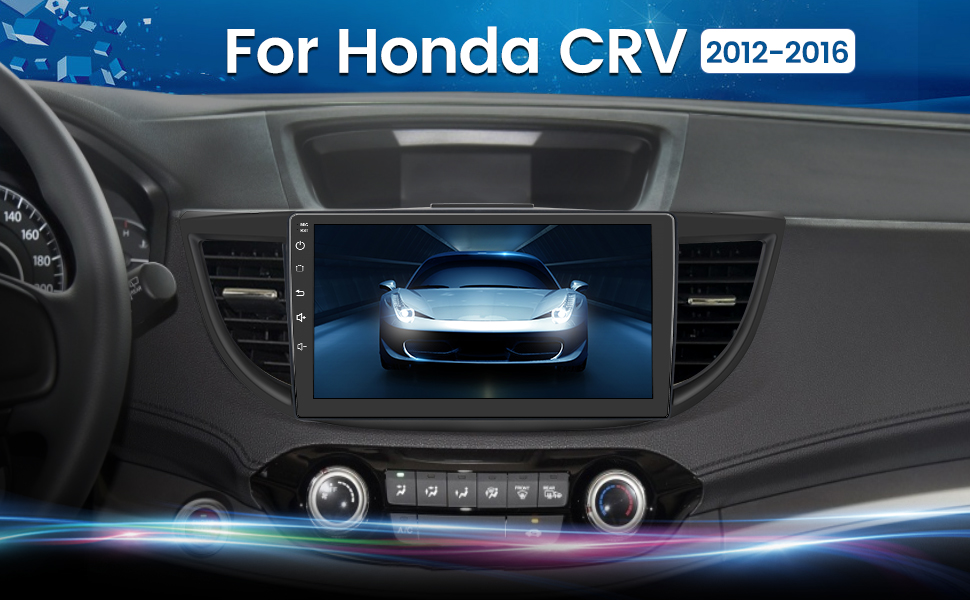
Image 4.1: Installed Car Radio. This image shows the Cestovet Android 10 Car Radio seamlessly integrated into a Honda CRV dashboard.
5. Arahan Operasi
5.1 Fungsi Asas
- Hidupkan/Mati Kuasa: Press and hold the power button on the unit's side panel.
- Kawalan Kelantangan: Use the volume buttons on the side panel or steering wheel controls.
- Butang rumah: Kembali ke skrin utama Android.
- Butang Belakang: Navigates to the previous screen or menu.
5.2 Carplay dan Android Auto
Connect your iPhone or Android phone via a USB cable to enable Carplay or Android Auto functionality. This allows for seamless integration of navigation, music, calls, and messages directly on the car radio's display.
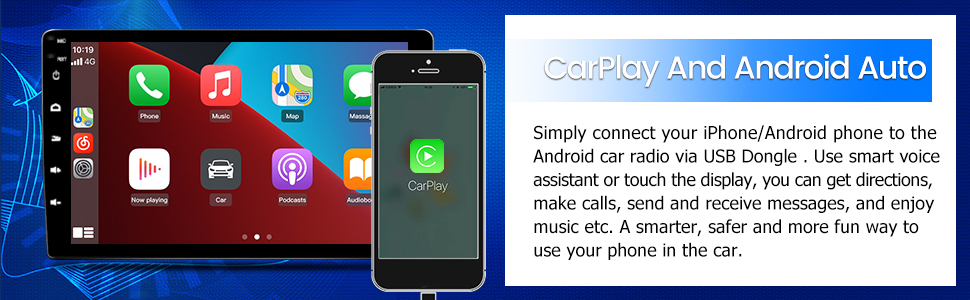
Image 5.1: Carplay and Android Auto. This image illustrates the user interface for Carplay and Android Auto on the car radio's display.
5.3 Kesambungan Bluetooth
Pair your mobile device via Bluetooth for hands-free calling and audio streaming. Navigate to the Bluetooth settings on the car radio, enable Bluetooth, and search for your device. Select your device from the list to pair.
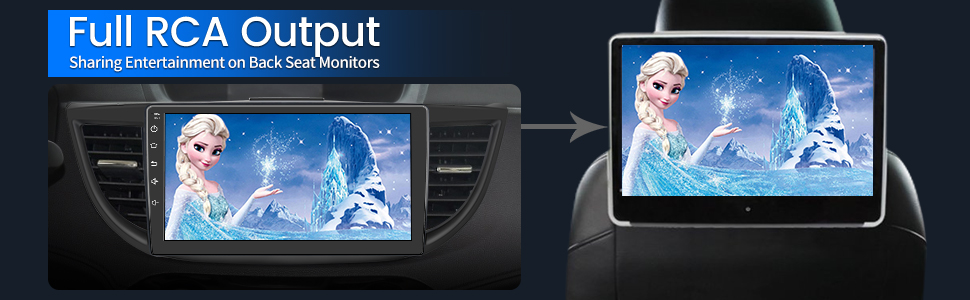
Image 5.2: Bluetooth Music. This image shows the Bluetooth music interface, allowing for wireless audio playback from a paired device.
5.4 Sambungan WiFi
Connect the car radio to a WiFi hotspot (e.g., from your smartphone) to access online features, download apps, and browse the internet. Go to Settings > Network & Internet > Wi-Fi, then select your desired network and enter the password.

Image 5.3: WiFi Connection. This image displays the car radio's screen with various app icons, indicating internet access via WiFi.
5.5 Navigasi GPS
The unit supports both online and offline navigation. Ensure the GPS antenna is properly installed for optimal signal reception. Pre-installed maps or downloadable map applications can be used for guidance.
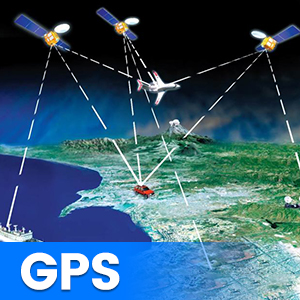
Image 5.4: GPS Functionality. This graphic illustrates the global positioning system (GPS) satellites providing navigation data to the car radio.
5.6 Kawalan Roda Stereng (SWC)
The unit supports integration with your vehicle's existing steering wheel controls. After installation, you may need to configure the SWC settings in the unit's menu to map the buttons correctly.
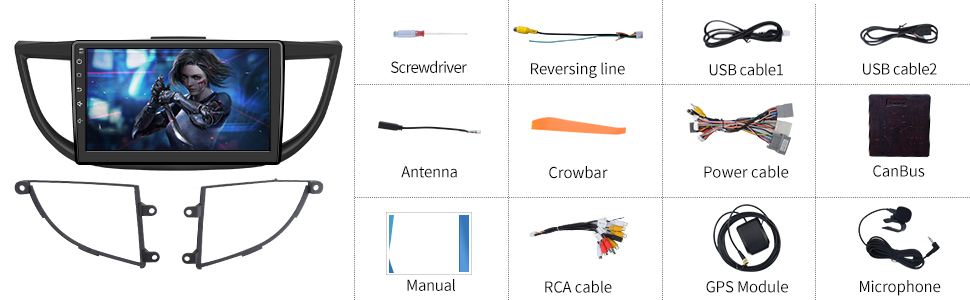
Image 5.5: Steering Wheel Controls. This image shows the on-screen interface for configuring steering wheel controls.
5.7 Belakang View Sokongan Kamera
The car radio supports a rearview camera (sold separately). When a compatible camera is connected and the vehicle is shifted into reverse, the screen will automatically display the camera feed, assisting with parking maneuvers.

Imej 5.6: Belakang View Support. This graphic demonstrates how the car radio supports a rearview camera, displaying parking guidelines.
5.8 Full RCA Output
The unit features full RCA output, allowing you to connect external monitors, such as backseat displays, to share entertainment with passengers.

Image 5.7: Full RCA Output. This image shows video content from the car radio being displayed on a backseat monitor.
6. Penyelenggaraan
- Pembersihan Skrin: Use a soft, lint-free cloth to gently wipe the screen. Avoid abrasive cleaners or solvents.
- Kemas Kini Perisian: Periodically check for available software updates through the unit's settings menu or the manufacturer's webtapak untuk memastikan prestasi optimum dan akses kepada ciri baharu.
- Penjagaan Am: Pastikan unit bebas daripada habuk dan kelembapan.
7. Penyelesaian masalah
Jika anda menghadapi masalah, rujuk kepada masalah dan penyelesaian biasa berikut:
| Masalah | Penyelesaian yang Mungkin |
|---|---|
| Tiada Kuasa | Check power cable connections and vehicle's fuse box. Ensure the ignition is on. |
| Tiada Bunyi | Verify speaker connections. Check volume levels and audio output settings. Ensure the amppenghawa dingin (jika luaran) dikuasakan. |
| Isyarat GPS Hilang | Pastikan antena GPS disambungkan dengan betul dan mempunyai jernih view of the sky. Move the vehicle to an open area. |
| Kegagalan Berpasangan Bluetooth | Ensure Bluetooth is enabled on both devices. Delete previous pairings and try again. Restart both devices. |
| Skrin Sentuh Tidak Responsif | Perform a soft reset using the 'RST' button (if available) or power cycle the unit. |
8. Spesifikasi
Key technical specifications of the Cestovet Android 10 Car Radio:
- Sistem pengendalian: Android 10
- Saiz Paparan: 10 Inci
- Resolusi: 720 x 1280
- RAM: 2GB
- Storan Dalaman (ROM): 32GB
- Ketersambungan: Wi-Fi, Bluetooth
- Ciri Khas: Carplay, Android Auto, GPS Navigation, Touchscreen, Steering Wheel Control Support, Rear View Camera Support, DSP (Digital Sound Processor)
- Mod Output Audio: Speaker, Stereo
- Berat Barang: Kira-kira 4.93 paun
- Dimensi Pakej: Kira-kira 17.87 x 10.12 x 7.56 inci
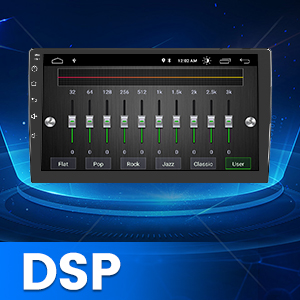
Image 8.1: DSP Functionality. This graphic illustrates the Digital Sound Processor (DSP) for enhanced audio customization.
9. Waranti dan Sokongan
For warranty information, technical support, or any inquiries regarding your Cestovet Android 10 Car Radio, please refer to the contact information provided at the point of purchase or visit the official Cestovet webtapak. Simpan resit pembelian anda sebagai bukti pembelian untuk tuntutan waranti.