
1. Maklumat Keselamatan Penting
Please read this manual carefully before operating the appliance and keep it for future reference. Failure to follow these instructions may result in electric shock, fire, or injury.
- Pastikan bekalan kuasa sepadan dengan voltage dinyatakan pada label penilaian.
- Jangan kendalikan unit dengan kord atau palam yang rosak.
- Jauhkan perkakas daripada sumber haba dan cahaya matahari langsung.
- Jangan sekat saluran masuk atau alur keluar udara.
- This appliance contains R290 refrigerant. Handle with care and ensure proper ventilation during installation and maintenance.
- Sentiasa cabut plag unit sebelum membersihkan atau menservis.
- Jangan gunakan pelarut kimia untuk pembersihan.
- Perkakas ini tidak dimaksudkan untuk digunakan oleh orang (termasuk kanak-kanak) yang kurang keupayaan fizikal, deria atau mental, atau kurang pengalaman dan pengetahuan, melainkan mereka telah diberi pengawasan atau arahan mengenai penggunaan perkakas oleh orang yang bertanggungjawab untuk keselamatan mereka.
2. Kandungan Pakej
Sahkan bahawa semua barang ada dan tidak rosak semasa membuka bungkusan.
- 1 x Klarstein Kraftwerk Smart Portable Air Conditioner
- 1 x Alat Kawalan Jauh
- 1 x Window Sealing Kit (for tilt windows)
- 1 x Exhaust Hose with Connectors
- 1 x Water Drainage Hose
- 1 x Manual Pengguna (Bahasa Inggeris)

Image: Contents of the delivery, including the air conditioner unit, remote control, window sealing kit, exhaust hose, and drainage hose.
3. Persediaan dan Pemasangan
3.1 Kedudukan Unit
Place the air conditioner on a flat, stable surface. Ensure there is at least 30 cm (12 inches) of space around the unit for proper airflow. The integrated castors allow for easy movement between rooms.

Image: The portable air conditioner with integrated wheels for easy transport.
3.2 Pemasangan Hos Ekzos
- Pasangkan hos ekzos ke saluran keluar udara di bahagian belakang unit.
- Panjangkan hos ke tingkap atau bukaan terdekat.
- Use the provided window sealing kit to secure the exhaust hose in the window opening, preventing hot air from re-entering the room.

Image: Quick installation with the window kit, showing the exhaust hose and window seal.
3.3 Drainage Hose (Dehumidifier Mode)
For continuous dehumidification, connect the drainage hose to the designated outlet and route it to a suitable drain or container. In cooling mode, water typically evaporates, but manual drainage may be required if the internal tank fills.
4. Arahan Operasi
4.1 Panel Kawalan dan Alat Kawalan Jauh
The unit can be controlled via the touch control panel on top of the unit or the included remote control. The remote control requires 2x AAA batteries (not included).
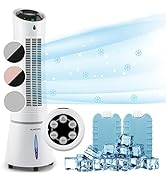
Image: Digital display and remote control for the air conditioner.
4.2 Mod Pengendalian
- Mod Penyejukan: Reduces room temperature. Set desired temperature and fan speed.
- Mod Penyahlembapan: Mengeluarkan kelembapan berlebihan dari udara.
- Mod Kipas: Circulates air without cooling. Select desired fan speed.
- Mod tidur: Operates quietly with reduced fan speed and gradually increases temperature for comfortable sleep.
4.3 Smart Control (App & Alexa)
The Klarstein Kraftwerk Smart can be controlled via the Klarstein app on your smartphone and is compatible with Amazon Alexa and Google Home. Follow the app's instructions for pairing the device.

Image: Simple and practical use with the Klarstein app, compatible with Amazon Alexa and Google Home.
4.4 Fungsi Pemasa
Use the timer function to set the unit to turn on or off automatically after a specified period.
5. Penyelenggaraan
Regular maintenance ensures optimal performance and extends the lifespan of your air conditioner. Always unplug the unit before performing any maintenance.
5.1 Membersihkan Penapis Udara
The air filter should be cleaned every two weeks or more frequently depending on usage. A dirty filter reduces efficiency.
- Matikan dan cabut palam unit.
- Cari dan keluarkan penapis udara dari bahagian belakang atau sisi unit.
- Clean the filter with a vacuum cleaner or wash it with warm water and mild detergent.
- Benarkan penuras kering sepenuhnya sebelum memasukkannya semula.
5.2 Membersihkan Bahagian Luar Unit
Lap bahagian luar unit dengan lembut, damp kain. Jangan gunakan bahan kimia yang keras, bahan pelelas atau pelarut.
5.3 Penyimpanan Bermusim
Jika menyimpan unit untuk tempoh yang lama:
- Toskan sebarang air terkumpul dari unit.
- Bersihkan penapis udara.
- Tutup unit untuk melindunginya daripada habuk.
- Simpan di tempat yang kering dan sejuk.
6. Penyelesaian masalah
Sebelum menghubungi sokongan pelanggan, rujuk jadual berikut untuk isu dan penyelesaian biasa.
| Masalah | Kemungkinan Punca | Penyelesaian |
|---|---|---|
| Unit tidak dihidupkan. | No power, power cord unplugged, fuse blown. | Check power connection, wall outlet, and circuit breaker. |
| Penyejukan yang tidak mencukupi. | Dirty air filter, blocked air intake/outlet, room too large, windows/doors open, exhaust hose not properly installed. | Clean filter, clear obstructions, ensure proper room size for unit capacity, close windows/doors, check exhaust hose installation. |
| Unit bising. | Unit bukan pada permukaan rata, komponen dalaman bergetar. | Ensure unit is on a level surface. Some operational noise is normal for portable AC units. |
| Kebocoran air. | Drainage plug not properly sealed, drainage hose blocked or improperly connected. | Check drainage plug and hose connections. Clear any blockages in the drainage hose. |
| Isu sambungan Wi-Fi. | Incorrect Wi-Fi settings, 5GHz network used, temporary glitch. | Ensure you are connecting to a 2.4GHz Wi-Fi network. Try unplugging the unit for 10 seconds, then reconnecting. Refer to the app's pairing instructions. |
7. Spesifikasi
| Ciri | Perincian |
|---|---|
| Jenama | KLARSTEIN |
| Nama Model | Kraftwerk Smart |
| Kapasiti Penyejukan | 10,000 BTU (2.9 kW) |
| Kapasiti Dehumidifikasi | 23 Liter |
| Jumlah Aliran Udara | 440 m³/j |
| Saiz Bilik yang Disyorkan | 29-49 m² |
| Tahap Kebisingan | 50 dB (Min) / 65 dB (Max) |
| Kelas Kecekapan Tenaga | A |
| Bahan penyejuk | R-290 |
| Penggunaan Kuasa | 1150 Watt |
| Voltage | 220 Volt |
| Dimensi (D x W x H) | 38P x 35.5p x 82.2T cm |
| Berat badan | 26 Kilogram |
| Kaedah Kawalan | Kawalan Jauh, Kawalan Apl |
| Jenis Penapis | arang |

Image: Energy efficiency label for the product.
Image: Technical drawing with product dimensions.
8. Waranti dan Sokongan Pelanggan
8.1 Maklumat Waranti
This product comes with a limited warranty. Please refer to the warranty card included in your package or contact customer support for detailed terms and conditions. The warranty covers manufacturing defects under normal use.
8.2 Sokongan Pelanggan
For technical assistance, spare parts, or any questions regarding your Klarstein Kraftwerk Smart air conditioner, please contact Klarstein customer support. Contact details can typically be found on the official Klarstein webtapak atau dalam dokumentasi pembelian anda.
Before contacting support, please have your model number (Kraftwerk Smart) and purchase date available.