
AREYZIN C330
AREYZIN Ear and Nose Hair Trimmer User Manual
Model: C330
pengenalan
This user manual provides detailed instructions for the safe and effective operation, maintenance, and troubleshooting of your AREYZIN C330 Multi-Purpose Hair Trimmer. Please read this manual thoroughly before first use and retain it for future reference.
The AREYZIN C330 is a versatile 3-in-1 grooming tool designed for both men and women, capable of trimming nose, ear, eyebrow, and facial hair. Its compact and stylish design makes it an ideal companion for home use or travel.

Image: The AREYZIN C330 trimmer highlighting its stylish and ergonomic design, suitable for comfortable handling.

Image: The compact and portable design of the AREYZIN C330 trimmer, making it convenient for travel and on-the-go grooming.
Maklumat Keselamatan Penting
To reduce the risk of injury, electric shock, fire, or damage to the product, always follow these basic safety precautions:
- Keep the appliance dry. Do not immerse the main body in water.
- This appliance is designed for personal use only. Do not use it for any other purpose.
- Jauhkan daripada kanak-kanak.
- Do not use if the blades are damaged or deformed, as this may cause injury.
- Ensure the charging cable and port are dry before connecting to a power source.
- Do not attempt to disassemble or repair the appliance yourself. Contact qualified service personnel for repairs.
- Avoid excessive pressure when trimming to prevent skin irritation or injury.
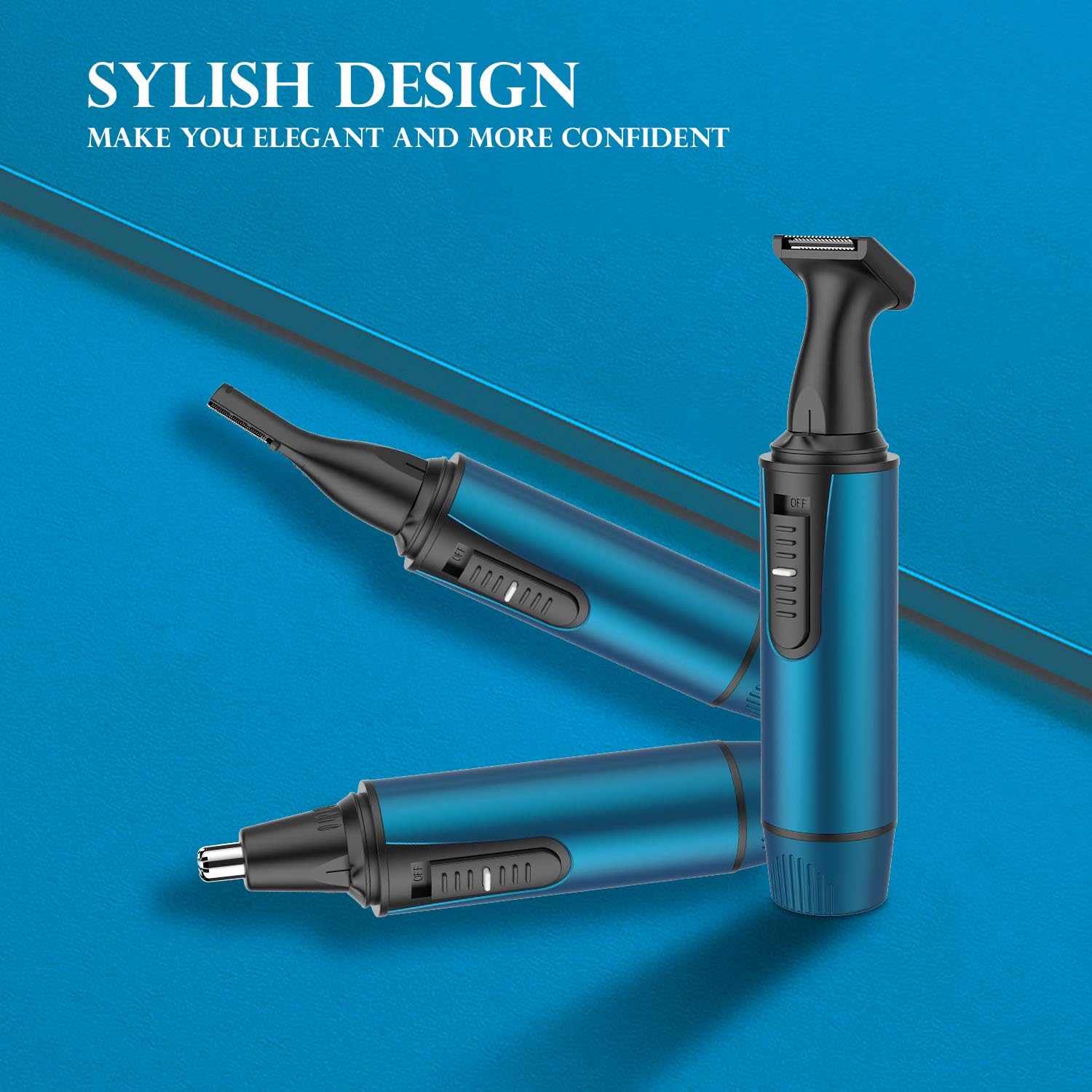
Image: The AREYZIN C330 trimmer highlighting its safety features, including a built-in light and painless blade design, ensuring safe and comfortable use.
Kandungan Pakej
Your AREYZIN C330 Multi-Purpose Hair Trimmer package includes the following items:
- 1 x Trimmer Main Unit
- 1 x Kepala Pemangkas Hidung
- 1 x Kepala Pemangkas Kening
- 1 x Beard Trimmer Head (Body Shaver Head)
- 1 x Kabel Pengecas USB
- 1 x Berus Pembersih
- 1 x Stand Base for Storage

Imej: Selesaiview of the AREYZIN C330 Multi-Purpose Hair Trimmer and all its components, including the main unit, various trimming heads, charging cable, cleaning brush, and storage base.
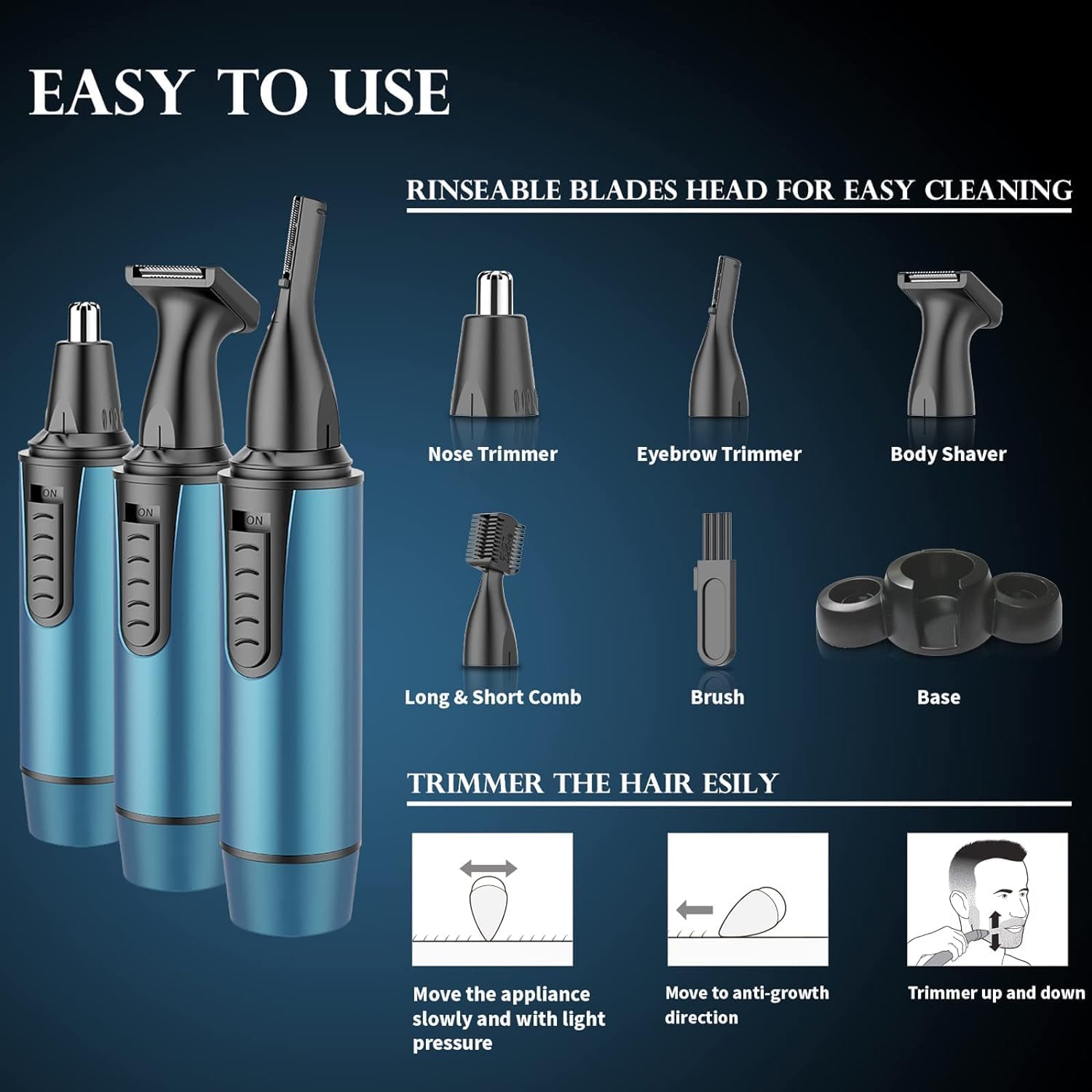
Image: A closer look at the individual trimming heads and accessories, illustrating their specific functions and how they attach to the main unit.
Persediaan dan Penggunaan Pertama
Mengecas Trimmer
Before initial use, fully charge the trimmer. The AREYZIN C330 features a built-in rechargeable battery and comes with a USB charging cable.
- Connect the USB charging cable to the charging port on the trimmer.
- Plug the other end of the USB cable into a compatible USB power source (e.g., computer, wall adapter, power bank, car charger).
- The indicator light will show the charging status. A full charge typically takes 2-3 hours.
- Setelah dicas sepenuhnya, putuskan sambungan pemangkas daripada sumber kuasa.
Note: If the trimmer does not turn on immediately upon receipt, please charge it for 2-3 hours before attempting to use it.

Image: Demonstrates the USB charging capability of the AREYZIN C330 trimmer, showing it connected to a laptop and compatible with various USB power adapters.
Memasang dan Menanggalkan Kepala Pemangkas
The trimmer comes with interchangeable heads for different grooming needs.
- To attach a head: Align the desired trimmer head with the main unit and gently twist or push until it clicks securely into place.
- To detach a head: Twist or pull the head gently away from the main unit.
Arahan Operasi
The AREYZIN C330 is designed for versatile grooming, offering precise and painless hair removal.
Petua Penggunaan Umum:
- Pastikan kulit anda bersih dan kering sebelum menggunting.
- Hidupkan perapi dengan menggelongsor suis kuasa.
- Move the appliance slowly and with light pressure against the direction of hair growth for optimal results.
- The trimmer features a 6500RPM powerful motor and dual-edge blades for efficient trimming without pulling.

Image: Highlights the fast and powerful performance of the AREYZIN C330 trimmer, featuring a 6500RPM motor for efficient and low-noise operation.
Specific Trimming Applications:

Image: Illustrates the various applications of the trimmer, including nose, ear, sideburn, eyebrow, and beard trimming, demonstrating its versatility.
- Pemangkasan Rambut Hidung dan Telinga:
Attach the Nose Trimmer Head. Gently insert the trimmer tip into your nostril or ear canal. Move the trimmer in a circular motion to trim unwanted hair. The inner 360° rotating design ensures precise removal.
- Pemangkasan Kening:
Attach the Eyebrow Trimmer Head. Use the included comb attachment (if applicable) to guide the length of the trim. Carefully trim eyebrows to your desired shape and length.
- Beard and Facial Hair Trimming (Body Shaver Head):
Attach the Beard Trimmer Head. Use for trimming sideburns, beard lines, or other facial hair. Move the trimmer smoothly across the skin, following the contours of your face.
Penyelenggaraan dan Pembersihan
Pembersihan tetap memastikan prestasi optimum dan memanjangkan jangka hayat perapi anda.
Cleaning the Trimmer Heads:
- The trimmer heads are washable and removable for convenient cleaning.
- After each use, detach the trimmer head.
- Rinse the detached head under running water to remove hair clippings.
- Gunakan berus pembersih yang disertakan untuk menanggalkan sebarang bulu degil dari bilah.
- Allow the trimmer head to air dry completely before reattaching or storing.
Membersihkan Unit Utama:
- The main unit is IPX7 waterproof, allowing for full body washing.
- You can rinse the entire trimmer under water for thorough cleaning.
- Ensure the charging port cover is securely closed before rinsing the main unit.
- Wipe the main unit with a clean, dry cloth after rinsing.

Image: Demonstrates the IPX7 waterproof design of the AREYZIN C330 trimmer, showing it can be easily rinsed under water for cleaning.
Storan:
- Store the trimmer and its accessories in the provided stand base to keep them organized and tidy.
- Keep the dust-proof cover on the nose trimmer head when not in use to maintain hygiene.
- Simpan di tempat yang sejuk dan kering jauh dari cahaya matahari langsung dan suhu yang melampau.

Image: The AREYZIN C330 trimmer with its stand base, designed for convenient storage of all blade heads, keeping your grooming area neat.
Menyelesaikan masalah
| Masalah | Kemungkinan Punca | Penyelesaian |
|---|---|---|
| Trimmer tidak dihidupkan. | Bateri habis. | Charge the trimmer for 2-3 hours. |
| Trimmer pulls hair or is not cutting effectively. | Blades are clogged with hair or dull; battery is low. | Clean the trimmer head thoroughly. Ensure the trimmer is fully charged. If issues persist, the blades may need replacement (contact support). |
| Trimmer head is difficult to attach/detach. | Penjajaran atau serpihan yang salah. | Ensure proper alignment and clear any debris from the connection points. Apply gentle pressure and twist. |
If you encounter any problems not listed here, or if the suggested solutions do not resolve the issue, please contact AREYZIN customer support.
Spesifikasi Produk
| Ciri | Perincian |
|---|---|
| Nombor Model | C330 |
| Jenama | AREYZIN |
| Dimensi Produk | 5.8 x 1.2 x 1.2 inci |
| Berat Barang | 120 Gram (4.23 auns) |
| Sumber Kuasa | USB Rechargeable (1 Lithium Ion battery included) |
| Kelajuan Motor | 6500 RPM |
| Penilaian Kalis Air | IPX7 (Boleh dibasuh seluruh badan) |
| Bahan Bilah | Stainless Steel Dual-Edge Blades |
| warna | Biru |
| Penggunaan yang Disyorkan | Nose, Ear, Facial, Eyebrow, Sideburns, Beard, Body Hair Trimming |
Maklumat Waranti
Specific warranty details for the AREYZIN C330 Multi-Purpose Hair Trimmer are not provided in the product information. For warranty claims or detailed information regarding product guarantees, please retain your proof of purchase and contact AREYZIN customer support directly.
Sokongan Pelanggan
For any questions, concerns, or assistance with your AREYZIN C330 Multi-Purpose Hair Trimmer, please contact AREYZIN customer support through their official channels.
You can visit the official AREYZIN store for more information and support: AREYZIN Official Store
Ask a question about this manual
Ask about setup, troubleshooting, compatibility, parts, safety, or missing instructions. Manuals+ will review the question and use this page’s manual context to help answer it.