
pengenalan
Terima kasih kerana membeliasing the 4DRC M5 Remote Control Helicopter. This manual provides essential information for the safe operation, setup, and maintenance of your new helicopter. Please read this manual thoroughly before use and retain it for future reference.
The 4DRC M5 is a 2.4 GHz remote-controlled helicopter designed for children, featuring gyroscopic stability control, altitude hold, two speed modes, and an LED light for enhanced visibility. It is constructed from lightweight and durable plastic materials, offering a control range of approximately 50 meters.
Kandungan Pakej
Before operating, please ensure all items listed below are present in your package:
- 1 x 4DRC M5 Remote Control Helicopter
- 1 x Alat Kawalan Jauh
- 2 x Modular Batteries (Lithium-ion)
- 1 x Kabel Pengecas USB
- Bilah Kipas Ganti
- Manual Pengguna (Dokumen ini)
Langkah-langkah Keselamatan
Untuk memastikan operasi yang selamat dan mengelakkan kerosakan, sila patuhi langkah berjaga-jaga berikut:
- Cadangan Umur: The manufacturer recommends this product for ages 24 months to 3 years. Due to the nature of remote-controlled aircraft, adult supervision is highly recommended for all users.
- Pengawasan Dewasa: Always operate under adult supervision, especially for younger users.
- Persekitaran: Fly in open, clear areas, away from people, animals, obstacles, and water. Avoid flying in strong winds.
- Keselamatan Bateri:
- Jangan cas berlebihan atau terlalu nyahcas bateri.
- Gunakan hanya kabel pengecasan yang disediakan.
- Jangan dedahkan bateri kepada suhu yang melampau atau cahaya matahari langsung.
- If batteries swell or leak, discontinue use immediately.
- Penjual: Jauhkan jari, rambut dan pakaian longgar daripada kipas berputar.
- Kesan: Avoid crashes. Repeated impacts can damage the helicopter.
Persediaan
1. Charging the Helicopter Battery
The helicopter uses Lithium-ion modular batteries. Ensure they are fully charged before first use.
- Remove the battery from the helicopter (if pre-installed).
- Sambungkan bateri ke kabel pengecasan USB.
- Pasangkan kabel pengecas USB ke sumber kuasa USB yang sesuai (cth., port USB komputer, penyesuai dinding USB).
- The indicator light on the charging cable will show the charging status (e.g., red for charging, off/green for fully charged).
- Setelah dicas sepenuhnya, cabut bateri daripada pengecas.
Nota: Jangan biarkan bateri dicas tanpa pengawasan.
2. Installing Helicopter Battery
Carefully insert the charged modular battery into the battery compartment of the helicopter. Ensure it is securely connected and the compartment cover is closed (if applicable).
3. Memasang Bateri Alat Kawalan Jauh
The remote controller requires 2 C batteries.
- Buka petak bateri di belakang alat kawalan jauh.
- Insert 2 C batteries, observing the correct polarity (+/-).
- Tutup penutup petak bateri.
 Image: The 4DRC M5 helicopter and its remote controller.
4. Pairing the Helicopter and Remote Controller
Follow these steps to establish a connection between the helicopter and the remote controller:
- Letakkan helikopter di atas permukaan yang rata dan rata.
- Turn on the helicopter's power switch. The LED lights on the helicopter will flash.
- Hidupkan suis kuasa alat kawalan jauh.
- Push the left joystick (throttle) all the way up, then all the way down.
- The helicopter's LED lights will stop flashing and remain solid, indicating successful pairing.
Arahan Operasi
Kawalan Asas
- Kayu Joy Kiri (Pendikit):
- Push up: Increase altitude.
- Push down: Decrease altitude.
- Kayu Joy Kanan (Arah):
- Push up/down: Fly forward/backward.
- Push left/right: Fly left/right.
Berlepas/Mendarat Satu Kunci
The 4DRC M5 features a one-key takeoff and landing function for ease of use, especially for beginners.
- After pairing, press the One-Key Takeoff button (refer to controller diagram if available, otherwise assume a labeled button). The helicopter will automatically ascend to a stable hovering altitude.
- To land, press the One-Key Landing button. The helicopter will slowly descend and land automatically.
 Image: Illustration of one-key takeoff and landing.
Fungsi Tahan Ketinggian
The advanced barometric pressure technology allows the helicopter to automatically hover at a certain altitude after takeoff, providing stable flight and easier control.
 Image: The helicopter maintaining a stable hover.
Mod Kelajuan
The helicopter offers two speed modes (high and low) to suit different skill levels and flying environments.
- Press the Speed button on the remote controller to switch between low and high speed.
- Low speed is recommended for beginners and indoor flying.
- High speed provides more agile flight for experienced users and outdoor conditions.
 Image: Visual representation of the helicopter operating in two different speed modes.
Lampu LED
The helicopter is equipped with an LED light that provides directional indication and enhances visibility during flight, especially in low-light conditions.
 Image: The 4DRC M5 helicopter flying with its LED light active.
Masa Penerbangan
With two powerful modular batteries included, the helicopter offers an extended flight time of up to 25 minutes.
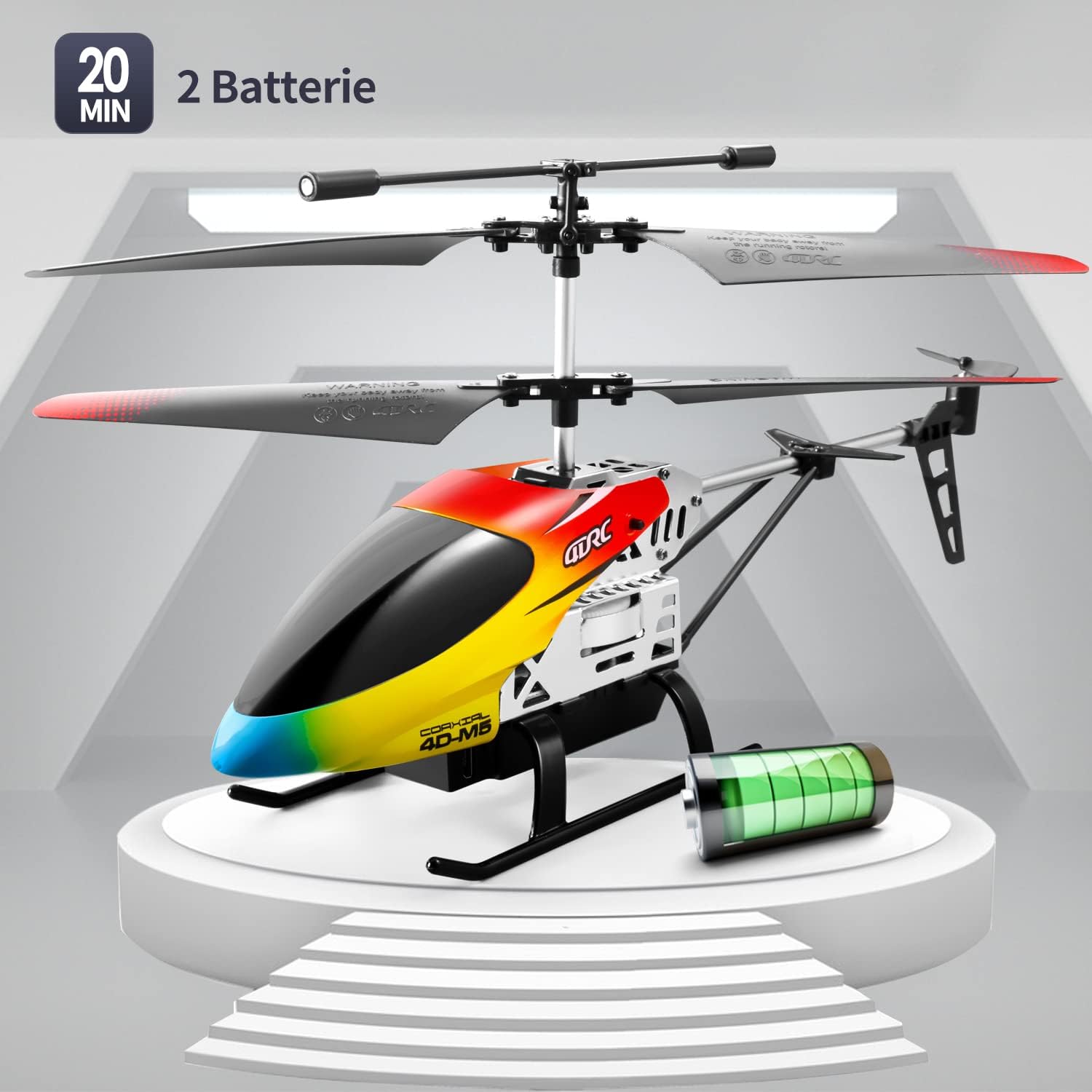 Image: The 4DRC M5 helicopter highlighting its two batteries and extended flight duration.
Demonstrasi Video
Watch this video for a demonstration of the 4DRC M5 helicopter in flight.
Satu lagi rancangan videoasing the helicopter's features.
Penyelenggaraan
Pembersihan
Wipe the helicopter with a clean, dry cloth after each use. Do not use water or chemical cleaners.
Penggantian Kipas
In case of damage, propellers can be replaced. Ensure the helicopter is powered off before attempting replacement.
 Imej: Terperinci view of propeller and landing gear components, indicating ease of maintenance.
Penyimpanan
Store the helicopter and remote controller in a cool, dry place, away from direct sunlight. Remove batteries from the remote controller if storing for extended periods.
Menyelesaikan masalah
| Masalah | Kemungkinan Punca | Penyelesaian |
|---|---|---|
| Helikopter tidak bertindak balas kepada alat kawalan jauh. |
|
|
| Helicopter cannot take off or flies unstably. |
|
|
| Masa penerbangan yang singkat. |
|
|
Spesifikasi
| Ciri | Perincian |
|---|---|
| Nombor Model | M5 |
| Jenama | 4DRC |
| Dimensi Produk | 25 x 5 x 12 cm |
| Berat Barang | 310 gram |
| Umur Disyorkan | 24 months - 3 years (Adult supervision recommended) |
| Batteries (Helicopter) | Litium-ion (2 termasuk) |
| Bateri (Jauh) | 2 bateri C (termasuk) |
| Jenis Bahan | plastik |
| Kekerapan Kawalan | 2.4 GHz |
| Julat Kawalan | Lebih kurang 50 meter |
| Saluran | 3 |
| Ciri Khas | Gyroscopic Stability, Altitude Hold, 2 Speed Modes, LED Light, One-Key Takeoff/Landing |
Waranti dan Sokongan
Specific warranty information is not provided in the product details. For warranty claims or technical support, please contact the retailer where the product was purchased or visit the official 4DRC webtapak untuk maklumat hubungan perkhidmatan pelanggan.
Pengeluar: 4DRC
Tarikh Pertama Tersedia: 3 Ogos 2021