
ROIDMI X20
Manual Arahan Pembersih Vakum Tanpa Kord ROIDMI X20
Model: X20
1. Arahan Keselamatan Penting
Please read this instruction manual carefully before using the ROIDMI X20 Cordless Vacuum Cleaner. Keep this manual for future reference.
- Perkakas ini bertujuan untuk kegunaan rumah sahaja. Jangan gunakannya untuk tujuan komersial atau perindustrian.
- Do not use the vacuum cleaner to pick up water or other liquids, hot ashes, cigarette butts, sharp objects, or hazardous materials.
- Ensure the power adapter and charging dock are compatible with your local power supply.
- Do not operate the vacuum cleaner with a damaged cord or plug. If the appliance is not working as it should, has been dropped, damaged, left outdoors, or dropped into water, return it to a service center.
- Jauhkan rambut, pakaian longgar, jari dan semua bahagian badan daripada bukaan dan bahagian yang bergerak.
- Jangan benarkan kanak-kanak mengendalikan pembersih vakum. Pengawasan rapi adalah perlu apabila digunakan berhampiran kanak-kanak.
- Gunakan hanya lampiran dan aksesori yang disyorkan pengilang.
- Always turn off the appliance before connecting or disconnecting the motorized brush, extension rod, or other accessories.
- The battery pack must be removed from the appliance before it is scrapped. The appliance must be disconnected from the supply mains when removing the battery pack. The battery pack is to be disposed of safely.
2. Produk Lebihview dan Komponen
The ROIDMI X20 Cordless Vacuum Cleaner comes with several components designed for various cleaning tasks.

Image: The ROIDMI X20 main unit and various cleaning attachments, including different brush heads, a crevice tool, a dusting brush, and the magnetic charging dock.
Komponen Utama:
- Unit Utama: Mengandungi motor, tong sampah dan bateri.
- Batang Sambungan: Menyambungkan unit utama kepada berus lantai atau alat tambahan lain untuk jangkauan yang lebih panjang.
- Berus Penggelek Lembut: Ideal for hard floors.
- Carbon Fiber Brush: Suitable for carpets.
- Lampiran Mop: Untuk pembersihan basah lantai keras.
- Alat Celah: Untuk celah dan sudut yang sempit.
- Berus Debu: Untuk permukaan dan upholsteri yang halus.
- Magnetic Wireless Charging Dock: Untuk pengecasan dan penyimpanan yang mudah.
- Penyesuai Kuasa: Untuk mengecas peranti.
3. Persediaan dan Penggunaan Awal
Perhimpunan:
- Insert the extension rod into the main unit until it clicks securely.
- Attach the desired floor brush (soft roller or carbon fiber) to the other end of the extension rod until it clicks.
- Untuk kegunaan pegang tangan, pasangkan aksesori terus ke unit utama.
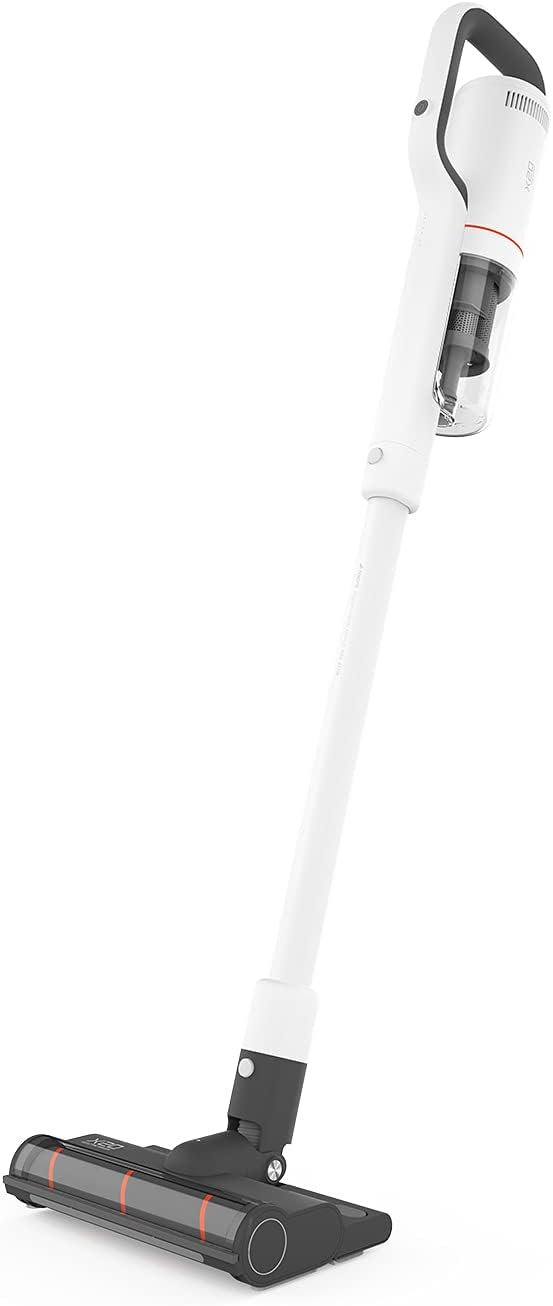
Image: The ROIDMI X20 Cordless Vacuum Cleaner fully assembled with the extension rod and floor brush attached, ready for use.
mengecas:
Before first use, fully charge the vacuum cleaner. The ROIDMI X20 features magnetic wireless charging.
- Mount the magnetic wireless charging dock to a wall in a convenient location, ensuring it is near a power outlet.
- Sambungkan penyesuai kuasa ke dok pengecasan dan palamkannya ke alur keluar kuasa.
- Place the vacuum cleaner onto the charging dock. The indicator light on the main unit will illuminate to show charging status.
- A full charge typically takes approximately 2.5 hours. The battery life is up to 65 minutes depending on the power mode used.
4. Arahan Operasi
Mod Hidup/Mati dan Sedutan Kuasa:
- Press the power button on the main unit to turn the vacuum cleaner on. It will start in the standard suction mode.
- Press the mode button to cycle through the three available power levels (Standard, Strong, Max).
- Tekan butang kuasa sekali lagi untuk mematikan pembersih vakum.
Memvakum:
The ROIDMI X20 is suitable for both hard floors and carpets.

Image: A person using the ROIDMI X20 Cordless Vacuum Cleaner to clean a grey carpet in a living room setting.
- Untuk Lantai Keras: Use the soft roller brush. Move the vacuum cleaner slowly over the surface to ensure thorough cleaning.
- Untuk Permaidani: Use the carbon fiber brush. For deeper cleaning, select a higher suction mode.

Image: A person using the ROIDMI X20 Cordless Vacuum Cleaner to clean a light wooden floor, demonstrating its maneuverability.
Fungsi mengemop:
The ROIDMI X20 integrates vacuuming and mopping for simultaneous cleaning.
- Fill the water tank of the mop attachment with clean water.
- Attach the mop cloth securely to the mop attachment.
- Attach the mop attachment to the floor brush.
- Proceed with vacuuming as usual. The mop attachment will simultaneously wipe the floor.
Menggunakan Lampiran:
Detach the extension rod and attach the crevice tool or dusting brush directly to the main unit for cleaning furniture, car interiors, or hard-to-reach areas.
Kawalan Apl:
The ROIDMI X20 can be connected to a smartphone app for additional control and monitoring features. Refer to the app's instructions for pairing and functionality.
5. Penyelenggaraan
Regular maintenance ensures optimal performance and extends the lifespan of your ROIDMI X20.
Mengosongkan Tong Sampah:
- Pastikan pembersih vakum dimatikan.
- Locate the dustbin release button on the main unit.
- Tekan butang untuk menanggalkan tong sampah.
- Kosongkan kandungan ke dalam tong sampah.
- Pasang semula tong sampah dengan kukuh.
Pembersihan Penapis:
The ROIDMI X20 uses a HEPA filter. Clean the filters regularly to maintain suction power.
- Keluarkan tong sampah.
- Carefully remove the filter assembly from the dustbin.
- Tap the HEPA filter gently to remove loose dust.
- Rinse the filter under running water (ensure it is completely dry before reinstallation, which may take 24-48 hours).
- Reassemble the filters and dustbin once completely dry.
Cleaning Brush Rolls:
Hair and debris can get tangled in the brush rolls, affecting performance.

Image: A close-up of the ROIDMI X20 floor brush with a cleaning tool next to it, used for removing tangled hair and debris from the brush roll.
- Matikan pembersih vakum dan tanggalkan berus lantai.
- Locate the brush roll release mechanism (usually a latch or screw).
- Keluarkan gulungan berus.
- Gunakan gunting atau alat pembersih yang disediakan untuk memotong dan membuang sebarang rambut atau gentian yang kusut.
- Bersihkan sebarang serpihan dari perumah gulungan berus.
- Reinsert the brush roll and secure it.
Cleaning Mop Attachment:
After each use, remove and clean the mop cloth. It can typically be hand-washed or machine-washed.
6. Penyelesaian masalah
If you encounter issues with your ROIDMI X20, refer to the following common problems and solutions:
| Masalah | Kemungkinan Punca | Penyelesaian |
|---|---|---|
| Vakum tidak dihidupkan | Bateri hampir habis atau habis Butang kuasa tidak ditekan dengan betul | Charge the vacuum cleaner fully Pastikan butang kuasa ditekan dengan kuat |
| Kuasa sedutan rendah | Tong sampah penuh Penapis tersumbat Brush roll is tangled Obstruction in nozzle/hose | Kosongkan tong sampah Bersihkan atau ganti penapis Bersihkan gulungan berus Semak dan keluarkan sebarang halangan |
| Gulung berus tidak berputar | Brush roll is tangled Obstruction in brush head Brush head not properly attached | Bersihkan gulungan berus Keluarkan sebarang halangan Ensure brush head is securely attached |
| Vacuum stops during operation | Bateri habis Perlindungan terlalu panas diaktifkan | Cas semula bateri Turn off the vacuum and allow it to cool down for at least 30 minutes before resuming use |
7. Spesifikasi
Key technical specifications for the ROIDMI X20 Cordless Vacuum Cleaner:
| Ciri | Spesifikasi |
|---|---|
| Jenama | ROIDMI |
| Nama Model | X20 |
| Ciri Khas | Bagless, Vacuum Mop Combo |
| Jenis Penapis | Penapis HEPA |
| Komponen yang Disertakan | Battery, Mop, Various Brushes |
| Tanpa wayar | ya |
| Kapasiti tong sampah | 500 mililiter |
| Penggunaan yang Disyorkan | Permaidani, Lantai Keras |
| Faktor Bentuk | tongkat |
| warna | putih |
| Tahap Kebisingan | 72 dB |
| Hayat Bateri | Sehingga 65 minit |
| Kaedah Kawalan | Butang Tekan, Apl |
| Bilangan Tahap Kuasa | 3 |
| Berat Barang | 13.2 paun |
| Dimensi Pakej | 23.86 x 12.68 x 8.11 inci |
8. Waranti dan Sokongan
The ROIDMI X20 Cordless Vacuum Cleaner comes with a manufacturer's warranty. Please refer to the warranty card included in your product packaging for specific terms and conditions, including warranty period and coverage details.
For technical support, troubleshooting assistance beyond this manual, or warranty claims, please contact ROIDMI customer service through their official webtapak atau maklumat hubungan yang diberikan dalam dokumentasi produk anda.
Ask a question about this manual
Ask about setup, troubleshooting, compatibility, parts, safety, or missing instructions. Manuals+ will review the question and use this page’s manual context to help answer it.