
1. Pengenalan
This manual provides detailed instructions for the setup, operation, and maintenance of your Other Digital Red LED Wall Clock, Model 3615. Please read this manual thoroughly before using the product to ensure proper function and longevity.
2. Kandungan Pakej
Selepas membongkar, sila sahkan bahawa semua item yang disenaraikan di bawah ada dan dalam keadaan baik:
- Other Digital Red LED Wall Clock Model 3615
- Penyesuai Kuasa (Elektrik Berwayar)
- Manual Pengguna (dokumen ini)
3. Produk Lebihview
The Model 3615 is a digital wall clock featuring a clear red LED display. It provides time, date, day of the week, and temperature information. The clock is designed for wall mounting and operates via a corded electric power source.
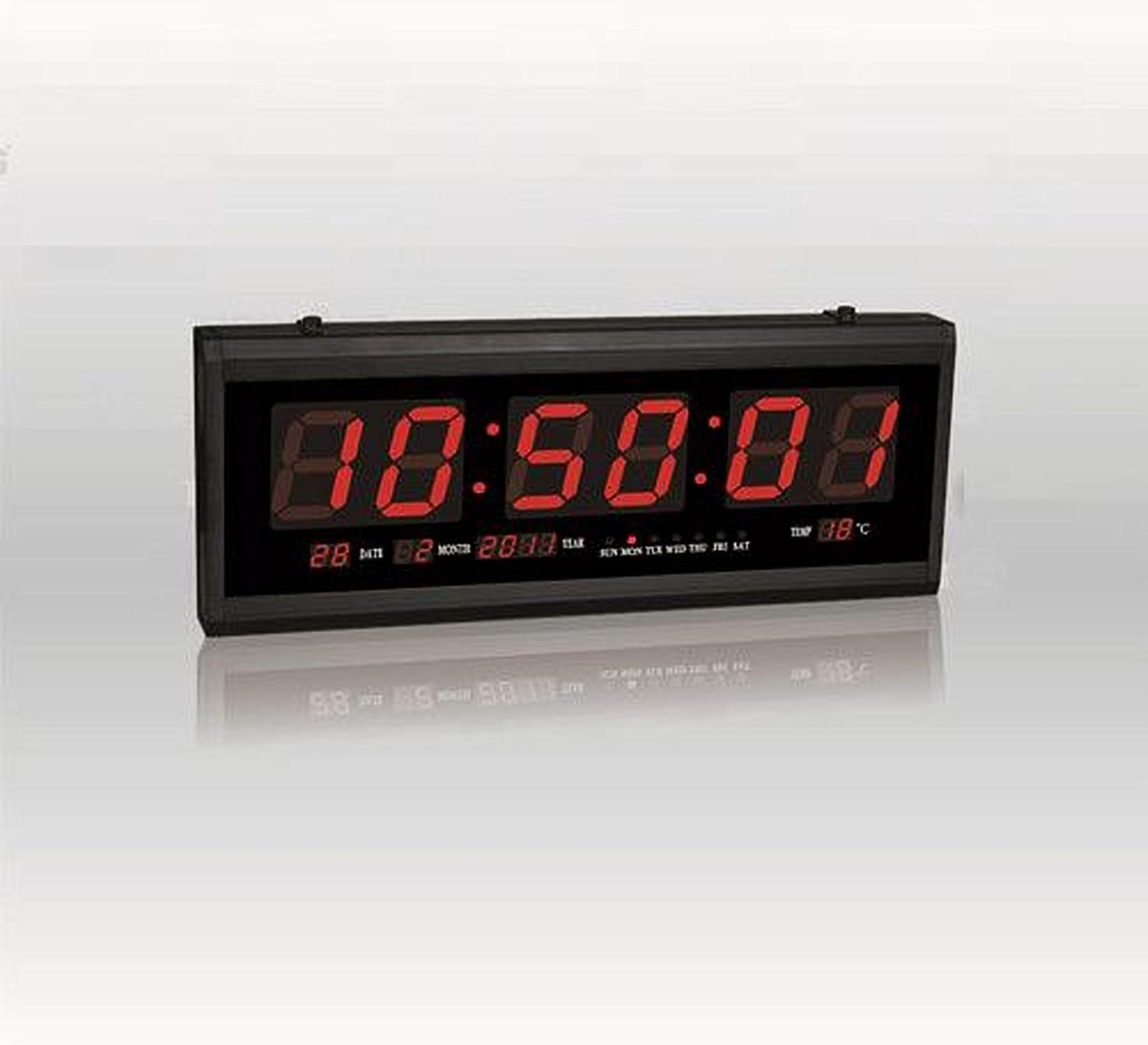
Rajah 1: Depan view of the Digital Red LED Wall Clock Model 3615. The display shows the current time prominently, with smaller indicators for date (day and month), year, day of the week (SUN MON TUE WED THU FRI SAT), and temperature in Celsius.
Elemen Paparan:
- Masa: Large red LED digits (HH:MM:SS format).
- tarikh: Day and Month (e.g., 28 02).
- tahun: (cth, 2088).
- Hari dalam seminggu: Indicators for SUN, MON, TUE, WED, THU, FRI, SAT.
- Suhu: Displays ambient temperature in Celsius (e.g., 88°C).
- penggera: Built-in alarm function.
4. Persediaan
4.1 Pemasangan Dinding
- Select a suitable location on a wall, ensuring it is within reach of a power outlet.
- Use appropriate hardware (screws, anchors – not included) to securely mount the clock to the wall. The clock features mounting points on its rear casing.
- Ensure the clock is level before tightening the mounting hardware.
4.2 Sambungan Kuasa
- Locate the power input port on the clock.
- Connect the provided power adapter to the clock.
- Plug the power adapter into a standard electrical outlet. The clock display should illuminate.
5. Arahan Operasi
The clock typically features control buttons on its side or rear for setting time, date, and alarm. Refer to the specific button labels on your device (e.g., SET, UP, DOWN, MODE).
5.1 Menetapkan Masa
- Tekan ke MODE or SET butang sehingga digit masa mula berkelip.
- Gunakan UP dan TURUN butang untuk melaraskan jam.
- Tekan MODE or SET again to move to the minute setting, then adjust with UP dan TURUN.
- Repeat for seconds if applicable.
- Tekan MODE or SET to confirm and exit time setting mode.
5.2 Setting Date and Day of Week
- From normal display, press MODE or SET repeatedly until the date or year digits flash.
- Laraskan tahun, bulan dan hari menggunakan UP dan TURUN buttons, pressing MODE or SET to cycle between them.
- The day of the week should automatically update once the date is set correctly. If not, there may be a separate setting for the day of the week, which can be adjusted similarly.
- Tekan MODE or SET to confirm and exit date setting mode.
5.3 Menetapkan Penggera
- Tekan ke PENGGERA or MODE butang sehingga digit masa penggera berkelip.
- Gunakan UP dan TURUN butang untuk menetapkan jam penggera yang diingini.
- Tekan PENGGERA or MODE again to set the alarm minute.
- Tekan PENGGERA or MODE untuk mengesahkan.
- To activate/deactivate the alarm, there is usually a dedicated switch or a long press function on one of the buttons. A small indicator on the display may show if the alarm is active.
5.4 Paparan Suhu
The clock automatically displays the ambient temperature. No user adjustment is typically required for this feature.
6. Penyelenggaraan
6.1 Pembersihan
To clean the clock, gently wipe the display and casing dengan lembut, kering, atau sedikit damp cloth. Avoid using abrasive cleaners, solvents, or excessive moisture, as these can damage the display or internal components.
6.2 Power Disconnection
If the clock will not be used for an extended period, disconnect it from the power outlet.
7. Penyelesaian masalah
- Paparan kosong:
- Ensure the power adapter is securely plugged into both the clock and a working electrical outlet.
- Periksa sama ada alur keluar kuasa berfungsi dengan memasang peranti lain.
- Masa/tarikh salah:
- Follow the instructions in Section 5.1 and 5.2 to reset the time and date.
- Penggera tidak berbunyi:
- Ensure the alarm is activated (check for an alarm indicator on the display).
- Sahkan masa penggera ditetapkan dengan betul.
- Temperature reading seems inaccurate:
- Ensure the clock is not placed near heat sources or in direct sunlight, which can affect sensor readings.
8. Spesifikasi
| Jenama | Lain-lain |
| Model | 3615 |
| Jenis Paparan | Digital, Red LED |
| bahan | Plastic & Glass (Frame: Plastic) |
| Sumber Kuasa | Elektrik Bertali |
| Ciri Khas | Alarm, Time, Date, Day of Week, Temperature |
| Jenis Pemasangan | Lekap di dinding |
| Berat Barang | 850 g |
| Dimensi Pakej | 34 x 19.2 x 7 cm |
| Bateri Termasuk | Tidak |
9. Waranti dan Sokongan
Untuk maklumat jaminan atau sokongan teknikal, sila rujuk dokumentasi yang disediakan semasa pembelian atau hubungi penjual/pengilang secara langsung. Simpan resit pembelian anda sebagai bukti pembelian.