
pengenalan
Thank you for choosing the Casio CSN 316 Calculator. This manual provides essential information to help you get the most out of your device, including setup instructions, operational guidance, maintenance tips, and troubleshooting solutions. Please read this manual thoroughly before using the calculator and keep it for future reference.
Produk Selesaiview
The Casio CSN 316 is a reliable 12-digit calculator designed for everyday use. It features dual power sources, ensuring consistent performance in various environments. Its clear LCD display makes calculations easy to read.
Ciri-ciri Utama:
- 12-digit display capacity
- Dual power (Solar and Battery)
- Paparan LCD yang jelas
- Standard arithmetic functions
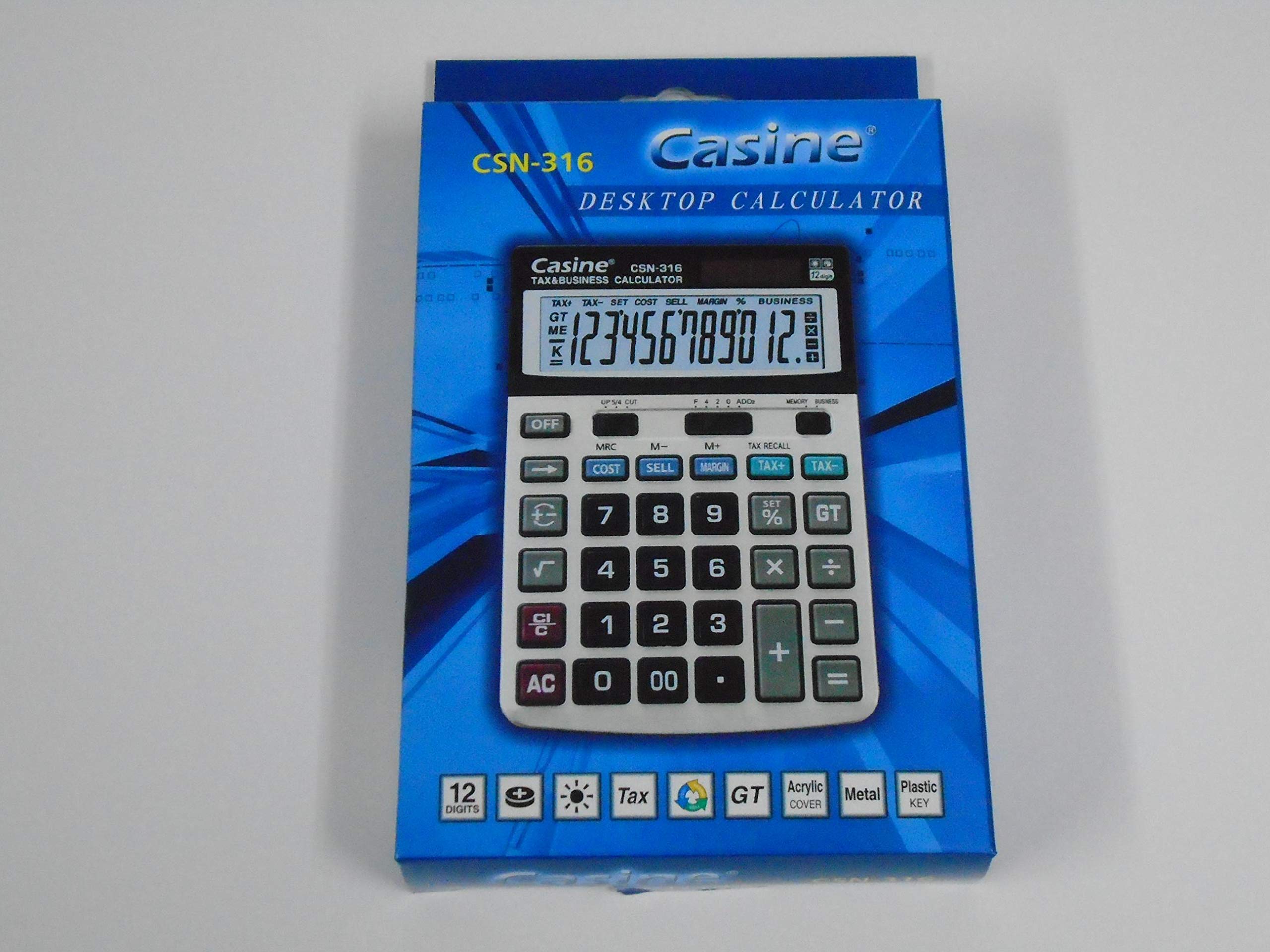
Rajah 1: Depan view of the Casio CSN 316 Calculator, showing the 12-digit LCD display and key layout.
Persediaan
1. Sumber Kuasa
The Casio CSN 316 calculator operates on dual power: solar power and battery power. Under sufficient lighting, the calculator will primarily use solar power. In low light conditions, it will automatically switch to battery power.
2. Pemasangan/Penggantian Bateri
- Pastikan kalkulator dimatikan.
- Cari penutup petak bateri di bahagian belakang kalkulator.
- Using a small screwdriver, carefully remove the screw(s) securing the battery compartment cover.
- Tanggalkan penutup.
- Insert a new battery (type specified in Specifications section) with the correct polarity (+/-) as indicated inside the compartment.
- Gantikan penutup petak bateri dan kencangkannya dengan skru.
Nota: Buang bateri terpakai mengikut peraturan tempatan.
Arahan Operasi
Pengiraan Asas
- Tambahan (+): Masukkan nombor pertama, tekan +, masukkan nombor kedua, tekan =.
- Tolak (-): Masukkan nombor pertama, tekan -, masukkan nombor kedua, tekan =.
- Pendaraban (×): Masukkan nombor pertama, tekan ×, masukkan nombor kedua, tekan =.
- Pembahagian (÷): Masukkan nombor pertama, tekan ÷, masukkan nombor kedua, tekan =.
Clearing Entries
- Tekan AC (All Clear) to clear all entries and reset the calculator.
- Tekan CE (Clear Entry) to clear the last entered number without affecting previous calculations.
Fungsi Memori
- M+: Menambah nilai yang dipaparkan pada memori.
- M-: Menolak nilai yang dipaparkan daripada memori.
- MR: Recalls the value stored in memory to the display.
- MC: Mengosongkan ingatan.
Penyelenggaraan
Pembersihan
To clean your calculator, wipe it gently with a soft, dry cloth. Do not use abrasive cleaners, solvents, or spray directly onto the calculator, as this may damage the display or internal components.
Penyimpanan
Simpan kalkulator di tempat yang sejuk dan kering, jauh daripada cahaya matahari langsung dan suhu yang melampau. Elakkan meletakkan objek berat di atas kalkulator.
Menyelesaikan masalah
| Masalah | Kemungkinan Punca | Penyelesaian |
|---|---|---|
| Paparan kosong atau malap. | Cahaya yang tidak mencukupi untuk kuasa solar atau bateri lemah. | Move to a brighter area or replace the battery. |
| Keputusan pengiraan yang salah. | Incorrect key input or previous calculation not cleared. | Tekan AC to clear all and re-enter the calculation carefully. |
| Kekunci tidak responsif. | Calculator may be frozen or battery is completely drained. | Replace the battery. If problem persists, contact customer support. |
Spesifikasi
- Jenama: Casio
- Nama Model: CSN 316
- Jenis Paparan: LCD
- Bilangan Digit: 12
- Sumber Kuasa: Dual Power (Solar and Battery Powered)
- Nombor Bahagian Pengilang: 2724633395248.0
- ASIN: B091BPDPC4
- Tarikh Pertama Tersedia: 30 Mac 2021
Waranti dan Sokongan
For detailed warranty information, please refer to the warranty card included with your product packaging or visit the official Casio website. If you require further assistance or have questions not covered in this manual, please contact Casio customer support through their official channels.
Anda selalunya boleh mendapatkan maklumat hubungan sokongan pada halaman pengilang webtapak: www.casio.com