
pengenalan
Thank you for choosing the LENRUE Bluetooth Speaker. This portable wireless speaker delivers loud stereo sound with rich bass and offers up to 12 hours of playtime. Featuring advanced Bluetooth 5.0 technology and a built-in microphone, it is designed for a superior audio experience and convenient hands-free communication. This manual provides essential information for setting up, operating, and maintaining your speaker.
Kandungan Pakej
Sila tandai kotak untuk item berikut:
- LENRUE Bluetooth Speaker (Model: yun-dong-199)
- Kabel Pengecas USB
- Kabel Audio Tambahan
- Manual Pengguna
Produk Selesaiview
The LENRUE Bluetooth Speaker is designed for portability and high-quality audio. It features:
- Kualiti Bunyi Unggul: Dual high-performance drivers and enhanced bass for clear, powerful audio.
- Masa Main Dilanjutkan: Sehingga 12 jam main balik muzik berterusan dengan sekali cas.
- Kesambungan Lanjutan: Bluetooth 5.0 for stable, fast wireless connections. Supports USB, Micro SD card (up to 32GB), and AUX input.
- Mikrofon terbina dalam: Enables hands-free calling with clear stereo sound.
- Reka Bentuk Mudah Alih: Lightweight (0.66 lb) and compact, making it ideal for travel and outdoor use.

Image: The LENRUE Bluetooth Speaker, showcasing its compact and sleek design in blue.
Persediaan
1. Mengisi Speaker
Before first use, fully charge the speaker. Connect the provided USB charging cable to the speaker's charging port and to a USB power source (e.g., computer, wall adapter). The charging indicator light will show the charging status (refer to LED indicator section for details). A full charge typically takes 2-3 hours.

Imej: Belakang view of the speaker highlighting the USB, TF card, DC 9V charging, Reset pinhole, and AUX input ports.
2. Menghidupkan/Mematikan
- To Power On: Press and hold the Power/Mode button (often marked 'M' or with a power icon) until you hear an audible prompt or see the LED indicator light up.
- To Power Off: Press and hold the Power/Mode button again until you hear an audible prompt or the LED indicator turns off.
3. Berpasangan Bluetooth
- Ensure the speaker is powered on and in Bluetooth pairing mode (the LED indicator will usually flash blue).
- Pada peranti anda (telefon pintar, tablet, dll.), dayakan Bluetooth dan cari peranti yang tersedia.
- Select "LENRUE Speaker" (or similar name) from the list.
- Once paired, the speaker will emit an audible confirmation, and the LED indicator will turn solid blue.

Image: The LENRUE speaker positioned on a desk, wirelessly connected to a laptop, tablet, and smartphone, illustrating its versatile Bluetooth 5.0 connectivity.
4. Connecting via AUX, USB, or Micro SD Card
- Input AUX: Connect one end of the provided auxiliary audio cable to the speaker's AUX port and the other end to your audio device's headphone jack. The speaker will automatically switch to AUX mode.
- Main balik USB: Masukkan pemacu USB yang mengandungi audio files into the USB port. The speaker will automatically detect and play music from the drive.
- Main balik Kad Micro SD: Masukkan kad Micro SD (sehingga 32GB) dengan audio fileke dalam slot kad TF. Pembesar suara akan mengesan dan memainkan muzik daripada kad secara automatik.
Arahan Operasi
Fungsi Butang
Pembesar suara ini mempunyai kawalan intuitif pada panel atasnya:

Imej: Atas view of the LENRUE speaker, displaying the control buttons for power, mode, volume, and track navigation.
- Power/Mode Button (M):
- Tekan dan tahan untuk menghidupkan/mematikan kuasa.
- Short press to switch between input modes (Bluetooth, AUX, USB, Micro SD).
- Butang Main/Jeda:
- Tekan pendek untuk memainkan atau menjeda muzik.
- Short press to answer/end a phone call.
- Tekan dan tahan untuk menolak panggilan masuk.
- Butang Kelantangan Kurang / Trek Sebelumnya (-):
- Tekan pendek untuk mengurangkan kelantangan.
- Tekan dan tahan untuk pergi ke trek sebelumnya.
- Butang Naikkan Kelantangan / Trek Seterusnya (+):
- Tekan pendek untuk meningkatkan kelantangan.
- Tekan dan tahan untuk pergi ke trek seterusnya.
Sambungan Stereo Tanpa Wayar Sejati (TWS)
For an enhanced stereo experience, you can connect two LENRUE Bluetooth Speakers together:
- Pastikan kedua-dua pembesar suara dimatikan.
- Hidupkan kedua-dua pembesar suara. Kedua-dua pembesar suara akan memasuki mod gandingan Bluetooth secara automatik.
- On one speaker, double-press the Power/Mode button. It will search for another speaker to pair with.
- Once connected, you will hear an audible confirmation, and both speakers will play in stereo.
- Now, connect your device to one of the speakers via Bluetooth as described in the "Bluetooth Pairing" section.
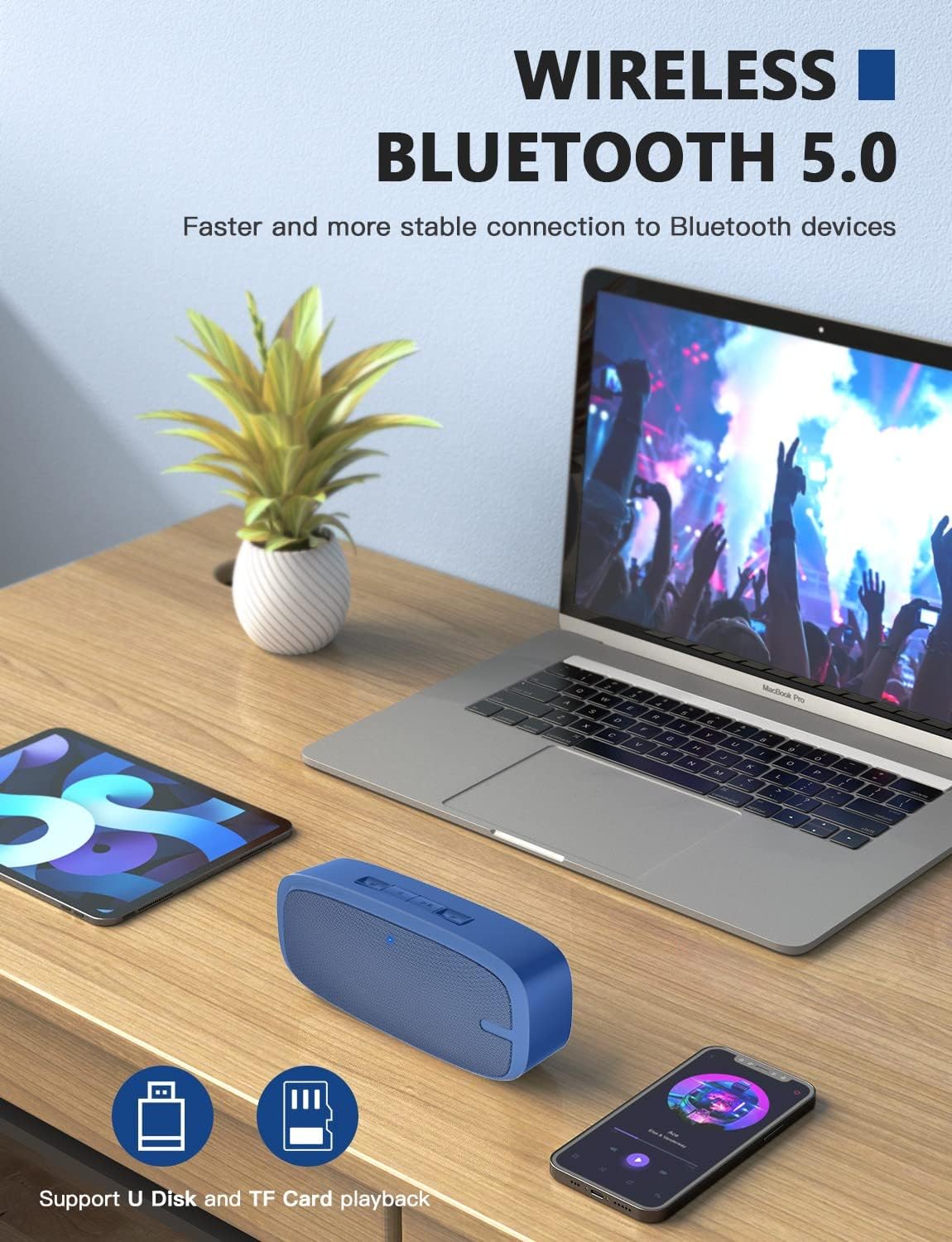
Image: Two LENRUE Bluetooth Speakers shown side-by-side, illustrating the True Wireless Stereo (TWS) connection capability for a wider soundstage.
Penyelenggaraan
- Pembersihan: Gunakan kain lembut dan kering untuk membersihkan permukaan pembesar suara. Jangan gunakan bahan kimia yang keras atau pembersih yang kasar.
- Storan: Simpan pembesar suara di tempat yang sejuk dan kering jauh dari cahaya matahari langsung dan suhu yang melampau.
- Penjagaan Bateri: Untuk memanjangkan hayat bateri, elakkan daripada menyahcas sepenuhnya pembesar suara dengan kerap. Mengecasnya dengan kerap, walaupun tidak digunakan untuk tempoh yang lama.
- Tahan Air: Pembesar suara ini TIDAK kalis air. Elakkan pendedahan kepada air atau kelembapan berlebihan.
Menyelesaikan masalah
| Masalah | Kemungkinan Punca | Penyelesaian |
|---|---|---|
| Speaker tidak dihidupkan. | Bateri lemah. | Cas pembesar suara sepenuhnya menggunakan kabel USB yang disediakan. |
| Tidak boleh berpasangan melalui Bluetooth. | Pembesar suara tidak dalam mod berpasangan; Bluetooth peranti dimatikan; terlalu jauh dari peranti. | Ensure speaker is in pairing mode (flashing blue LED). Turn Bluetooth on your device. Move speaker closer to device (within 10 meters). Forget previous pairings on your device and try again. |
| Tiada bunyi. | Kelantangan terlalu rendah; mod input yang salah; peranti tidak bermain. | Increase speaker and device volume. Check if the correct input mode (Bluetooth, AUX, USB, TF) is selected. Ensure your device is playing audio. |
| Kualiti bunyi yang buruk. | Bateri lemah; gangguan; peranti terlalu jauh. | Charge the speaker. Move away from other wireless devices. Move speaker closer to your device. |
| Micro SD card or USB drive not recognized. | tak betul file format; card/drive not inserted correctly; unsupported capacity. | Pastikan audio files are in a supported format (e.g., MP3). Reinsert the card/drive. Ensure Micro SD card is 32GB or less. |
Spesifikasi
| Ciri | Perincian |
|---|---|
| Jenama | LENRUE |
| Nombor Model | yun-dong-199 |
| Teknologi Ketersambungan | Bluetooth 5.0, Bantu, USB |
| Mod Keluaran Audio | Stereo |
| Kuasa Output Maksimum Pembesar Suara | 3 Watt |
| Purata Hayat Bateri | 12 Jam |
| Julat Bluetooth | 10 Meter (33 Kaki) |
| Berat Barang | 0.47 Kilograms (0.66 lb) |
| Mikrofon | Built-in (1 microphone) |
| Media yang Disokong | USB, Micro SD Card (up to 32GB), AUX |
| Kaedah Kawalan | Sentuh butang |
| Adakah Kalis Air | PALSU |
Waranti dan Sokongan
The LENRUE Bluetooth Speaker comes with a limited warranty. For detailed warranty information, please refer to the product packaging or contact LENRUE customer support.
If you encounter any issues or have questions about your speaker, please contact our customer support team:
- Sokongan dalam talian: Visit the official LENRUE webtapak untuk Soalan Lazim dan sumber sokongan.
- e-mel: Refer to your product packaging for customer service email address.