
pengenalan
The FOREO LUNA play plus 2 is a compact facial cleansing brush and massager designed to provide deep yet gentle cleansing for all skin types. Its portable design makes it an ideal travel companion, ensuring a fresh and beautiful complexion wherever you are. This manual provides essential information on setting up, operating, and maintaining your device to ensure optimal performance and longevity.
Ciri-ciri Utama
- Deep & Gentle Cleanse: Non-abrasive, soft silicone touchpoints combined with 8,000 T-Sonic pulsations per minute effectively remove 99.5% of dirt, oil, sweat, and makeup residue.
- Ultra-Hygienic Soft Silicone: Made from hypoallergenic, BPA-free, and phthalate-free silicone that is quick-drying and non-porous, promoting healthy and super clean skin.
- Penyerapan Penjagaan Kulit yang Dipertingkatkan: Pulsations not only cleanse deeply but also improve the absorption of your favorite skincare products.
- Perfect On-The-Go: Compact and lightweight, offering up to 600 uses per battery, making it an excellent travel accessory with no messy wires or fuss.
- Smart Swedish Design: 100% waterproof with an ergonomically shaped 2-zone brush head that adapts to facial curves, eliminating the need for brush head replacements.
Persediaan
Membuka kotak
Carefully remove your FOREO LUNA play plus 2 device from its packaging. Inspect the device for any visible damage. The package should include the LUNA play plus 2 device and a quick start guide.

Figure 1: FOREO LUNA play plus 2 device and packaging.
Pemasangan Bateri
The LUNA play plus 2 requires 1 A battery. To install or replace the battery, locate the battery compartment on the back of the device. Use a small screwdriver to open the compartment, insert the battery with the correct polarity, and securely close the compartment. Ensure the compartment is sealed tightly to maintain water resistance.

Figure 2: Quick start guide illustrating initial setup and support information. For detailed instructions, visit foreo.com/support.
Penggunaan Pertama
Before first use, ensure the device has a fresh battery installed. It is recommended to clean the device with soap and water before applying it to your face.
Arahan Operasi
Daily Cleansing Routine
- Prepare Your Face: Dampen your face and apply your favorite cleanser.
- Aktifkan Peranti: Press the universal power button on the back of the device to turn it on. The device will begin vibrating.
- Membersihkan: Gently move the LUNA play plus 2 in circular motions across your face for approximately one minute. The device features different touch-point areas for various facial regions.
- Bilas: Rinse your face and the device thoroughly with water.
- Pat Dry: Gently pat your face dry.

Figure 3: Device features including the universal power button and varied silicone touch-points for effective cleansing.
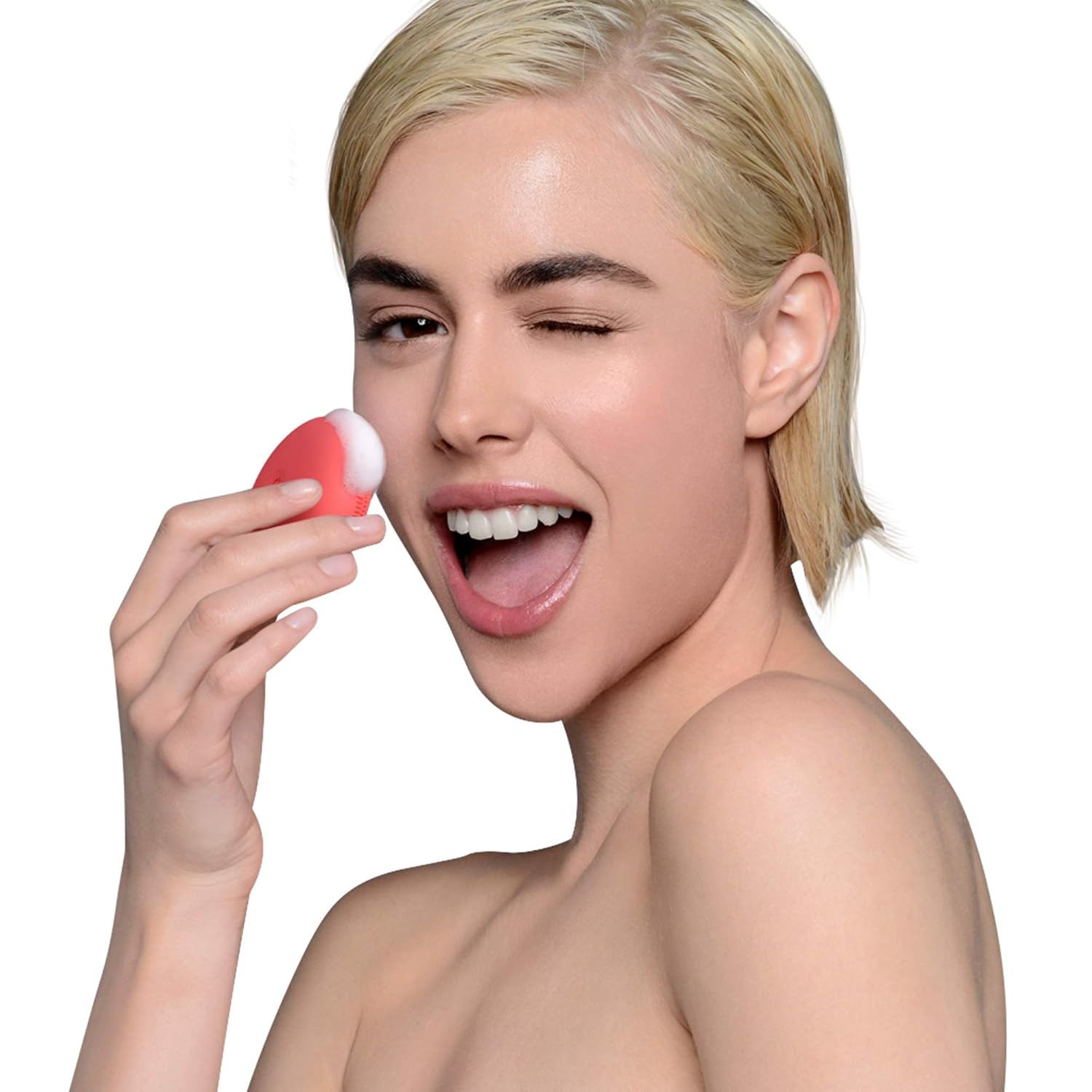
Figure 4: Proper technique for using the LUNA play plus 2 for facial cleansing.
Benefits of T-Sonic Cleansing
The LUNA play plus 2 utilizes T-Sonic pulsations, which are significantly more hygienic and effective than traditional manual cleansing or nylon bristles. This technology ensures a deeper clean, removing impurities and enhancing skin health.

Figure 5: Visual comparison highlighting the superior cleansing efficacy of T-Sonic technology over manual methods.
Penyelenggaraan
Membersihkan Peranti
After each use, rinse the LUNA play plus 2 with warm water and soap. Gently rub the silicone touchpoints to remove any cleanser residue. Pat dry with a lint-free cloth. Avoid using abrasive cleaners or exfoliants, as they may damage the silicone.
Penyimpanan
Store your LUNA play plus 2 in a clean, dry place. Its compact size makes it ideal for storage in a toiletry bag or on a bathroom shelf. Avoid prolonged exposure to direct sunlight or extreme temperatures.

Figure 6: The compact and travel-friendly design of the LUNA play plus 2.
Menyelesaikan masalah
If you encounter any issues with your FOREO LUNA play plus 2, please refer to the table below for common problems and their solutions.
| Masalah | Kemungkinan Punca | Penyelesaian |
|---|---|---|
| Peranti tidak dihidupkan. | Bateri mati atau tidak dipasang dengan betul. | Replace the A battery with a new one, ensuring correct polarity. Check that the battery compartment is securely closed. |
| Getaran lemah atau tidak konsisten. | Kuasa bateri rendah. | Replace the A battery. |
| Device stops working after a short period. | Water ingress due to improper sealing of battery compartment. | Ensure the battery compartment is always tightly sealed after battery replacement. If water damage is suspected, contact customer support. |
| Battery compartment screws show rust. | Pendedahan kepada kelembapan. | Always ensure the device is dry before opening the battery compartment. Store in a dry environment. |
Spesifikasi
| Atribut | Nilai |
|---|---|
| Jenama | FOREO |
| Nombor Model | 2486405 |
| bahan | silikon |
| warna | Peach of Cake! |
| Sumber Kuasa | Manual (Battery-operated) |
| Bateri Diperlukan | 1 Bateri |
| Jenis Kulit | Semua |
| Dimensi Pakej | 4.21 x 2.99 x 1.61 inci |
| Berat Barang | 2.89 auns |
Waranti dan Sokongan
For detailed warranty information, product registration, and customer support, please visit the official FOREO support weblaman web. Anda boleh menemui Soalan Lazim yang komprehensif, panduan penyelesaian masalah dan pilihan hubungan di sana.
Sokongan Rasmi Webtapak: foreo.com/support