
1. Pengenalan
Thank you for choosing Monster Persona Noise Cancelling Wireless Headphones. These headphones are designed to provide a superior audio experience with advanced noise cancellation, Hi-Fi stereo sound, and deep bass. This manual will guide you through the setup, operation, and maintenance of your new headphones to ensure optimal performance and longevity.

Image: Monster Persona Noise Cancelling Wireless Headphones, showcasing their sleek gray design.
2. Apa yang ada di dalam Kotak
Upon unboxing your Monster Persona headphones, please ensure all the following components are present:
- Monster Persona Wireless Headphones
- Kabel AUX 3.5mm
- Kabel USB-C
- Penyesuai Penerbangan
- Beg Simpanan
Video: A detailed unboxing of the Monster Persona headphones, showing all included accessories and the headphones themselves.
3. Produk Lebihview
3.1. Kawalan dan Ciri
The Monster Persona headphones feature intuitive controls for easy management of audio and calls. Key features include:
- Pembatalan Bunyi Aktif (ANC): Mengurangkan bunyi ambien untuk pengalaman mendengar yang mengasyikkan.
- Mod Suara Ambient: Membolehkan anda mendengar persekitaran anda sambil mendengar audio.
- Kawalan Kelantangan: Adjust audio levels directly from the headphones.
- Butang pelbagai fungsi: Manages calls, music playback, and voice assistant activation.
- Port Pengecasan USB-C: For fast and convenient charging.
- Bicu Audio 3.5mm: Untuk sambungan berwayar.

Image: A visual representation highlighting the adjustable headband, 90-degree rotatable earcups, and foldable design for portability.
Video: Akhir terperinciview of the Monster Persona headphones, showcasing their design and various features.
Video: Demonstrates the foldable design of the Monster Persona Over-Ear Wireless Headphones, highlighting their portability.
4. Persediaan
4.1. Mengecas Fon Kepala
Before first use, fully charge your headphones. Connect the supplied USB-C cable to the charging port on the headphones and the other end to a USB power source. The LED indicator will show charging status.
- Caj penuh mengambil masa lebih kurang 1 jam.
- A 5-minute quick charge provides up to 2.5 hours of playtime.
- Fully charged, the headphones offer over 30 hours of playtime.
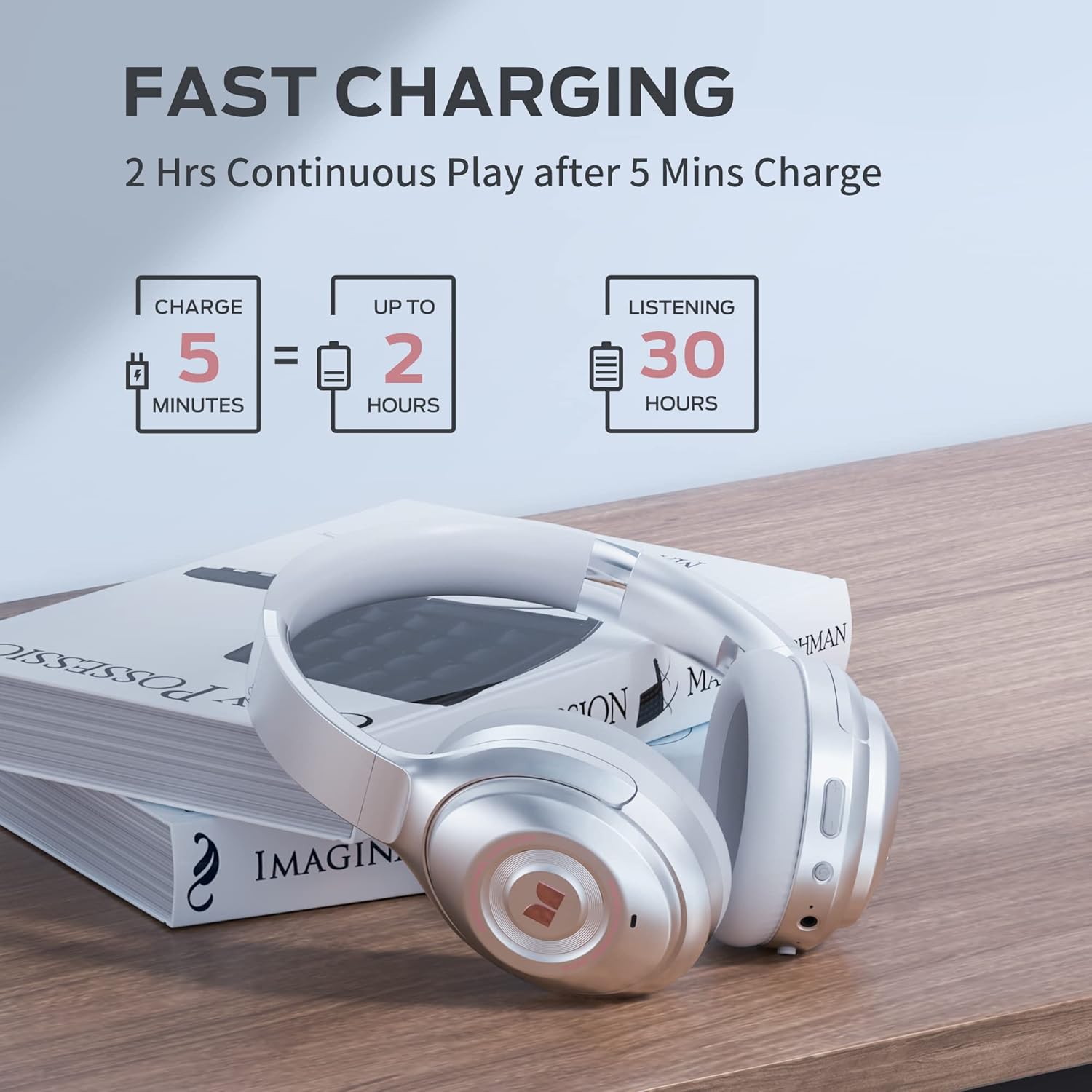
Image: Visual guide to the fast charging feature, showing charge times and playtime.
4.2. Hidupkan/Mati Kuasa
- Untuk Menghidupkan: Tekan dan tahan butang Kuasa selama 2 saat. Penunjuk LED akan menyala.
- Untuk Mematikan: Tekan dan tahan butang Kuasa selama 3 saat. Penunjuk LED akan dimatikan.
4.3. Berpasangan Bluetooth
Untuk menyambungkan fon kepala anda ke peranti berdaya Bluetooth:
- Pastikan fon kepala dimatikan.
- Tekan dan tahan butang Kuasa selama 5 saat sehingga penunjuk LED berkelip biru dan merah, menunjukkan mod berpasangan.
- On your device, go to Bluetooth settings and select "Monster Persona" from the list of available devices.
- Setelah disambungkan, penunjuk LED akan bertukar menjadi biru padu.

Image: A visual guide demonstrating how to easily pair your Monster Persona headphones via Bluetooth.
Video: A step-by-step tutorial on how to pair your Monster Persona headphones with a Bluetooth device.
5. Mengendalikan Fon Kepala
5.1. Pembatalan Bunyi Aktif (ANC)
The headphones feature advanced active noise cancellation to minimize external distractions.
- To Activate ANC: Press the ANC button located on the earcup. You will hear an audible confirmation.
- To Deactivate ANC: Press the ANC button again.

Image: Illustration of the Active Noise Cancellation feature, demonstrating how external noise is reduced.
Video: Demonstrates the active noise cancelling feature of the Monster Persona Wireless Headphones.
5.2. Mod Bunyi Ambien
This mode allows you to hear important sounds around you without removing your headphones.
- To Activate Ambient Sound Mode: Press the Ambient Sound button (often the same as ANC button, or a dedicated button depending on model).
- To Deactivate Ambient Sound Mode: Tekan butang sekali lagi.

Image: A visual explanation of the Ambient Sound feature, allowing users to remain aware of their surroundings.
5.3. Kawalan Main Semula Muzik
- Main/Jeda: Tekan butang Pelbagai fungsi sekali.
- Lagu Seterusnya: Tekan dan tahan butang Naik Kelantangan.
- Trek Sebelumnya: Tekan dan tahan butang Kurangkan Kelantangan.
5.4. Pengurusan Panggilan
- Jawab/Tamatkan Panggilan: Tekan butang Pelbagai fungsi sekali.
- Tolak Panggilan: Tekan dan tahan butang Berbilang fungsi selama 2 saat.
- Aktifkan Pembantu Suara: Tekan dua kali butang Berbilang fungsi.
6. Penyelenggaraan
To ensure the longevity and optimal performance of your Monster Persona headphones, follow these maintenance guidelines:
- Pembersihan: Gunakan kain lembut dan kering untuk membersihkan penutup telinga dan ikat kepala. Jangan gunakan pembersih atau pelarut yang kasar.
- Storan: When not in use, store the headphones in the provided storage bag to protect them from dust and scratches. The foldable design makes them compact for storage.
- Elakkan Kelembapan: The headphones are not water resistant. Avoid exposure to water, rain, or excessive humidity.
- Suhu: Jangan dedahkan fon kepala kepada suhu yang melampau (panas atau sejuk).
7. Penyelesaian masalah
If you encounter any issues with your headphones, refer to the following common problems and solutions:
| Masalah | Kemungkinan Punca | Penyelesaian |
|---|---|---|
| Fon kepala tidak dihidupkan | Bateri lemah | Cas fon kepala sepenuhnya. |
| Tidak boleh berpasangan melalui Bluetooth | Fon kepala tidak dalam mod berpasangan / Bluetooth Peranti dimatikan | Ensure headphones are in pairing mode (flashing blue/red LED). Turn Bluetooth on your device. Forget previous pairings and try again. |
| Tiada bunyi | Volume too low / Not connected / Wired mode issue | Increase volume on headphones and device. Ensure successful Bluetooth connection. If using 3.5mm cable, ensure it's fully inserted. |
| ANC tidak berfungsi dengan berkesan | ANC not activated / Improper fit | Tekan butang ANC untuk mengaktifkan. Laraskan fon kepala agar pas pada telinga anda. |
8. Spesifikasi
| Ciri | Perincian |
|---|---|
| Nama Model | MH31902 |
| Teknologi Ketersambungan | Bluetooth 5.0 |
| Jack Fon Kepala | Jack 3.5 mm |
| Kawalan Bunyi | Pembatalan Bunyi Aktif |
| Hayat Bateri | 30 Jam |
| Masa Mengecas | 1 Jam |
| Jenis Pemacu Audio | Pemandu Dinamik |
| Saiz Pemacu Audio | 40 Milimeter |
| Julat Kekerapan | 10 Hz - 30,000 Hz |
| Bentuk alat dengar | Atas Telinga |
| Berat Barang | 291 Gram (10.3 auns) |
| Dimensi Produk | 7.87 x 6.3 x 3.15 inci |
| Tahap Ketahanan Air | Bukan Tahan Air |
| Pengeluar | JONTER |
| UPC | 810079709892 |
9. Waranti dan Sokongan
For warranty information and customer support, please refer to the documentation included with your purchase or visit the official Monster weblaman web. Anda juga boleh menghubungi tempat pembelian anda untuk mendapatkan bantuan.
For further inquiries or technical support, please reach out to Monster customer service through their official channels.