
OnePlus GM1917
OnePlus 7 Pro Dual SIM Smartphone Instruction Manual (Model GM1917)
Your comprehensive guide to the OnePlus 7 Pro
1. Pengenalan
The OnePlus 7 Pro (Model GM1917) is a high-performance smartphone designed to deliver a smooth and immersive user experience. It features a 6.67-inch Fluid AMOLED display with a 90 Hz refresh rate and QHD+ resolution, offering exceptional clarity and fluidity. The device is equipped with a versatile camera system, including a 48 MP main camera, an ultra-wide-angle lens, and 3x optical zoom, enhanced by smart scene recognition and Nightscape 2.0 technology. This manual provides essential information for setting up, operating, and maintaining your OnePlus 7 Pro.

Rajah 1: Depan view of the OnePlus 7 Pro smartphone.
2. Persediaan Awal
2.1. Kandungan Pakej
Sebelum meneruskan, pastikan semua barang ada di dalam bungkusan anda:
- OnePlus 7 Pro Smartphone (Model GM1917)
- Penyesuai Kuasa
- Kabel Jenis-C USB
- Alat Ejector SIM
- Panduan Mula Pantas
- Maklumat Keselamatan
2.2. Memasukkan Kad SIM
- Cari dulang kad SIM di sisi peranti anda.
- Insert the SIM ejector tool into the small hole on the tray and press firmly until the tray ejects.
- Place your Nano-SIM cards into the tray with the gold contacts facing down. The OnePlus 7 Pro supports Dual SIM functionality.
- Masukkan semula dulang dengan berhati-hati ke dalam peranti.
2.3. Menghidupkan dan Konfigurasi Awal
- Press and hold the Power button (located on the right side) until the OnePlus logo appears.
- Ikut gesaan pada skrin untuk memilih bahasa anda, menyambung ke rangkaian Wi-Fi dan menyediakan akaun Google anda.
- You will be guided through setting up security features such as fingerprint unlock and face unlock.
3. Operating Your OnePlus 7 Pro
3.1. Ciri Paparan
The OnePlus 7 Pro features a 6.67-inch Fluid AMOLED display with a QHD+ resolution (2560 x 1440 pixels) and a 90 Hz refresh rate. This combination provides incredibly smooth scrolling, fluid animations, and vibrant colors. Adjust display settings such as brightness, color mode, and refresh rate (if applicable) in the Settings menu under 'Display'.
3.2. Prestasi dan Storan
Powered by a Qualcomm Snapdragon 855 processor and 6GB of RAM, the OnePlus 7 Pro delivers robust performance for multitasking, gaming, and demanding applications. The device comes with 128GB of internal storage, providing ampruang untuk apl, foto dan video.
3.3. Navigasi
Your device offers various navigation options, including traditional on-screen navigation buttons or gesture navigation. These can be customized in the Settings menu under 'Buttons & gestures'.
4. Sistem Kamera
The OnePlus 7 Pro is equipped with a triple rear camera setup and a unique pop-up front camera.
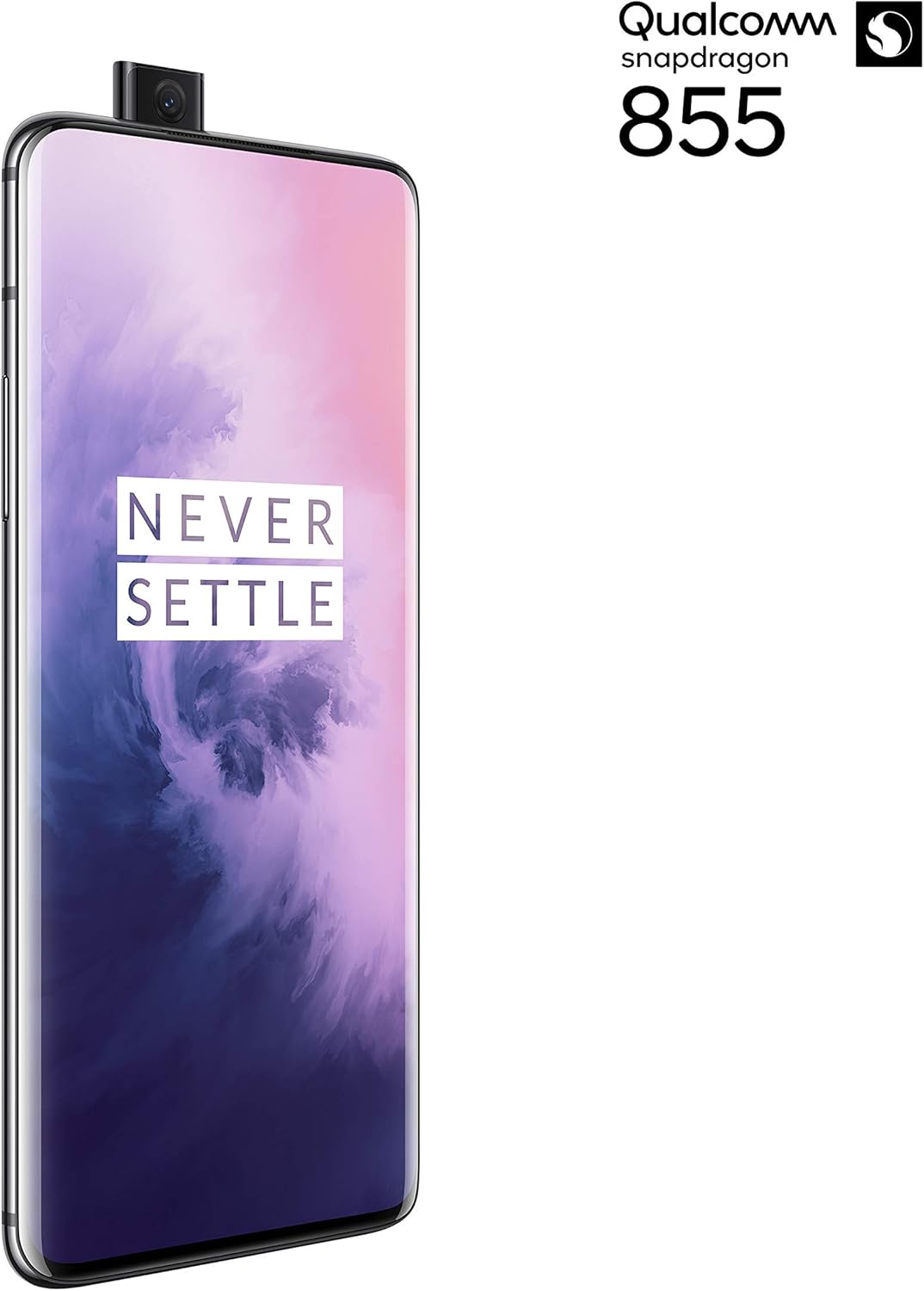
Rajah 2: Depan view of the OnePlus 7 Pro with its pop-up selfie camera.
4.1. Kamera Belakang
- Kamera Utama: 48 MP sensor for high-resolution photos.
- Ultra-Wide Angle Lens: Captures a broader field of view, ideal for landscapes and group shots.
- Kanta Telefoto: Offers 3x optical zoom for clear, detailed shots from a distance.
4.2. Kamera Depan
The device features a motorized pop-up front camera, ensuring an uninterrupted full-screen display. This camera is designed for high-quality selfies and video calls.
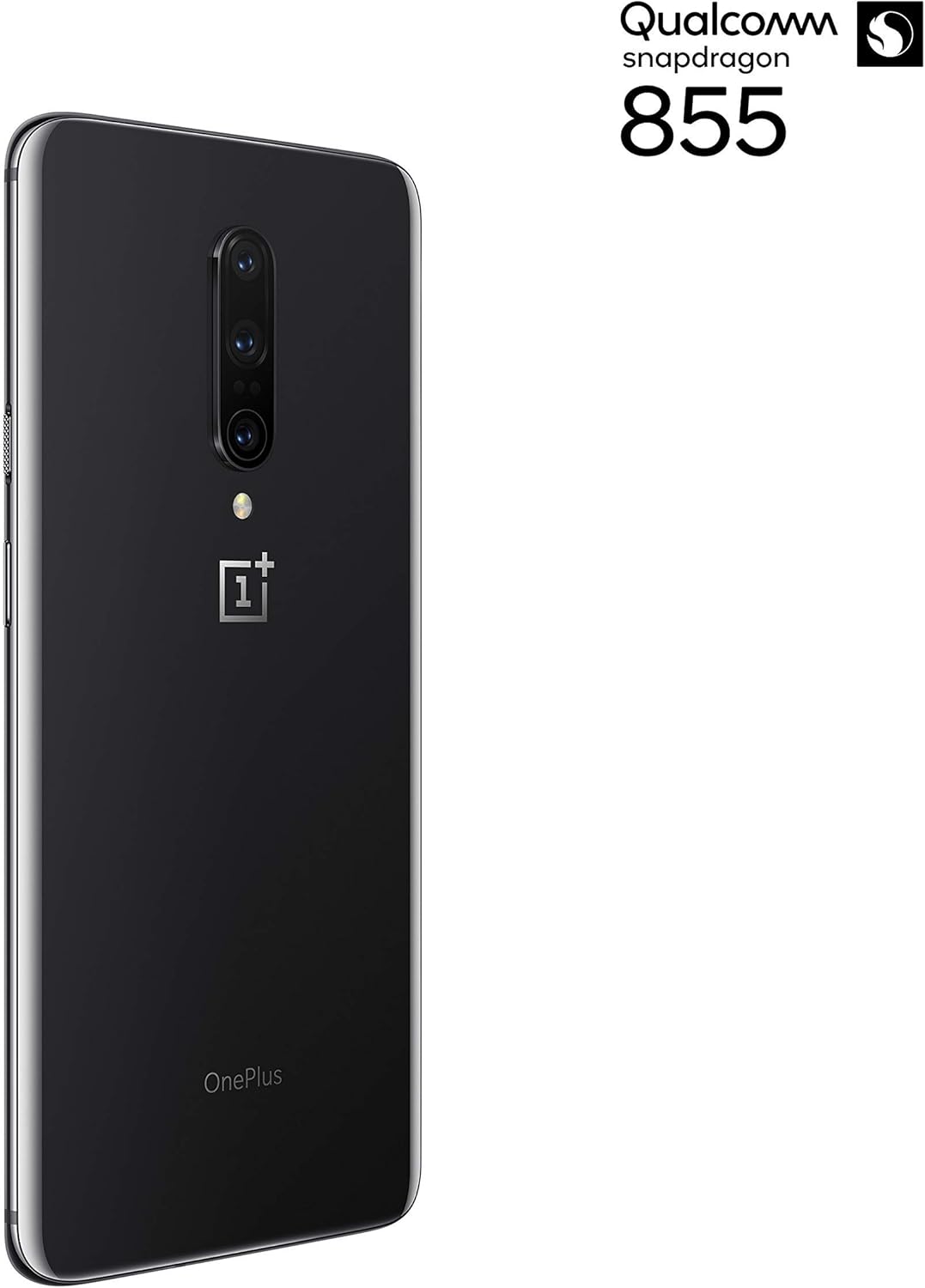
Rajah 3: Belakang view of the OnePlus 7 Pro highlighting the triple camera module.
4.3. Mod Kamera
Explore various camera modes to enhance your photography:
- Foto: Standard mode for everyday shots.
- Potret: Creates a depth-of-field effect, blurring the background.
- Nightscape 2.0: Optimizes photos taken in low-light conditions for brighter and clearer results.
- Mod Pro: Offers manual control over settings like ISO, shutter speed, and white balance.
- Video: Records high-quality videos.
5. Bateri dan Pengecasan
The OnePlus 7 Pro is equipped with a 4000 mAh battery, designed to provide extended usage. It supports Warp Charge technology for rapid charging.
5.1. Mengecas Peranti Anda
To charge your device, connect the provided USB Type-C cable to the phone's charging port and the power adapter. Plug the adapter into a wall outlet. For optimal charging speed, use only the official OnePlus Warp Charge adapter and cable.
5.2. Pengoptimuman Bateri
To maximize battery life, consider the following:
- Laraskan kecerahan skrin.
- Dayakan mod Penjimat Bateri apabila diperlukan.
- Tutup aplikasi yang tidak digunakan yang berjalan di latar belakang.
- Hadkan penggunaan data latar belakang untuk apl tertentu.
6. Spesifikasi Teknikal
| Ciri | Spesifikasi |
|---|---|
| Nombor Model | GM1917 |
| Paparan | 6.67-inch Fluid AMOLED, QHD+ (2560 x 1440), 90 Hz |
| Pemproses | Qualcomm Snapdragon 855 |
| RAM | 6 GB |
| Storan Dalaman | 128 GB |
| Kamera Belakang | 48 MP Main, Ultra-Wide, 3x Optical Zoom Telephoto |
| Kamera Depan | Pop-up Selfie Camera |
| Kapasiti Bateri | 4000 mAh |
| Sistem Operasi | Android |
| Ketersambungan | Wi-Fi, 4G LTE (AT&T, Verizon, T-Mobile compatible) |
| Jenis SIM | Dual Nano-SIM |
7. Penyelesaian masalah
If you encounter issues with your OnePlus 7 Pro, try the following steps:
- Peranti Tidak Responsif: Press and hold the Power button for approximately 10 seconds to force restart the device.
- Isu Apl: Clear the cache and data for the problematic app in Settings > Apps > [App Name] > Storage. If the issue persists, uninstall and reinstall the app.
- Kesambungan Rangkaian: Hidupkan dan matikan Mod Pesawat. Mulakan semula peranti anda. Periksa pemasukan kad SIM anda.
- Longkang Bateri: Review 'Battery Usage' in Settings to identify apps consuming excessive power. Reduce screen brightness and disable unnecessary features.
- Gangguan Perisian: Ensure your device's software is up to date via Settings > System > System updates.
- Tetapan semula kilang: Sebagai langkah terakhir, anda boleh melakukan tetapan semula kilang (Tetapan > Sistem > Pilihan tetapan semula > Padam semua data). Amaran: Ini akan memadamkan semua data pada peranti anda. Sandarkan maklumat penting sebelum meneruskan.
8. Penjagaan dan Penyelenggaraan
To ensure the longevity and optimal performance of your OnePlus 7 Pro:
- Pastikan peranti bersih menggunakan kain lembut dan tidak berbulu. Elakkan bahan kimia yang keras.
- Lindungi skrin dengan pelindung skrin dan gunakan sarung pelindung.
- Elakkan daripada mendedahkan peranti kepada suhu yang melampau, cahaya matahari langsung atau lembapan.
- Regularly back up your data to a cloud service or external storage.
- Install software updates to benefit from the latest features and security enhancements.
9. Waranti dan Sokongan
For information regarding warranty coverage, technical support, or service, please refer to the documentation provided with your purchase or visit the official OnePlus support website. As this is a renewed product, specific warranty terms may vary; please consult your seller for details on their renewed product warranty and return policy.
Ask a question about this manual
Ask about setup, troubleshooting, compatibility, parts, safety, or missing instructions. Manuals+ will review the question and use this page’s manual context to help answer it.