
Arahan Keselamatan Penting
Sila baca dan fahami semua arahan keselamatan sebelum menggunakan produk ini. Kegagalan mematuhi arahan ini boleh mengakibatkan renjatan elektrik, kebakaran atau kecederaan serius.
- Penggunaan Dalaman Sahaja: Pengecas ini direka bentuk untuk kegunaan di dalam rumah. Jangan dedahkannya kepada hujan, kelembapan atau suhu yang melampau.
- Keringkan: Ensure the charger and your hands are dry before plugging in or unplugging.
- Pengudaraan yang Betul: Do not cover the charger during operation. Ensure adequate ventilation to prevent overheating.
- Putuskan Sambungan Apabila Tidak Digunakan: Sentiasa tanggalkan plag pengecas daripada soket kuasa apabila tidak digunakan atau sebelum membersihkan.
- Elakkan Kerosakan: Do not use the charger if the cord, plug, or casing is damaged. Contact customer support for assistance.
- Betul Voltage: Only connect the charger to a power outlet with the specified voltagjulat e (100-240V AC).
- Keselamatan Kanak-kanak: Jauhkan pengecas daripada kanak-kanak.
- Penggunaan yang Dimaksudkan: Use this charger only for its intended purpose, which is charging compatible Li-ion batteries requiring 25.2V 1A output.
Produk Selesaiview
Komponen
- Charger Unit with US Plug
- Integrated Output Cable with DC Connector

Image: The Dilwe Li-ion Battery Charger, showing its compact black casing, integrated US plug, and output cable with a DC connector.
Ciri-ciri Utama
- Pembinaan Tahan Lama: Made with PC high-temperature fireproof shell material for enhanced safety.
- Perlindungan Pintar: Features intelligent overvoltage, overload, and short circuit protection to prevent damage to the battery and charger.
- Input Lebar Voltage: Operates stably with an input voltage range of 100-240V AC (50/60Hz), suitable for various regions.
- Output: Provides a stable 25.2V 1A output for efficient charging.
- Lampu Penunjuk: Equipped with an indicator light to show charging status.

Image: The charger unit with a background suggesting intelligent protection, emphasizing its safety features.
Persediaan
Follow these steps to set up your Dilwe Li-ion Battery Charger:
- Periksa Pengecas: Before each use, visually inspect the charger, cable, and plug for any signs of damage. Do not use if damaged.
- Sambung ke Peranti: Plug the DC output connector of the charger into the charging port of your compatible Li-ion battery device. Ensure a secure connection.
- Sambung ke Kuasa: Insert the US plug of the charger into a standard 100-240V AC wall outlet.
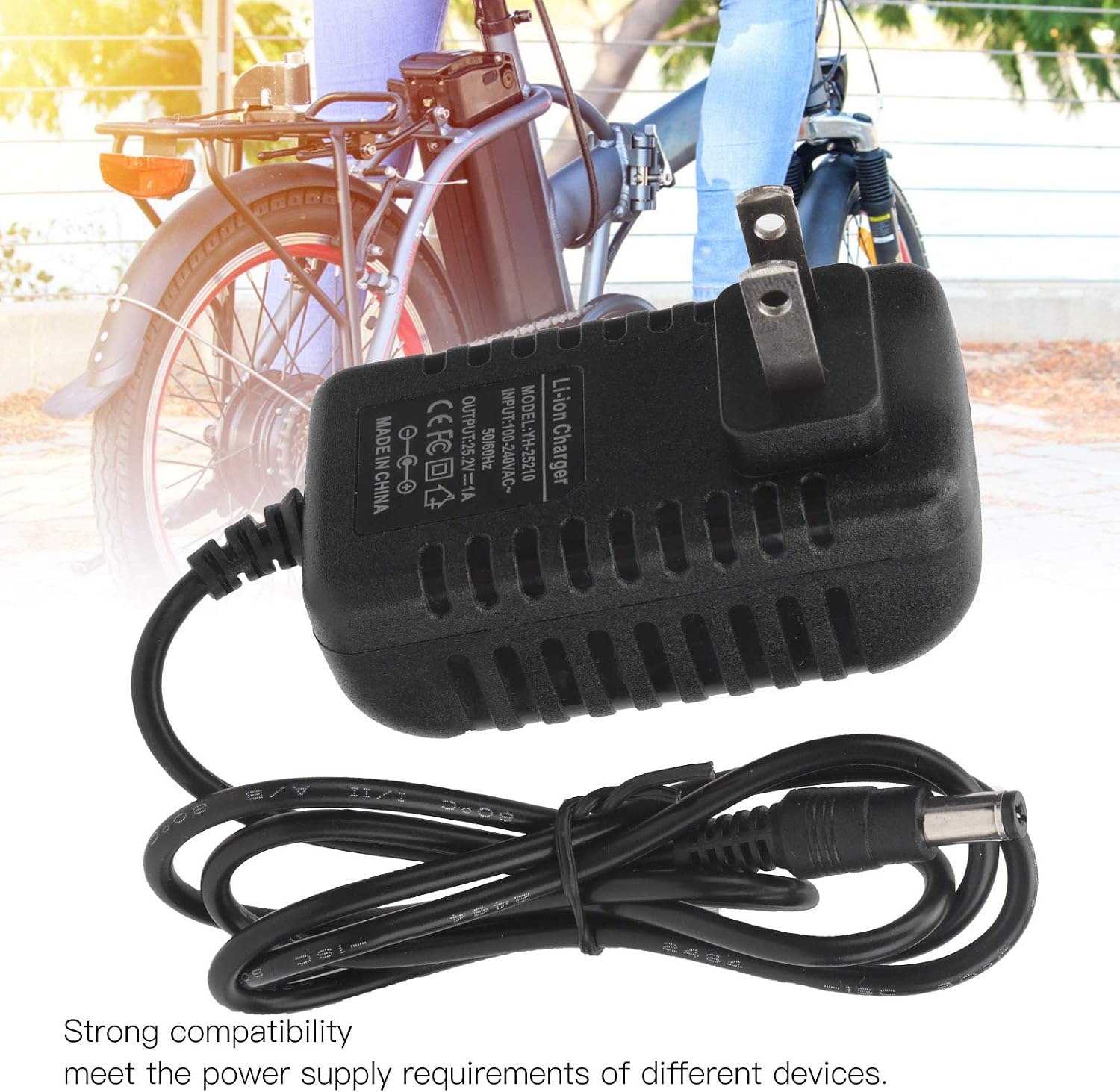
Image: The charger with its DC connector plugged into a device, illustrating the connection process.
Arahan Operasi
Once properly connected, the charger will begin the charging process. Observe the indicator light for status:
- Penunjuk Pengecasan: The indicator light will illuminate (typically red) to show that the battery is currently charging.
- Penunjuk Caj Penuh: The indicator light will change color (typically green) when the battery is fully charged.
Once the battery is fully charged, disconnect the charger from the power outlet first, then disconnect it from your device.
Penyelenggaraan
Penyelenggaraan yang betul memastikan jangka hayat dan operasi pengecas anda yang selamat.
- Pembersihan: Disconnect the charger from all power sources before cleaning. Use a soft, dry cloth to wipe the exterior. Do not use liquid cleaners or solvents.
- Storan: Store the charger in a cool, dry place away from direct sunlight and moisture when not in use. Avoid wrapping the cable too tightly.
- Pemeriksaan Berkala: Periodically check the charger, cable, and connectors for any signs of wear, cuts, or damage.
Menyelesaikan masalah
If you encounter issues with your charger, refer to the following table:
| Masalah | Kemungkinan Punca | Penyelesaian |
|---|---|---|
| Charger indicator light does not turn on. | No power from outlet; charger not properly plugged in; damaged charger. | Check power outlet with another device; ensure charger is fully plugged in; inspect charger for damage. |
| Bateri tidak dicas. | Incorrect connection to device; device battery issue; charger malfunction. | Ensure DC connector is securely plugged into the device; verify device battery is compatible and functional; try another compatible charger if available. |
| Charger feels excessively hot. | Poor ventilation; overloaded circuit; internal fault. | Ensure charger has adequate airflow; unplug immediately and discontinue use if overheating persists. Contact support. |
Spesifikasi
| Model | YH-25210 |
| Input | 100-240V AC, 50/60Hz |
| Keluaran | 25.2V 1A |
| bahan | PC High Temperature Fireproof Shell |
| Jenis Palam | Palam AS |
| Dimensi Produk | Kira-kira 0.39 x 0.39 x 0.39 inci (1 x 1 x 1 cm) |
| Berat Barang | Kira-kira 3.2 auns (90.7 gram) |
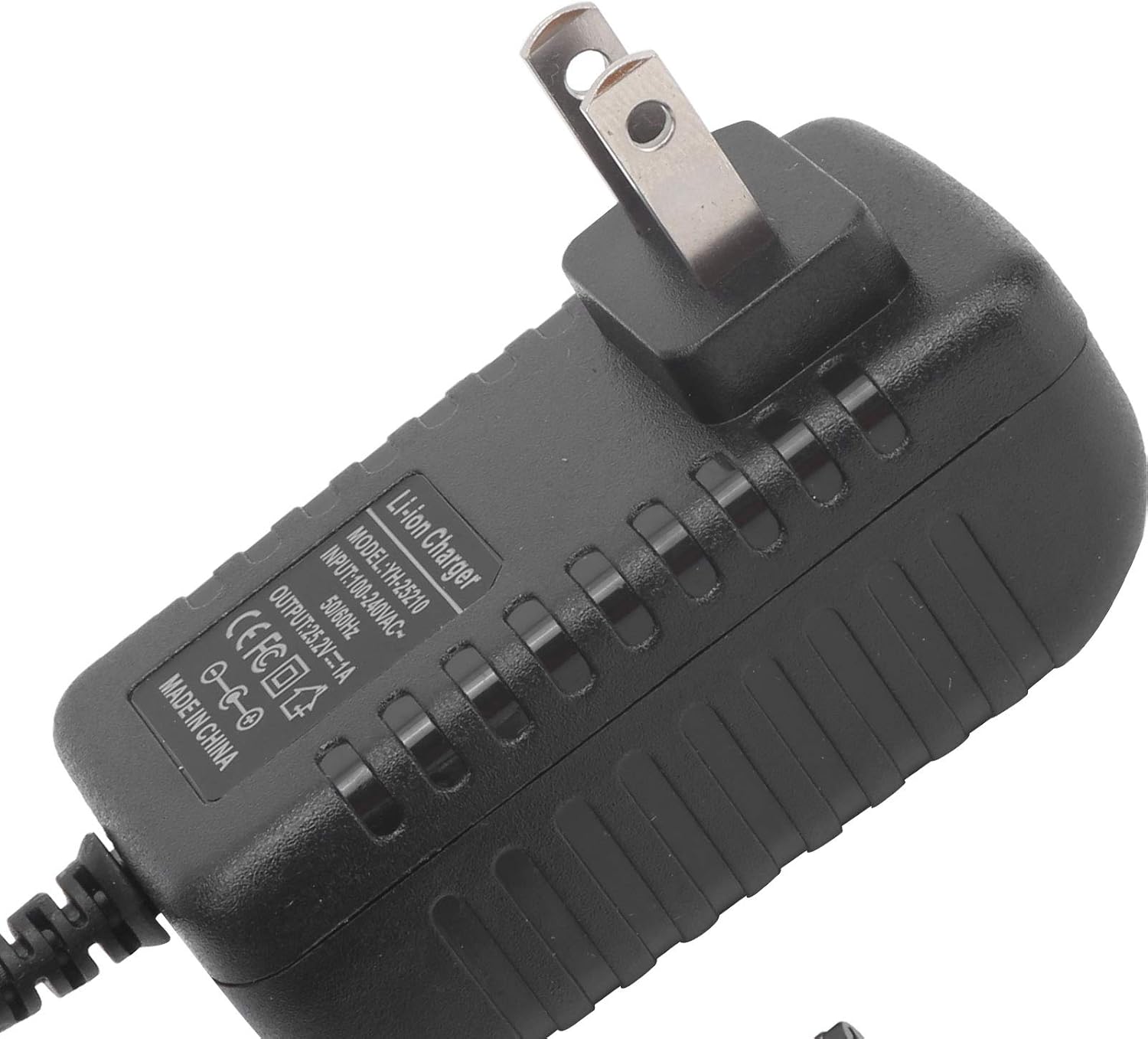
Imej: Dari dekat view of the charger's label, detailing its model number (YH-25210), input voltage, and output specifications.
Waranti dan Sokongan
For warranty information or technical support, please refer to the documentation provided with your purchase or contact Dilwe customer service directly. Keep your purchase receipt as proof of purchase.
For further assistance, you may visit the official Dilwe store or contact their support channels.