
ABKO K560
Manual Pengguna Papan Kekunci Permainan Mekanikal ABKO Hacker K560
Model: K560
1. Pengenalan
Terima kasih kerana membeliasing the ABKO Hacker K560 Mechanical Gaming Keyboard. This keyboard is designed for an enhanced gaming and typing experience, featuring hotswappable mechanical switches, vibrant Rainbow Moving LED lighting, and durable dual injection keycaps. This manual provides detailed instructions for setup, operation, maintenance, and troubleshooting to ensure optimal performance and longevity of your device.
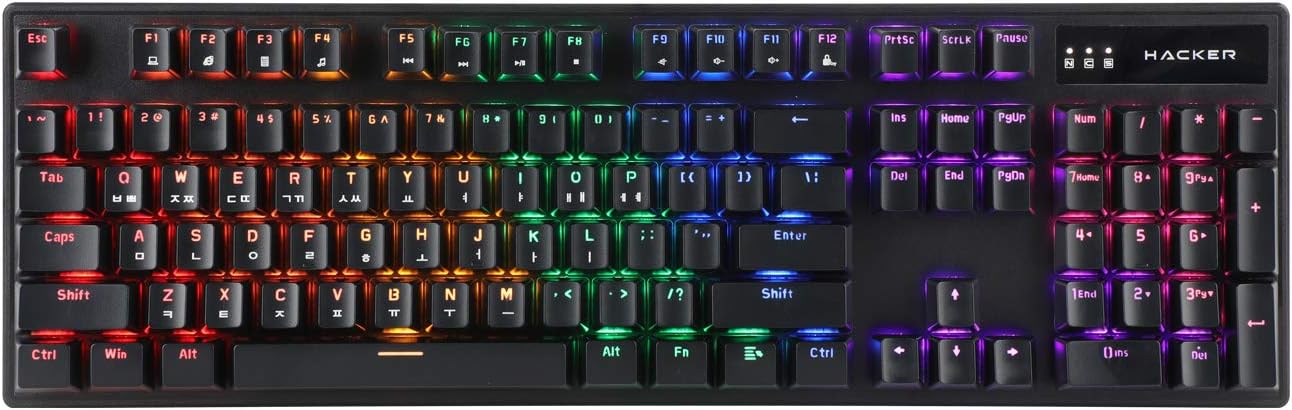
Figure 1.1: ABKO Hacker K560 Mechanical Gaming Keyboard (Top View)
This image displays the full layout of the ABKO Hacker K560 keyboard from a top-down perspective, showcasing its 104-key design and the vibrant rainbow LED backlighting illuminating each key. The Korean-English layout is visible on the keycaps.
2. Ciri-ciri Utama
- Viki Type: Unique keycap profile untuk menaip dengan selesa.
- Rainbow Moving LED: Dynamic and customizable RGB lighting effects.
- Suis Mekanikal: Equipped with durable and responsive mechanical switches (Brown Switch variant).
- Cherry Stabilizer: Enhanced stability for larger keys like Spacebar, Shift, and Enter.
- Susun atur 104 Kekunci: Full-size keyboard layout for comprehensive functionality.
- Kekunci Suntikan Berganda: Legends are molded into the keycap, preventing wear and fading.
- Hotswap Capability: Allows for easy replacement of switches without soldering.
- Tahan Air: Designed to withstand minor spills.

Figure 2.1: ABKO Hacker K560 Keyboard (Angled View)
This image provides an angled perspective of the keyboard, showcasing the ergonomic Viki Type keycap profile and the vibrant illumination of the Rainbow Moving LED backlighting from the side.
3. Panduan Persediaan
3.1. Kandungan Pakej
Sebelum meneruskan, pastikan semua item terdapat dalam pakej:
- ABKO Hacker K560 Mechanical Gaming Keyboard
- Manual Pengguna (dokumen ini)
- Keycap Puller (may be included for hotswap functionality)
- Switch Puller (may be included for hotswap functionality)
3.2. Menyambung Papan Kekunci
- Locate an available USB port on your computer (PC, Laptop, Gaming Console).
- Plug the USB connector of the ABKO Hacker K560 keyboard into the USB port.
- Sistem pengendalian akan mengesan dan memasang pemacu yang diperlukan secara automatik. Proses ini mungkin mengambil masa beberapa saat.
- Once installation is complete, the keyboard's LED lighting will illuminate, indicating it is ready for use.
4. Arahan Operasi
4.1. Penggunaan Asas
The ABKO Hacker K560 functions as a standard 104-key keyboard. Simply begin typing or using the keys as you would with any other keyboard.
4.2. LED Lighting Control (Rainbow Moving LED)
The keyboard features various dynamic LED lighting modes. Use the following key combinations to control the lighting:
- Fn + F1-F12: (Specific functions may vary, refer to keyboard legends for media controls, volume, etc.)
- Fn + Scroll Lock: Cycle through different Rainbow Moving LED lighting effects.
- Fn + Print Screen: Adjust LED brightness (usually multiple levels).
- Fn + Pause Break: Change LED lighting direction or speed (for moving effects).
- Fn + Kekunci Anak Panah: Some models allow fine-tuning of specific lighting zones or effects.
Experiment with these combinations to find your preferred lighting mode and brightness.
4.3. Hotswap Switch Replacement
The ABKO Hacker K560 supports hotswappable mechanical switches, allowing you to change switches without soldering. This feature is useful for customizing typing feel or replacing faulty switches.
- Matikan: Disconnect the keyboard from your computer before attempting any switch replacement.
- Alih keluar Keycap: Use the included keycap puller to gently remove the desired keycap.
- Alih Keluar Suis: Use the included switch puller to carefully grip the top and bottom clips of the switch and pull it straight up.
- Masukkan Suis Baharu: Selaraskan pin suis baharu dengan lubang pada PCB. Tolak suis ke bawah perlahan-lahan sehingga ia mengklik pada tempatnya. Pastikan pin tidak bengkok.
- Gantikan Kekunci: Press the keycap onto the new switch until it is firmly seated.
- Ujian: Reconnect the keyboard and test the new switch.
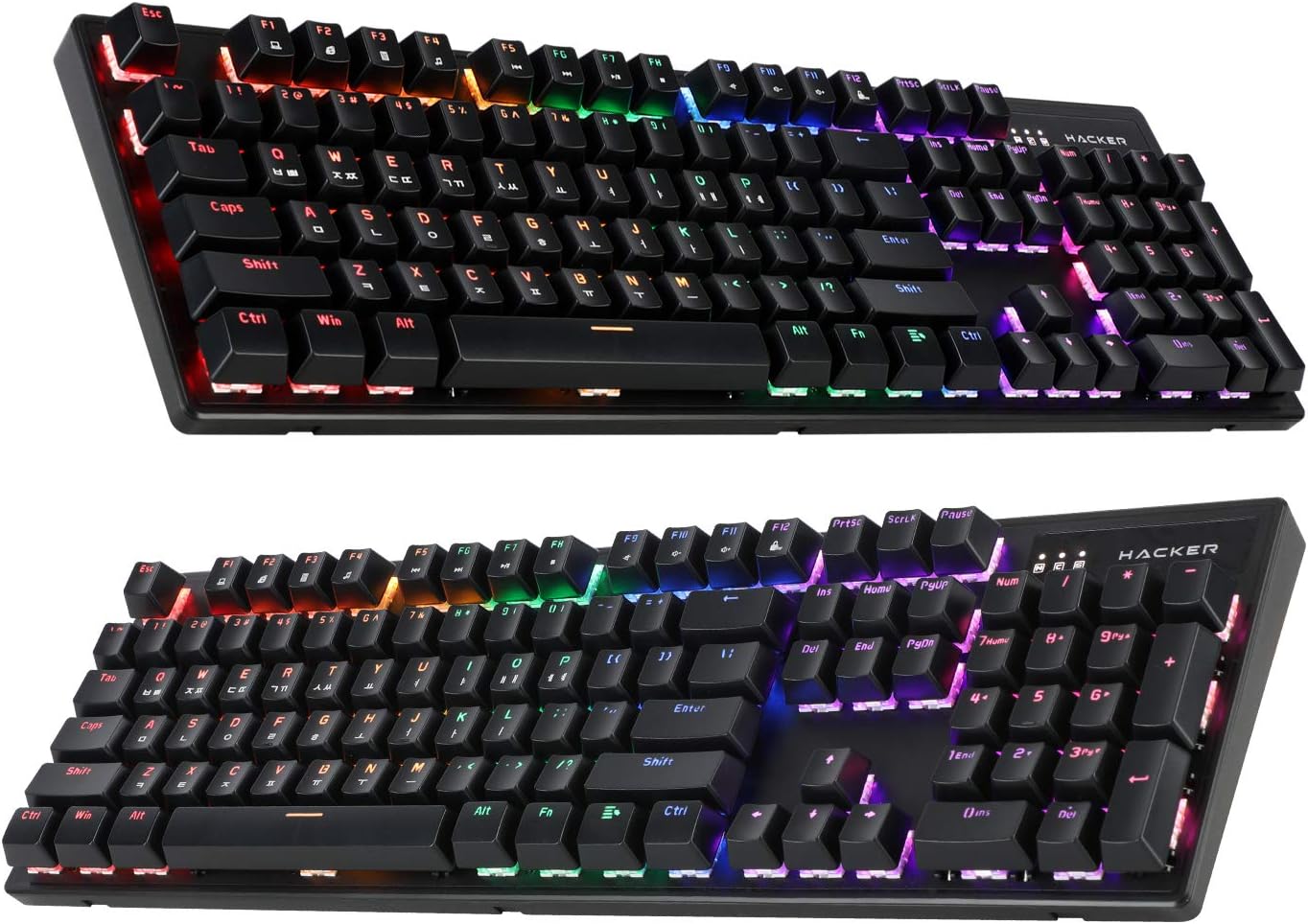
Figure 4.1: ABKO Hacker K560 Keyboard (Dual Angled View)
This image presents two different angled views of the ABKO Hacker K560 keyboard, providing a comprehensive look at its full 104-key layout and the distinct dual injection keycap design, which contributes to its durability and aesthetic.
5. Penyelenggaraan
5.1. Membersihkan Papan Kekunci
Pembersihan tetap membantu mengekalkan penampilan dan kefungsian papan kekunci.
- Penyingkiran habuk: Gunakan tin udara termampat untuk menghembus habuk dan serpihan dari antara penutup kekunci.
- Pembersihan Permukaan: Wipe the surface of the keycaps and frame with a soft, slightly damp, kain bebas bulu. Elakkan kelembapan berlebihan.
- Pembersihan Mendalam (Pilihan): For thorough cleaning, keycaps can be removed using a keycap puller and washed with mild soap and water. Ensure they are completely dry before reattaching.
Awas: Always disconnect the keyboard from your computer before cleaning. Do not immerse the keyboard in water, despite its water-resistant feature, as this is for minor spills, not submersion.
5.2. Penyimpanan
Apabila tidak digunakan untuk tempoh yang lama, simpan papan kekunci di tempat yang sejuk dan kering jauh dari cahaya matahari langsung dan suhu yang melampau.
6. Penyelesaian masalah
If you encounter issues with your ABKO Hacker K560 keyboard, refer to the following common solutions:
| Masalah | Kemungkinan Punca | Penyelesaian |
|---|---|---|
| Keyboard not responding / No input | Sambungan USB longgar, port USB rosak, isu pemandu. |
|
| LED lights are off or not working correctly | LED mode turned off, brightness set to minimum, software conflict. |
|
| Specific key not working | Debris under keycap, faulty switch. |
|
Jika masalah berterusan selepas mencuba penyelesaian ini, sila hubungi sokongan pelanggan.
7. Spesifikasi
| Ciri | Perincian |
|---|---|
| Nama Model | Hacker K560 |
| Jenama | ABKO |
| Jenis Papan Kekunci | Papan Kekunci Permainan Mekanikal |
| Jenis Suis | Tactile (Brown Switch) |
| Susun atur | 104 Keys (Full-size, Korean-English Layout) |
| Bahan Kekunci | Suntikan Berganda |
| Pencahayaan latar | Rainbow Moving LED (RGB) |
| Ketersambungan | Berwayar (USB) |
| Ciri Khas | Hotswappable Switches, Cherry Stabilizer, Viki Type Keycaps, Water Resistant |
| Peranti Serasi | Laptop, Gaming Console, PC, Tablet, Smartphone |
8. Waranti dan Sokongan
ABKO products are manufactured to the highest quality standards. For information regarding warranty coverage, technical support, or service inquiries, please refer to the warranty card included with your product or visit the official ABKO webtapak.
Sila simpan bukti pembelian anda untuk tuntutan waranti.
Ask a question about this manual
Ask about setup, troubleshooting, compatibility, parts, safety, or missing instructions. Manuals+ will review the question and use this page’s manual context to help answer it.