
1. Pengenalan
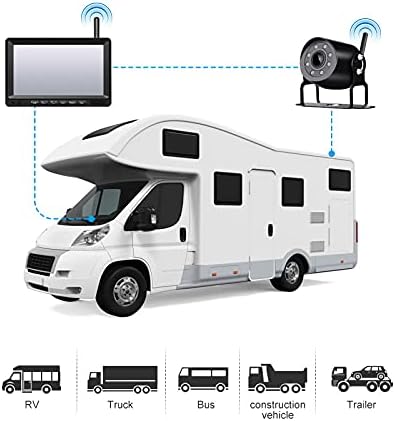
This manual provides detailed instructions for the installation, operation, and maintenance of your OBEST Wireless Reversing Camera System. This system is designed to enhance safety and convenience when maneuvering large vehicles such as trucks, trailers, RVs, and buses. It features a 7-inch IPS high-definition monitor and a waterproof infrared night vision camera, operating on a 12V-36V power supply.
Sila baca manual ini dengan teliti sebelum menggunakan produk ini bagi memastikan operasi yang betul dan untuk mengelakkan kerosakan.
2. Kandungan Pakej
Sahkan bahawa semua item yang disenaraikan di bawah disertakan dalam pakej anda:
- Monitor IPS 7-inci
- Kamera Sandaran
- U-shaped Display Stand
- Monitor Mount Bracket
- Pengecas Kereta
- Sunshade for Monitor
- Manual Pengguna (dokumen ini)
- Kord Kuasa
- Antennas (for monitor and camera)
- Installation Kit (screws, tools)

3. Spesifikasi
| Ciri | Spesifikasi |
|---|---|
| Bekalan Kuasa | DC 12V hingga 36V |
| Kekerapan Wayarles | 2.4 GHz (2403-2480MHz) |
| Julat Tanpa Wayar | Sehingga 300 meter (kawasan terbuka) |
| Kelewatan Video | <200 ms |
| Suhu Operasi | -20 ℃ hingga 80 ℃ |
| Camera Image Sensor | CMOS 1/3 inci |
| Penilaian Kalis Air Kamera | IP69K |
| Kamera View sudut | 127° (Horizontal) * 170° (Diagonal) |
| Piksel Kamera | 1000TVL |
| Saiz Skrin LCD | 7 inci |
| Resolusi Monitor | 1024 (H) * 600 (V) |
| Nisbah Kontras | 500:1 |
| Kecerahan | 500 cd/m² |
| Masa Tindak Balas | 25 ms |
| Pantau Penggunaan Kuasa | <500mA |
| Jenis Pemasangan | Tanpa wayar |
| UPC | 769771167564 |
4. Persediaan dan Pemasangan
The OBEST Wireless Reversing Camera System is designed for straightforward installation without the need for complex wiring between the camera and the monitor.
4.1 Pemasangan Kamera
- Lekapkan Kamera: Choose a suitable location at the rear of your vehicle, typically near the license plate or on the bumper, ensuring a clear view. Use the provided screws and brackets to securely mount the camera.
- Sambungkan Kuasa: Connect the camera's power cable to your vehicle's taillight circuit. This allows the camera to receive power when the vehicle is in reverse or when the lights are on, depending on your wiring choice. Ensure the connection is secure and waterproof. The camera supports 12V-36V power input.
- Pasang Antena: Screw the antenna onto the camera's designated port.
4.2 Pemasangan Monitor
- Pasang Monitor: The monitor comes with two different mounting options: a U-shaped display stand and a monitor mount bracket. Choose the one that best suits your vehicle's dashboard or windshield. Securely attach the chosen mount to the monitor and then to your desired location in the vehicle, ensuring it does not obstruct your view semasa memandu.
- Pasang Antena: Screw the antenna onto the monitor's designated port.
- Sambungkan Kuasa: Plug the monitor's car charger into your vehicle's cigarette lighter socket.

4.3 Pairing (If Necessary)
The camera and monitor are typically pre-paired at the factory. If no signal is received, you may need to re-pair them:
- Ensure both the camera and monitor are powered on.
- On the monitor, press and hold the 'Pairing Button' (often labeled 'SEL' or with a pairing icon) for a few seconds until the pairing indicator appears.
- The monitor will search for the camera. Once connected, the camera's video feed will appear on the screen.
5. Arahan Operasi
Familiarize yourself with the monitor's controls for optimal use.
5.1 Kawalan Monitor
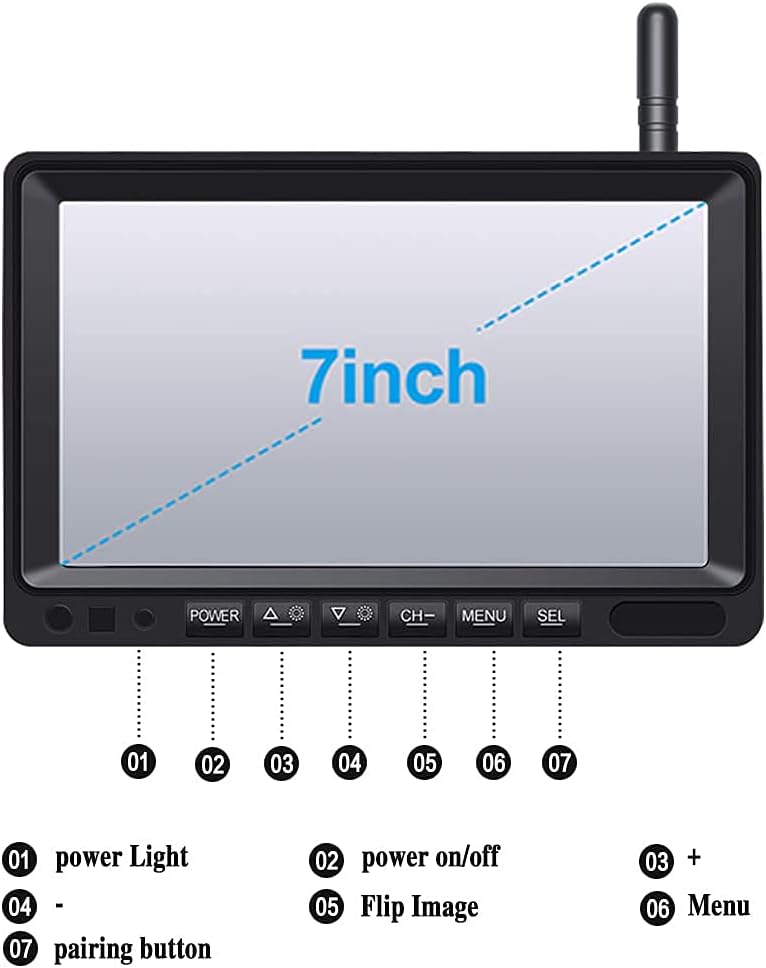
- 1. Lampu Kuasa: Menunjukkan status kuasa.
- 2. Hidupkan/Mati Kuasa: Tekan untuk menghidupkan atau mematikan monitor.
- 3. + (Plus) Button: Digunakan untuk increasing values or navigating menus.
- 4. - (Minus) Button: Used for decreasing values or navigating menus.
- 5. Flip Image: Press to rotate or mirror the camera image (e.g., normal view, cermin view).
- 6. Butang Menu: Accesses the monitor's settings menu.
- 7. SEL (Select/Pairing) Button: Used to confirm selections in the menu or initiate pairing mode.
5.2 Adjusting Parking Guidelines
The monitor displays adjustable parking guidelines to assist with reversing.
- While the camera feed is active, press and hold the SEL butang.
- When the guidelines begin to flash, use the + or - buttons to adjust their position or width.
- Tekan SEL again to save the adjustments and exit the adjustment mode.

5.3 Night Vision and Wide Angle
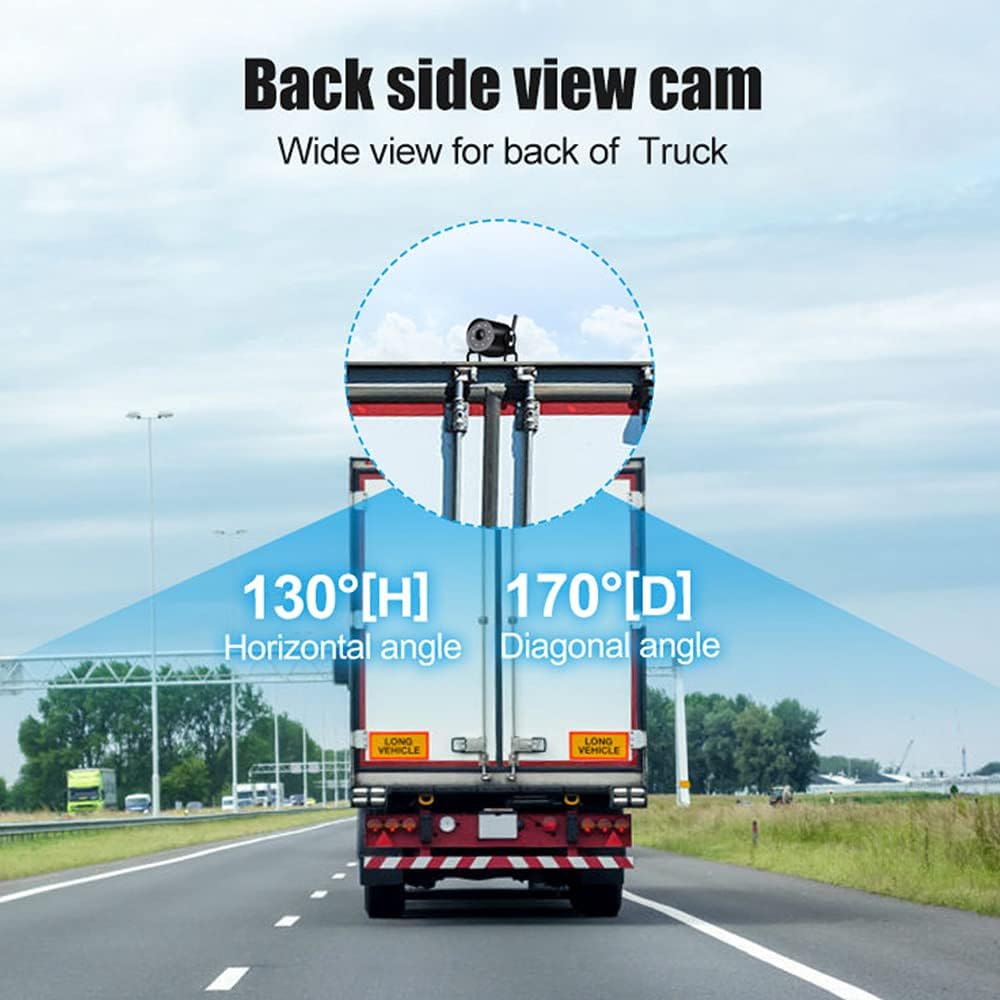
The camera features infrared LEDs for clear night vision up to 15 meters in low-light conditions. Its wide 170° diagonal viewing angle helps eliminate blind spots.
6. Penyelenggaraan
Proper maintenance ensures the longevity and optimal performance of your reversing camera system.
- Pembersihan: Bersihkan kanta kamera dan skrin monitor secara berkala dengan kain lembutamp kain. Elakkan pembersih kasar yang boleh menggaru permukaan.
- Waterproof Camera: The camera has an IP69K waterproof rating, designed to withstand harsh weather conditions. However, avoid directing high-pressure water jets directly at the camera for extended periods.
- Sambungan Kabel: Periodically check all cable connections for tightness and signs of wear or corrosion.
- Antena: Ensure antennas are securely attached and not damaged to maintain optimal wireless signal strength.

7. Penyelesaian masalah
If you encounter issues with your OBEST Wireless Reversing Camera System, refer to the following common problems and solutions:
| Masalah | Kemungkinan Punca | Penyelesaian |
|---|---|---|
| Tiada isyarat pada monitor |
|
|
| Image is unclear or distorted |
|
|
| Monitor tidak dihidupkan |
|
|
8. Maklumat Keselamatan
- Always ensure the monitor is mounted in a location that does not obstruct your view jalan raya atau mengganggu kawalan kenderaan.
- The reversing camera system is an aid and should not replace careful observation and traditional mirror checks. Always check your surroundings manually before reversing.
- Ensure all wiring is correctly installed and insulated to prevent short circuits or electrical hazards.
- Jangan cuba membuka atau mengubah suai produk. Ini boleh membatalkan jaminan dan menyebabkan kerosakan.
- Operate the system within the specified voltage range (DC 12V-36V) to prevent damage.
9. Waranti dan Sokongan
OBEST products are designed for reliability and performance. If you have any questions or require assistance with your product, please contact OBEST customer support.
We are committed to providing a satisfactory response within 24 hours for any product-related inquiries.