
1. Pengenalan
Thank you for choosing the MAXTOP Smart Watch. This device is designed to enhance your daily life by providing health monitoring, fitness tracking, and smart notifications directly from your wrist. This manual will guide you through the setup, operation, and maintenance of your new smart watch to ensure optimal performance and user experience.
2. Produk Lebihview
The MAXTOP Smart Watch features a 1.3-inch display and is equipped with various sensors for comprehensive health and activity tracking. It is compatible with both iPhone and Android phones, offering seamless integration with your mobile device.
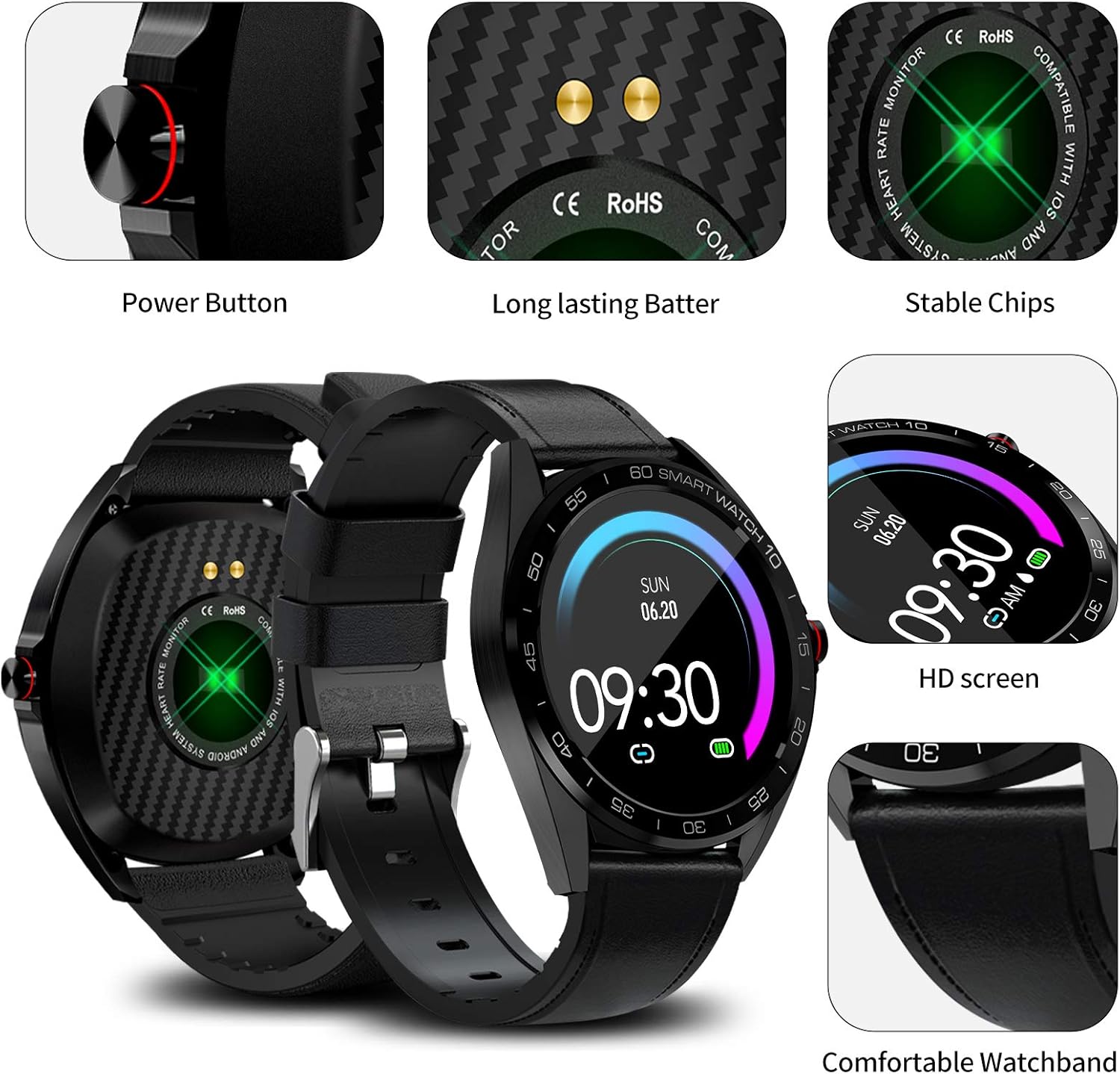
Imej: Terperinci view of the MAXTOP Smart Watch highlighting its power button, charging contacts, and display.
Video: Seorang pegawai tamatview of the MAXTOP Smart Watch, demonstrating its various features and functionalities.
3. Persediaan
3.1 Pengecasan Awal
Before first use, fully charge your smart watch. Connect the provided USB charging cable to the charging contacts on the back of the watch and to a standard USB power adapter (not included). The watch display will indicate charging status.
3.2 Pemasangan Aplikasi
To unlock all features, download and install the companion app on your smartphone. Cari untuk the app name (usually mentioned in the quick start guide or on the watch screen during initial setup) in the Apple App Store (for iPhone) or Google Play Store (for Android).
3.3 Berpasangan Peranti
- Pastikan Bluetooth didayakan pada telefon pintar anda.
- Open the installed companion app and follow the on-screen instructions to create an account or log in.
- Pilih 'Tambah Peranti' atau 'Gandingkan Peranti' dalam aplikasi.
- The app will search for your MAXTOP Smart Watch. Select your watch from the list of discovered devices.
- Sahkan permintaan pasangan pada telefon dan jam tangan anda jika digesa.

Image: The MAXTOP Smart Watch, charging cables, and documentation, ready for initial setup.
4. Arahan Operasi
4.1 Navigasi Asas
- Skrin Sentuh: Leret ke kiri/kanan, atas/bawah untuk menavigasi menu dan ciri. Ketik untuk memilih.
- Butang Sisi: Press to wake the screen, return to the main watch face, or access the app menu.
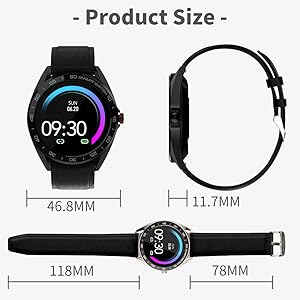
Image: Visual guide to navigating the smart watch using touch gestures and understanding the main interface elements.
4.2 Menukar Muka Jam Tangan
From the main watch face, press and hold the screen. Swipe left or right to browse available watch faces. Tap to select your preferred design.
5. Pemantauan Kesihatan
The MAXTOP Smart Watch provides continuous monitoring of key health metrics. For accurate readings, ensure the watch is worn snugly on your wrist.
5.1 Heart Rate and Blood Pressure Monitoring
Access the Heart Rate (HR) or Blood Pressure (BP) function from the app menu. The watch will begin measuring your current heart rate or blood pressure. Readings are displayed on the watch screen and synchronized with the app for historical data and analysis.
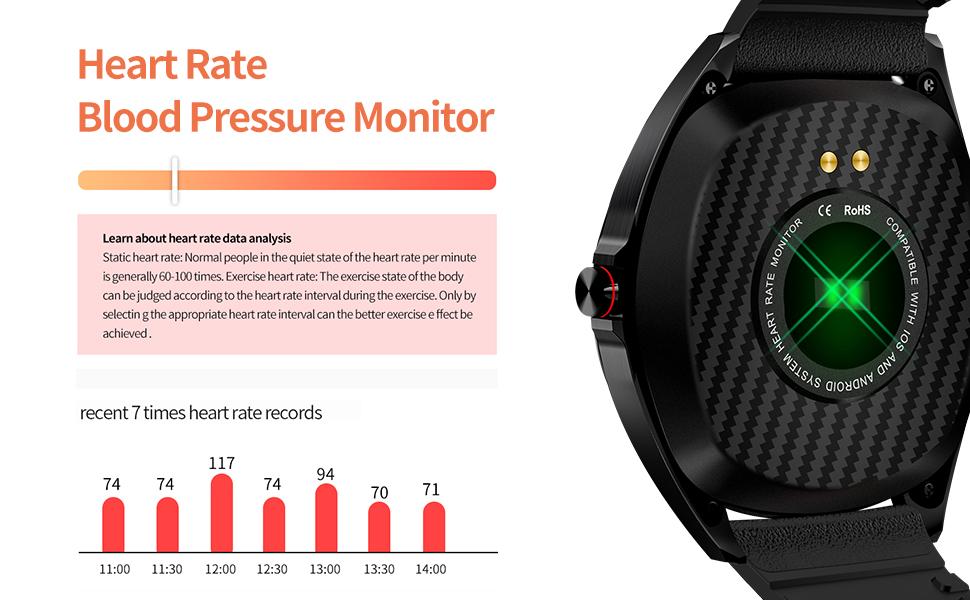
Image: The smart watch actively measuring and displaying heart rate and blood pressure data on the user's wrist.
5.2 Pemantauan Tidur
Wear your smart watch to bed to automatically track your sleep patterns. The watch monitors your sleep duration and quality, distinguishing between deep sleep, light sleep, and awake times. View detailed sleep reports in the companion app.

Image: The smart watch interface showing a breakdown of sleep quality, including deep and light sleep durations.
6. Penjejakan Aktiviti
Your MAXTOP Smart Watch is an activity tracker that records your daily movements and exercise routines.
6.1 Steps, Distance, and Calories
The watch automatically tracks your steps, calculates the distance covered, and estimates calories burned throughout the day. This data is accessible directly on the watch and in more detail within the app.

Image: The smart watch screen showing real-time fitness data, including steps, distance, and calorie consumption.
6.2 Mod Sukan
The watch supports 10 different sports modes to accurately record your exercise data. Select the appropriate mode before starting your workout for precise tracking.
- Larian Luar
- Mendaki
- Berjalan Kaki di Luar
- Star Stepper
- Larian Dalaman
- Kitaran Luar
- Laluan Dalaman
- Basikal Pegun
- elips
- Mesin Mendayung
7. Ciri Pintar
Connect your MAXTOP Smart Watch to your smartphone to access a range of smart features.
7.1 Message and Call Notifications
Receive notifications for incoming calls, SMS messages, and alerts from various social media apps directly on your watch. You can also reject incoming calls from the watch. Ensure notification permissions are granted in your phone's settings and the companion app.

Image: The smart watch screen showing multiple message notifications from different applications.
7.2 Kawalan Kamera Jauh
Use your smart watch as a remote shutter for your phone's camera. Open the camera function in the watch's app menu, position your phone, and tap the watch screen to take a photo.

Image: The smart watch showing the camera icon, illustrating its remote camera control feature.
7.3 Cari Telefon
If your phone is misplaced but within Bluetooth range, use the 'Find Phone' feature on your watch to make your phone ring, helping you locate it quickly.
7.4 Female Care
The watch includes a 'Female Care' feature to track menstrual cycles and provide timely reminders. This feature can be configured within the companion app.
8. Tahan Air
The MAXTOP Smart Watch is IP67 waterproof, making it suitable for various activities. It can withstand splashes, snorkeling, rain, snowing, room temperature showers, and short swimming sessions. Avoid hot water, saunas, or diving to prevent damage.

Image: A user wearing the MAXTOP Smart Watch while in a pool, highlighting its IP67 water resistance for various water activities.
9. Penyelenggaraan
To ensure the longevity and optimal performance of your MAXTOP Smart Watch, follow these maintenance guidelines:
- Pembersihan: Lap skrin dan tali jam tangan dengan kerap menggunakan kain lembut dan kering. Jika perlu, gunakan sedikit kain lembapamp kain dan sabun lembut, kemudian bilas dan keringkan dengan teliti.
- Mengecas Kenalan: Pastikan sentuhan pengecasan di bahagian belakang jam tangan bersih dan kering untuk memastikan pengecasan yang cekap.
- Storan: Simpan jam tangan di tempat yang sejuk dan kering jauh dari cahaya matahari langsung dan suhu yang melampau apabila tidak digunakan.
- Elakkan Bahan Kimia: Jangan dedahkan jam tangan kepada bahan kimia, pelarut atau detergen yang kuat, kerana ini boleh merosakkan bahan tersebut.
10. Penyelesaian masalah
If you encounter issues with your MAXTOP Smart Watch, refer to the following common solutions:
- Tonton tidak dihidupkan: Pastikan jam tangan dicas sepenuhnya. Sambungkannya ke pengecas selama sekurang-kurangnya 30 minit.
- Tidak dapat dipasangkan dengan telefon:
- Pastikan Bluetooth didayakan pada telefon anda.
- Pastikan jam tangan berada dalam julat Bluetooth (biasanya 10 meter).
- Mulakan semula telefon dan jam tangan anda.
- Kosongkan cache aplikasi atau pasang semula aplikasi.
- Bacaan kesihatan yang tidak tepat: Pastikan jam tangan dipakai dengan kemas di pergelangan tangan anda, tidak terlalu ketat atau terlalu longgar. Elakkan pergerakan berlebihan semasa pengukuran.
- Tiada pemberitahuan: Check that notification permissions are enabled for the companion app and individual apps in your phone's settings. Ensure the watch is connected via Bluetooth.
- Skrin tidak bertindak balas: Cuba mulakan semula jam tangan dengan menekan dan menahan butang sisi. Jika tidak responsif, biarkan bateri habis sepenuhnya dan kemudian cas semula.
11. Spesifikasi
| Ciri | Perincian |
|---|---|
| Dimensi Pakej | 5.51 x 3.46 x 1.93 inci |
| Berat Barang | 8.3 auns |
| ASIN | B08XWYM2FH |
| Tarikh Mula-mula Tersedia | 15 April 2021 |
| Pengeluar | maxtop |
| Saiz paparan skrin berdiri | 1.3 Inci |
| Sistem Operasi | Android |
| Ciri Khas | Activity Tracker, Alarm Clock, Blood Pressure Monitor, Camera, Heart Rate Monitor, Notifications, Pedometer, Sedentary Reminder, Sleep Monitor, Time Display |
| Teknologi Ketersambungan | USB |
| Standard Komunikasi Tanpa Wayar | Bluetooth |
| Komposisi Sel Bateri | Polimer Litium |
| bentuk | Hati |
| Saiz Skrin | 1.3 Inci |
| Jenama | MAXTOP |
| Gaya | moden |
| Khalayak Sasaran | Dewasa Uniseks |
12. Waranti dan Sokongan
The MAXTOP Smart Watch comes with an 18-month warranty. For warranty claims or technical support, please refer to the contact information provided in your product packaging or visit the official MAXTOP webtapak. Simpan resit pembelian anda sebagai bukti pembelian.