
1. Produk Lebihview
The BACKWIN Wired In-Ear Headphones are designed to provide high-fidelity audio with convenient controls for music and calls. They feature a built-in microphone, volume control, and a 3.5mm jack for wide compatibility.

Image: The BACKWIN Wired In-Ear Headphones, showcasing their sleek design and 3.5mm audio jack.
2. Kandungan Pakej
Sila semak pakej untuk item berikut:
- BACKWIN Wired In-Ear Headphones (with integrated microphone and control)
- Ear tips (S/M/L sizes)
- Manual Arahan (dokumen ini)
3. Persediaan
3.1 Memilih Hujung Telinga
For optimal sound quality and comfort, choose the ear tips that best fit your ears. The headphones come with three sizes (Small, Medium, Large). Experiment with each size to find the most secure and comfortable fit that also provides good sound isolation.

Image: Illustration of earbuds with various ear tip sizes for a customized fit.
3.2 Menyambung ke Peranti Anda
These headphones utilize a standard 3.5mm audio jack for connectivity. To connect:
- Locate the 3.5mm audio port on your smartphone, tablet, laptop, or other compatible device.
- Insert the 3.5mm jack of the headphones firmly into the device's audio port.
The headphones are compatible with most devices running iOS and Android operating systems, as well as laptops and tablets with a 3.5mm audio jack.
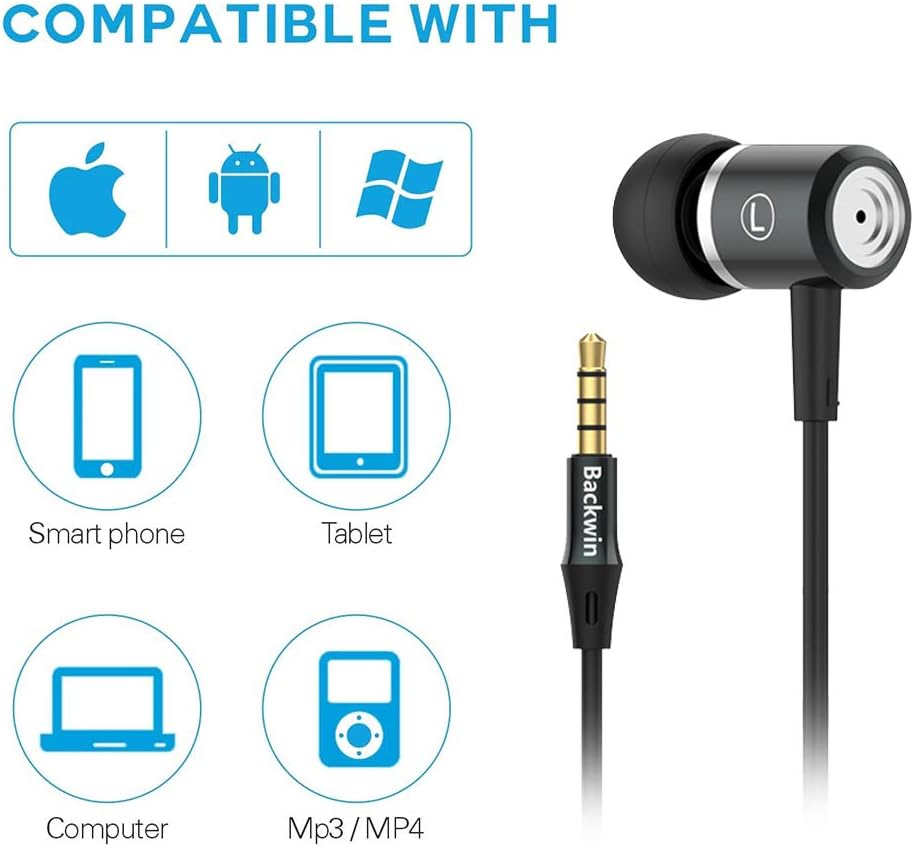
Image: Icons indicating compatibility with smartphones, tablets, computers, and MP3/MP4 players.
4. Arahan Operasi
The in-line remote control allows for easy management of music playback and calls.

Image: Close-up of the in-line remote control, showing the volume up (+), volume down (-), and multi-function (center) buttons, along with the microphone.
4.1 Kawalan Muzik
- Main/Jeda: Tekan butang tengah sekali.
- Lagu Seterusnya: Tekan butang tengah dua kali dengan cepat.
- Trek Sebelumnya: Tekan butang tengah tiga kali dengan cepat.
4.2 Kawalan Panggilan
- Jawab/Tamatkan Panggilan: Tekan butang tengah sekali.
- Tolak Panggilan: Tekan dan tahan butang tengah.
4.3 Kawalan Kelantangan
- Kelantangan: Tekan butang '+'.
- Perlahankan suara: Tekan butang '-'.
The built-in microphone ensures clear voice transmission during calls.
5. Penyelenggaraan dan Penjagaan
5.1 Pembersihan
- Lap fon telinga dan kabel perlahan-lahan dengan kain lembut dan kering.
- Tanggalkan hujung telinga dan bersihkannya dengan sabun lembut dan air jika perlu. Pastikan ia benar-benar kering sebelum dipasang semula.
- Jangan gunakan bahan kimia yang keras atau bahan kasar untuk pembersihan.
5.2 Penyimpanan
To prolong the life of your headphones:
- Store the headphones in a clean, dry place when not in use.
- Avoid wrapping the cable too tightly to prevent damage. The cable is designed to be tangle-free for convenience.
- Jauhkan daripada suhu yang melampau dan cahaya matahari langsung.

Imej: A terperinci view of the headphone cable's internal structure, highlighting its durable construction.
6. Penyelesaian masalah
| Masalah | Penyelesaian yang Mungkin |
|---|---|
| Tiada suara atau kelantangan rendah |
|
| Mikrofon tidak berfungsi |
|
| Sound quality is poor or "tinny" |
|
| Earbuds are uncomfortable or fall out |
|
7. Spesifikasi
| Ciri | Perincian |
|---|---|
| Jenama | MENANG KEMBALI |
| Nombor Model | 0 |
| Teknologi Ketersambungan | Berwayar (Bicu 3.5mm) |
| Teknologi Komunikasi Tanpa Wayar | None (Not Bluetooth compatible) |
| Kawalan Bunyi | Pengasingan Bunyi, Pembatalan Bunyi |
| Mikrofon | Termasuk |
| Jenis Kawalan | In-line Remote (Volume Control, Call Control) |
| Ciri Kabel | Bebas Kusut |
| bahan | plastik |
| Penempatan Telinga | Di Telinga |
| Faktor Bentuk | Di Telinga |
| Impedans | 32 ohm |
| Berat Barang | 1.41 auns (0.04 Kilogram) |
| Dimensi Produk | 47.24 x 0.14 x 0.14 inci |
| Peranti Serasi | Phones, Tablets, Laptops, Smartphones with Android and iOS operating systems |
| UPC | 712215782502 |
8. Waranti dan Sokongan
BACKWIN products undergo extensive quality verification to ensure reliability. If you encounter any issues or have questions regarding your headphones, please contact the seller directly via email for satisfactory after-sales service.
Please refer to your purchase documentation for specific warranty terms and conditions, as these may vary.