
iHip WLG-PP27
iHip 3ft PVC Micro USB High-Speed Data and Charging Cable
Model: WLG-PP27
pengenalan
This manual provides essential information for the proper use, setup, maintenance, and troubleshooting of your iHip 3ft PVC Micro USB High-Speed Data and Charging Cable. Please read this manual thoroughly before using the product.
The iHip Micro USB cable is designed for fast charging and high-speed data transfer, compatible with a wide range of devices including Android phones, tablets, gaming consoles, and other devices with a Micro USB interface. It features a durable rubber finish and a metal tip, engineered for longevity with a 10,000 bend test certification.
Kandungan Pakej
- 1 x iHip 3ft PVC Micro USB High-Speed Data and Charging Cable
Persediaan
The iHip Micro USB cable is designed for plug-and-play functionality. Follow these steps to connect your device:
- Kenal pasti Pelabuhan: Locate the Micro USB port on your device (e.g., smartphone, tablet, game controller) and a standard USB-A port on your power adapter, computer, or other charging/data source.
- Sambung ke Peranti: Gently insert the Micro USB connector (the smaller, trapezoidal end) into the Micro USB port on your device. Ensure it is inserted horizontally and correctly to avoid damage.
- Connect to Power/Data Source: Insert the standard USB-A connector (the larger, rectangular end) into a compatible USB-A port on your power adapter, computer, or other charging/data source.
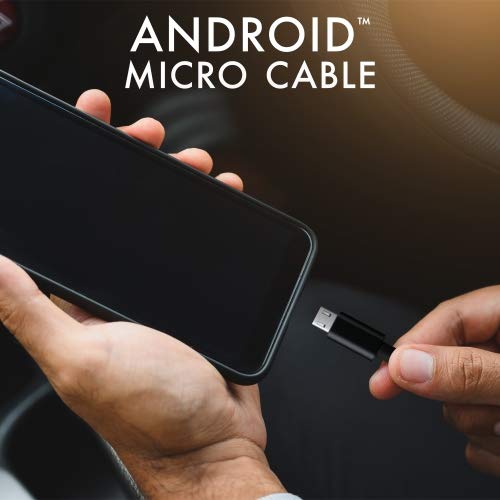
Image: Connecting the iHip Micro USB cable to a smartphone. The cable is designed for easy and secure connection.
Arahan Operasi
Mengecas Peranti Anda
To charge your device using the iHip Micro USB cable:
- Connect the cable as described in the "Setup" section.
- Ensure your power adapter or USB port provides sufficient power. For fast charging, use a Quick Charge compatible power adapter (e.g., 9V/2A output) or a standard power adapter with 5V/2.4A output.
- The device's charging indicator should activate, confirming that charging has begun.
Pemindahan Data
To transfer data between your device and a computer:
- Connect the Micro USB end to your device and the USB-A end to a USB port on your computer.
- Your computer should recognize the connected device. You may need to select "File Transfer" or "MTP" mode on your device's screen if prompted.
- You can now access your device's storage to transfer files at speeds up to 480Mb/s.
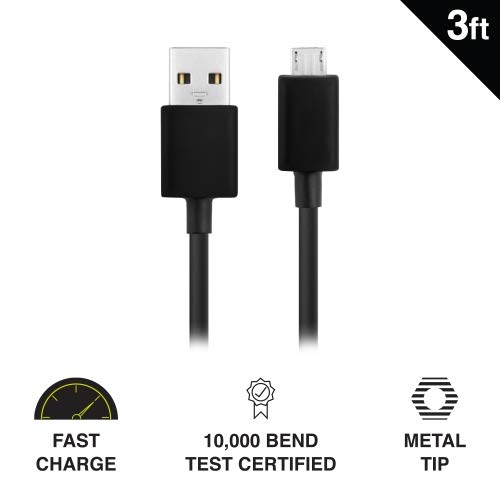
Image: Key features of the iHip Micro USB cable, highlighting its fast charge capability, durability, and robust metal tip.
Penyelenggaraan dan Penjagaan
To ensure the longevity and optimal performance of your iHip Micro USB cable, follow these maintenance guidelines:
- Pengendalian yang betul: Always grasp the connector head when plugging or unplugging the cable. Avoid pulling directly on the cable itself, as this can damage the internal wires.
- Storan: Store the cable in a clean, dry place away from extreme temperatures and direct sunlight. Avoid tightly coiling or bending the cable at sharp angles.
- Pembersihan: If the connectors become dirty, gently wipe them with a dry, lint-free cloth. Do not use liquids or abrasive cleaners.
- Elakkan Tekanan: Do not place heavy objects on the cable or allow it to be pinched, which can lead to internal damage.
Menyelesaikan masalah
If you encounter issues with your iHip Micro USB cable, try the following troubleshooting steps:
- Peranti Tidak Mengecas:
- Pastikan kedua-dua hujung kabel disambungkan dengan selamat.
- Cuba gunakan penyesuai kuasa atau port USB yang lain.
- Test the cable with a different compatible device to rule out a device issue.
- Check the Micro USB port on your device for any debris or damage.
- Pengecasan perlahan:
- Ensure you are using a power adapter with adequate output (e.g., 5V/2.4A or Quick Charge compatible).
- Avoid charging from low-power USB ports (e.g., some laptop USB 2.0 ports).
- Isu Pemindahan Data:
- Verify that your device is set to "File Transfer" or "MTP" mode when connected to a computer.
- Cuba port USB lain pada komputer anda.
- Mulakan semula kedua-dua peranti dan komputer anda.
Spesifikasi
| Ciri | Perincian |
|---|---|
| Nombor Model | WLG-PP27 |
| Panjang Kabel | 3 kaki (lebih kurang 0.91 meter) |
| Jenis Penyambung | USB-A to Micro USB |
| bahan | PVC with Rubber Finish, Metal Tip |
| Kelajuan Pemindahan Data | Sehingga 480 Mb/s |
| Ketahanan | 10,000+ bend lifespan certified |
| Keserasian | Android Cell Phones, Tablets, Windows Phones (Samsung Note/Galaxy, Nokia Lumia, LG, HTC), MP4, hard drives, PlayStation 4, Xbox One controller, and other Micro USB devices. |
| Dimensi Produk | 6.5 x 3 x 1 inci; 1.76 auns |

Image: The iHip 3ft PVC Micro USB cable, showcasinreka bentuknya yang padat dan fleksibel.
Waranti dan Sokongan
The iHip Micro USB cable comes with a lifetime guarantee. For detailed warranty information and support, please visit the official iHip webtapak:
For any further assistance or inquiries, please refer to the contact information provided on the iHip webtapak.
Ask a question about this manual
Ask about setup, troubleshooting, compatibility, parts, safety, or missing instructions. Manuals+ will review the question and use this page’s manual context to help answer it.