
pengenalan
Terima kasih kerana membeliasing the Hoco HC4 5.0 Wireless Bluetooth Sport Speaker. This manual provides detailed instructions for the proper setup, operation, and maintenance of your device. Please read this manual thoroughly before use to ensure optimal performance and to prevent damage.
Produk Selesaiview
The Hoco HC4 is a portable wireless speaker designed for outdoor and sport use, featuring Bluetooth 5.0 connectivity, multiple playback options, and a robust design.
Kandungan Pakej:
- Hoco HC4 Wireless Bluetooth Speaker
- Kabel Pengecas USB
- Manual Pengguna
Kawalan dan Pelabuhan:
Biasakan diri anda dengan butang pembesar suara dan port sambungan:

Imej: Close-up of the Hoco HC4 speaker showing the AUX port, DC-5V charging port, USB port, TF card slot, and control buttons.
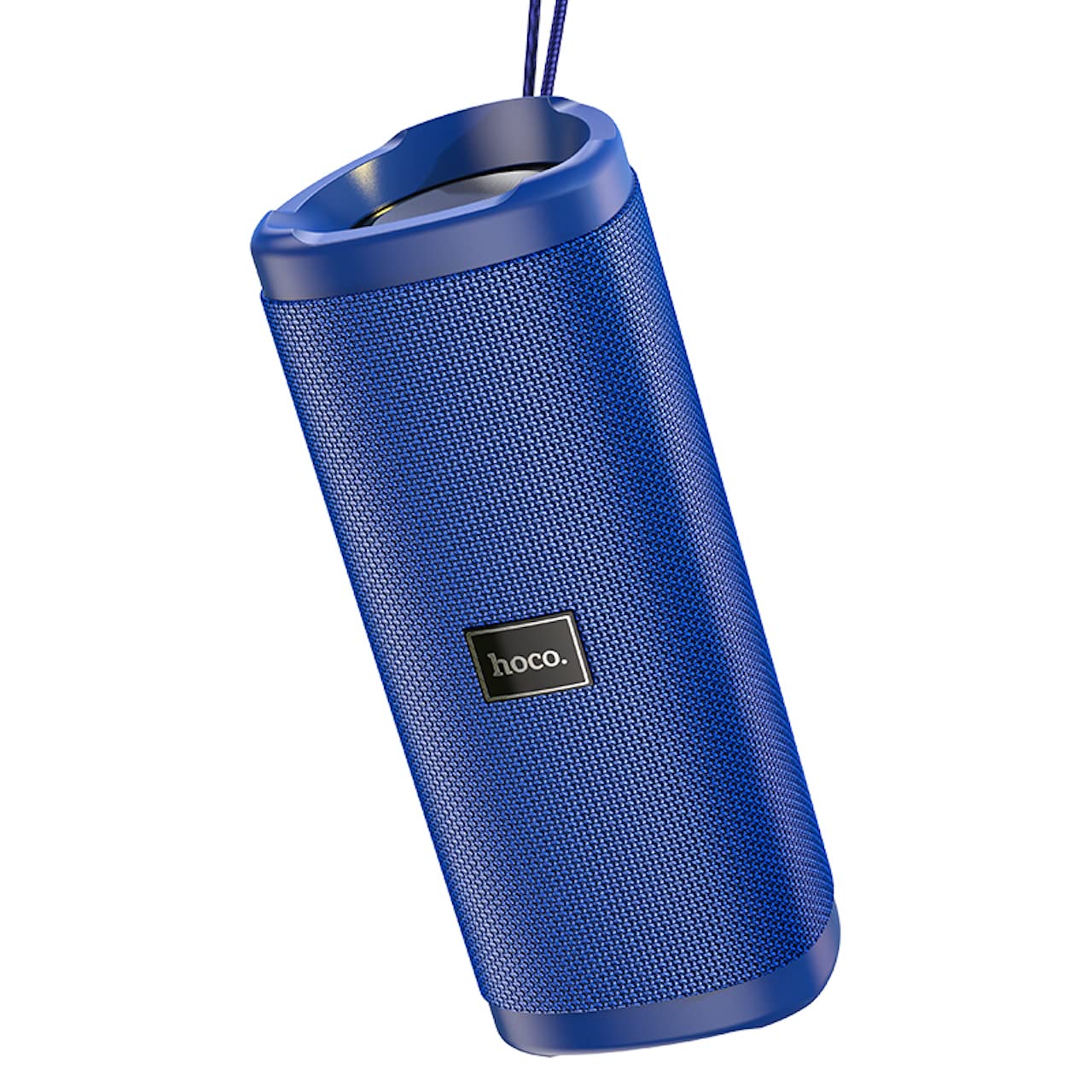
Imej: Bersudut view of the Hoco HC4 blue wireless speaker, highlighting its cylindrical design and fabric mesh.
- Butang Kuasa: Tekan dan tahan untuk menghidupkan/mematikan kuasa. Tekan pendek untuk main/jeda.
- Butang Mod (M): Tekan sebentar untuk bertukar antara mod Bluetooth, Radio FM, Kad TF, USB dan AUX.
- Butang Kelantangan Kurang / Trek Sebelumnya (-): Tekan sebentar untuk trek sebelumnya, tekan lama untuk mengurangkan kelantangan.
- Butang Naikkan Kelantangan / Trek Seterusnya (+): Tekan sebentar untuk trek seterusnya, tekan lama untuk meningkatkan kelantangan.
- Pelabuhan AUX: Untuk sambungan audio berwayar menggunakan kabel audio 3.5mm.
- Pelabuhan DC-5V: Untuk mengecas pembesar suara menggunakan kabel USB yang disediakan.
- Port USB: Untuk memainkan audio daripada pemacu kilat USB.
- Slot Kad TF: Untuk memainkan audio daripada kad TF (MicroSD).
Persediaan
Pengecasan Awal:
- Sebelum penggunaan pertama, cas sepenuhnya pembesar suara.
- Connect the small end of the USB charging cable to the DC-5V port on the speaker.
- Connect the larger end of the USB cable to a USB power adapter (5V/1A recommended) or a computer's USB port.
- Lampu penunjuk pengecasan akan menyala semasa pengecasan dan padam apabila dicas sepenuhnya.
Arahan Operasi
Hidupkan/Mati Kuasa:
- Untuk Menghidupkan: Press and hold the Power button for approximately 3 seconds. You will hear an audible prompt.
- Untuk Mematikan: Press and hold the Power button for approximately 3 seconds. You will hear an audible prompt.
Pairing Bluetooth:
- Ensure the speaker is powered on and in Bluetooth mode (indicated by a flashing blue LED and an audible prompt). If not, short press the 'M' (Mode) button to switch to Bluetooth mode.
- Dayakan Bluetooth pada peranti mudah alih anda (telefon pintar, tablet, dll.).
- Cari untuk available Bluetooth devices. Select "HC4" from the list.
- Once paired, the blue LED will stop flashing and remain solid, and you will hear a confirmation sound.
- Anda kini boleh memainkan audio daripada peranti anda melalui pembesar suara.
Mod Radio FM:
- Short press the 'M' (Mode) button until you hear the FM radio prompt.
- Untuk mengimbas dan menyimpan stesen yang tersedia secara automatik, tekan sebentar butang Kuasa. Pembesar suara akan mengimbas dan menyimpan stesen secara automatik.
- Gunakan butang '-' dan '+' untuk menavigasi antara stesen yang disimpan.
TF Card / USB Playback:
- Insert a TF (MicroSD) card or USB flash drive into the respective slot.
- The speaker will automatically switch to TF card or USB mode and begin playing audio files. If not, short press the 'M' (Mode) button to select the correct mode.
- Use the Power button to play/pause, and the '-' and '+' buttons for track navigation and volume control.
Mod AUX:
- Sambungkan satu hujung kabel audio 3.5mm (tidak disertakan) ke port AUX pada pembesar suara.
- Connect the other end to the audio output of your device (e.g., laptop, MP3 player).
- Short press the 'M' (Mode) button to switch to AUX mode.
- Audio will now play through the speaker. Volume can be controlled via the speaker or your connected device.
Fungsi True Wireless Stereo (TWS):
The TWS function allows you to pair two Hoco HC4 speakers together for a stereo sound experience.
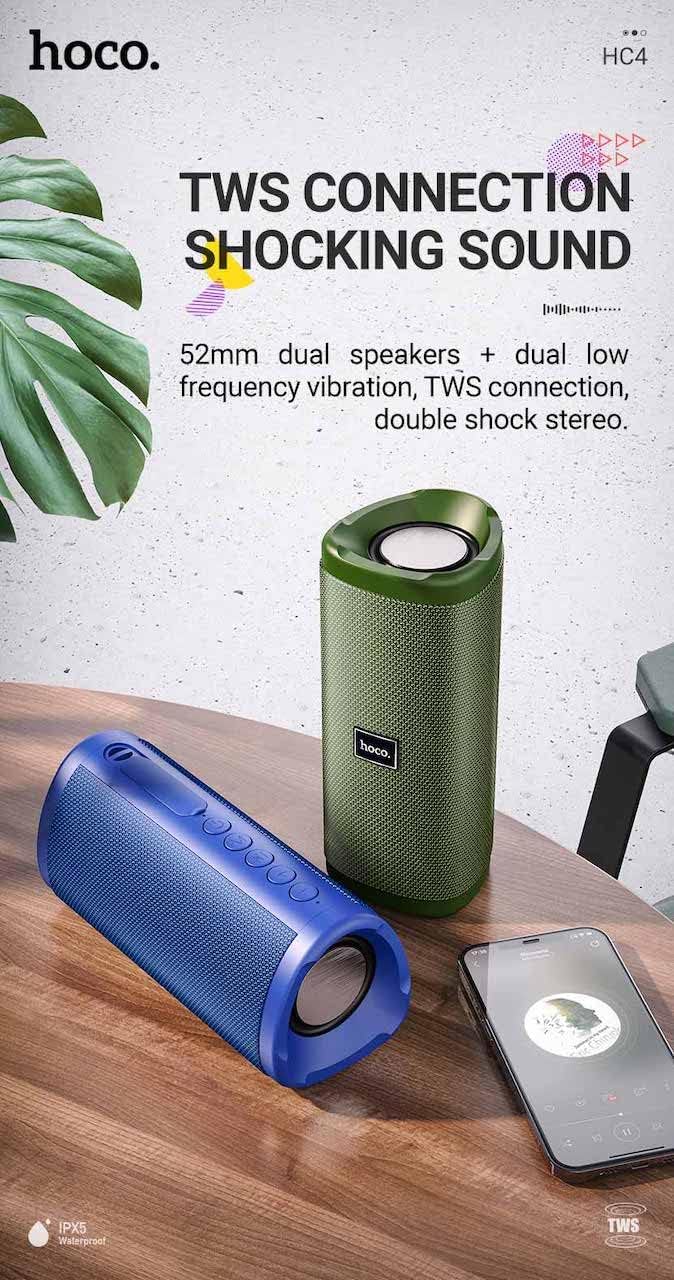
Imej: A promotional image showing two Hoco HC4 speakers (blue and green) connected via TWS, with a smartphone playing music. The image also highlights 'IPX5 Waterproof'.
- Ensure both HC4 speakers are powered on and in Bluetooth pairing mode (flashing blue LED).
- On one of the speakers (this will be the primary speaker), double-press the Power button. You will hear a tone indicating it is searching for another speaker.
- The two speakers will automatically connect to each other. Once connected, you will hear a confirmation sound, and the LED on the primary speaker will flash, while the secondary speaker's LED will be solid.
- Sekarang, sambungkan peranti mudah alih anda ke pembesar suara utama melalui Bluetooth seperti yang diterangkan dalam bahagian "Penyandingan Bluetooth".
- Audio kini akan dimainkan dalam stereo melalui kedua-dua pembesar suara.
Mengecas
When the battery is low, the speaker will emit an audible warning. Connect the speaker to a power source using the provided USB cable to recharge. A full charge takes approximately 2-3 hours. The speaker provides up to 3 hours of playtime on a full charge, depending on volume level and usage.
Penyelenggaraan
Pembersihan:
Lap pembesar suara dengan kain lembut dan kering. Jangan gunakan pembersih yang kasar, alkohol atau pelarut kimia lain, kerana ini boleh merosakkan permukaan.
Storan:
Store the speaker in a cool, dry place away from direct sunlight and extreme temperatures. If storing for an extended period, charge the battery at least once every three months to prolong its lifespan.
Rintangan Air (IPX5):
The Hoco HC4 speaker features an IPX5 water resistance rating, meaning it is protected against low-pressure water jets from any direction. This makes it suitable for outdoor use and resistant to splashes and light rain. Jangan tenggelamkan pembesar suara di dalam air. Ensure the port cover is securely closed to maintain water resistance.
Menyelesaikan masalah
| Masalah | Kemungkinan Punca | Penyelesaian |
|---|---|---|
| Speaker tidak dihidupkan | Bateri lemah; Butang kuasa tidak ditekan cukup lama | Cas pembesar suara; Tekan dan tahan butang Kuasa selama 3 saat |
| Tiada bunyi | Kelantangan terlalu rendah; Mod salah; Peranti tidak disambungkan | Increase volume; Switch to correct mode (Bluetooth, AUX, etc.); Ensure device is paired/connected |
| Penggandingan Bluetooth gagal | Speaker not in pairing mode; Device Bluetooth off; Too far from speaker | Ensure speaker is in Bluetooth mode (flashing LED); Turn on device Bluetooth; Move device closer (within 10m) |
| Gandingan TWS gagal | Pembesar suara tidak dalam mod berpasangan TWS; Terlalu jauh terpisah | Ensure both speakers are in Bluetooth mode, then double-press Power button on one; Keep speakers close during TWS pairing |
Spesifikasi

Imej: The Hoco HC4 speaker with its dimensions clearly marked: 20 cm in length, 8.8 cm in height, and 8.1 cm in width.
- Jenama: Hoco
- model: HC4
- Versi Bluetooth: 5.0
- Kuasa Output: 10W
- Saiz pembesar suara: 52mm
- Kapasiti Bateri: 1500mAh
- Masa main: Kira-kira 3 jam (pada volum 80%)
- Masa Pengecasan: Lebih kurang 2-3 jam
- Dimensi: 200 x 88 x 81 mm (Length x Height x Width)
- Berat: 540 gram
- Pilihan Kesambungan: Bluetooth, FM Radio, TF Card, USB, AUX
- Tahan Air: IPX5 (kalis percikan)
- Jenis Kawalan: Butang
Maklumat Keselamatan
- Jangan dedahkan pembesar suara kepada suhu yang melampau atau cahaya matahari langsung untuk tempoh yang lama.
- Elakkan daripada menjatuhkan atau menundukkan pembesar suara kepada impak yang kuat.
- Keep the speaker away from water and liquids, especially when ports are open.
- Do not attempt to disassemble, repair, or modify the speaker yourself. This will void the warranty and may cause damage.
- Gunakan hanya volum pengecasan yang dinyatakantage (DC 5V) and the provided charging cable.
- Jauhkan daripada kanak-kanak.
Waranti dan Sokongan
This product is covered by a standard manufacturer's warranty. For specific warranty terms and conditions, please refer to the warranty card included with your purchase or contact your local retailer. For technical support or service inquiries, please contact Hoco customer service or the authorized distributor in your region.