
1. Pengenalan
The KuWFi AC1200 Dual Band Wireless USB Adapter provides high-speed Wi-Fi connectivity for your desktop or laptop PC. This adapter supports both 2.4GHz and 5GHz frequency bands, offering flexible and reliable wireless performance. Its compact design ensures portability and ease of use.

Image 1.1: The KuWFi AC1200 adapter highlighting its dual-band capabilities with speeds of 867Mbps on 5GHz and 300Mbps on 2.4GHz.
2. Ciri-ciri Produk
- Kesambungan Dwi Jalur: Supports 2.4GHz (up to 300Mbps) and 5GHz (up to 867Mbps) for a combined speed of up to 1200Mbps.
- Prestasi Kelajuan Tinggi: Ideal for online gaming, HD video streaming, and large file pemindahan.
- Keserasian Luas: Compatible with Windows 10 (32/64bit), Windows 8, and Windows 7 operating systems.
- Pemasangan Tanpa Pemandu: Plug-and-play functionality for Windows 10 (32/64bit) systems.
- Keselamatan Lanjutan: Supports WEP, WPA-PSK, WPA2-PSK, and WPA/WPA2 64/128bit encryption protocols.
- Mini & Portable Design: Compact size for easy carrying and convenient use.
- Sokongan Mod AP: Can function as a Wi-Fi hotspot (SimulationAP).

Image 2.1: Key features of the KuWFi AC1200 adapter, including its compact size and AP mode capability.

Image 2.2: The adapter's mini size, making it highly portable.
3. Keperluan Sistem
- Operating System: Windows 10 (32/64bit), Windows 8, Windows 7
- Available USB Port (USB 2.0 or higher recommended)
- CD-ROM drive (for driver installation on Windows 7/8, not required for Windows 10)
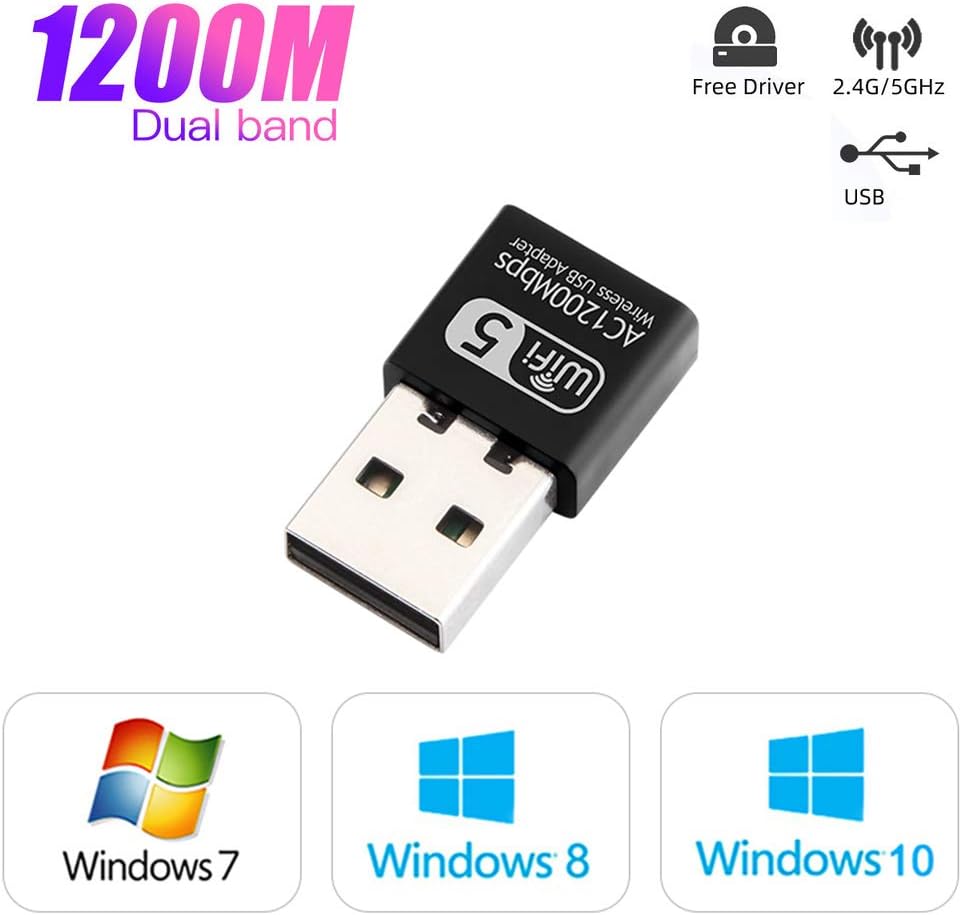
Image 3.1: Operating system compatibility and driver-free support for Windows 10.
4. Kandungan Pakej
- 1 x KuWFi AC1200 Dual Band Wireless USB Adapter
- 1 x Driver CD (for Windows 7/8)
5. Panduan Pemasangan
Step 1: Insert the USB Adapter
Carefully insert the KuWFi AC1200 Wireless USB Adapter into an available USB port on your desktop or laptop computer.

Image 5.1: Inserting the USB adapter into a computer's USB port.
Langkah 2: Pemasangan Pemandu
For Windows 10 (32/64bit): The adapter is designed for plug-and-play functionality. The system should automatically detect and install the necessary drivers. If not, proceed with the CD driver installation steps.
Untuk Windows 7/8:
- Insert the provided Driver CD into your computer's CD-ROM drive.
- Open 'My Computer' or 'This PC'.
- Double-click on the CD Driver icon to open it.
- Locate and double-click the setup or install file.
- Ikut arahan pada skrin untuk melengkapkan pemasangan pemacu.

Image 5.2: Visual guide for installing drivers from the CD.
Step 3: Connect to a Wi-Fi Network
Once the drivers are installed, your computer will detect available Wi-Fi networks. Select your desired network and enter the password to connect.
6. Arahan Operasi
Operasi Dual Band
The KuWFi AC1200 adapter supports both 2.4GHz and 5GHz Wi-Fi bands. You can choose the band that best suits your needs:
- Jalur 2.4GHz: Offers wider coverage and better penetration through walls, suitable for general internet browsing and tasks that do not require very high speeds.
- Jalur 5GHz: Provides faster speeds and less interference, ideal for online gaming, HD video streaming, and large file downloads. This band typically has a shorter range.
Your computer's Wi-Fi settings will display available networks. Networks operating on the 5GHz band often have '5G' or '5GHz' in their name (e.g., 'MyWiFi_5G'). Select the appropriate network based on your requirements.
AP Mode (Soft AP)
The adapter can function as a Wi-Fi hotspot (Soft AP) if your computer has an internet connection via Ethernet. This allows other devices to connect to your computer's internet through the adapter. Refer to your operating system's network settings for instructions on enabling mobile hotspot or Soft AP functionality.
7. Penyelenggaraan
- Pastikan penyesuai bersih dan bebas daripada habuk.
- Elakkan daripada mendedahkan penyesuai kepada suhu atau kelembapan yang melampau.
- Do not shake or plug/unplug the adapter excessively to prevent damage to the USB port or the adapter itself.
- Simpan penyesuai di tempat yang selamat apabila tidak digunakan.
8. Penyelesaian masalah
No Wi-Fi Networks Detected
- Pastikan penyesuai dipasang dengan selamat ke port USB.
- Verify that the drivers are correctly installed. Check Device Manager (Windows) for any yellow exclamation marks next to the network adapter.
- Mulakan semula komputer anda.
- Cuba palamkan penyesuai ke port USB lain.
Kelajuan Sambungan Perlahan
- Pastikan anda disambungkan ke jalur 5GHz jika penghala anda menyokongnya dan anda berada dalam julat.
- Kurangkan jarak antara komputer anda dan penghala Wi-Fi.
- Minimize obstacles (walls, large metal objects) between the adapter and the router.
- Check for other devices causing interference (e.g., microwaves, cordless phones).
- Kemas kini firmware penghala anda.
Sambungan Kerap Terputus
- Ensure the adapter is not loose in the USB port.
- Check for driver updates from the manufacturer's webtapak jika ada.
- Adjust the position of your computer or router to improve signal strength.
- Disable power-saving features for the USB port or network adapter in your computer's settings.
9. Spesifikasi
| Model | AC1200 |
| Antara Muka Perkakasan | USB |
| Kadar Pemindahan Data | Sehingga 1200 Mbps (867 Mbps pada 5GHz, 300 Mbps pada 2.4GHz) |
| Jalur Frekuensi | 2.4GHz, 5GHz |
| Peranti Serasi | Desktop, Komputer riba |
| Sistem Operasi | Windows 10 (32/64bit), Windows 8, Windows 7 |
| Encryption Support | WEP, WPA-PSK, WPA2-PSK, WPA/WPA2 64/128bit |
| Berat Barang | 0.634 auns (lebih kurang 18 gram) |
| Dimensi Pakej | 3.78 x 3.35 x 0.47 inci |