
pengenalan
This manual provides detailed instructions for the GIZMORE Multimedia GizBar 1000 Speaker. Please read this manual carefully before using the product to ensure proper operation and to maximize your listening experience.
The GizBar 1000 is designed to deliver clear and crisp audio with multi-connectivity options, including Bluetooth 5.0, USB, FM radio, TF card, and AUX input.
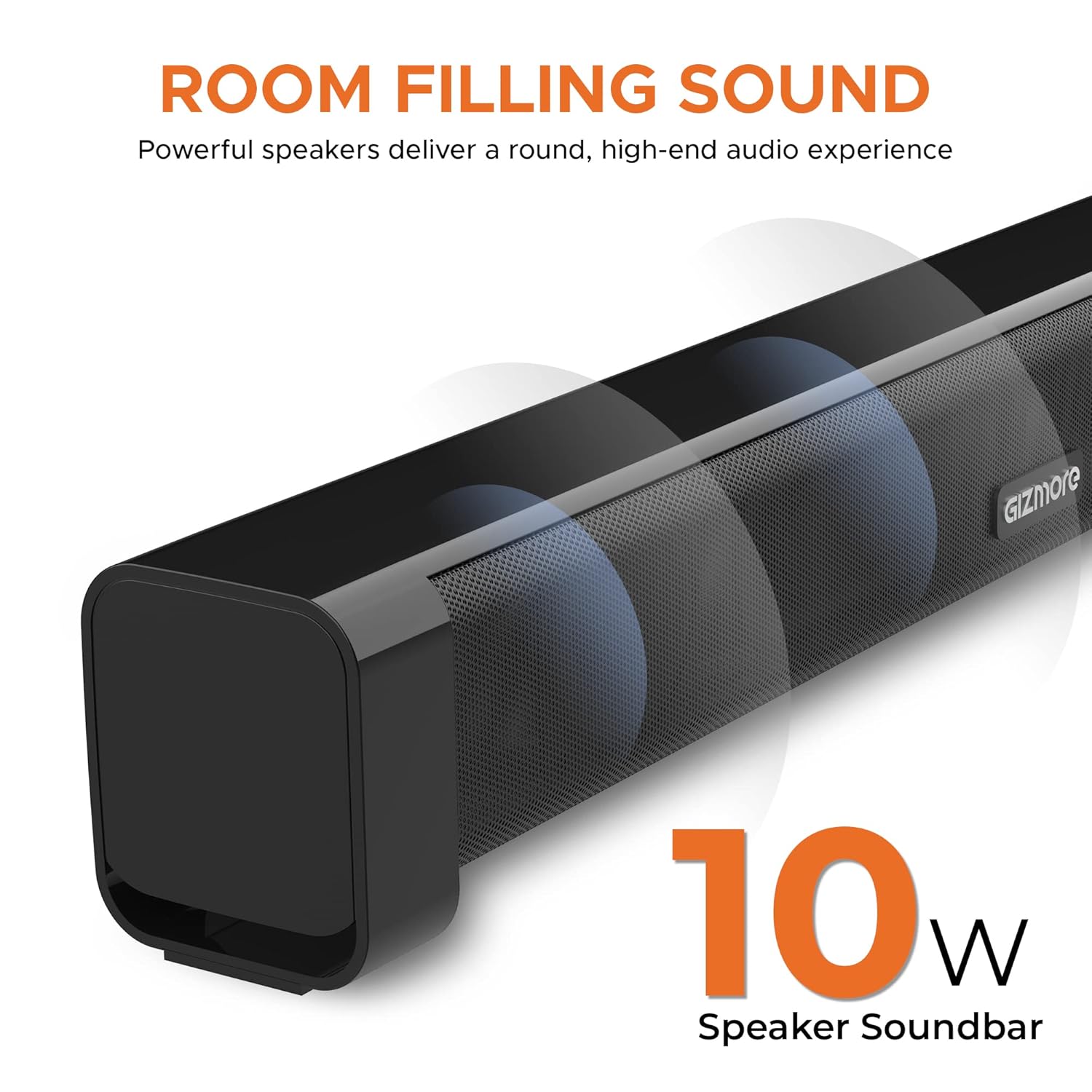
Image: This image highlights the GIZMORE GizBar 1000 speaker's ability to produce room-filling sound, with visual representations of sound waves emanating from the speaker grille.
Produk Selesaiview
The GIZMORE GizBar 1000 is a 10W soundbar featuring a sleek design and multiple connectivity options. It includes a classic jog dial for power and volume control, and a cool blue LED indicator.
Ciri-ciri Utama:
- Output Kuasa 10W
- Kesambungan Bluetooth 5.0
- Multi-Connectivity: USB, FM, TF Card, AUX
- Classic Jog Dial for Power & Volume
- Cool Blue LED Indicator
- Reka Bentuk Padat dan Mudah Alih
- Up to 3 hours of playback on a 2000 mAh rechargeable battery
Kawalan dan Pelabuhan:
Rujuk imej di bawah untuk lebih lanjutview of the controls and ports on your GizBar 1000.

Image: This image displays the side panel of the GizBar 1000 speaker, highlighting the multifunction button, volume up/down, play/pause controls, and various input ports including USB, AUX, Bluetooth, and TF Card slot. The jog dial is prominently featured with a blue LED light.
- Butang pelbagai fungsi: Used for various operations depending on the mode.
- Kelantangan Naik/Turun: Melaraskan kelantangan audio.
- Main/Jeda: Mengawal main balik media.
- Dail Jog: Classic dial for power on/off and volume adjustment.
- Port USB: Untuk main balik pemacu USB.
- Input AUX: Untuk sambungan audio berwayar.
- Slot Kad TF: Untuk main balik kad TF (MicroSD).
Arahan Persediaan
1. Mengisi Speaker
Before first use, fully charge the GizBar 1000. Connect the provided charging cable to the speaker's charging port and a suitable USB power adapter (not included).
Penunjuk LED akan menunjukkan status pengecasan dan akan mati atau berubah warna apabila dicas sepenuhnya.
2. Menghidupkan/Mematikan
Rotate the Classic Jog Dial to power on the speaker. Rotate it again to power off.
Arahan Operasi
1. Mod Bluetooth
The GizBar 1000 uses Bluetooth 5.0 for wireless connectivity.
- Power on the speaker. The blue LED indicator will flash, indicating it's in pairing mode.
- Pada peranti anda (telefon pintar, tablet, komputer riba), dayakan Bluetooth dan cari peranti yang tersedia.
- Select "GizBar 1000" from the list of devices.
- Once paired, the blue LED will stop flashing and remain solid. You can now play audio wirelessly from your device.
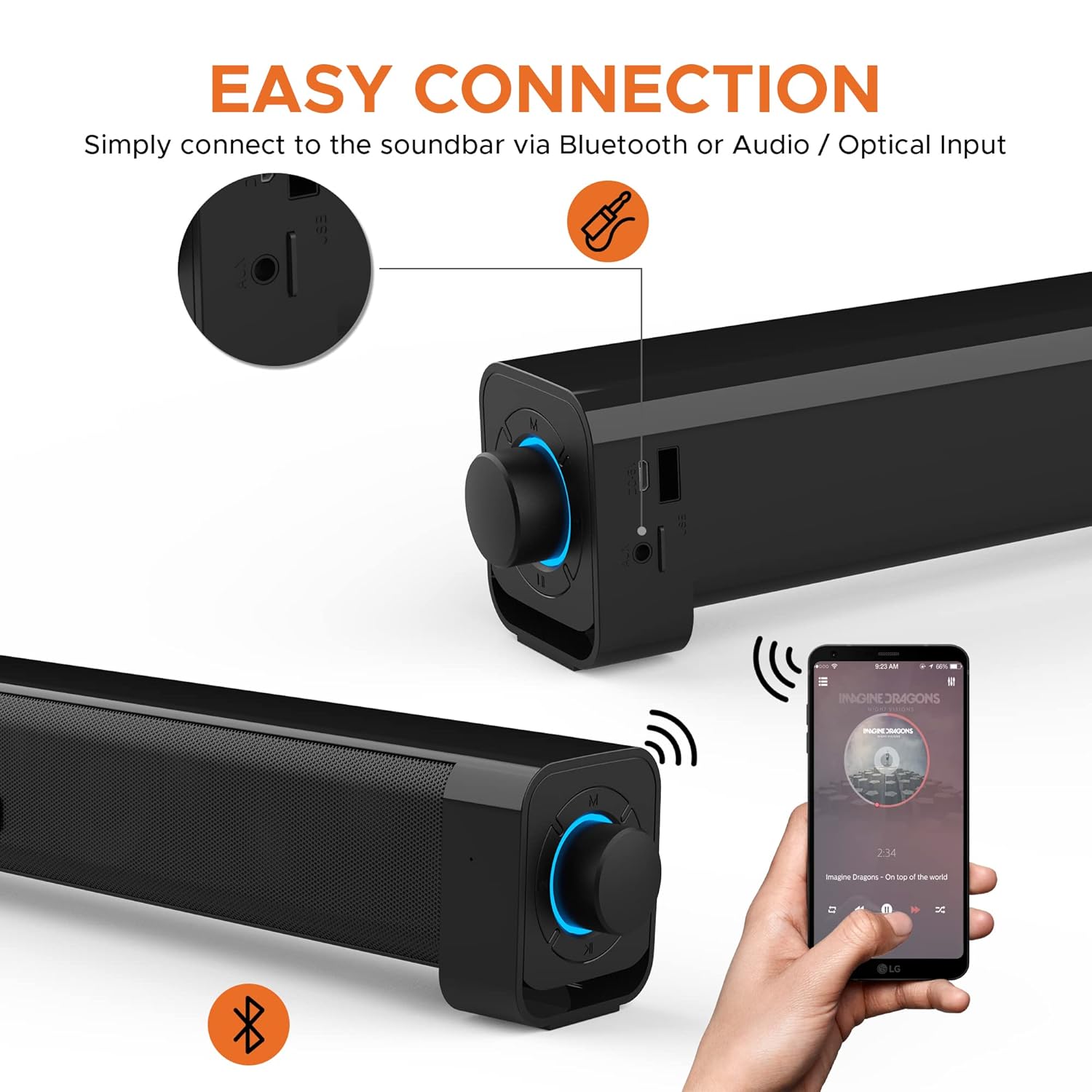
Image: This image illustrates the Bluetooth pairing process, showing a smartphone connected wirelessly to the GizBar 1000 speaker. The speaker's jog dial glows blue, indicating an active connection.
2. Main semula USB
Masukkan pemacu USB yang mengandungi audio files into the USB port. The speaker will automatically switch to USB mode and begin playing music.
3. Main Semula Kad TF
Masukkan kad TF (MicroSD) yang mengandungi audio files into the TF card slot. The speaker will automatically switch to TF card mode and begin playing music.
4. Input AUX
Connect an external audio device (e.g., MP3 player, computer) to the AUX port using the provided AUX cable. The speaker will automatically switch to AUX mode. Play audio from your connected device.
5. Radio FM
To enter FM mode, press the Multifunction button until you hear the FM radio. Use the Play/Pause button to auto-scan and save available stations. Use the Volume Up/Down buttons to navigate between stations.
6. Kawalan Kelantangan
Adjust the volume using the Classic Jog Dial or the dedicated Volume Up/Down buttons.
Penyelenggaraan
- Keep the speaker away from water and excessive moisture.
- Bersihkan pembesar suara dengan kain lembut dan kering. Jangan gunakan pembersih atau pelarut yang melelas.
- Elakkan daripada mendedahkan pembesar suara kepada suhu yang melampau.
- Simpan pembesar suara di tempat yang sejuk dan kering apabila tidak digunakan untuk tempoh yang lama.
Menyelesaikan masalah
| Masalah | Kemungkinan Punca | Penyelesaian |
|---|---|---|
| Tiada kuasa | Bateri habis. | Cas pembesar suara menggunakan kabel pengecas yang disediakan. |
| Tiada bunyi | Volume is too low or muted. Incorrect input mode. Device not connected properly. | Increase volume. Ensure correct input mode (Bluetooth, USB, AUX, TF, FM). Reconnect the device. |
| Penggandingan Bluetooth gagal | Speaker is not in pairing mode. Device Bluetooth is off. Speaker is too far from the device. | Ensure speaker is in pairing mode (flashing blue LED). Turn on Bluetooth on your device. Move speaker closer to the device. |
| Penerimaan FM yang lemah | Isyarat lemah. | Letakkan semula pembesar suara ke kawasan dengan penerimaan isyarat yang lebih baik. |
Spesifikasi
| Ciri | Perincian |
|---|---|
| Nama Model | Gizbar1000 |
| Jenis Pembesar Suara | Bar bunyi |
| Output Kuasa | 10 Watt |
| Versi Bluetooth | V 5.0 |
| Teknologi Ketersambungan | Bluetooth, USB, Tambahan |
| Kapasiti Bateri | 2000 mAh (boleh dicas semula) |
| Hayat Bateri | Sehingga 3 Jam |
| Kaedah Kawalan | Touch, Jog Dial |
| Dimensi Produk | 9D x 49W x 9H Sentimeter |
| Berat Barang | 794 Gram |
| Komponen yang Disertakan | Aux Cable, Charging Cable |

Image: This image shows the dimensions of the GizBar 1000 speaker, indicating a length of 49cm and a depth/height of 9cm.
Waranti dan Sokongan
For product support, please contact GIZMORE customer care:
- telefon: +91-9654034400 (10 AM - 7 PM, Monday - Saturday)
- e-mel: customercare@gizmore.in
- Alamat: ZAZZ Technology Connect Pvt. Ltd. A-30, First Floor, (F.I.E.E Complex) Okhla Industrial Area, Phase-2, New Delhi-110020, India
Sila simpan resit pembelian anda untuk tuntutan waranti.