
pengenalan
The Fujifilm Fujinon XF70-300mmF4-5.6 R LM OIS WR lens is a versatile super telephoto zoom lens designed for Fujifilm X Series cameras. It offers an equivalent focal range of 107-457mm (35mm format equivalent), making it suitable for a wide array of photographic subjects, from distant wildlife to detailed landscapes. This lens incorporates two ED elements for optical clarity and features a linear motor for fast, quiet autofocus. Its built-in Optical Image Stabilization (OIS) provides up to 5.5 stops of vibration reduction, enhancing sharpness in various shooting conditions. The weather-resistant construction ensures durability in challenging outdoor environments.
Persediaan
Memasang Lensa
- Ensure the camera is turned off before attaching or detaching the lens.
- Tanggalkan penutup lensa belakang dan penutup badan kamera.
- Align the white mounting marks on the lens and the camera body.
- Insert the lens into the camera body and rotate it clockwise until it clicks into place.
Menanggalkan Kanta
- Pastikan kamera dimatikan.
- Semasa menekan butang pelepas lensa pada badan kamera, putar lensa mengikut lawan jam sehingga ia berhenti.
- Tanggalkan kanta dari badan kamera dengan berhati-hati.
- Pasang penutup kanta hadapan dan belakang untuk melindungi elemen kanta.
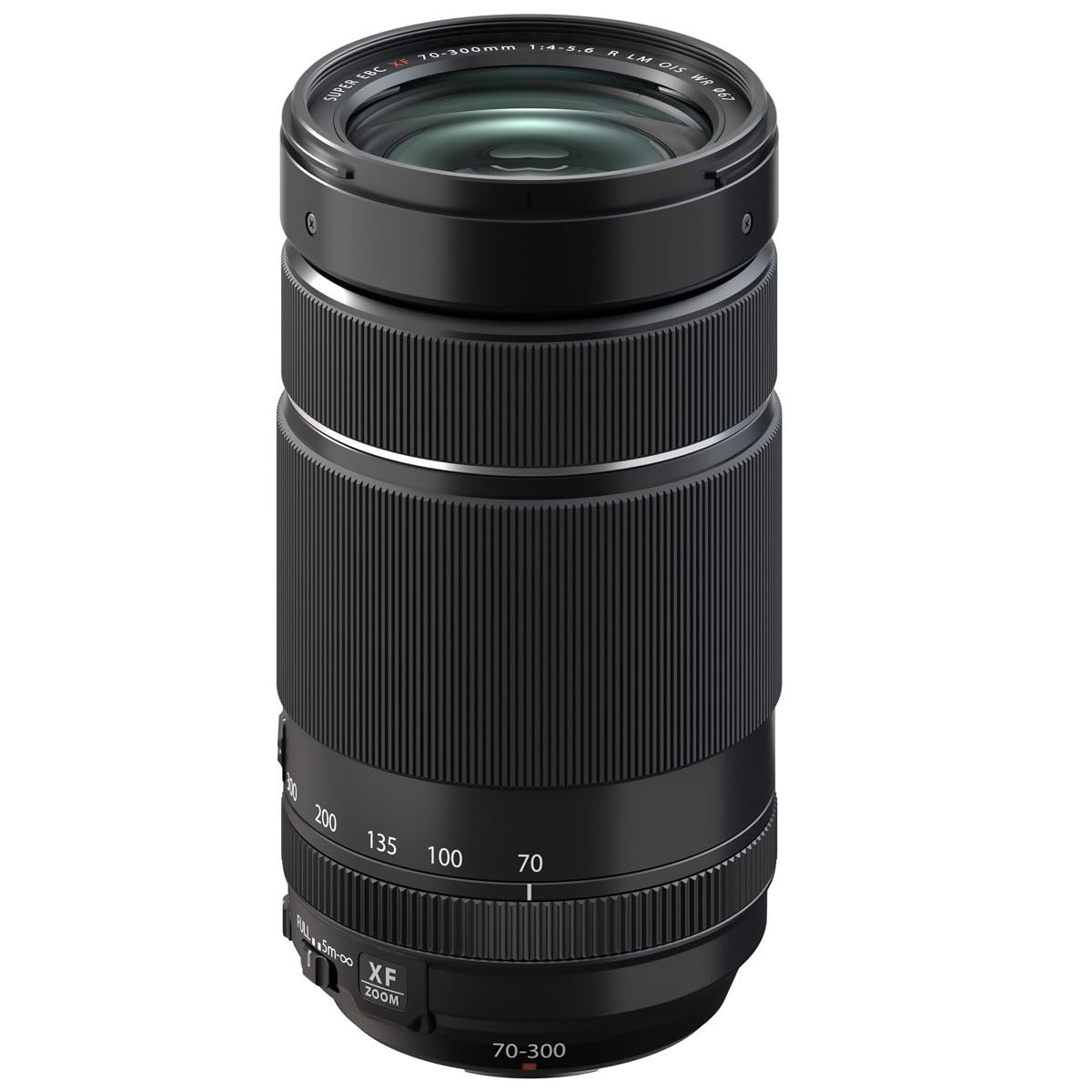
Image: The Fujifilm Fujinon XF70-300mmF4-5.6 LM OIS WR lens, showing its compact form factor with lens caps attached.
Mengendalikan Lensa
Zum Cincin
Rotate the zoom ring to adjust the focal length between 70mm and 300mm. The lens features markings for 70mm, 100mm, 135mm, 200mm, and 300mm to assist with precise framing.
Suis Mod Fokus
- AF (Autofokus): The camera automatically adjusts focus.
- MF (Fokus Manual): Adjust focus manually using the focus ring.
Penstabilan Imej Optik (OIS)
The lens features built-in OIS to reduce camera shake, especially at longer focal lengths or slower shutter speeds. The OIS function can be toggled on or off via a switch on the lens barrel or through the camera's menu, depending on the camera model.
Suis Penghad Fokus
The focus limiter switch allows you to restrict the autofocus range, which can improve autofocus speed when shooting subjects within a specific distance. Options typically include FULL (full range) and 5m-∞ (5 meters to infinity).
Using Teleconverters
This lens is compatible with the FUJINON XF1.4X TC WR and XF2X TC WR teleconverters. These accessories extend the focal length, allowing for even greater reach. When using a teleconverter, attach it between the camera body and the lens. Be aware that using a teleconverter will reduce the maximum aperture and may affect autofocus performance in some conditions.
Video: A product demonstration showing the features and operation of the Fujifilm Fujinon XF70-300mmF4-5.6 LM OIS WR lens, including its zoom and focus capabilities.
Penyelenggaraan dan Penjagaan
- Pembersihan: Use a soft, lint-free cloth to clean the lens barrel. For lens elements, use a lens brush or blower to remove dust, then gently wipe with a specialized lens cleaning cloth and solution if necessary. Avoid touching the glass surfaces directly.
- Storan: Store the lens in a cool, dry place away from direct sunlight and extreme temperatures. Always attach lens caps when not in use to protect the front and rear elements.
- Rintangan Cuaca: The lens is dust- and moisture-resistant. While designed for use in challenging conditions, avoid prolonged exposure to heavy rain or direct water immersion. Ensure the lens is properly mounted to a weather-resistant camera body to maintain the system's overall weather resistance.

Image: The Fujifilm Fujinon XF70-300mmF4-5.6 LM OIS WR lens with its lens hood attached, providing protection and reducing flare.
Menyelesaikan masalah
| Masalah | Kemungkinan Punca / Penyelesaian |
|---|---|
| Kanta tidak dikenali oleh kamera | Ensure the lens is securely mounted and the camera is turned off and on again. Check for any debris on the lens or camera contacts. |
| Autofokus perlahan atau tidak tepat | Check the focus mode switch (AF/MF) and focus limiter switch (FULL/5m-∞). Ensure there is sufficient light and contrast for the autofocus system. Clean lens contacts. |
| Images are blurry despite OIS | Ensure OIS is enabled. OIS compensates for camera shake, but not subject motion. Use a faster shutter speed or tripod for moving subjects or very low light. |
| Dust or spots visible in images | Clean the front and rear lens elements. If spots persist, check the camera sensor for dust. |
Spesifikasi
| Ciri | Perincian |
|---|---|
| Nama Model | Fujinon XF70-300mmF4-5.6 LM OIS WR |
| Panjang Fokus | 70-300mm (107-457mm 35mm equivalent) |
| Apertur Maksimum | F4-5.6 |
| Aperture minimum | F22 |
| Pembinaan Kanta | 17 elemen dalam 12 kumpulan (termasuk 2 elemen ED) |
| Jarak Fokus Minimum | 0.83m (32.7 inci) |
| Pembesaran Maksimum | 0.33x |
| Penstabilan Imej | Optical Image Stabilization (OIS), up to 5.5 stops |
| Saiz Penapis | 67mm |
| Berat badan | 580g (1.3 paun) |
| Tahan Cuaca | Yes (Dust- and moisture-resistant, operates down to 14°F / -10°C) |
| Compatible Teleconverters | XF1.4X TC WR, XF2X TC WR |
Apa yang ada dalam Kotak
The following items are included with your Fujifilm Fujinon XF70-300mmF4-5.6 LM OIS WR lens:
- FLCP-67 Lens Cap
- RLCP-002 Rear Lens Cap
- Tudung Lensa
- Kantung Lensa
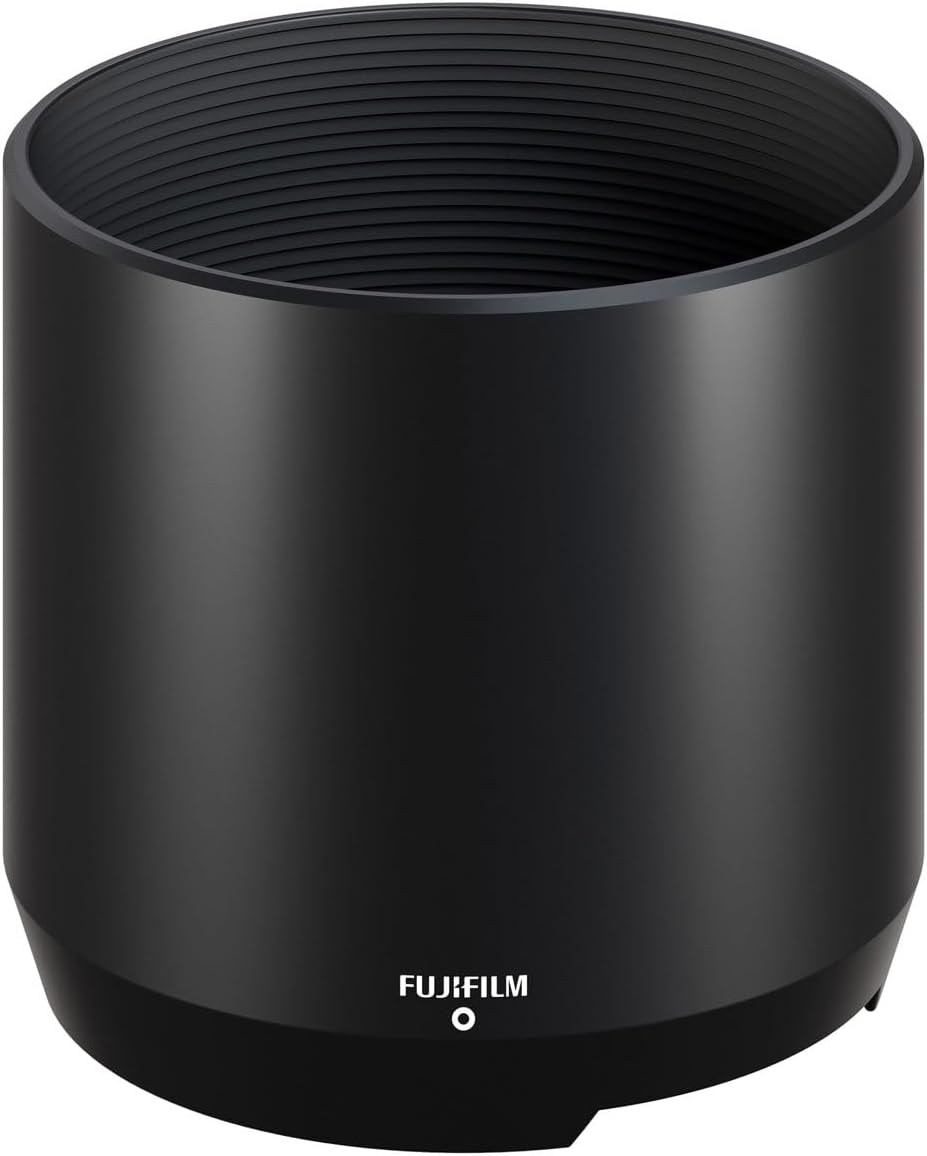
Image: The lens hood for the Fujifilm Fujinon XF70-300mmF4-5.6 LM OIS WR lens, designed to reduce flare and protect the front element.
Maklumat Waranti
This Fujifilm Fujinon XF70-300mmF4-5.6 LM OIS WR lens comes with a Waranti Pengeluar 1 Tahun. Sila simpan bukti pembelian anda untuk tuntutan waranti. Untuk terma dan syarat terperinci, rujuk kad waranti yang disertakan dengan produk anda atau lawati Fujifilm rasmi webtapak.
Sokongan dan Hubungan
Untuk bantuan lanjut, sokongan teknikal atau pertanyaan perkhidmatan, sila lawati sokongan rasmi Fujifilm webtapak atau hubungi perkhidmatan pelanggan mereka. Anda boleh mendapatkan maklumat hubungan dan Soalan Lazim di Kedai Fujifilm di Amazon or the main Fujifilm webtapak.