
ABKO EC10
Manual Pengguna Fon Telinga Tanpa Wayar Sejati Pembatalan Bunyi Aktif ABKO EC10
Model: EC10
pengenalan
The ABKO EC10 Active Noise Cancelling True Wireless Earbuds are designed to provide an immersive audio experience with advanced noise cancellation and clear communication features. This manual provides detailed instructions for setup, operation, maintenance, and troubleshooting to ensure optimal performance of your earbuds.
Apa yang ada dalam Kotak
- 1 x EC10 Earbud Set (Left and Right)
- 1 x USB-C Type Charging Cable
- 4 x Ear Tips (various sizes)
- 1 x Manual Pengguna (dokumen ini)

Image: The ABKO EC10 earbuds shown inside their charging case, with the USB-C charging cable and extra ear tips.
Persediaan
1. Mengecas Fon Telinga dan Sarung
Before first use, fully charge the earbuds and the charging case. The case supports both USB-C wired charging and wireless charging.
- Pengecasan Berwayar: Connect the provided USB-C cable to the charging port on the case and to a USB power source.
- Pengecasan Tanpa Wayar: Letakkan bekas pengecas pada pad pengecasan wayarles yang serasi.
The charging time for both the cradle and earbuds is approximately 1.5 hours.

Image: The ABKO EC10 charging case placed on a wireless charging pad, illustrating its wireless charging capability.
2. Berpasangan dengan Peranti Anda
The EC10 earbuds feature fast auto-pairing for convenience.
- Pastikan Bluetooth peranti anda dihidupkan.
- Buka bekas pengecas. Fon telinga akan memasuki mod berpasangan secara automatik.
- On your device, search for Bluetooth devices and select "ABKO EC10" from the list.
- Setelah disambungkan, anda akan mendengar pengesahan yang boleh didengar.
The earbuds use Bluetooth Version 5.0 and have an operation distance of up to 10 meters.
Video: An official product video demonstrating the features and usage of the ABKO Wireless ANC Earbuds EC10, including pairing and various modes.
Mengendalikan Fon Telinga
Pembatalan Bising Aktif (ANC)
The EC10 earbuds feature Active Noise Cancellation (ANC) technology, which analyzes surrounding noise and generates a "counter-noise" to cancel it, reducing ambient noise by up to 28 dB. They also offer Passive Noise Cancelling through ergonomically designed ear tips for a secure fit.
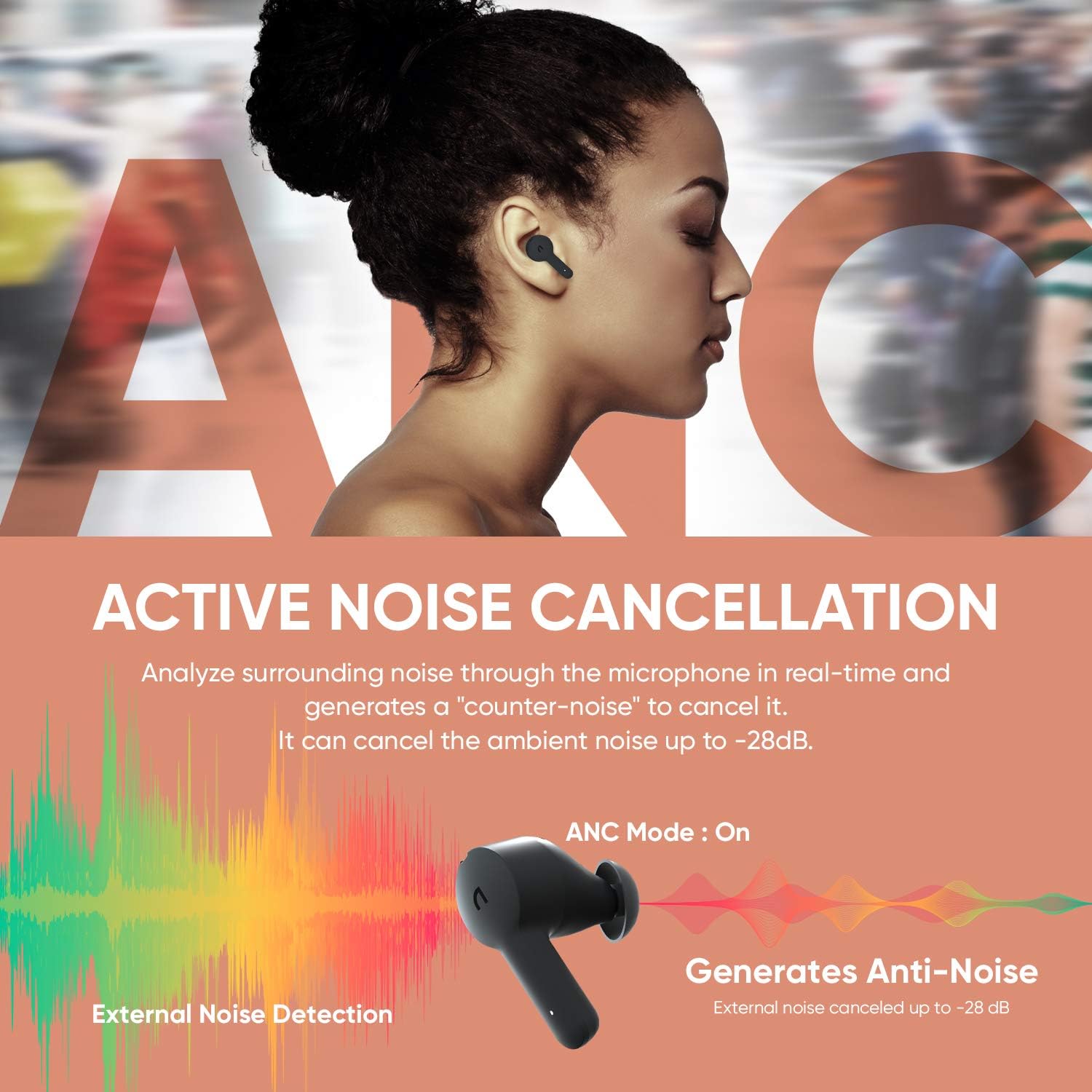
Image: Visual representation of the Active Noise Cancellation feature, showing how external noise is detected and counter-noise is generated to cancel it.
Mod Ketelusan
Activate Transparency Mode by touching the button on the left earbud for 1.5 seconds. This mode allows you to hear your surroundings without removing the earbuds, which is useful for interacting with people or being aware of traffic.

Image: Two individuals interacting while wearing the earbuds, illustrating the use of Transparency Mode to hear ambient sounds.
Clear Voice Calls
Each earbud is equipped with MEMS dual microphones. One microphone senses and cancels ambient noise, while the other picks up and isolates your voice, ensuring clear calls even in noisy environments.

Image: A person on a phone call with the earbuds, showing the microphone noise cancelling technology at work to deliver clear voice.
Kualiti Audio
The EC10 earbuds feature a 10mm large dynamic driver for deep bass and support AAC/SBC codecs for high-quality audio decoding, providing well-balanced sound for all types of music.

Imej: Meletup view of the earbud highlighting the 10mm large dynamic driver, emphasizing its role in delivering clear sound and rich bass.
Kawalan
The earbuds feature touch controls for media playback and call management. Refer to the quick start guide included in the box for specific touch commands.
Penyelenggaraan
Pembersihan
Bersihkan fon telinga dan bekas pengecas anda secara berkala untuk mengekalkan prestasi dan kebersihan yang optimum. Gunakan kain yang lembut, kering dan tidak berbulu. Untuk hujung telinga, tanggalkannya dan bersihkan dengan sabun dan air yang lembut, kemudian keringkan dengan teliti sebelum dipasang semula.
Rintangan Air (IPX5)
The EC10 earbuds are IPX5 waterproof, meaning they are resistant to sweat and light splashes of water. They are not designed for submersion in water. Ensure earbuds are dry before placing them back in the charging case.

Image: A person exercising with the earbuds, illustrating their resistance to rain and sweat due to IPX5 waterproof rating.
Menyelesaikan masalah
- Earbuds not pairing/only one earbud working:
Ensure both earbuds are charged. Place both earbuds back into the charging case, close the lid, wait a few seconds, then open the lid again to re-initiate pairing. If issues persist, try resetting the earbuds (refer to the quick start guide for specific reset instructions).
- Tiada bunyi:
Check the volume level on your connected device. Ensure the earbuds are properly paired and connected. Try disconnecting and re-pairing the earbuds.
- Isu pengecasan:
Ensure the charging cable is securely connected and the power source is active. For wireless charging, ensure the case is correctly positioned on the charging pad. Clean the charging contacts on both the earbuds and the case.
- Kualiti bunyi yang lemah:
Ensure the ear tips provide a good seal in your ear. Try different sized ear tips. Clean any debris from the earbud speakers. Move closer to your connected device to avoid interference.
Spesifikasi
| Nama Model | EC10 |
| Versi Bluetooth | BT 5.0 |
| Bluetooth Profile | HFP / HSP / A2DP / AVRCP |
| Respons Kekerapan | 20Hz – 20KHz |
| Charging Time (Cradle) | 1.5 jam |
| Charging Time (Earbud) | 1.5 jam |
| Masa Main (ANC Hidup) | 4 jam |
| Masa Main (ANC Mati) | 5 jam |
| Total Playtime (with Cradle) | Sehingga 20 jam |
| Cradle Battery Capacity | 3.7V / 500mAh |
| Kapasiti Bateri Earbud | 3.7V / 55mAh |
| Jarak Operasi | 10 J |
| Kadar Kalis Air | IPX5 |
| Pengecasan Tanpa Wayar | Tersedia |
| Jenis Kawalan | Sentuh, Kawalan Media |
| Jenis Pemacu Audio | Pemandu Dinamik |
Waranti dan Sokongan
For warranty information and customer support, please refer to the warranty card included in your product packaging or visit the official ABKO webtapak. Simpan bukti pembelian anda untuk tuntutan waranti.
Pengeluar: ABKO
Ask a question about this manual
Ask about setup, troubleshooting, compatibility, parts, safety, or missing instructions. Manuals+ will review the question and use this page’s manual context to help answer it.