
1. Pengenalan
Thank you for choosing Kastar Ni-MH replacement batteries. This manual provides essential information for the safe and effective use of your new battery pack. These batteries are designed to provide reliable power for compatible cordless telephones.
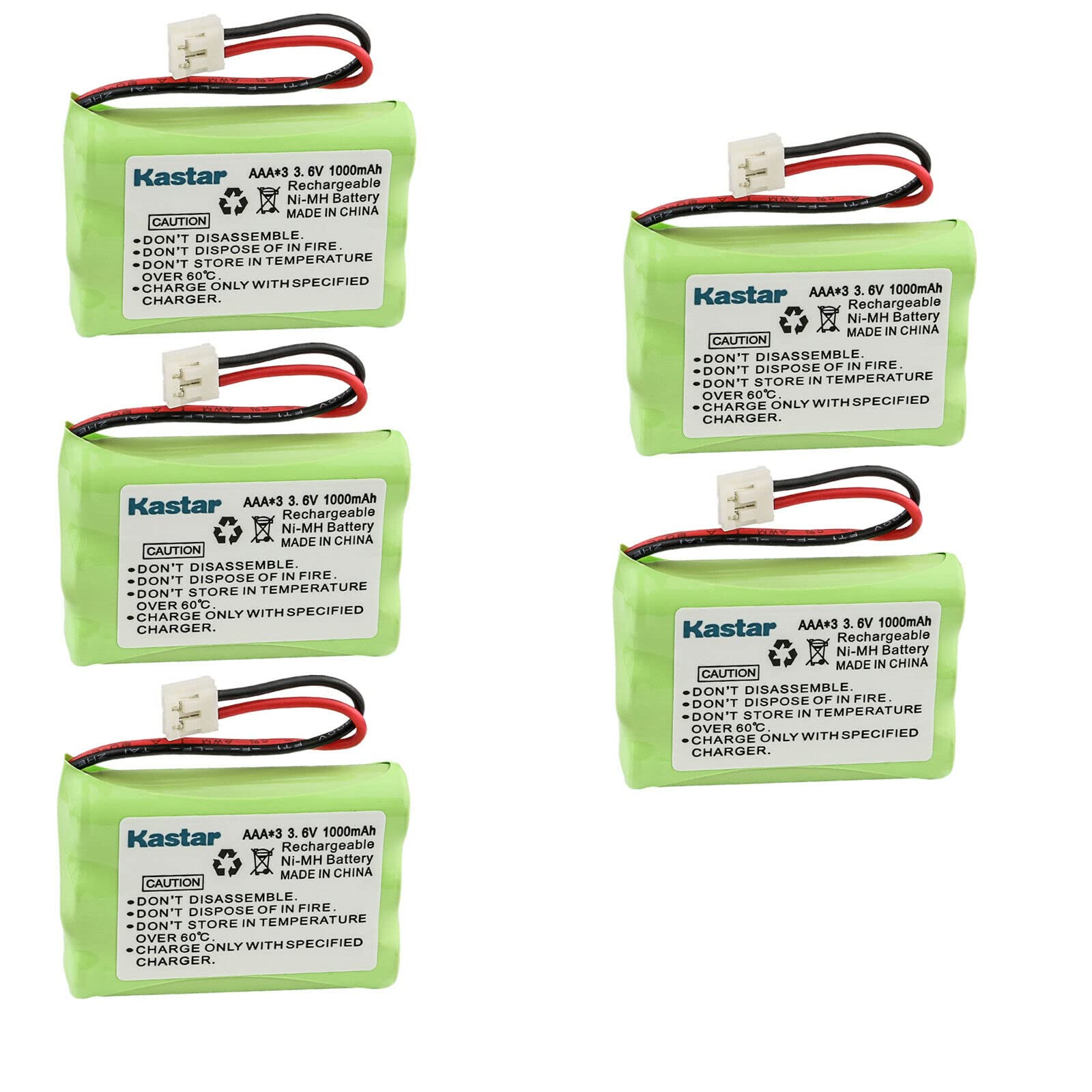
Image 1.1: Kastar 5-Pack Ni-MH Replacement Batteries. This image shows five individual battery packs, each with a white connector and red and black wires.
2. Ciri-ciri Produk
- Kapasiti Tinggi: Designed to provide extended power for your devices, ensuring longer operation.
- Jaminan Keselamatan: Features a mix-protection additive in the cathode to prevent degradation during charge and discharge cycles, extending lifespan up to 1200 cycles.
- Pelepasan Diri Rendah: Embedded seal structure helps retain power longer compared to standard batteries.
- Perlindungan Alam Sekitar: Ni-MH eco-friendly cells, free from harmful Hg/Cd/Pb, and utilizing a DBCK steel shell for explosion protection.
3. Model Serasi
These Kastar replacement batteries are compatible with a wide range of cordless telephone models. Please verify your device's model number against the list below:
GE (General Electric) / Sanyo: PC3F03, GES-PC3F03, TL96158, 21009GE3, 21018GE3, 21028GE3, 21098, 21900, 21905, 25413, 25414, 25415, 25802, 25825, 25826, 25831GE3, 25832GE3, 25833, 25895, 25902, 25912, 25922, 25932, 25942, 25952, 25982, 25983, 26977, 26977GE1, 26977GE6, 27700GE2, 27901, 27907, 27910, 27910GE3, 2791GE1, 27920, 27920GE1, 27920GE2, 27920GE3, 27920GE4, 27920GE5, 27920GE6, 27920GE7, 27925, 27925GE3, 27929, 27930, 27930GE3, 27930GE4, 27930GE6, 27930GE7, 27931, 27931GE4, 27931GE5, 27931GE6, 27931GE7, 27935, 27935GE3, 27935GE3B, 27936, 27936GE3, 27938GE1, 27939GE3, 27980, 27990, 27990GE3, 27993, 27993GE3, 28001, 28011, 28021, 28031, 28041, 28110, 28111, 28112, 28122, 28128, 28129, 28132, 29110, 2-9110, 29111, 29115, 29407, 29510, 29512, 29514, 29519D, 295522D, 29626, 29630A, 29631, 29632, 29639, 29670, 29672, 521819A, 52311, 52319, 52459, 5-2459, 52522, 5-2522, 52523, 5-2523, 52533, 52539, 5-2539, 52628, 52637, 52650, 52660, 52705, 5-2705, 52721, 5-2721, 53304, AU26788-GE1, CLT2423, Sanik GE 3SN-5/4AAA80H-S-J1, 3SN-AAA55H-S-J1, 3SN-AAA60H-S-J1, 3SN-AAA65H-S-J1, 3SN-AAA70H-S-J1, 3SN-AAA75H-S-J1F, 3SN-AAA80H-S-J1, GES-PC3F03, 2-5802, 2-5825, 2-5826, 2-5895, 35850, 35851, GP 710, 60AAAH3BMJ, 65AAAH3BMJ, 70AAH3BMJZ, 85AAALH3BMJ, GP60AAAH3BMJ, GP80AAALH3BMJ, GP85AAALH3BMJ, 525734-001, TL26158
Motorola: MD-7250, MD-7251, MD-7260, MD-7261, MD-761, MD-781, MD-791, MD-7101, MD-7151, MD-7161, MD-7261, SD-4501, SD-4502, SD-4550, SD-4551, SD-4561, SD-4581, SD-4591, SD-7500, SD-7501, SD-7502, SD-7561
Philips: SJB2142
AtLinks: 5-2683
AEG: Birdy Voice
BYD: H-AAA550BX3, H-AAA600BX3
Comdial: 7265-HS
Empire: CPH-464D, Y7500, Y7520
Unitech: D0612VO00
4. Persediaan dan Pemasangan
Before installing the new battery, ensure your cordless telephone is powered off and disconnected from its charging base. Refer to your telephone's original user manual for specific instructions on opening the battery compartment.
- Locate the battery compartment on your cordless telephone handset. This is typically on the back or bottom of the handset.
- Buka penutup petak bateri dengan berhati-hati.
- Disconnect the old battery pack from the telephone's connector.
- Penting: Before connecting the new Kastar battery, carefully observe the connector type and the orientation of the red and black wires on your device's existing connector. Ensure the new battery's connector matches your device's port and that the polarity (red and black wire positions) is correct.
- Connect the new Kastar battery pack to the telephone's connector, ensuring a secure fit.
- Place the new battery pack into the compartment, ensuring wires are not pinched.
- Tutup penutup petak bateri dengan selamat.
- Place the handset on its charging base for an initial charge.

Image 4.1: Detail of the Kastar battery connector. This image highlights the white connector with two pins and the attached red and black wires, emphasizing the need to check the device's connector and the wire placement.
5. Arahan Operasi
- Caj Permulaan: For optimal performance, fully charge the new battery for at least 12-16 hours before its first use, even if the phone indicates a full charge sooner.
- Penggunaan Biasa: Place the handset on the charging base when not in use to keep the battery charged.
- Memori Bateri: Ni-MH batteries are less prone to "memory effect" than older Ni-Cd batteries, but occasional full discharge (until the phone indicates low battery) followed by a full recharge can help maintain battery health.
6. Penyelenggaraan dan Penjagaan
- Storan: If storing the battery for an extended period, charge it to about 50% capacity and store in a cool, dry place. Recharge every 3-6 months to prevent deep discharge.
- Suhu: Avoid exposing batteries to extreme temperatures, both hot and cold, as this can reduce lifespan and performance.
- Pembersihan: Keep battery contacts clean. Use a dry cloth to wipe away any dust or debris.
- Pelupusan: Dispose of old batteries responsibly according to local regulations. Do not incinerate or puncture batteries.
7. Penyelesaian masalah
| Isu | Kemungkinan Punca / Penyelesaian |
|---|---|
| Battery not holding charge / Short battery life |
|
| Phone does not power on after battery replacement |
|
| Battery feels warm during charging | A slight warmth during charging is normal for Ni-MH batteries. However, if the battery becomes excessively hot, disconnect it immediately and contact support. Ensure proper ventilation around the charging base. |
8. Spesifikasi Teknikal
| Spesifikasi | Nilai |
|---|---|
| Jenis Bateri | Ni-MH (Nikel-Logam Hidrida) |
| Bateri Voltage | 3.6V |
| Kapasiti Bateri | 1000mAh |
| Kebolehgunaan semula | Boleh dicas semula |
| Nombor Model | MH-5B-AAA3.6V-EH-S |
| Dimensi (Anggaran) | 44.5 x 30.5 x 10.2mm (1.75" x 1.2" x 0.4") |
| UPC | 697067248133 |
9. Waranti dan Sokongan
Kastar products are designed for reliability and performance. For specific warranty information or technical support, please refer to the official Kastar webtapak atau hubungi perkhidmatan pelanggan mereka secara langsung. Simpan resit pembelian anda sebagai bukti pembelian.
Sokongan dalam talian: Visit the Kastar Store on Amazon