
ipega PG-SW029
Manual Pengguna Pengawal Suis Tanpa Wayar IPEGA
Model: PG-SW029
pengenalan
Terima kasih kerana membeliasing the IPEGA Wireless Switch Controller. This manual provides detailed instructions on how to set up, operate, and maintain your new gamepad. Please read this manual thoroughly before use to ensure optimal performance and longevity of your device.

Figure 1: IPEGA Wireless Switch Controller in use with a tablet device, showcasing its telescopic design.
Ciri-ciri Produk
- Keserasian Pelbagai Platform: Designed for N-Switch, P3, Android devices, and PC (Win 7/8/10). Note: Does not support MediaTek chips.
- Pengalaman Permainan yang Dipertingkatkan: Features six-axis gyroscope function for precise motion control and dual motor vibration for immersive feedback.
- Reka bentuk ergonomik: Full ergonomic structure provides a comfortable hand feeling during extended gaming sessions.
- Pendakap Teleskopik: Integrated lever telescopic bracket with a super long telescopic function, adjustable from 130mm to 280mm (approximately 5.1 to 11 inches), suitable for various devices including N-Switch host and tablets.
- Hayat Bateri yang Panjang: Built-in 300mAh high-performance lithium battery offers over 10 hours of continuous use and up to 30 days of standby time on a full charge.
- Kawalan Mudah: Equipped with a screen capture button and multimedia buttons (volume+, -, last, next, Play/Pause) for Android devices.

Figure 2: The controller's telescopic design, suitable for various devices.
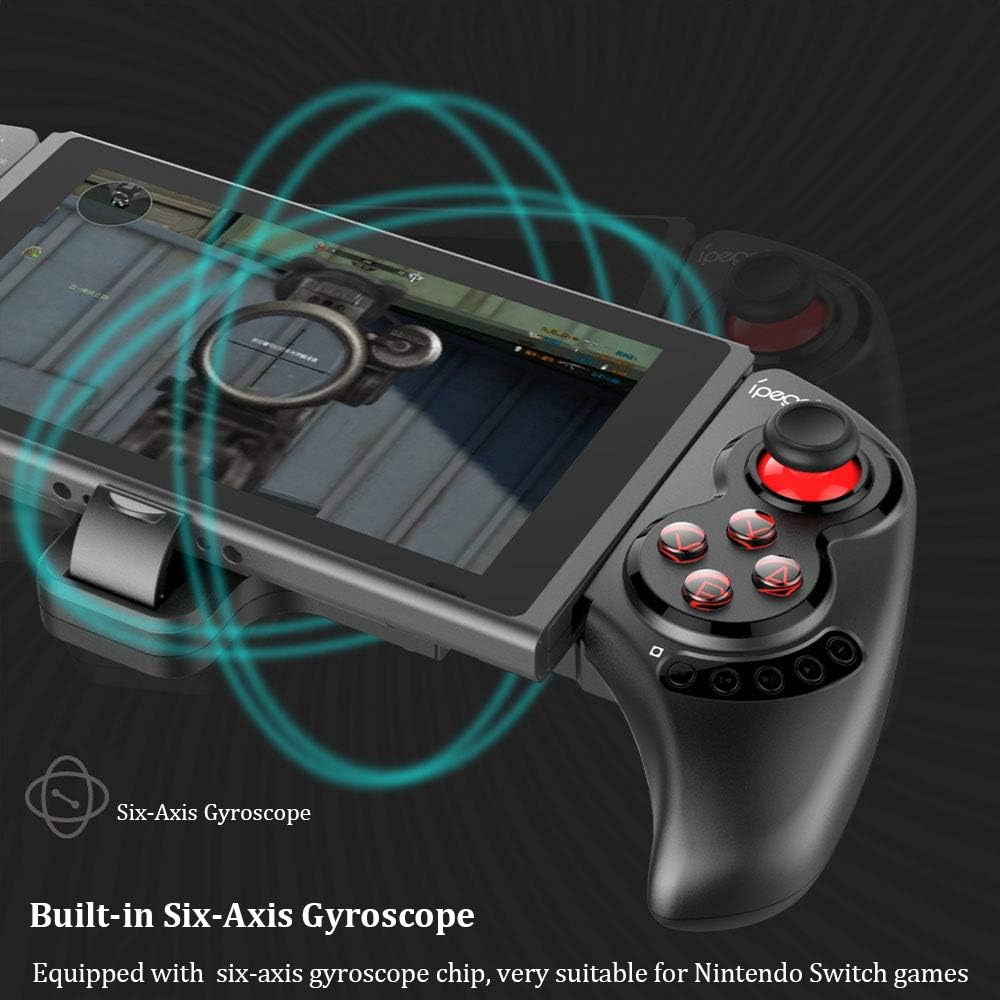
Figure 3: Illustration highlighting the built-in six-axis gyroscope for motion control.

Figure 4: Illustration demonstrating the dual motor vibration feature for haptic feedback.

Figure 5: The telescopic rod's adjustable range (130-280mm) and compatibility with Switch Mobile Device, Android Phone, and PC Tablet.

Figure 6: Detail of the controller's ergonomic structure designed for comfortable hand feeling.
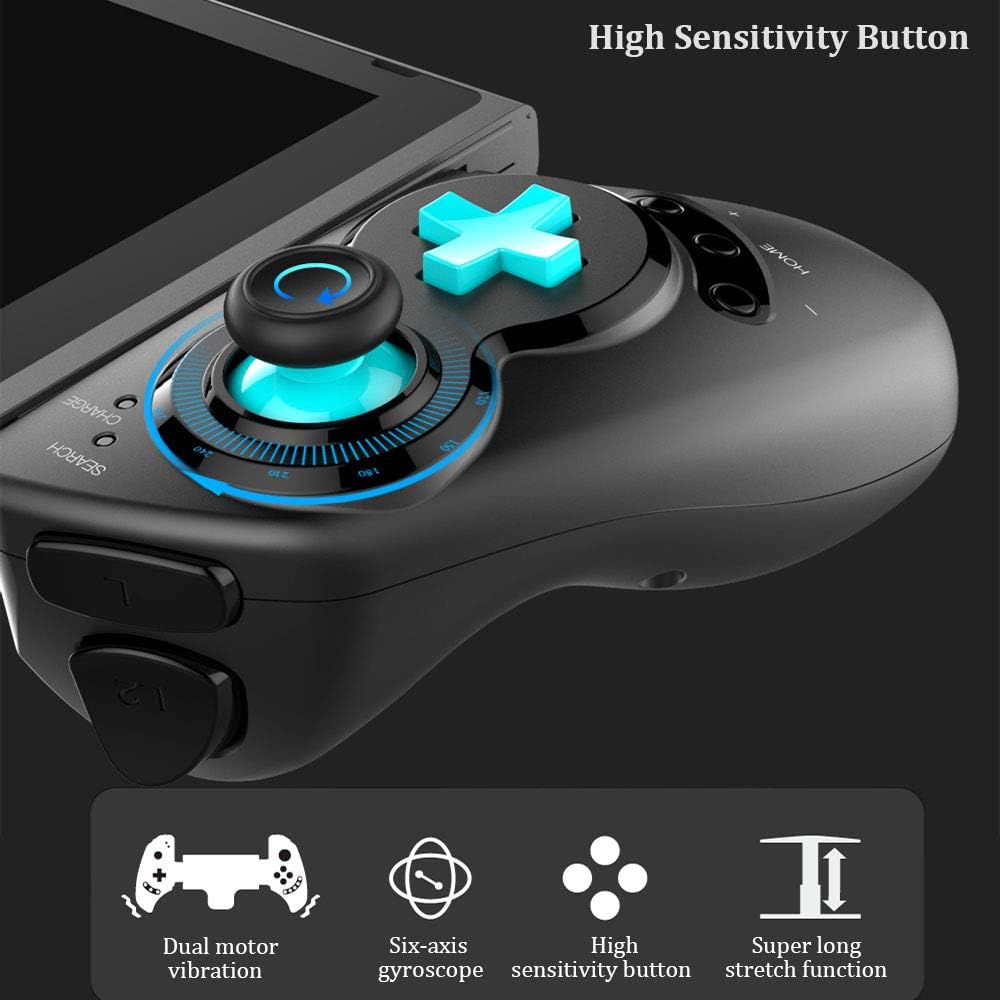
Figure 7: Highlighting the high sensitivity buttons and other key features like dual motor vibration, six-axis gyroscope, and super long stretch function.
Persediaan
Before using your IPEGA Wireless Switch Controller, ensure it is adequately charged. Connect the included USB cable to the controller's charging port and to a USB power source (e.g., computer, USB wall adapter). The charge indicator will show charging status.
Mod Pengendalian
N-Switch Connection Mode
- Berpasangan kali pertama:
- Turn on your Nintendo Switch Console.
- From the HOME Menu, navigate to Pengawal, kemudian pilih Tukar Grip dan Urutan.
- On the IPEGA controller, press and hold down the "B" + "HOME" buttons simultaneously for 2 seconds. The SEARCH indicators on the controller will flash quickly.
- Once successfully paired, the indicators will turn on solid. Press "A" on the controller when prompted to confirm.
- Gandingan Semula:
- Tekan dan tahan butang "HOME" button for 2 seconds to turn on the controller.
- The SEARCH indicator will flash slowly, indicating it's in re-pair mode. The controller will automatically attempt to connect to the previously paired console.
- Setelah disambungkan, tekan "A" when you're ready to play.
- Pengawal Bangun:
- If the controller is in sleep mode, press the "HOME" butang untuk membangunkannya.
- It will automatically connect to the console.
- Tekan "A" when you're ready.
Mod Android
- Tekan dan tahan butang "Y" + "HOME" buttons simultaneously for 2 seconds to turn on the controller. The SEARCH indicators will flash quickly.
- On your Android device, enable Bluetooth and search for available devices. Select "PG-SW029" untuk berpasangan.
- Once successfully paired, the SEARCH indicator on the controller will turn on solid, indicating it has entered Android Mode.
- The controller supports standard Android HID games.
P3 Mode (PlayStation 3)
- Tekan dan tahan butang "A" + "HOME" buttons simultaneously for 2 seconds to turn on the controller. The SEARCH indicators will flash quickly.
- Connect the controller to your P3 console using the provided USB cable. Press the "HOME" butang untuk memulakan berpasangan.
- Once paired successfully, the corresponding SEARCH indicator will turn on solid, indicating the gamepad has entered P3 mode.
- You can then unplug the USB cable, and the controller will operate in wireless connection mode.
Penyelenggaraan
- Keep the controller away from extreme temperatures, direct sunlight, and humid environments.
- Elakkan menjatuhkan atau menundukkan pengawal kepada hentaman kuat.
- Clean the controller with a soft, dry cloth. Do not use chemical solvents or abrasive cleaners.
- When not in use for extended periods, store the controller in a cool, dry place.
- Jangan cuba membuka atau mengubah suai pengawal, kerana ini akan membatalkan jaminan dan boleh menyebabkan kerosakan.
Menyelesaikan masalah
| Masalah | Penyelesaian yang Mungkin |
|---|---|
| Pengawal tidak dihidupkan. | Ensure the controller is fully charged. Connect it to a power source using the USB cable. |
| Controller fails to pair with device. |
|
| Input lag or disconnection during gameplay. |
|
| Butang atau kayu bedik tidak responsif. |
|
Spesifikasi
| Ciri | Perincian |
|---|---|
| Nombor Model | PG-SW029 |
| Jenama | ipega |
| Ketersambungan | Wayarles (Bluetooth) |
| Jarak Penghantaran | ≤ 26ft (8 meters) |
| Kapasiti Bateri | Bateri Litium 300mAh |
| Masa Penggunaan Berterusan | > 10 jam |
| Masa Tunggu Sedia | Sehingga 30 hari |
| Telescopic Range | 130mm - 280mm (approx. 5.1 - 11 inches) |
| Dimensi Produk | 23.7 x 12.5 x 5.99 cm (9.33 x 4.92 x 2.36 inci) |
| Keserasian | Nintendo Switch, PlayStation 3, Android Phones/Tablets, PC (Win 7/8/10) |

Figure 8: Detailed dimensions of the controller and its retail packaging.
Senarai Pakej
Item berikut disertakan dalam pakej produk anda:
- Wireless Gamepad x1
- Manual Pengguna x1 (Dokumen ini)
- Kabel USB x1
Waranti dan Sokongan
For warranty information and technical support, please refer to the contact details provided by your retailer or visit the official IPEGA webtapak. Simpan resit pembelian anda sebagai bukti pembelian untuk tuntutan waranti.
If you encounter any issues not covered in this manual, please contact customer support for assistance.
Ask a question about this manual
Ask about setup, troubleshooting, compatibility, parts, safety, or missing instructions. Manuals+ will review the question and use this page’s manual context to help answer it.