
ist computers V15 Gen 4 83CQ
Manual Pengguna Komputer Riba Perniagaan Lenovo V15 Gen 4
Model: V15 Gen 4 83CQ
pengenalan
This manual provides detailed instructions for the setup, operation, maintenance, and troubleshooting of your Lenovo V15 Gen 4 Business Laptop. Please read this manual thoroughly to ensure proper use and to maximize the lifespan of your device.
Apa yang ada dalam Kotak
- Laptop Lenovo V15 Gen 4
- Penyesuai AC 65W dengan Kord Kuasa
- Manual Pengguna (dokumen ini)
Produk Selesaiview
The Lenovo V15 Gen 4 is a business-grade laptop designed for efficiency and reliability. It features an AMD Ryzen 5 7520U processor, 16GB DDR5 RAM, and a 512GB PCIe NVMe M.2 SSD, running on Windows 11 Pro.

Rajah 1: Depan view of the Lenovo V15 Gen 4 Laptop.
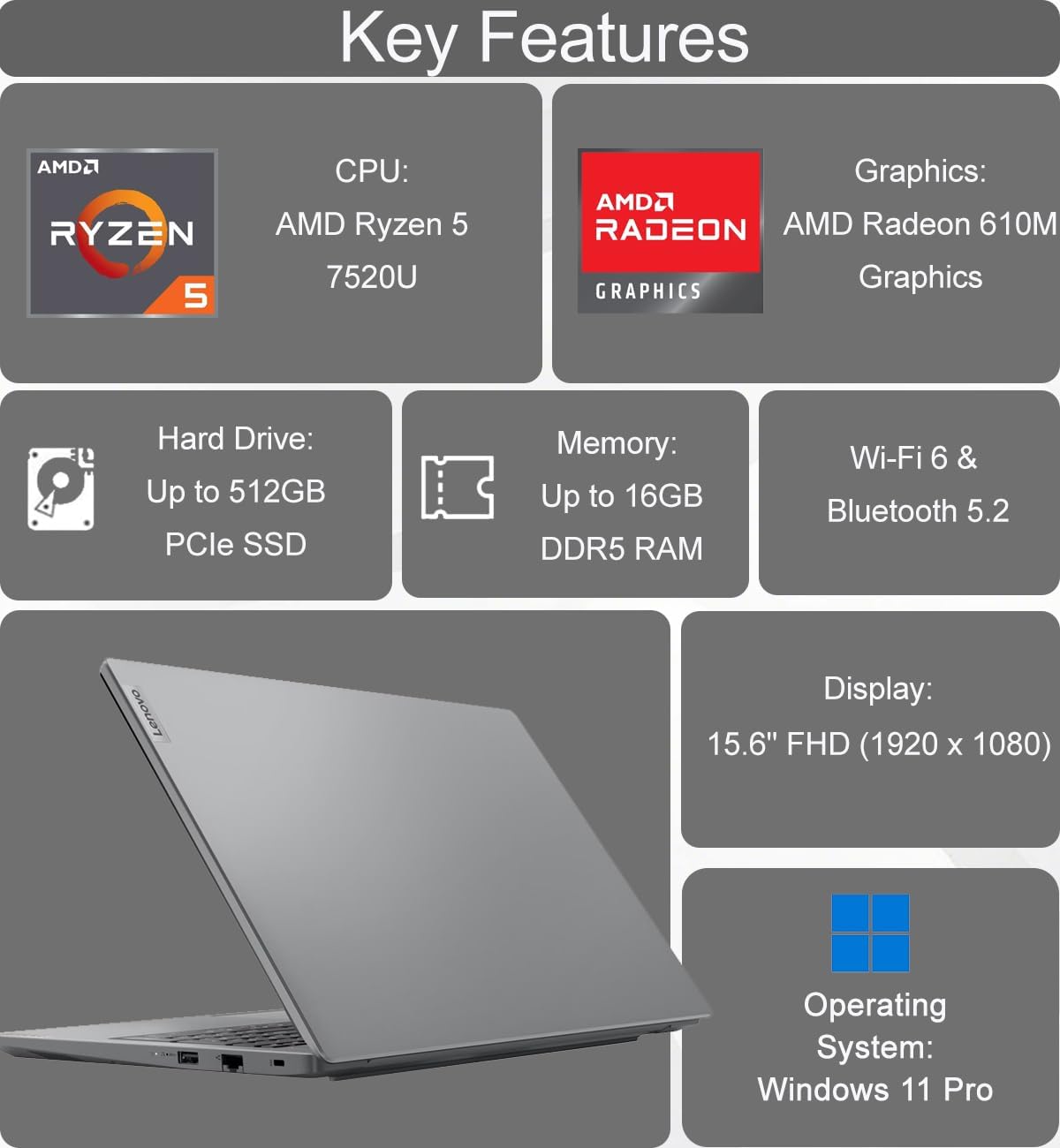
Figure 2: Key features of the Lenovo V15 Gen 4 Laptop.
Pengenalan Komponen
Familiarize yourself with the various ports and components of your laptop.
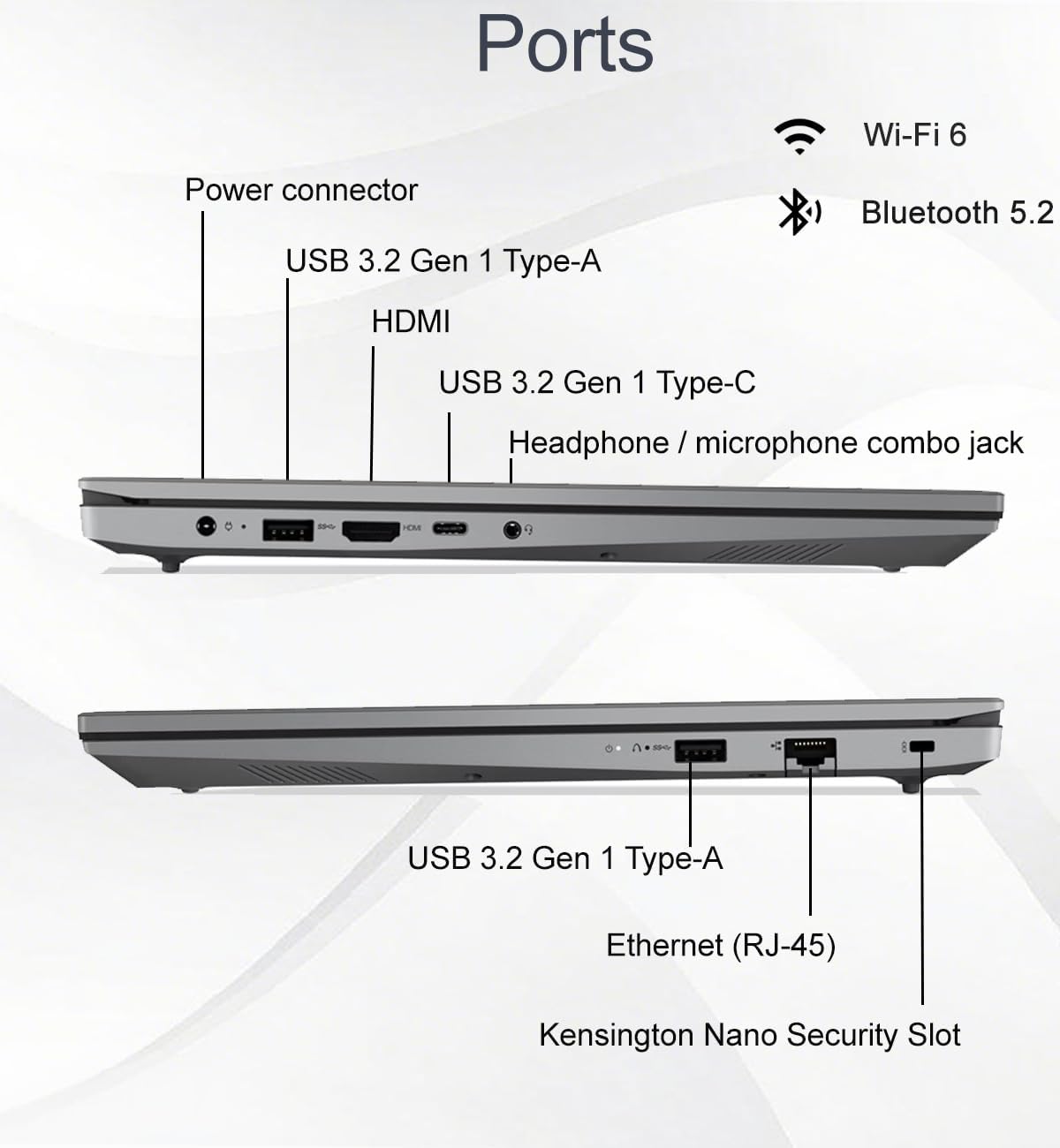
Figure 3: Port layout of the Lenovo V15 Gen 4 Laptop.
- Port Sebelah Kiri: Power connector, USB 3.2 Gen 1 Type-A, HDMI 1.4b, USB 3.2 Gen 1 Type-C (supports data transfer, Power Delivery, and DisplayPort 1.2), Headphone/microphone combo jack.
- Port Sebelah Kanan: USB 3.2 Gen 1 Type-A, Ethernet (RJ-45), Kensington Nano Security Slot.
Arahan Persediaan
- Buka bungkusan Laptop: Keluarkan komputer riba dan semua aksesori dengan berhati-hati dari pembungkusan.
- Sambungkan Kuasa: Plug the 65W AC adapter into the laptop's power connector and then into a power outlet.
- Kuasa Awal Hidup: Open the laptop lid and press the power button. The laptop will guide you through the initial Windows 11 Pro setup process.
- Sambungkan ke Rangkaian: During setup, connect to a Wi-Fi network or use an Ethernet cable for internet access.
- Persediaan Windows Lengkap: Follow the on-screen prompts to configure your operating system, create a user account, and install updates.
Arahan Operasi
Pengurusan Kuasa
- Hidupkan kuasa: Tekan butang kuasa yang terletak di bahagian atas sebelah kanan papan kekunci.
- Mod tidur: Close the lid or select "Sleep" from the Start menu.
- Tutup: Pergi ke Mula > Kuasa > Tutup.
- Mulakan semula: Pergi ke Mula > Kuasa > Mulakan Semula.
Paparan dan Visual
The laptop features a 15.6-inch Full HD (1920 x 1080) anti-glare display with TÜV Low Blue Light certification for reduced eye strain.

Figure 4: Display features of the Lenovo V15 Gen 4 Laptop.
You can connect up to two external monitors via the HDMI and Type-C ports, supporting resolutions up to 4K (3840x2160) at 60Hz without a docking station.
Webcam and Collaboration
HD bersepadu webcam includes a privacy shutter for enhanced security during video calls.

Figure 5: Collaboration features including webcam and keyboard.
Keyboard and Input
The full-sized keyboard features a numeric keypad for efficient data entry and is designed to be spill-resistant.
Audio
Experience clear audio with dual-array microphones and 2 x 1.5W stereo speakers, enhanced by Dolby Audio.

Figure 6: Audio features of the Lenovo V15 Gen 4 Laptop.
Ketersambungan
- wayarles: Integrated Wi-Fi 6 (802.11ax) and Bluetooth 5.2 for fast and reliable wireless connections.
- Berwayar: Ethernet (RJ-45) port for stable wired network access.
Hayat Bateri dan Pengecasan
The laptop is equipped with a battery that provides approximately 10 hours of average usage. It supports rapid charging, reaching up to 80% capacity in one hour.
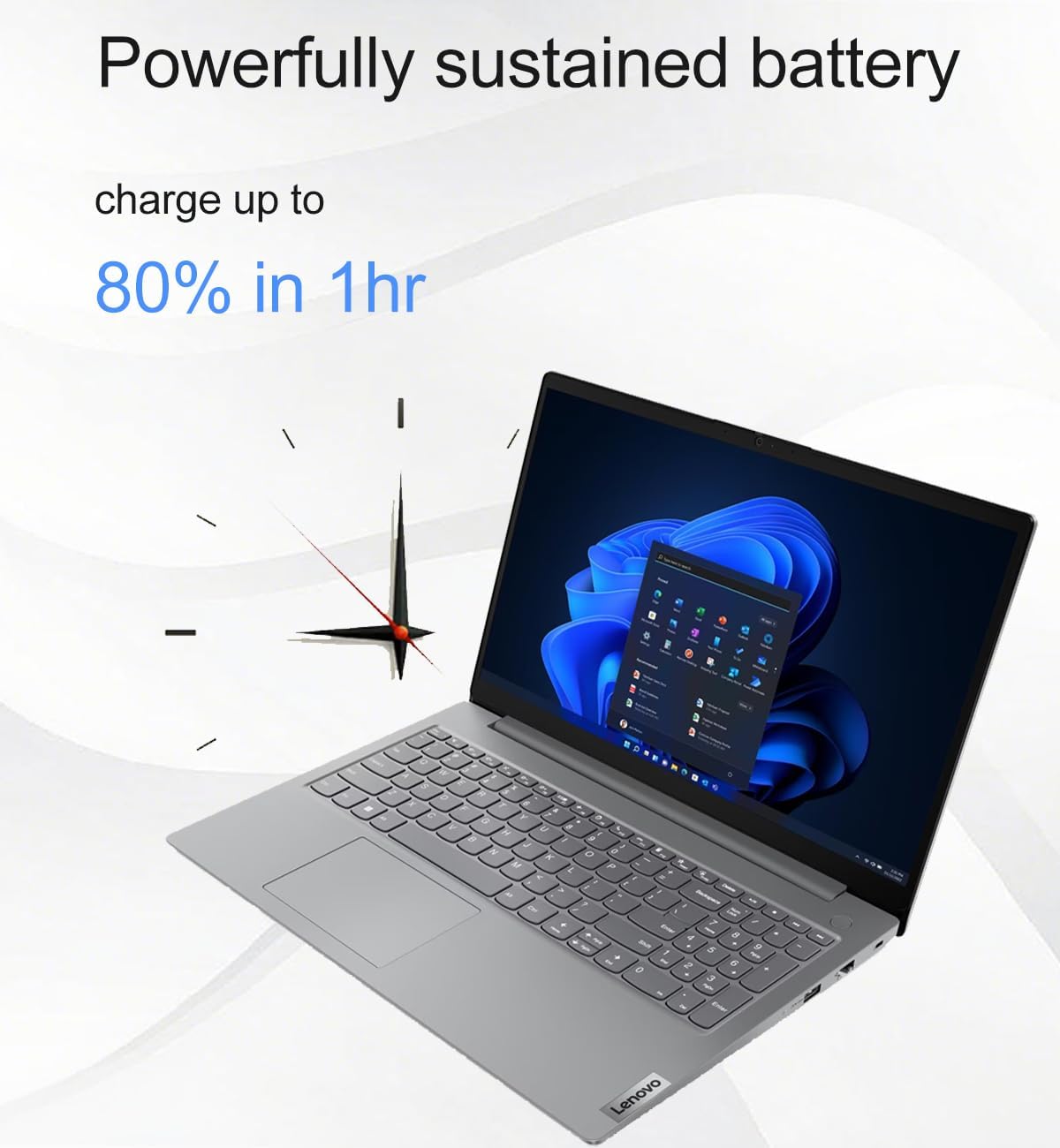
Figure 7: Battery charging capability.
Penyelenggaraan
- Pembersihan: Gunakan kain lembut dan tidak berbulu sedikit dampened with water or a screen cleaner to clean the display. For the keyboard and chassis, use a soft, dry cloth. Avoid harsh chemicals.
- Kemas Kini Perisian: Periksa dan pasang kemas kini sistem pengendalian dan pemacu secara berkala untuk memastikan prestasi dan keselamatan yang optimum.
- Penjagaan Bateri: Untuk memanjangkan hayat bateri, elakkan suhu yang melampau dan kerap nyahcas bateri sepenuhnya.
- Storan: Simpan komputer riba di tempat yang sejuk dan kering apabila tidak digunakan.
Menyelesaikan masalah
Isu dan Penyelesaian Biasa
- Komputer riba tidak dihidupkan: Pastikan penyesuai AC disambungkan dengan selamat pada komputer riba dan soket kuasa yang berfungsi. Cuba soket lain.
- Skrin kosong: Check if the laptop is in sleep mode. Press any key or the power button to wake it. Ensure external monitors are properly connected if in use.
- No internet connection: Verify Wi-Fi is enabled and connected to the correct network. If using Ethernet, ensure the cable is securely plugged in and your router is functioning.
- Prestasi perlahan: Close unnecessary applications. Check for background updates. Restart the laptop.
- Webcam not working: Ensure the privacy shutter is open. Check camera settings in Windows and application permissions.
Untuk isu yang lebih kompleks, rujuk kepada sokongan Lenovo webtapak atau hubungi perkhidmatan pelanggan.
Spesifikasi
| Ciri | Perincian |
|---|---|
| Nama Model | V15 Gen 4 83CQ |
| Pemproses | AMD Ryzen 5 7520U (2.8 GHz, 4 Cores) |
| RAM | 16 GB DDR5 (5500 MHz) |
| Penyimpanan | 512 GB PCIe NVMe M.2 SSD |
| Paparan | 15.6-inch FHD (1920 x 1080) TN Anti-glare, TÜV Low Blue Light |
| Grafik | Integrated AMD Radeon 610M Graphics |
| Sistem Operasi | Windows 11 Pro 64-bit |
| Kesambungan Wayarles | Wi-Fi 6 (802.11ax), Bluetooth 5.2 |
| Pelabuhan | 1x USB-C 3.2 Gen 1 (Data, PD, DP 1.2), 2x USB-A 3.2 Gen 1, 1x HDMI 1.4b, 1x Ethernet (RJ-45), 1x Headphone/Mic Combo Jack |
| Webcam | HD dengan Pengatup Privasi |
| Audio | Dual-array microphones, 2x 1.5W Stereo Speakers, Dolby Audio |
| Hayat Bateri | Approx. 10 hours (average) |
| Dimensi (LxWxH) | 14.48 x 9.64 x 0.74 inci |
| Berat badan | 3.59 paun |
| Ketahanan | MIL-STD-810H tested |
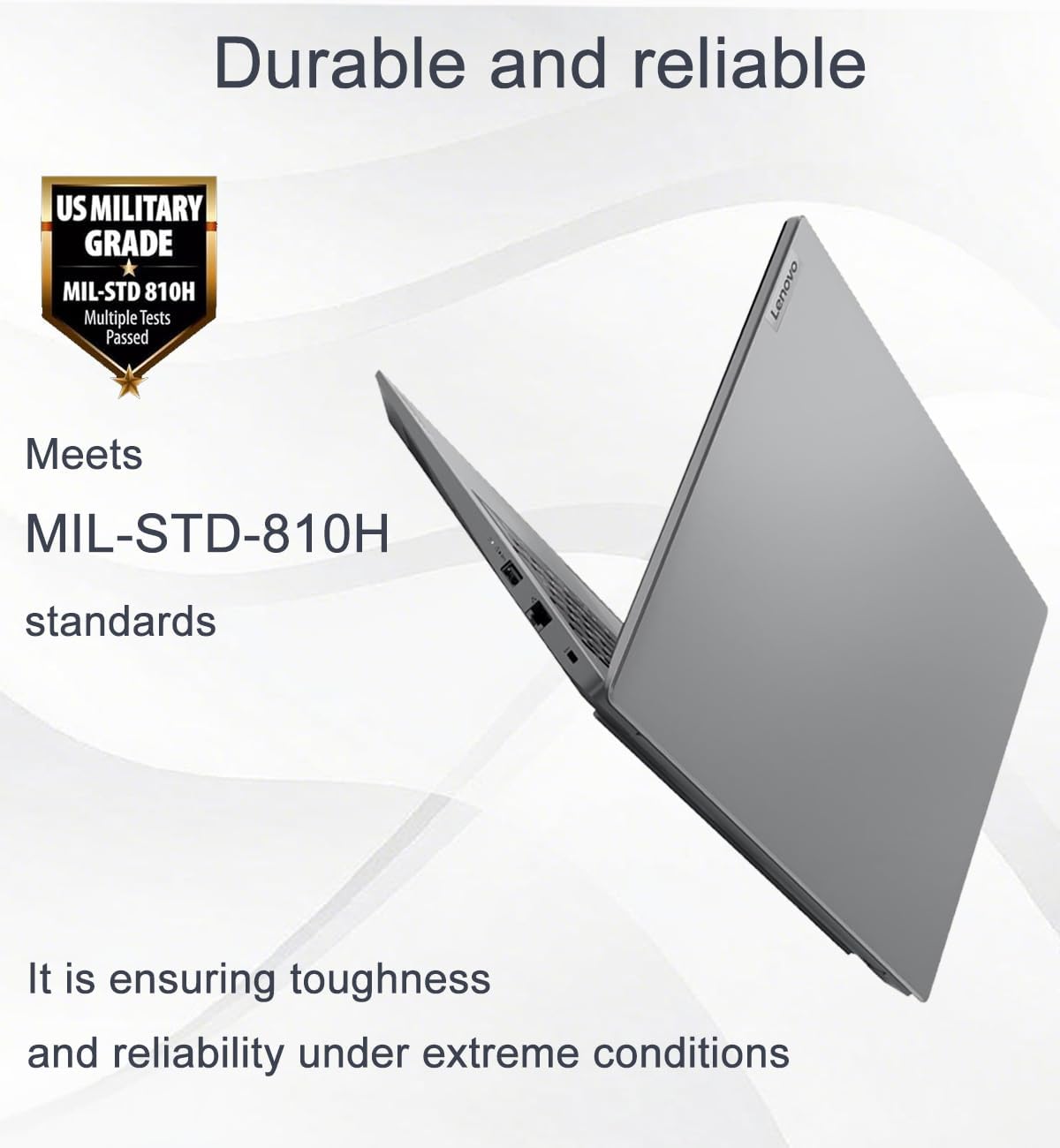
Figure 8: MIL-STD-810H durability standard.

Figure 9: Laptop dimensions and weight.
Waranti dan Sokongan
This product comes with a one-year manufacturer warranty on remaining components. For RAM (Memory) and SSD (Storage) upgraded by Issaquah Highlands Tech (IST Computers), a three-year warranty is provided by Issaquah Highlands Tech.
For support, please refer to the official Lenovo support channels or contact Issaquah Highlands Tech directly for issues related to upgraded components.
Lawati IST Computers Store untuk maklumat lanjut.
Sumber Video
Tiada video produk rasmi daripada penjual tersedia untuk dibenamkan dalam manual ini.
Ask a question about this manual
Ask about setup, troubleshooting, compatibility, parts, safety, or missing instructions. Manuals+ will review the question and use this page’s manual context to help answer it.