
pengenalan
Thank you for choosing the AUNA Microstar Sing Vertical Karaoke Micro System. This manual provides essential information for the safe and efficient operation of your device. Please read it thoroughly before use and retain it for future reference.
Arahan Keselamatan
- Baca semua arahan dengan teliti sebelum mengendalikan unit ini.
- Keep the unit away from water, moisture, and direct sunlight.
- Jangan sekat bukaan pengudaraan. Pastikan ruang yang mencukupi di sekeliling unit untuk aliran udara yang betul.
- Gunakan hanya penyesuai kuasa yang dibekalkan dengan unit.
- Jangan cuba membaiki atau mengubah suai unit ini sendiri. Rujuk semua servis kepada kakitangan yang berkelayakan.
- Clean the unit only with a dry, soft cloth. Do not use liquid cleaners or aerosols.
- Jauhkan bahagian-bahagian kecil dan bahan pembungkusan daripada capaian kanak-kanak.
Kandungan Pakej
Sila semak pakej untuk item berikut:
- AUNA Microstar Sing Main Unit
- Stereo Speakers (2 units)
- Mikrofon Berwayar
- Penyesuai Kuasa
- Manual Pengguna (dokumen ini)
Produk Selesaiview
The AUNA Microstar Sing is a versatile micro system designed for karaoke and audio playback. It features a compact design, multiple input options, and integrated LED lighting.

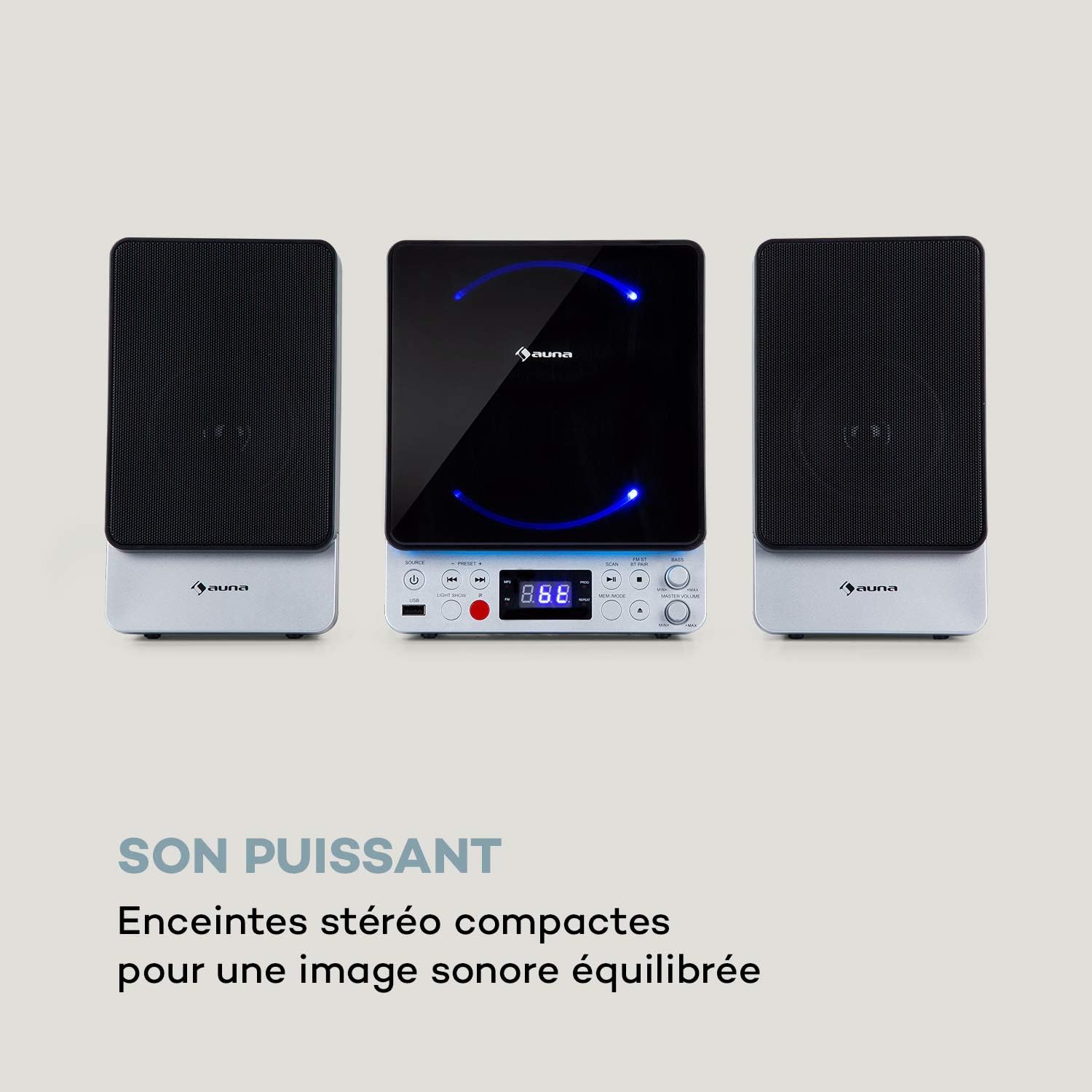

Ciri-ciri Utama:
- Reka bentuk menegak yang menjimatkan ruang
- CD player compatible with standard audio CDs, CD-R, CD-RW, MP3 CDs, and CD-G (Karaoke CDs with graphics)
- Video output (composite PAL) for displaying CD-G lyrics on an external screen
- Bluetooth interface for wireless audio streaming
- USB port for MP3 playback from USB storage devices
- FM radio tuner with 30 preset stations
- Two microphone inputs for duets
- Integrated LED lighting for ambiance
- AUX-In for connecting external audio sources
Persediaan
1. Membongkar dan Meletakkan:
Carefully remove all components from the packaging. Place the main unit and speakers on a stable, flat surface. Ensure there is adequate ventilation around the unit.
2. Menyambung Pembesar Suara:
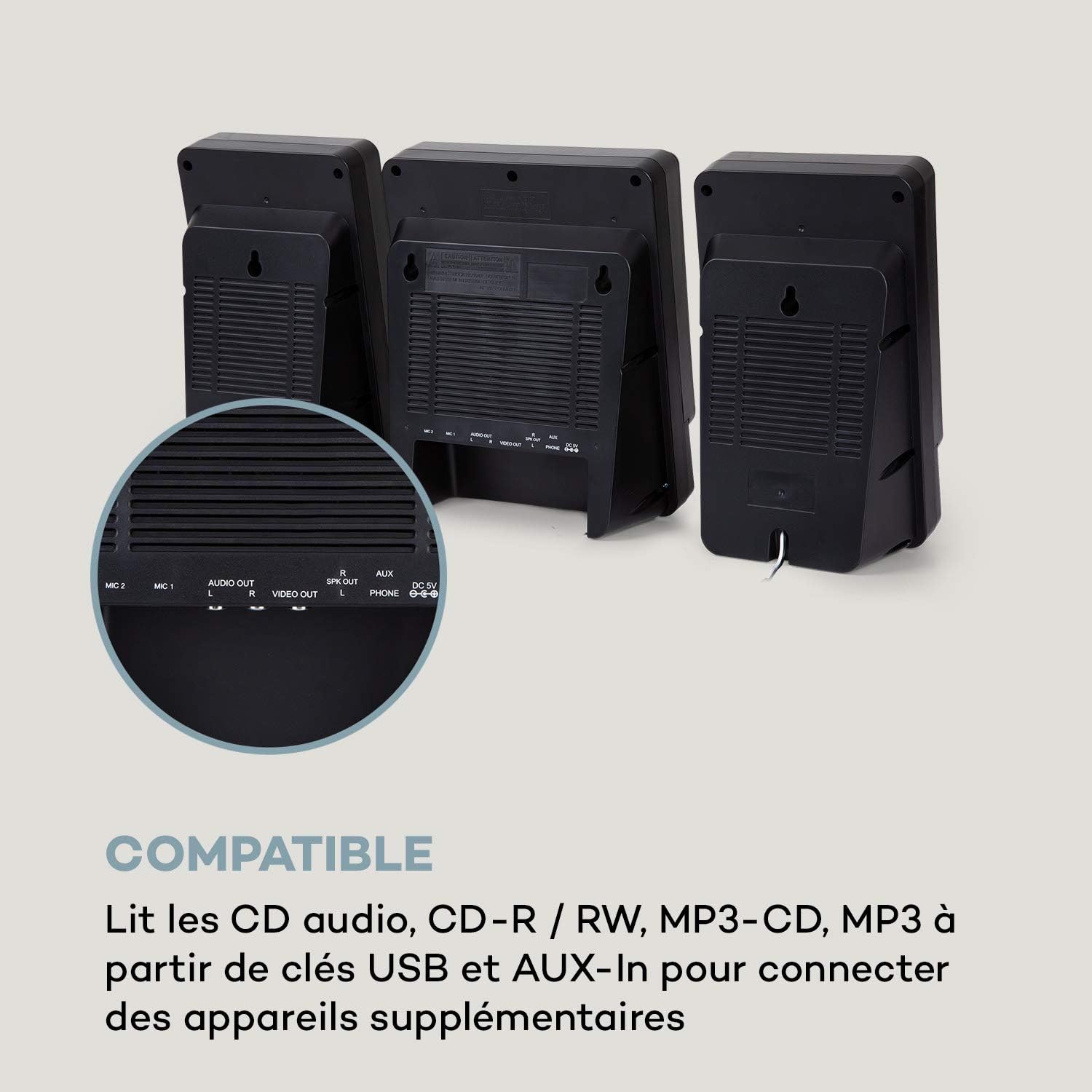
Connect the two stereo speakers to the speaker output ports on the main unit. Ensure a secure connection for optimal sound quality.
3. Sambungan Kuasa:
Connect the supplied power adapter to the DC 5V input on the main unit, then plug the adapter into a wall outlet.
4. Microphone Connection:
Plug the wired microphone into one of the MIC input jacks (MIC 1 or MIC 2) on the main unit.
5. Video Output (for CD-G):
If using CD-G discs, connect a composite video cable (not included) from the VIDEO OUT port on the main unit to the video input of your TV or monitor.
Arahan Operasi
1. Hidupkan/Mati Kuasa:
Tekan ke KUASA butang untuk menghidupkan atau mematikan unit.
2. Pemilihan Sumber:
Tekan ke SUMBER button repeatedly to cycle through available modes: CD, Bluetooth (BT), USB, FM, AUX.
3. Main Semula CD:
- Pilih mod CD menggunakan SUMBER butang.
- Buka petak CD.
- Place a CD (audio CD, CD-R, CD-RW, MP3 CD, or CD-G) onto the spindle with the label side facing up.
- Close the CD compartment. The disc will begin playing automatically or after pressing MAIN/JEDA.
- guna SEBELUMNYA dan SETERUSNYA butang untuk melangkau trek.

4. Berpasangan Bluetooth:
- Select BT mode using the SUMBER button. The display will show "BT" and flash, indicating pairing mode.
- Dayakan Bluetooth pada peranti mudah alih anda (telefon pintar, tablet, dll.).
- Cari untuk "AUNA Microstar Sing" in your device's Bluetooth settings and select it to pair.
- Once paired, you can stream audio wirelessly from your device to the Microstar Sing.

5. Main Semula USB:
- Masukkan pemacu kilat USB yang mengandungi audio MP3 files ke dalam port USB.
- Pilih mod USB menggunakan SUMBER butang.
- Unit ini akan mengesan dan mula memainkan MP3 secara automatik files.
- guna SEBELUMNYA dan SETERUSNYA butang untuk menavigasi trek.
6. Radio FM:
- Pilih mod FM menggunakan SUMBER butang.
- Tekan ke IMBAS butang untuk mengimbas dan menyimpan stesen FM yang tersedia secara automatik.
- Gunakan PRESET + dan PRESET - butang untuk mengitar stesen yang disimpan.
7. Fungsi Karaoke:
With a CD-G disc playing and connected to a TV, or any audio source playing, adjust the microphone volume using the dedicated VOLUME MIC knob. Sing along with the music. The LED lighting will enhance the karaoke experience.
8. Kawalan Kelantangan:
Laraskan kelantangan keseluruhan menggunakan VOLUME MASTER tombol. The BASS knob allows for bass level adjustment.
9. LED Light Show:
Tekan ke CAHAYA CAHAYA button to activate or deactivate the integrated LED lighting effects.
Penyelenggaraan
Pembersihan:
Wipe the unit with a soft, dry cloth. Do not use abrasive cleaners, waxes, or solvents as they may damage the finish. Ensure the unit is unplugged before cleaning.
Storan:
If not in use for an extended period, unplug the unit and store it in a cool, dry place, away from direct sunlight and extreme temperatures.
Menyelesaikan masalah
| Masalah | Kemungkinan Punca | Penyelesaian |
|---|---|---|
| Tiada kuasa | Penyesuai kuasa tidak disambungkan atau alur keluar rosak. | Pastikan penyesuai kuasa disambungkan dengan selamat ke unit dan soket kuasa yang berfungsi. |
| Tiada bunyi | Kelantangan terlalu rendah; sumber yang dipilih salah; pembesar suara tidak disambungkan. | Increase master volume. Select the correct input source. Check speaker connections. |
| CD tidak dimainkan | CD inserted incorrectly; disc scratched/dirty; incorrect mode. | Ensure CD is inserted correctly. Clean or replace the disc. Select CD mode. |
| Bluetooth tidak bersambung | Unit not in pairing mode; device too far; Bluetooth off on source device. | Ensure unit is in BT mode and flashing. Move device closer. Enable Bluetooth on your device. |
| Mikrofon tidak berfungsi | Microphone not connected; MIC volume too low. | Ensure microphone is securely plugged in. Increase MIC volume. |
| Penerimaan radio FM yang lemah | Weak signal; antenna not positioned correctly. | Adjust the position of the unit or external antenna (if applicable) for better reception. |
Spesifikasi
| Ciri | Spesifikasi |
|---|---|
| Jenama | AUNA |
| Nombor Model | MG3-9200-hghg |
| warna | Perak |
| Teknologi Ketersambungan | Bluetooth, USB |
| Sambungan | USB, AUX-In, Microphone (2), Video Out (Composite) |
| Jumlah Port USB | 1 |
| Jenis Media | CD-RW, USB, MP3 CD, CD-G |
| Bilangan Speaker | 2 (Stereo) |
| Komponen Termasuk | Mikrofon |
| Penggunaan yang Disyorkan | Rumah |
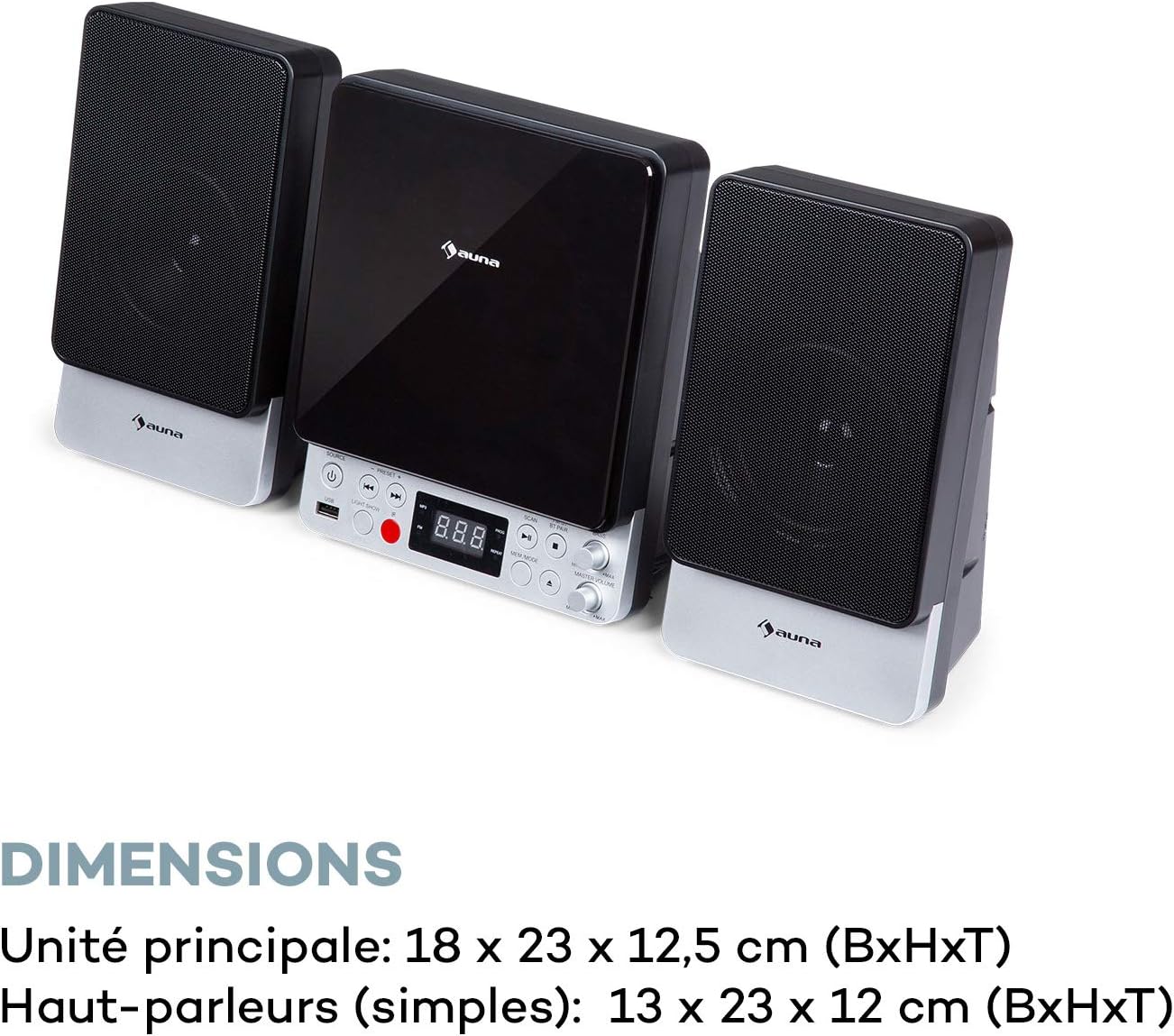
| Main Unit Dimensions (WxHxD) | 18 x 23 x 12.5 cm |
| Speaker Dimensions (WxHxD, each) | 13 x 23 x 12 cm |
Waranti dan Sokongan
For warranty information and technical support, please refer to the warranty card included with your product or contact AUNA customer service directly. Keep your proof of purchase for any warranty claims.
For further assistance, please visit the official AUNA webtapak atau hubungi saluran sokongan mereka.