
1. Pengenalan
Thank you for choosing the Beelink GK55 Mini PC. This compact and powerful computer is designed for various applications, from home entertainment to office productivity. This manual provides essential information for setting up, operating, maintaining, and troubleshooting your device.
The Beelink GK55 features an Intel J4125 processor, 8GB DDR4 RAM, and a 256GB SSD, offering efficient performance in a small form factor. It supports 4K video output, dual-band Wi-Fi, Bluetooth 4.2, and multiple connectivity options including Dual HDMI and USB 3.0 ports.
2. Produk Lebihview
2.1 Kandungan Pakej
- PC Mini Beelink GK55
- Penyesuai Kuasa
- Kabel HDMI
- Manual Pengguna
- VESA Mount (optional)
2.2 Susun atur Peranti
Familiarize yourself with the ports and features of your Beelink GK55 Mini PC.

Imej: Depan dan sisi view of the Beelink GK55 Mini PC, showing the power button, USB ports, and ventilation.

Imej: Belakang view of the Beelink GK55 Mini PC, displaying two USB ports, two LAN ports, two HDMI ports, and the DC power input.
2.3 Port dan Penyambung
- Port USB 3.0: Untuk menyambung perkakasan berkelajuan tinggi.
- Port USB 2.0: Untuk menyambungkan peranti standard.
- Port USB Jenis-C: Untuk pemindahan data dan output paparan.
- Port HDMI (x2): For connecting to displays, supporting dual monitor setup.
- Port LAN (x2): Untuk sambungan rangkaian berwayar.
- Input Kuasa DC: Untuk menyambungkan penyesuai kuasa.
- Jack Audio: Untuk menyambungkan fon kepala atau pembesar suara.
- Butang Kuasa: Untuk menghidupkan/mematikan peranti.
2.4 Komponen Dalaman
The Beelink GK55 is engineered with efficient components for reliable performance.

Imej: Terperinci view of the Intel J4125 processor, highlighting its 4 cores/4 threads, 4M cache, 2.0GHz up to 2.7GHz burst frequency, 8GB DDR4 support, and Intel UHD Graphics 600.

Imej: Dalaman view showing the M.2 SATA SSD 2280 slot and the provision for an expandable 2.5-inch HDD, with optional configurations of 128GB, 256GB, and 512GB.

Image: An exploded diagram of the Beelink GK55 Mini PC, illustrating the internal layout of the motherboard, cooling fan, heat sink, and various ports.
Video: Tamatview of the Beelink GK55 Mini PC, showcasing its design, internal components like the Intel J4125 processor, M.2 SATA SSD, cooling system, and various ports. The video also demonstrates its dual display capabilities and compact size.
3. Persediaan
3.1 Menyambung Peranti
- Paparan Sambungkan: Use an HDMI cable to connect your monitor(s) to the HDMI ports on the back of the Mini PC. The device supports dual display output.
- Sambungkan Papan Kekunci dan Tetikus: Pasangkan papan kekunci dan tetikus USB anda ke port USB yang tersedia.
- Sambungkan Rangkaian (Pilihan): For a wired internet connection, connect an Ethernet cable from your router or modem to one of the LAN ports.

Image: The Beelink GK55 Mini PC connected to a large 4K display, demonstrating its capability to output high-resolution video.
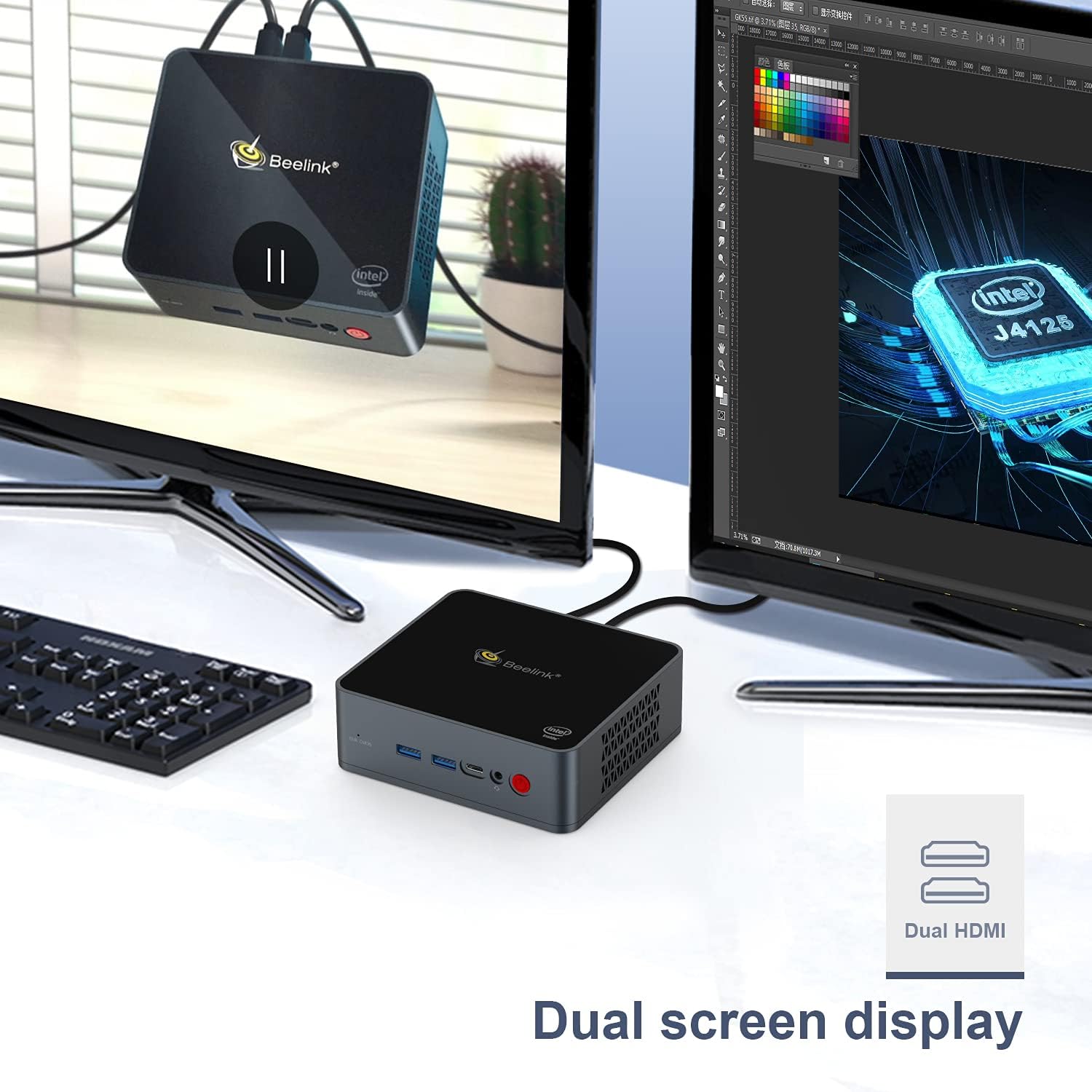
Image: The Beelink GK55 Mini PC connected to two monitors, illustrating its dual screen display capability for enhanced productivity.
3.2 Menghidupkan
- Connect the power adapter to the DC power input port on the Mini PC, then plug the adapter into a power outlet.
- Press the power button located on the front of the device. The power indicator light will illuminate.
- The Mini PC will boot up, and the operating system (Windows 10 Pro or Linux, depending on your configuration) will load.
4. Arahan Operasi
4.1 Operasi Asas
- Hidupkan/Mati Kuasa: Press the power button once to turn on. To turn off, use the operating system's shutdown function or press and hold the power button for 5 seconds.
- Mulakan semula: Gunakan fungsi mula semula sistem pengendalian.
- Mod tidur: Gunakan fungsi tidur sistem pengendalian.
4.2 Paparan Output
The Beelink GK55 supports up to 4K resolution at 30Hz via its HDMI ports. For optimal display quality, ensure your monitor and HDMI cables support 4K resolution.
4.3 Kesambungan Wayarles
- Wi-Fi: The device supports 2.4G and 5G Wi-Fi. To connect, navigate to your operating system's network settings, select your desired Wi-Fi network, and enter the password.
- Bluetooth: The device includes Bluetooth 4.2. To pair Bluetooth devices, go to your operating system's Bluetooth settings and follow the pairing instructions for your specific device.

Image: An illustration showing the Beelink GK55 Mini PC connected to various peripherals such as a monitor, TV, headset, sound system, keyboard, mouse, camera, and gamepad, highlighting its extensive connectivity.
5. Penyelenggaraan
5.1 Pembersihan
Regularly clean the exterior of the Mini PC with a soft, dry cloth. Use compressed air to clear dust from ventilation openings to ensure proper airflow and prevent overheating.
5.2 Pengembangan Storan
The Beelink GK55 supports storage expansion. You can add an M.2 SATA SSD (2280 form factor) or a 2.5-inch HDD/SSD to increase storage capacity. Refer to the detailed instructions for internal component access if you plan to upgrade storage.
5.3 Sistem Penyejukan
The Mini PC is equipped with a heat pipe and fan for efficient heat dissipation. Ensure the ventilation openings are not obstructed to maintain optimal operating temperatures.
6. Penyelesaian masalah
If you encounter issues with your Beelink GK55 Mini PC, refer to the following common problems and solutions:
- Tiada Kuasa:
- Pastikan penyesuai kuasa disambungkan dengan selamat ke PC Mini dan salur keluar kuasa yang berfungsi.
- Sahkan alur keluar kuasa berfungsi.
- Tiada Paparan:
- Periksa sama ada kabel HDMI disambungkan dengan kukuh pada kedua-dua Mini PC dan monitor.
- Pastikan monitor dihidupkan dan ditetapkan kepada sumber input yang betul.
- Cuba port atau kabel HDMI yang berbeza.
- Tiada Sambungan Internet (Berwayar):
- Verify the Ethernet cable is properly connected to both the Mini PC and your router/modem.
- Check your router/modem status.
- No Wi-Fi/Bluetooth:
- Pastikan Wi-Fi dan Bluetooth diaktifkan dalam tetapan sistem pengendalian anda.
- Check for driver updates if issues persist.
- Accessing BIOS/Boot Menu:
- To enter the BIOS setup menu, press the 'Delete' kekunci berulang kali semasa permulaan.
- To enter the boot menu, press the 'F7' kekunci berulang kali semasa permulaan.
7. Spesifikasi
| Ciri | Spesifikasi |
|---|---|
| Jenama | Beelink |
| Nombor Model | GK55 |
| Sistem Operasi | Windows 10 Pro (supports Linux) |
| Model CPU | Intel Celeron J4125 |
| Kelajuan CPU | 2.7 GHz (Burst Frequency) |
| Kiraan Pemproses | 4 |
| Saiz Terpasang Memori RAM | 8 GB DDR4 |
| Kapasiti Penyimpanan Memori | 256 GB SSD |
| Antara Muka Cakera Keras | Serial ATA-600 (for 2.5" HDD/SSD expansion) |
| Penerangan Kad Grafik | Grafik Intel UHD Bersepadu |
| Resolusi | 3840 x 2160 (4K) |
| Teknologi Ketersambungan | Bluetooth 4.2, 2.4G+5G WiFi, USB Type-A, USB Type-C, HDMI |
| Antara Muka Perkakasan | HDMI, USB Jenis C |
| Dimensi Item | 4.88 x 4.45 x 1.61 inci |
8. Waranti dan Sokongan
Beelink products come with a standard manufacturer's warranty. For specific warranty terms and conditions, please refer to the warranty card included with your product or visit the official Beelink webtapak.
If you require technical assistance, have questions about your product, or need to report an issue, please contact Beelink customer support through their official channels. Provide your product model (GK55) and serial number for faster service.