
pengenalan
Terima kasih kerana membeliasing the Brifit 50g/0.001g Digital Pocket Scale. This precision instrument is designed for accurate weighing of small items, such as jewelry, powders, and other delicate materials. Please read this manual carefully to ensure proper operation and to maximize the lifespan of your scale.
This scale features a high-precision sensor, a maximum capacity of 50 grams with 0.001 gram readability, and a backlit LCD for clear readings. It supports 6 different weighing units and includes a convenient tare function for precise measurements.
Kandungan Pakej
- Brifit 50g/0.001g Digital Pocket Scale
- 50g Berat Penentukuran
- Pinset
- Bateri AAA (2 termasuk)
- Manual Pengguna
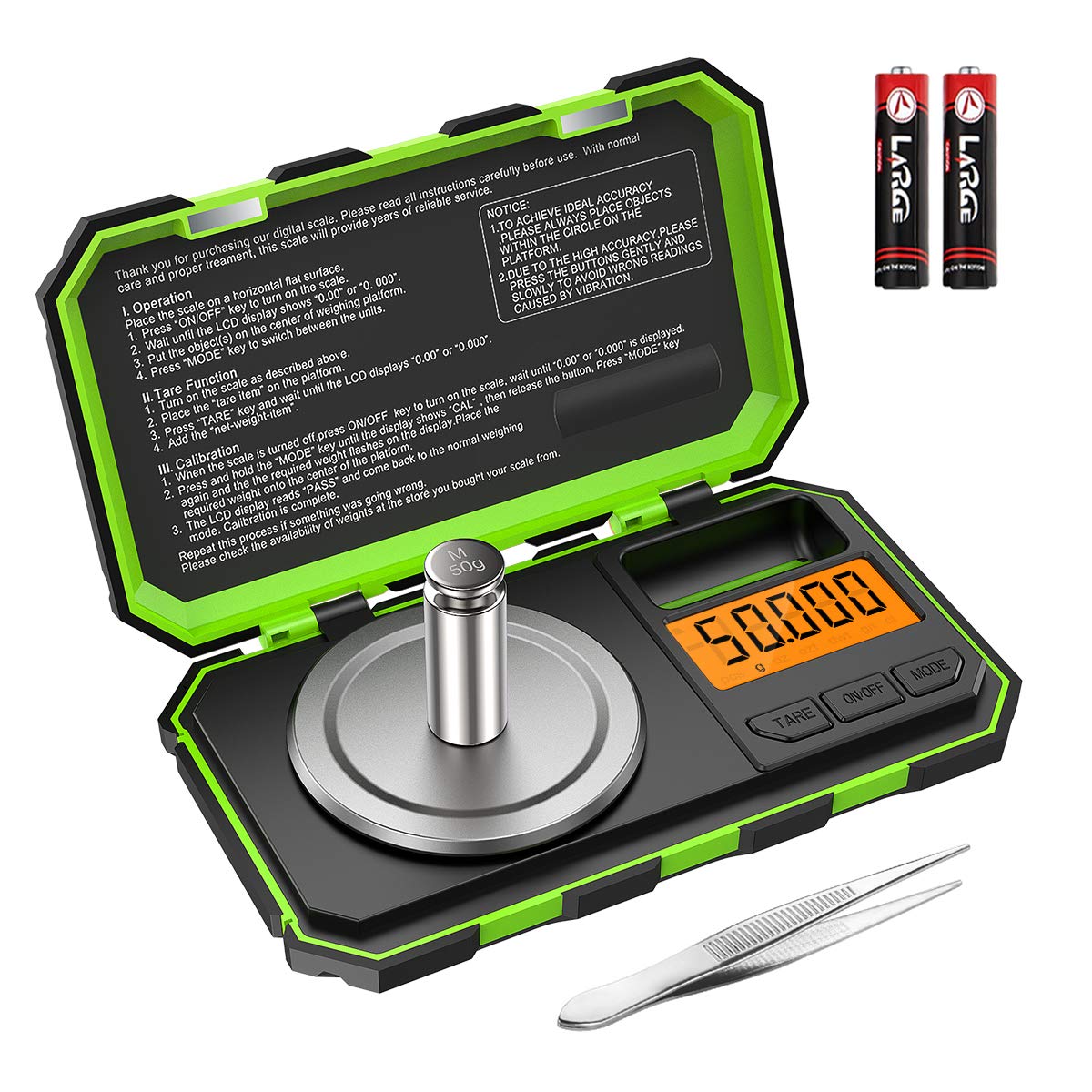
Image: The Brifit digital pocket scale, shown with its included 50g calibration weight and a pair of tweezers. Two AAA batteries are also visible, indicating the power source.
Persediaan
- Membongkar: Keluarkan semua komponen dari pembungkusan dengan berhati-hati.
- Pemasangan Bateri: Open the battery compartment on the underside of the scale and insert the two AAA batteries, ensuring correct polarity (+/-).
- penempatan: Place the scale on a hard, flat, and stable surface, free from vibrations or drafts. Ensure the surface is level for accurate readings.
Arahan Operasi
Operasi Asas
- Hidupkan/Mati Kuasa: Tekan butang "HIDUP/MATI" button to turn the scale on. Press and hold the "HIDUP/MATI" button to turn it off.
- Penukaran Unit: Tekan butang "MODE" button to cycle through the available weighing units: grams (g), ounces (oz), troy ounces (ozt), pennyweights (dwt), carats (ct), and grains (gn).
- Penimbangan: Place the item gently on the center of the weighing platform. Wait for the reading to stabilize on the LCD.

Image: The scale's LCD display showing the various unit options: grams (g), ounces (oz), troy ounces (ozt), pennyweights (dwt), carats (ct), and grains (gn). The "MODE" button is used to switch between these units.
Fungsi Tare
The tare function allows you to subtract the weight of a container, so you can measure only the net weight of the contents.
- Letakkan bekas kosong di atas platform penimbang.
- Tekan butang "SASARAN" button. The display will reset to "0.000g".
- Add the items you wish to weigh into the container. The display will show the net weight of the items.

Image: A visual guide demonstrating the tare function. Step 1 shows placing a container, Step 2 shows pressing TARE to zero the display, Step 3 shows adding items, and Step 4 shows the resulting net weight.
Penentukuran
Calibration ensures the accuracy of your scale. It is recommended to calibrate the scale regularly, especially after moving it or if you suspect inaccurate readings.
- Turn the scale on. Ensure the display reads "0.000g".
- Tekan dan tahan "MODE" button until the display shows "CAL". Release the button.
- Tekan butang "MODE" button again. The display will flash "50.000g".
- Gently place the included 50g calibration weight on the center of the weighing platform.
- Wait for the display to show "PASS", then return to normal weighing mode. This indicates successful calibration.
- Remove the calibration weight.
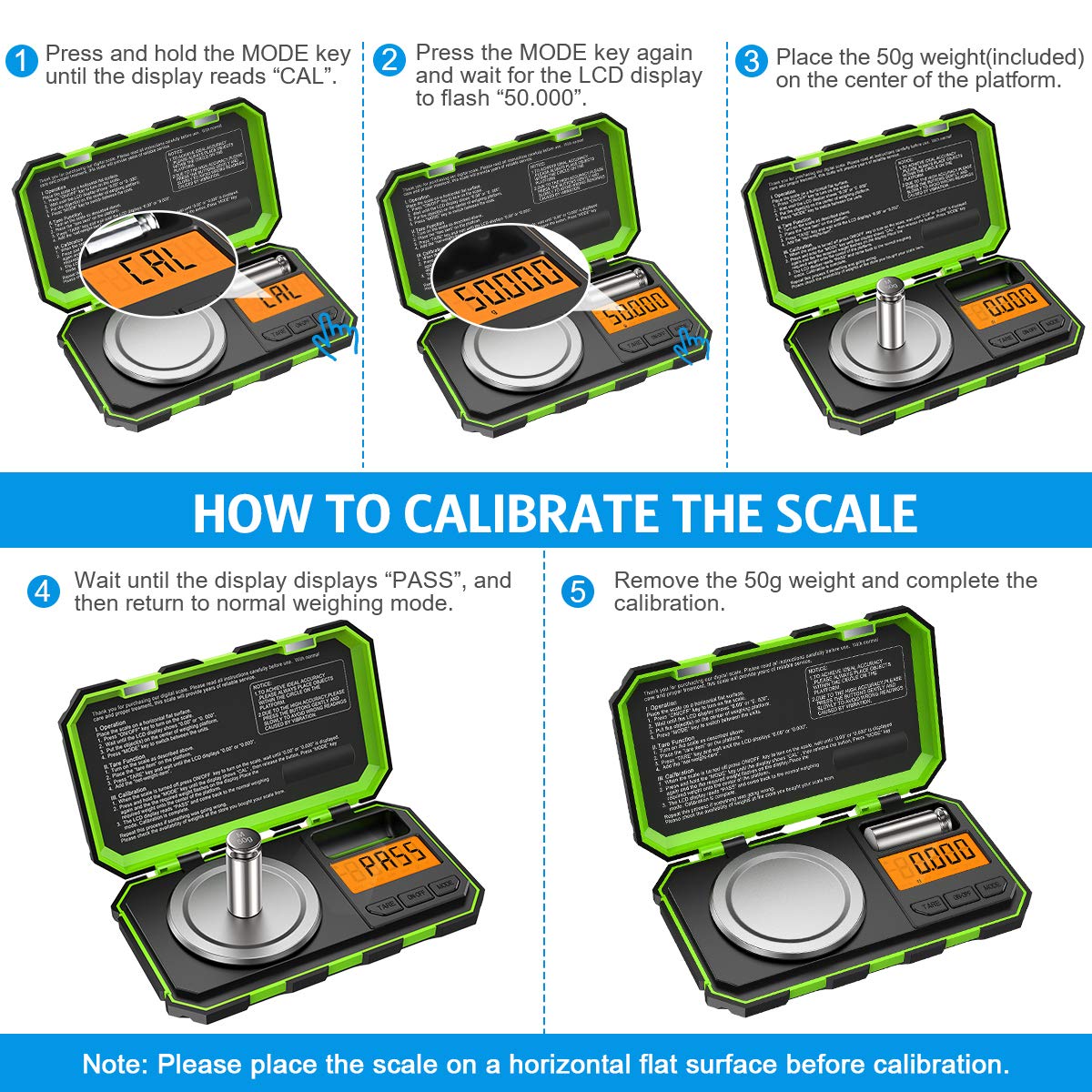
Image: A step-by-step visual guide illustrating the calibration process. It shows pressing MODE for "CAL", then pressing MODE again for "50.000", placing the 50g weight, waiting for "PASS", and finally removing the weight.
Penyelenggaraan
- Pembersihan: Lap penimbang dengan lembut, damp cloth. Do not use abrasive cleaners or immerse the scale in water. The stainless steel weighing pan is easy to clean.
- Storan: Store the scale in a clean, dry environment. The hinged cover protects the buttons and display during storage and transport.
- Penggantian Bateri: Gantikan bateri apabila penunjuk bateri lemah muncul pada paparan.
- Pengendalian: Handle the scale with care. Avoid dropping it or subjecting it to strong impacts, as this can affect its precision. The tough ABS housing provides enhanced durability.

Image: A composite image highlighting the scale's features: its compact size for portability (shown in a pocket), ease of cleaning (shown with a cloth), and general ease of use.
Menyelesaikan masalah
| Masalah | Kemungkinan Punca | Penyelesaian |
|---|---|---|
| Skala tidak dihidupkan. | Bateri rendah atau mati; pemasangan bateri yang salah. | Gantikan bateri; memastikan polariti yang betul. |
| Bacaan yang tidak tepat. | Scale not on a flat, stable surface; needs calibration; overloaded. | Place on a level surface; recalibrate the scale; ensure weight is within 50g capacity. |
| "O_LD" or "EEEE" error message. | Lebihan beban. | Buang berat berlebihan dengan segera. |
| "UNST" or "LO" error message. | Unstable reading; low battery. | Ensure scale is on a stable surface, free from vibrations; replace batteries. |
Spesifikasi
- kapasiti: 50g
- Kebolehbacaan: 0.001g
- Unit: g, oz, ozt, dwt, ct, gn
- paparan: LCD bercahaya belakang
- Kuasa: 2 x Bateri AAA (termasuk)
- Bahan: Stainless Steel (weighing pan), ABS (housing)
- Dimensi: 15 x 9.1 x 3.2 cm (lebih kurang 5.9 x 3.6 x 1.3 inci)
- Berat Barang: 250 Gram
- Nombor Model: Parent-KA61EU
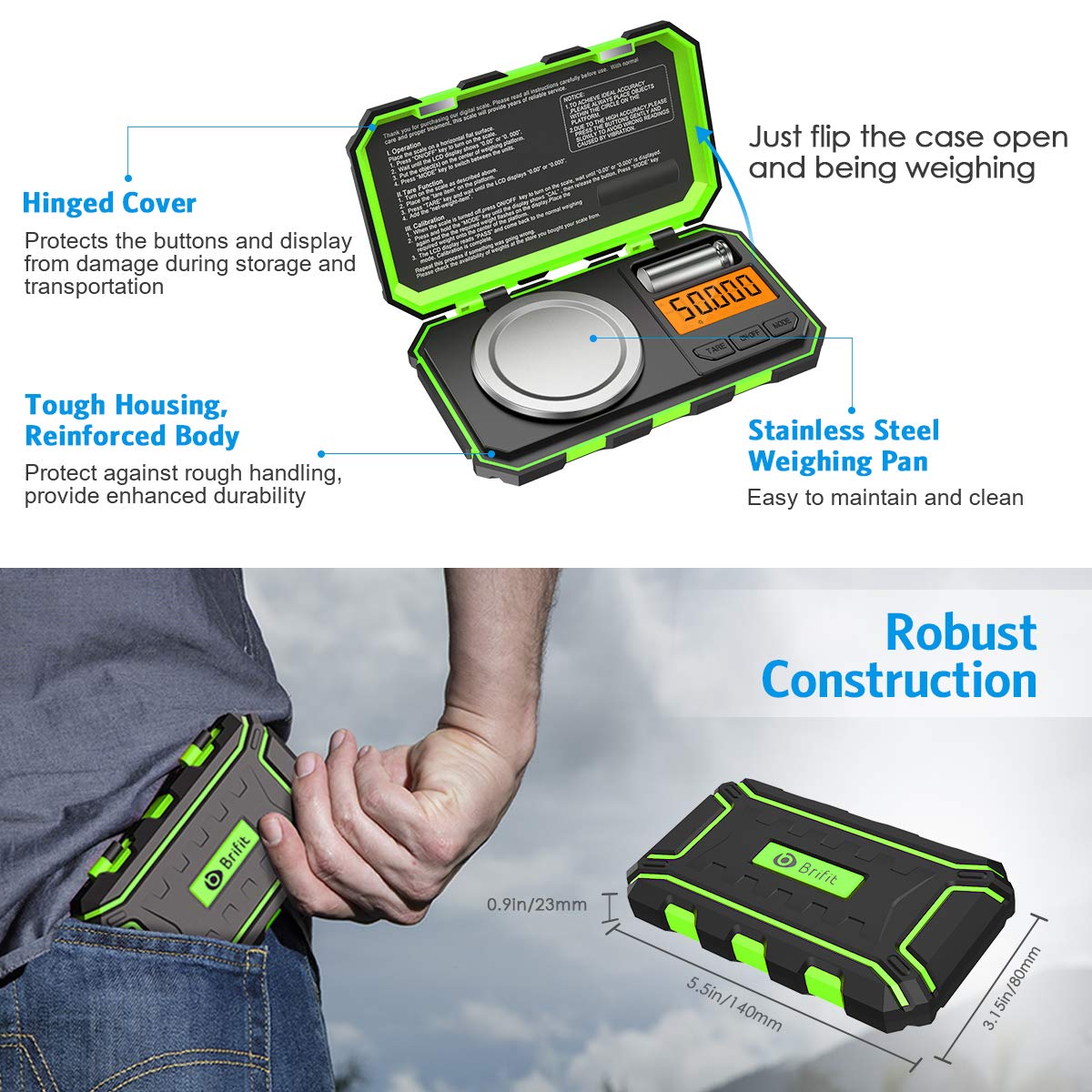
Image: The Brifit scale highlighting its robust construction, hinged cover for protection, tough housing, and stainless steel weighing pan. Dimensions are also indicated, showing its compact and portable design.
Waranti dan Sokongan
Brifit products are designed for quality and reliability. For any questions, technical support, or warranty claims, please contact Brifit customer service through the retailer's platform or the official Brifit website. Please retain your purchase receipt as proof of purchase.
Untuk maklumat lanjut, layari: Brifit Official Store on Amazon